#1
Canary Mail | The Smartest Email App On The Planet
#1
Canary Mail | The Smartest Email App On The Planet
#2
Letty | AI-Powered Email Assistant
#3
Superhuman | Blazingly fast email for teams and individuals
#4
Take Control of Your Inbox with Arch — The First AI Email Copilot
#5
Custom email per product for WooCommerce
Use “Custom Emails” menu to craft unique messages to displayed in order emails. Create custom content for each WooCommerce product, assigning specific Custom Email Messages. Choose the Order Status emails where your custom messages will be showcased: “Order Processing,” “Order On-Hold,” and “Order Complete.” Define the location within the email template for your custom content to appear, whether before or after the Order Details table, after the Order Meta, or after the Customer Details.
#6
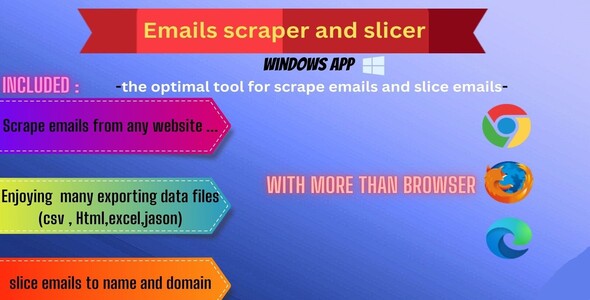
Emails extractor and slicer
-There is pretty Adds that allow to you know where is you file path after getting exporting the data - There is an text box you can put your email in it and press slice for slicing email to name and domain name
#7
EBOX 3 Standard - Public Emails scraper
EBOX 3 is an advanced program, compatible with Windows and Windows Server, for extracting public e-mails of companies from popular search engines. It allows you to extract up to 400,000 emails daily. (It depends on the keywords and the region you want to extract from) EBOX 3 brings you advantages to contact potential clients from your niche and area of interest. You can extract public emails from Google, Bing, Yahoo, Ask and DuckDuckGo. You have the opportunity to be even more precise with your results by allowing the choice of subdomains for certain search engines. With a simple interface, a demonstration video and rich documentation, it will only take a few minutes from downloading the program to obtaining a database of emails. Emails can be exported as Text and saved on your computer.
#8

Google Maps business scraper pro
Google Maps business scraper pro & with Multi-Keywords is a powerful tools to extract phone,description,title,website,address… And Upload Image from Google Maps search results based on your keywords
#9
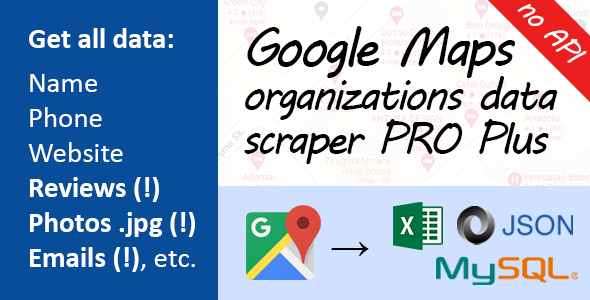
Google Maps Data Scraper PRO plus
Professional data scraper for Google Maps. The application extracts maximum useful information from the maps themselves, and from the websites of organizations. Scraping is done directly from the Google Maps site. You do not need to connect to the Google API. Our scraper also has an unlimited amount of data for extraction. Just download the program, enter geolocation and a keyword to search. Then click “Start.” App will do the rest by itself. Application extracts phone, address, hours of work, organization description, website address, and other information. From each organization’s website (if listed), our scraper pulls e-mail, facebook, twitter, youtube, yelp, tripadvisor, and other social media addresses. App also scrapes texts of reviews, and photos of the organization. All photos are saved as .jpg files to your hard drive. The application is based on Google Chrome – it is built inside the application. One window scrolls down the list of organizations. Other windows extract information about organizations in parallel mode. You can specify a city, a region, or an entire country as your GEO location. In general, the app mimics user behavior and works as if a person were searching for some information on maps. Thus, our data scraper for Google Maps is a rather simple and flexible solution, which allows you to extract the data of organizations in a few clicks. You can use our application for lead generation and similar tasks. We have the ability to filter organizations by rating (e.g., scrape from maps only those organizations whose rating is greater than 3 and less than 4.5). You can also filter by the presence or absence of reviews. If we are talking about reviews themselves, they can also be filtered by length. Generally speaking, you will have a number of settings that you can use to efficiently extract data about organizations from Google Maps.
#10
Email Toolbox - tweak and enhance Prestashop outbox
Another feature is to set customer email as a replyTo field for the new_order email (sent by the ps_emailalerts module). It will allow you to send reply to the new_order notification directly to the customer who placed the order.
#11

Carrier multipurpose AMP email templates
#12
AMP Email template newsletter
#13
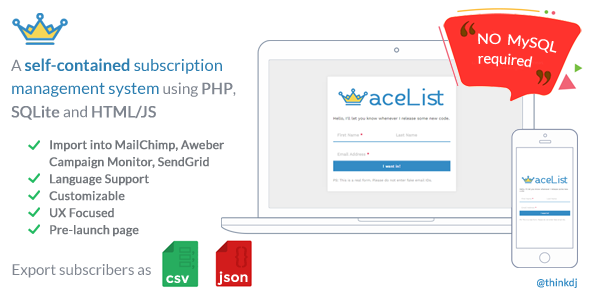
aceList
Sometimes, when you’re starting up a pre-launch page or testing waters, setting up an extensive system with a MySQL Database could be an overkill. aceList is a self-contained subscription list management system using PHP, SQLite3 and jQuery (with a keen focus on UX) With aceList, just copy the code onto your server and you’re good to go! Watch as your visitors turn into subscribers.
#14
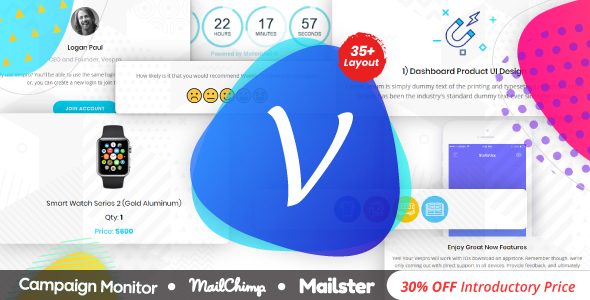
Vespro | Responsive Multipurpose Notification + Transnational Email Template With Builder
35+ Email templates Compatible with MailChimp, Campaign Monitor, Mailster, HTML and other major email marketing platforms. and is completely customizable. You can find here emails like Event, Store/Shop, Sign Up, Sign In, Welcome, Shopping Cart, Abandoned Cart, New Year Sale, Survey, Reminder etc. Vespro is Professional, Time saving and clean Email newsletter Vespro is perfect for all who want to Connect with your subscribers and make more sales.
#15
WooCommerce Custom Emails
WooCommerce Custom Emails is a powerful extension that allows you to send custom transactional emails to your clients on any occasion. Dozens of conditions ensures that your custom emails will be sent to only those clients that are supposed to receive them.
#16
Event Booking Pro
Forms Manager Add on
#17
RegEx Extractor for Mac
A library of regex samples (and with examples) is included. If you need help to create the correct regular expressions, feel free to check the support page.
#18
SimpleEmailExtractor
About Facebook, this software can extract email only if there are email addresses on the page. Of course it can’t extract email from Facebook users database… Yes, sometimes it’s important to say that