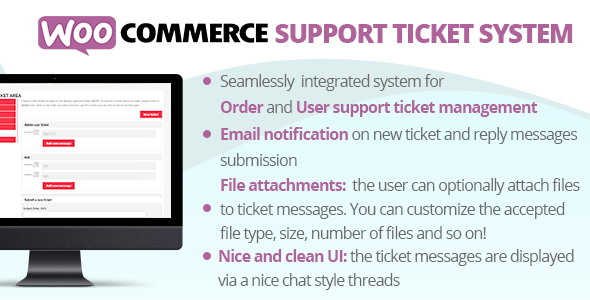
WooCommerce Support Ticket System
Description
The WooCommerce Support Ticket System (WCSTS) seamlessly integrates into your WooCommerce installation adding a system to manage user and order support tickets! In this way, the Shop admin can easily keep track and give support for order and user issues!
LIVE DEMO
(Shop admin account) user: demo pass: demo(Shop admin account) user: demo2 pass: demo
(customer account) user: customer pass: demo
(customer account)
user: customer2
pass: demo

DOCUMENTATION
How to automatically update the plugin
To receive automatic updates just install and configure the Envato updater plugin: .The official guide that explains how to configure it can be found at the following link: .THE IDEA
WCSTS extends WooCommerce adding a system to manage support tickets. Via WCSTS can be managed three different ticket types:- Order tickets: related to orders issues
- User tickets: related to users issues
- New Pay Per Ticket: For more details read the related paragraph
Order tickets
Once activated, the plugin seamlessly adds a ticket area in all frontend order details pages (My Account page -> Orders -> select any order). In this special area, the user can submit new tickets request support for that particular order, read the admin replies for the already submitted tickets, and submit new messages. Optionally the user can also attach one or more files. Once a ticket is submitted, the customer and the admin can optionally receive a notification email (notification system and attachment by default are disabled. Enable them via the Options menu). The order ticket system can also be completely disabled or it can be disabled only for the desired order statuses. Just go to the plugin Options menu and configure its display settings according to your needs! Note: Guest customers can access the order ticket via the Thank you page. The new ticket notification emails will generate a link to that page by using the {order_page_url} shortcode.User tickets
Is automatically displayed on the My Account page in its own tab called Personal Ticket Area (text can be customized via the texts menu) and can optionally be displayed on any frontend page by using the special shortcode. This ticket type works in the same way as an order ticket for the exception that it is associated with a specific user (the user must be logged in to access the ticket area) rather than an order. Once a ticket is submitted, the customer and the admin can optionally receive a notification email (the notification system by default is disabled. It can be enabled via the Options menu). By using the open_new_ticket parameter (Example: ) you can deny users to open new tickets. The parameter accepts 0 o 1 as values. NOTE: to customize the login message, just use the following format: Type the message you want to display, html code is acceptedPay Per Ticket
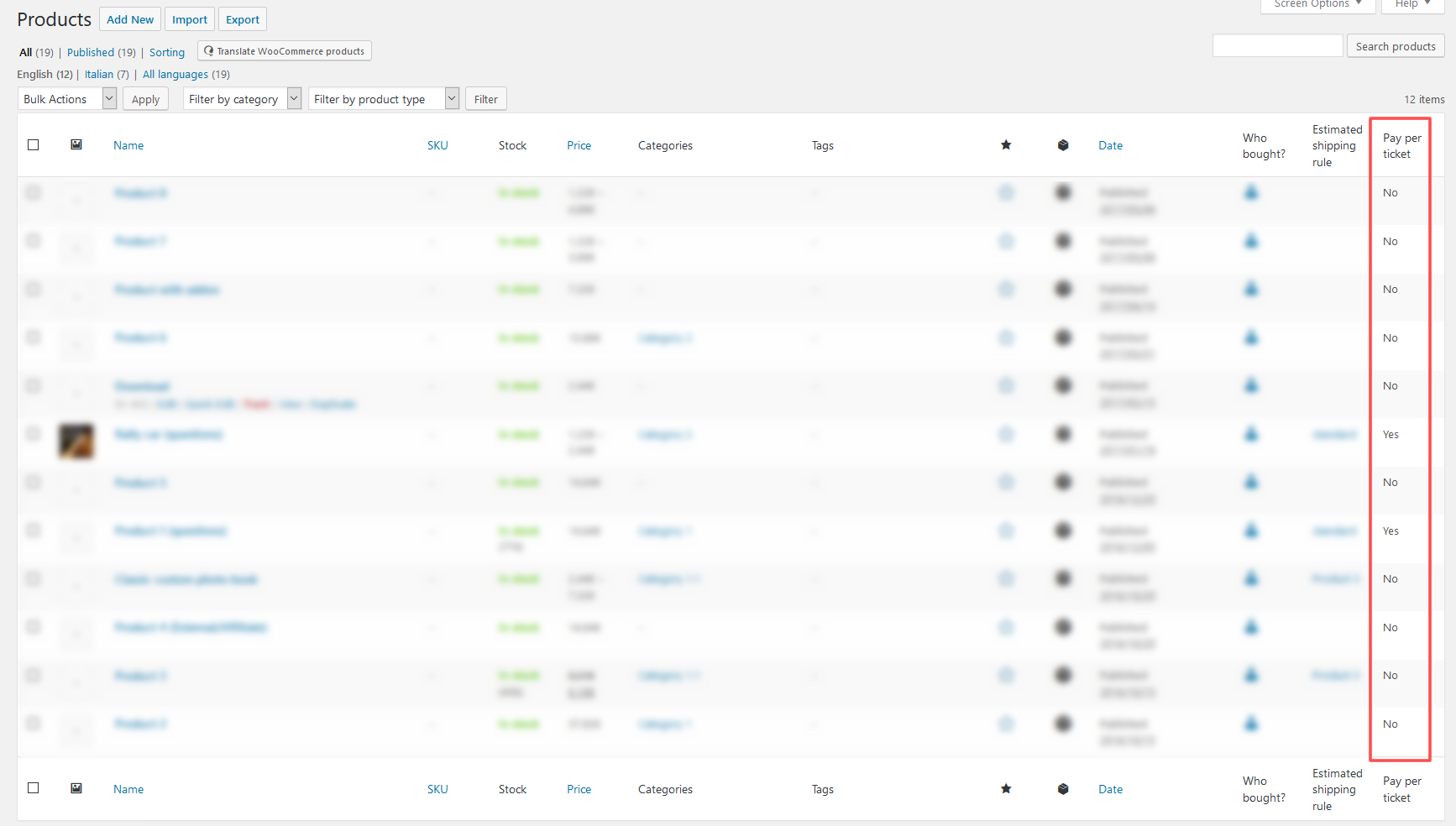
The shop manager can now bind to any product (or variant) a number of questions that a user can ask. Once the product is purchased and the order is paid (or marked as completed), the plugin will automatically open a special Pay Per Ticket by which the admin can keep track of the user questions. The product quantity will affect the number of questions that the user will be able to ask. Note: if the order contains at least one Pay per ticket product, the regular order ticket opening will be disabled. To assign the number of questions to a product, just edit it and in the General tab you will find an input field name Questions number. For variable products, the Question number setting will be editable for each variant via the Variations tab. Example:- The admin binds 6 questions to Product 1
- The user buys 2xProduct 1
- Once the order will be paid, The plugin will open a Pay Per Ticket having 12 questions
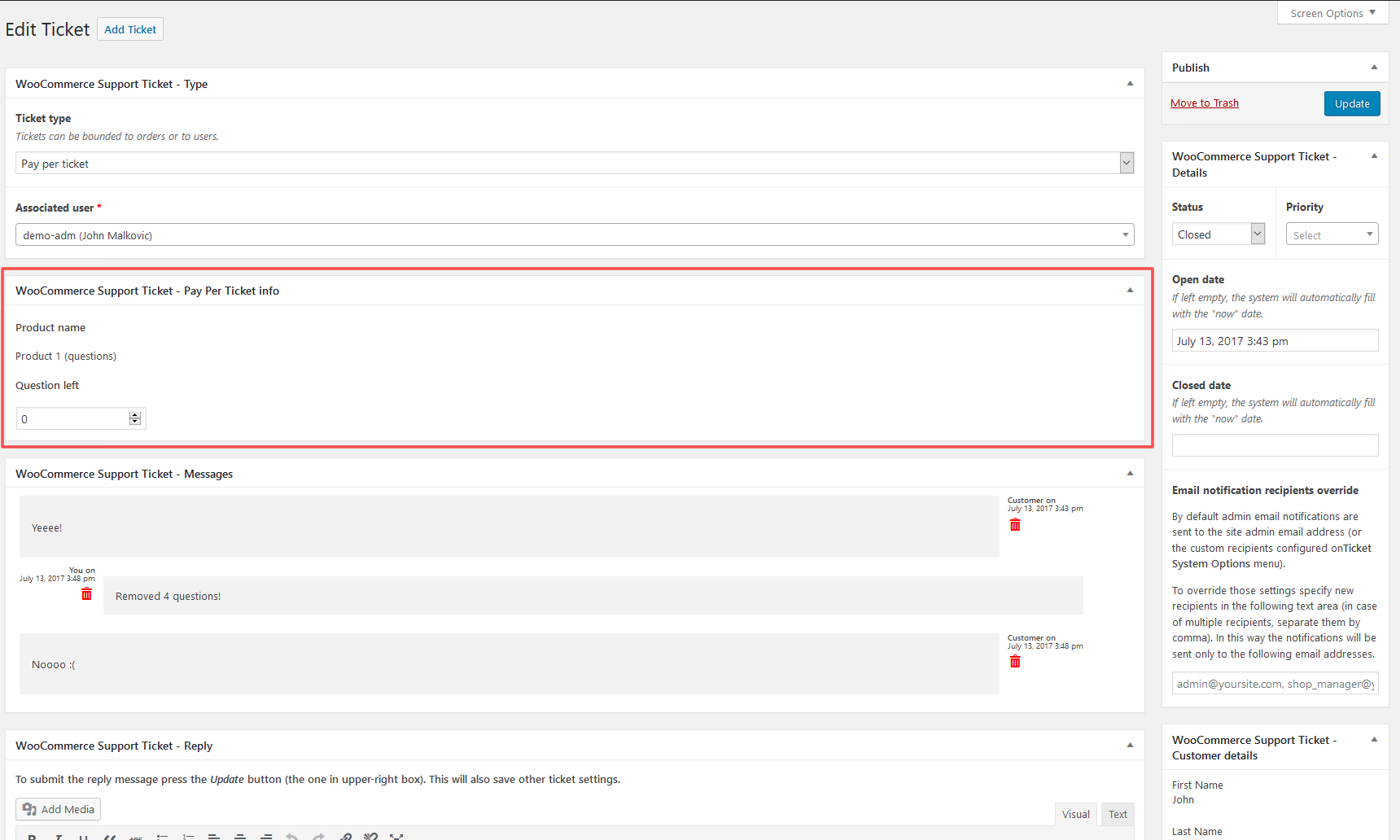
The number of questions left can be editable by the admin using the ticket edit page. The user can buy multiple products having questions bound to them. The plugin will open a ticket for each of them Pay per ticket area is displayed in the front end by using the special shortcode in any page supporting shortcodes. The ticket area will be displayed only for registered users, and for non-registered users will be displayed a login message. To customize the login message, just use the following format: Type the message you want to display, html code is accepted Note: if an order is deleted or marked as failed, canceled, or refunded, the associated pay-per-ticket will be deleted too. Once a ticket reaches 0 questions left, the user will be automatically marked as closed. Guest customers can access the order ticket via the Thank you page. The new ticket notification emails will generate a link to that page by using the {order_page_url} shortcode. Note for WooCommerce Subscriptions users: In the case of a subscription product, every time a renewal occurs, the plugin will reset the pay-per-ticket question number associated with it. The pay-per-ticket will be automatically created according to the order payment status, not the subscription status.
File attachment
Optionally you can enable files attachment for reply messages and tickets. You can set the file size limit and configure which file types are accepted. Furthermore, thanks to the “chunk upload” system, the plugin allows uploading any file size!Use case: File approval system
The ticket system can be used also as a File approval system. Thanks to the file chunk upload system, your customers will be able to attach any file size to each ticket (you can, however, limit the number of uploadable files, size, and types). You can then reject the upload(s) by simply replying to the ticket (optionally the user will be notified via email) and eventually attaching files to your reply. Each message will have its own attachments (that can be eventually deleted) in order to keep track of the attachment history!Predefined answers
Would you like to define a set of predefined answers that can be later recalled when managing a ticket? You can! Just access the Predefined answers menu and create them! Those answers will be available to all the admins that will be lately answering the ticket!Rich text and Tiny MCE on Frontend
Optionally you can also enable the Tiny MCE editor for frontend ticket text areas! In this way, your customers will be able to enter rich texts! To enable this option just go into the plugin options menu and enable the Enable Tiny mce editor for ticket message area on frontend option.Backend managment
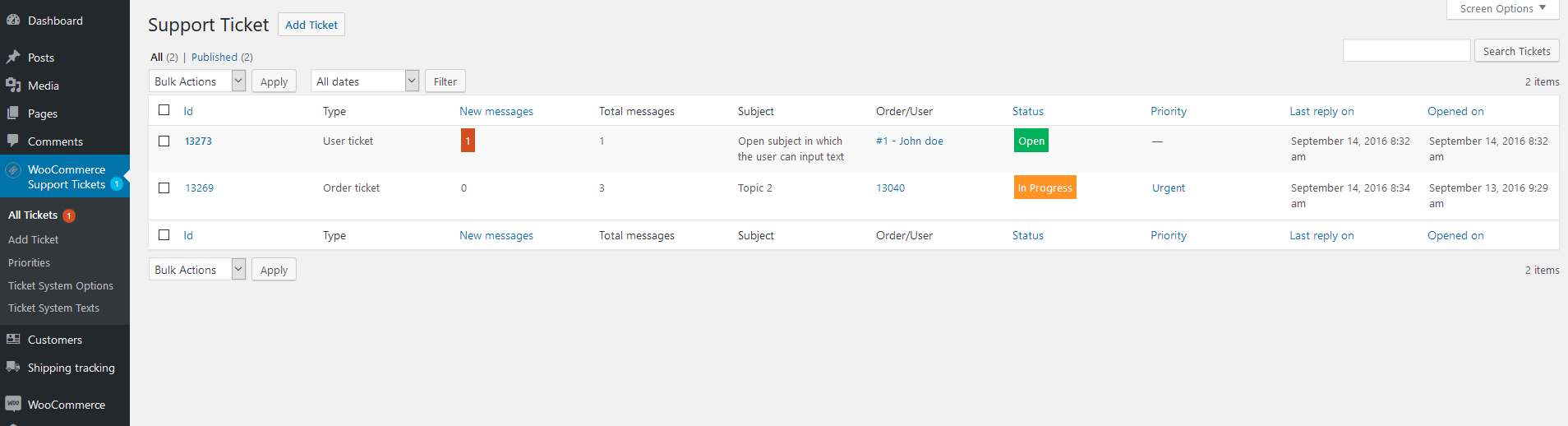
The shop admin via the backend Ticket system management area will be able to keep track of all the submitted tickets. In the ticket list table, the shop admin can at once retrieve the following info:- Type: can be Order or User. It is needed to identify if the ticket is associated with a specific order or to a specific user
- Associated User/Order id
- Status: It can be Open, In Progress, or Closed
- Priority: priorities can be customized using the special menu
- New message counter: it helps to better identify if a user replied to a ticket
- Subject: ticket subject
- Ticekt open date
- Ticekt last user reply date
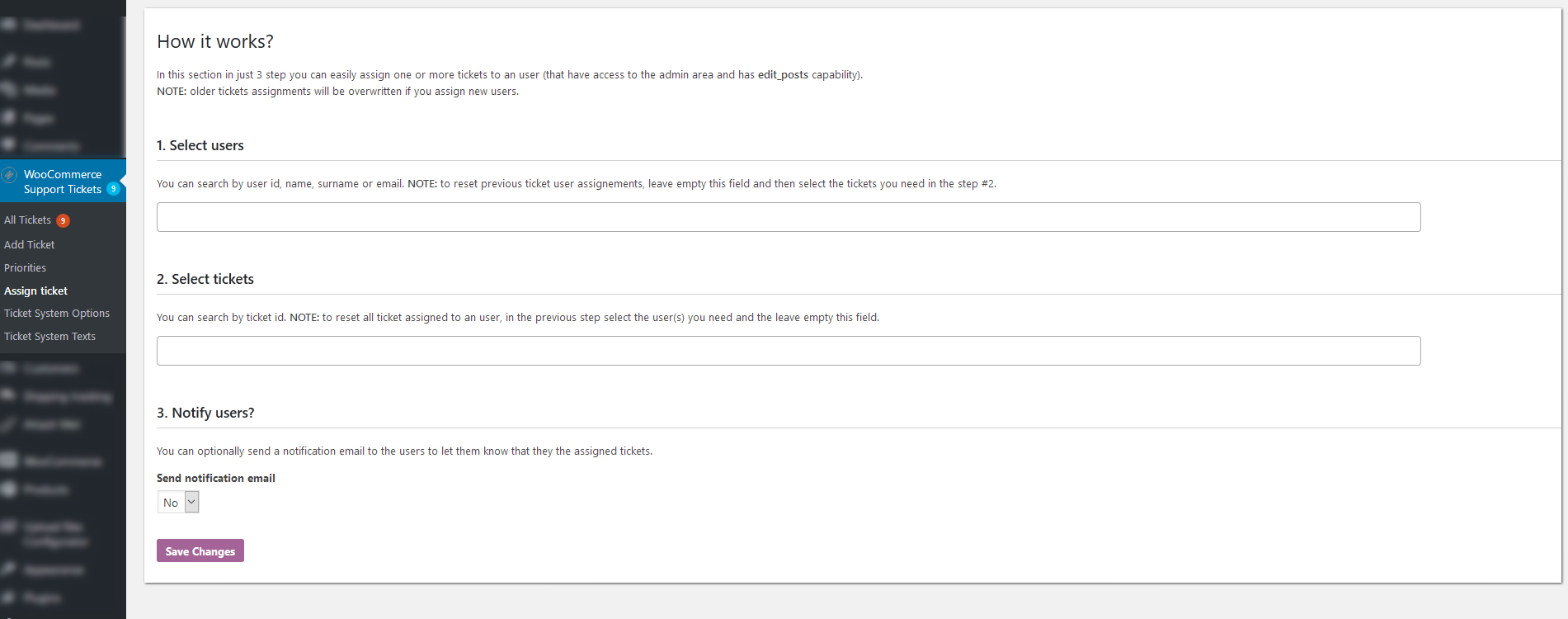
Assign ticket to specific admin users for better management
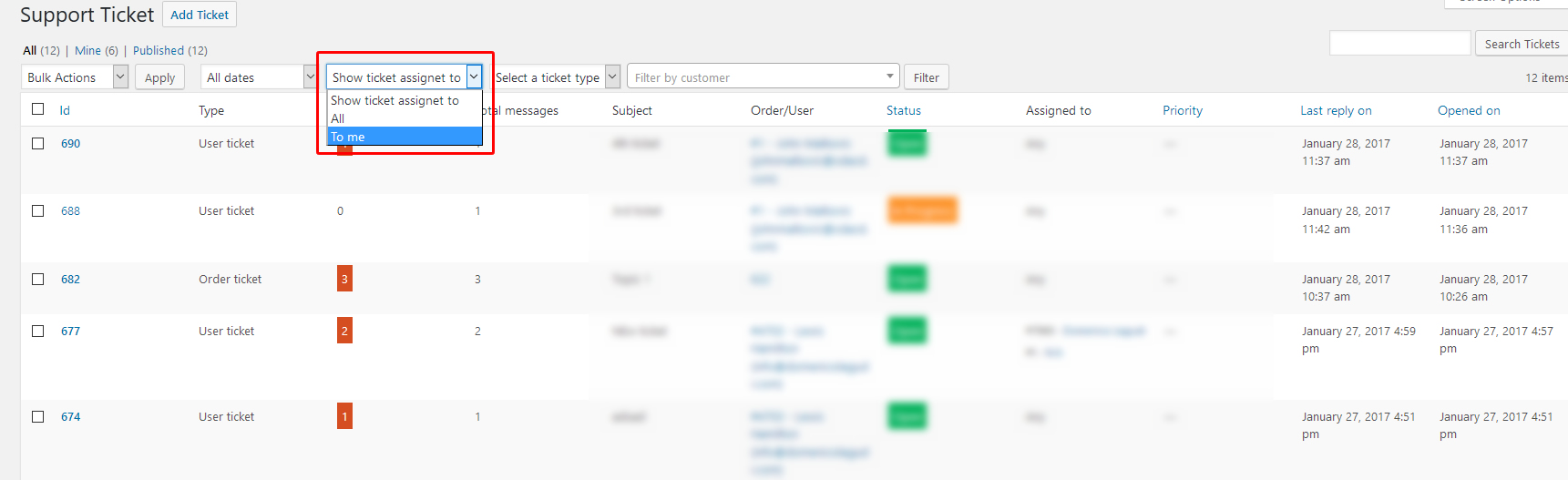
Optionally you can assign tickets to specific admins users (that have edit_posts capability) and notify them. You can also optionally filter their ticket list in order to display only tickets assigned to them. To do that, just go to the options menu and set the Display all tickets to non Administrator users (admin area) according to your needs. By selecting the “display all tickets” option, the admins will be able to filter the list displaying only the ticket assigned to them (at the top of the ticket list they will find a filter to do that). NOTE: Administrator users will be able always to see all the tickets.Custom statuses
Besides the default Open, In progress, and Closed ticket statuses, the shop admin can define his own custom statuses!Automatic order tickets
WCSTS plugin allows you to create tickets automatically each time the order hits a particular status! In addition, you can set up the first message to automatically include when the ticket is created.Options & customizations
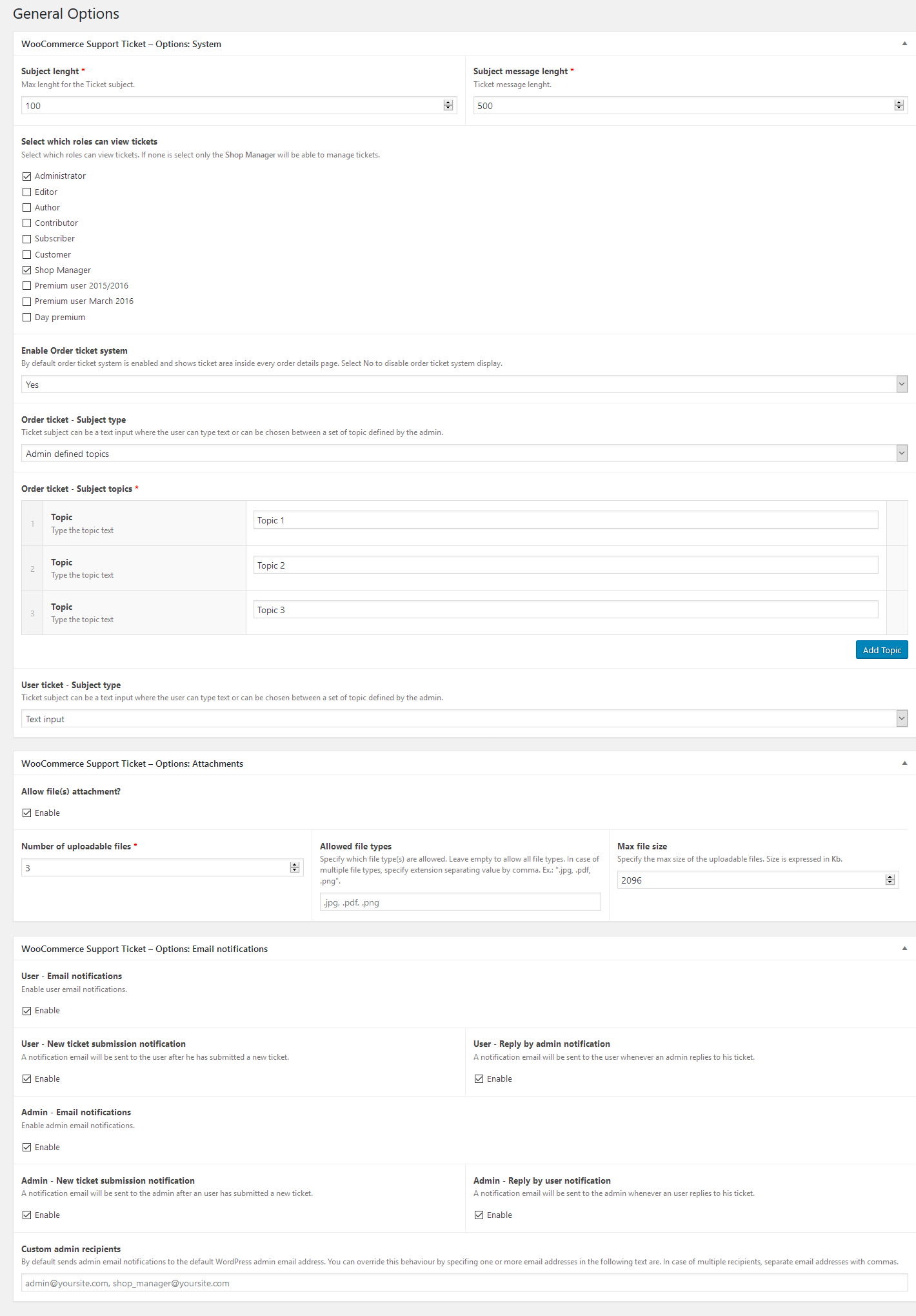
The plugin allows the shop admin many customizations, such as:- User/Order ticket subject type: The subject can be an open text (with length limit) or a select menu by which the user has to select one of the preselected topics (Use the text menu to configure them)
- Messages and subject length limit
- Disable order ticket system: disabling the ticket area will no longer be shown on every order details page. The shop admin will be still able to display the User ticket area using the shortcode
- Attachments: enable attachments, number of attachable files, size and types
- Email notification system: enable disable user and/or admin notifications
- Display ticket status on frontend
- Allow users to assign a priority to the just created ticket
Texts Customizations
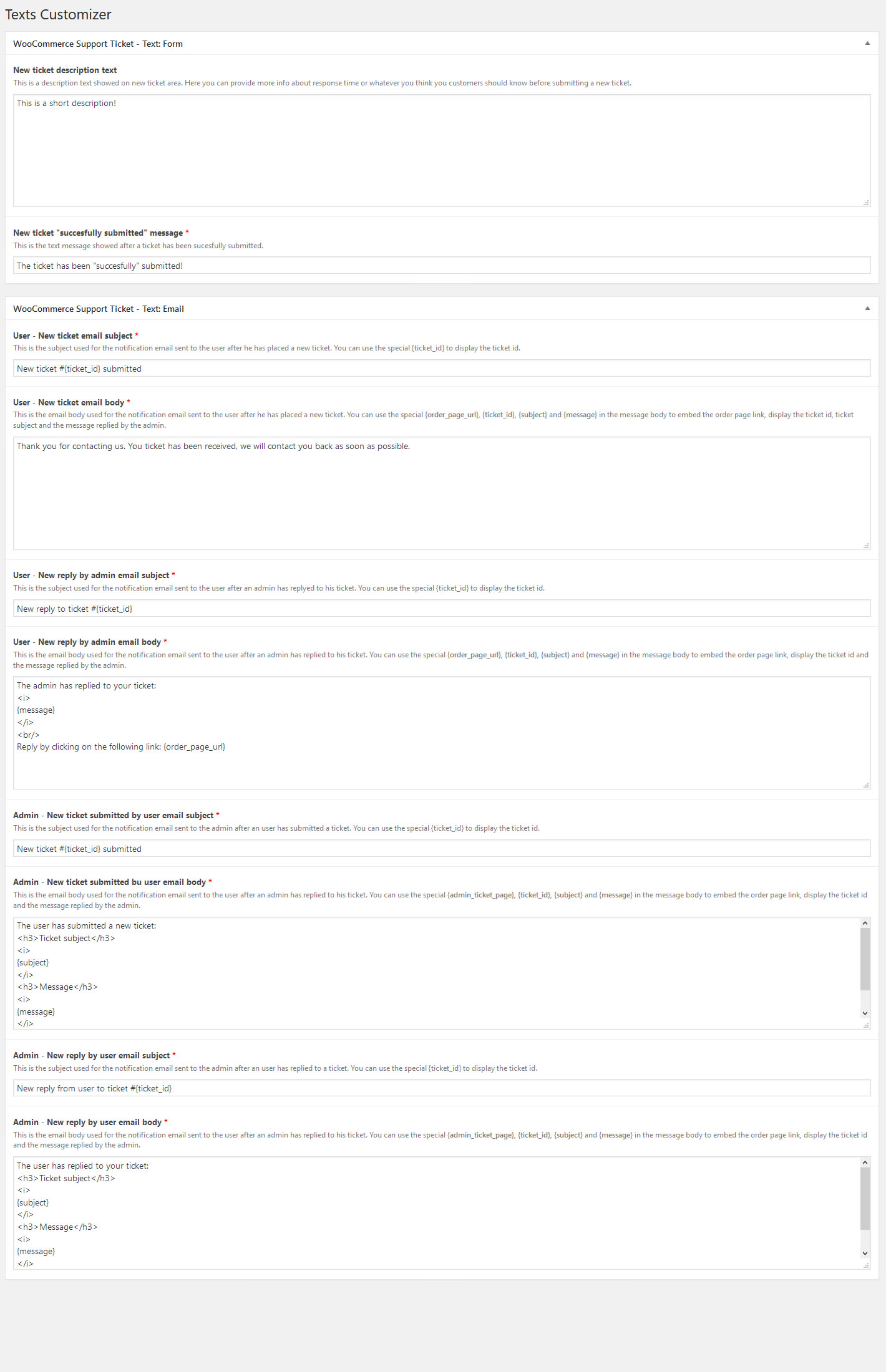
The shop admin can customize the following texts:- New ticket description: displayed on the new ticket box. It could contain various info, like ticket average processing times
- New ticket “successfully submitted” message: This message is displayed after a ticket has been successfully submitted by the user
- Notification emails subject and body: All email subjects and messages can be customized. Furthermore can be used special place holder like {subject}, {message}, {ticket_id} to embed dynamic content about the current ticket message.
WPML
The plugin is compatible with WPML. To translate dynamic texts, just go to the Text menu, switch languages using the WPML language selector, and input a text. In the case of preselected topics, Remember to create the translations for each language.SCREENSHOTS
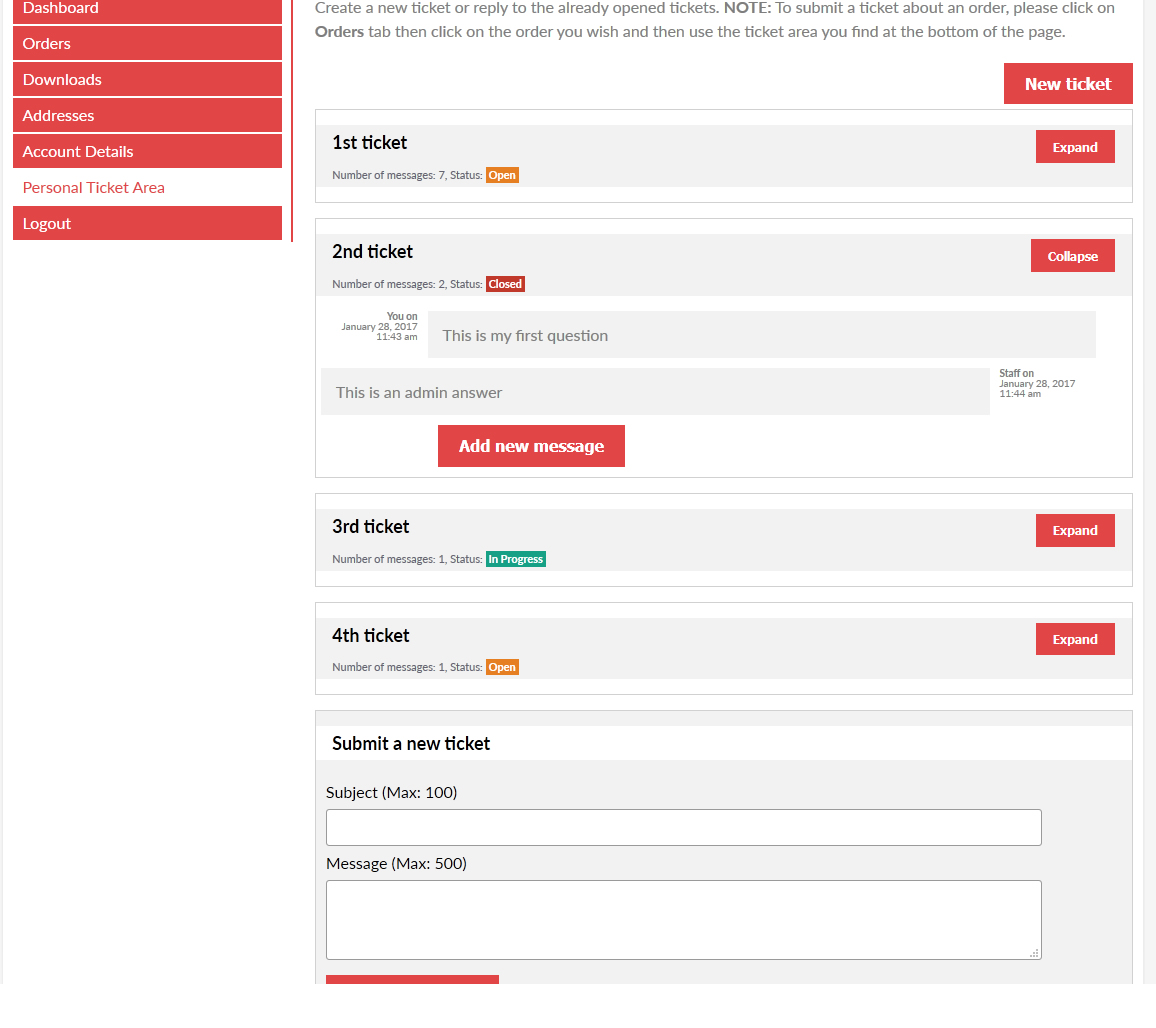
Order ticket area
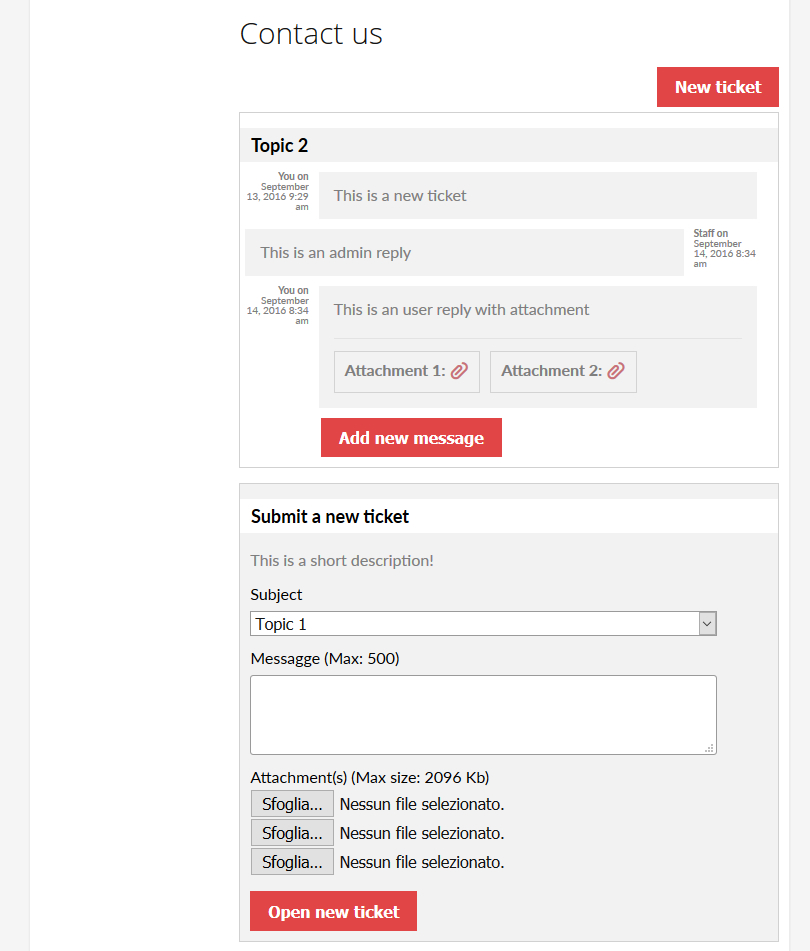
User ticket area (My account page tab)
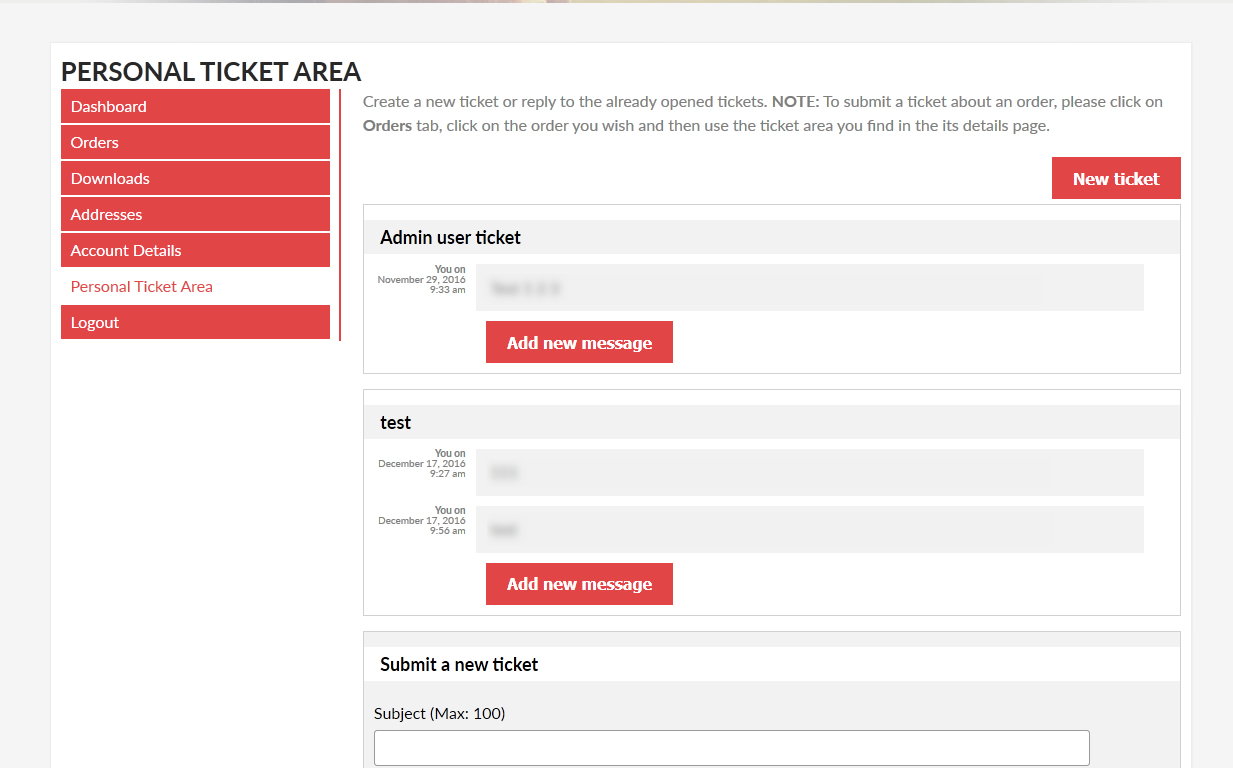
User ticket area (Shortcode)
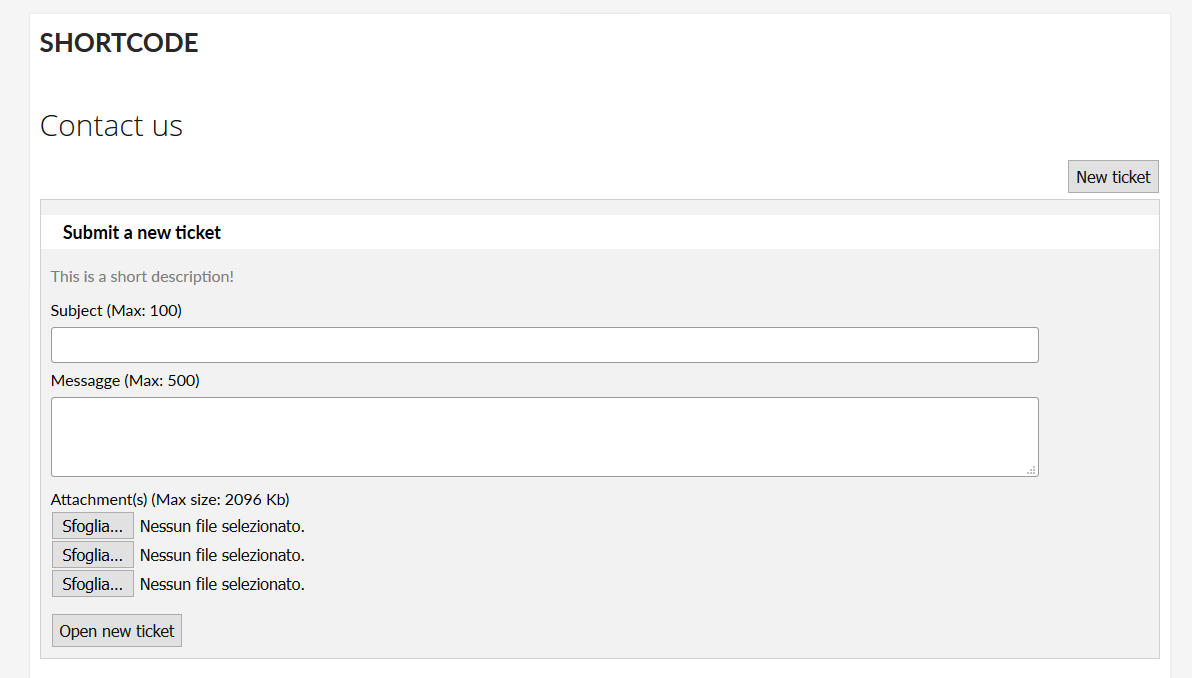
Display ticket status (optionally)
Admin area
Assing tickets to specific admin users
Filter ticket list displaying only the ones assigned
Option menu
Customize text menu
Notification email
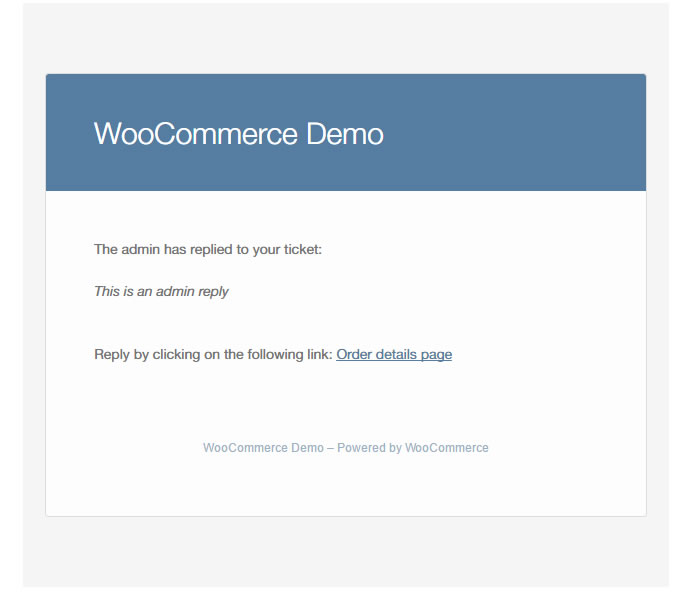
User reply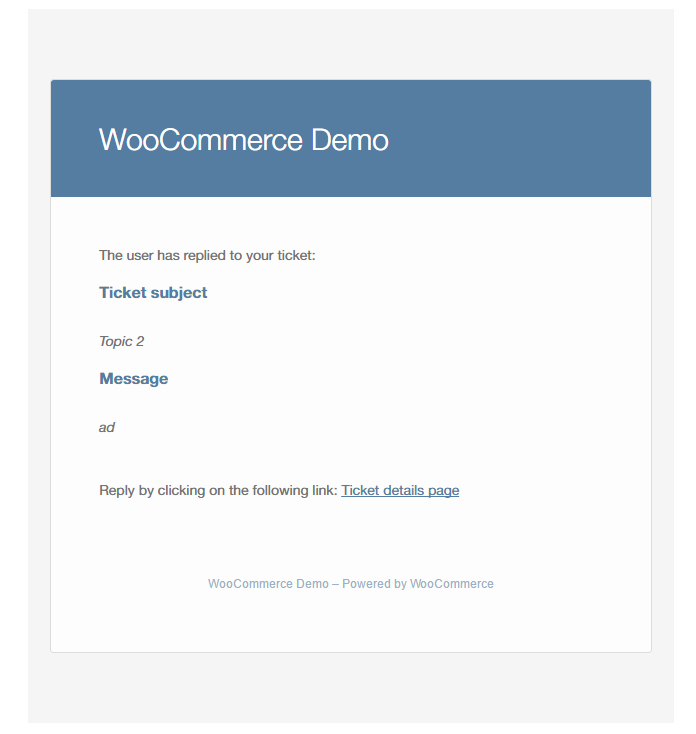 Admin reply
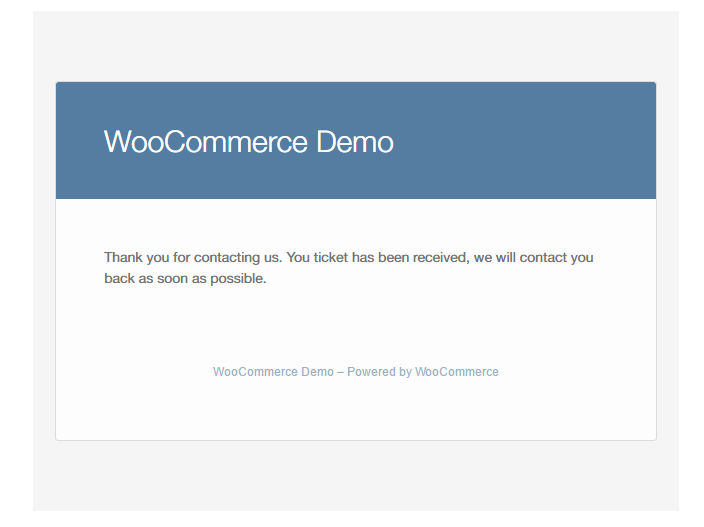
 User new ticket submission confirmation
Pay Per Ticket
Fronted area, use the to display.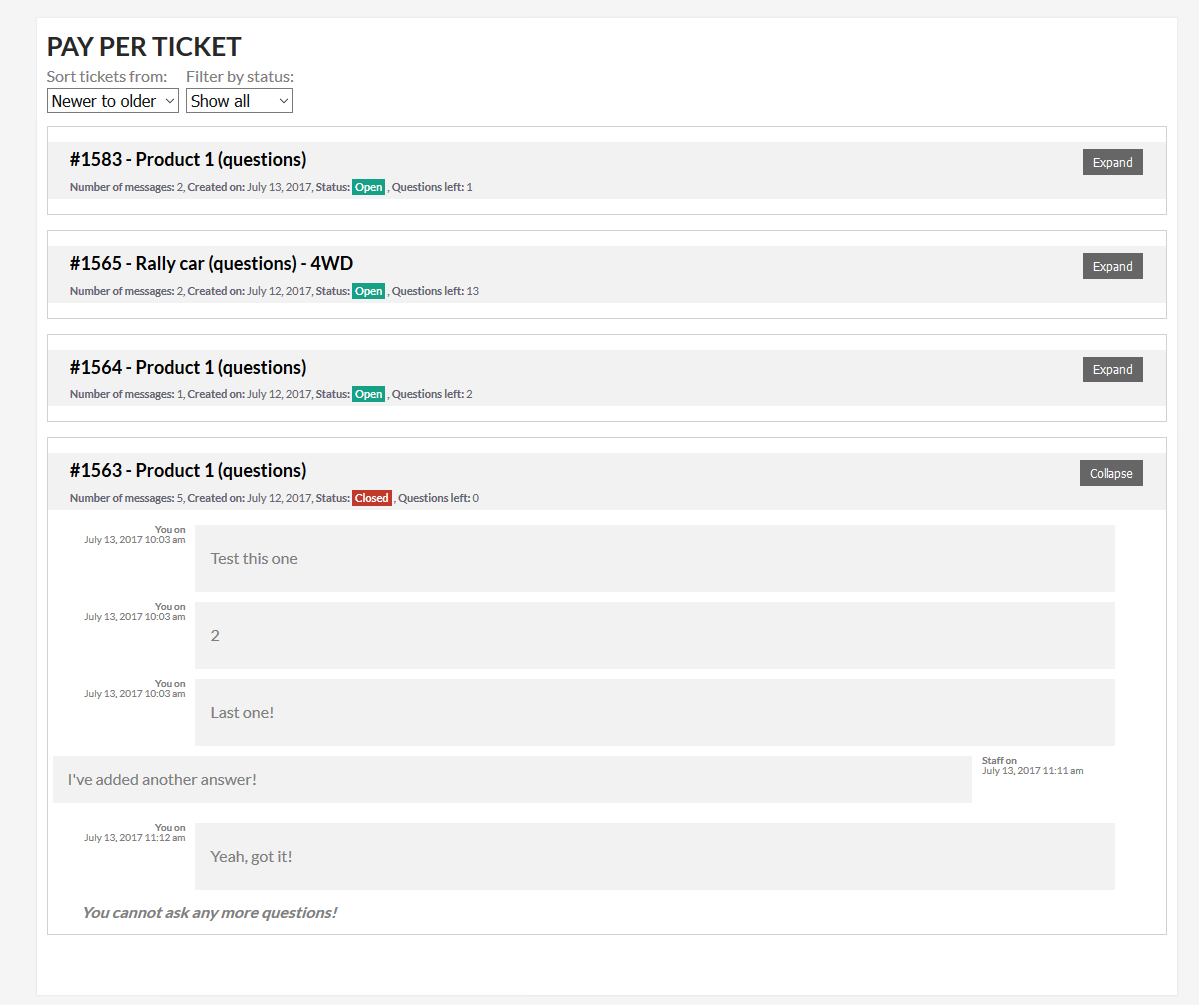 Admin products edit page
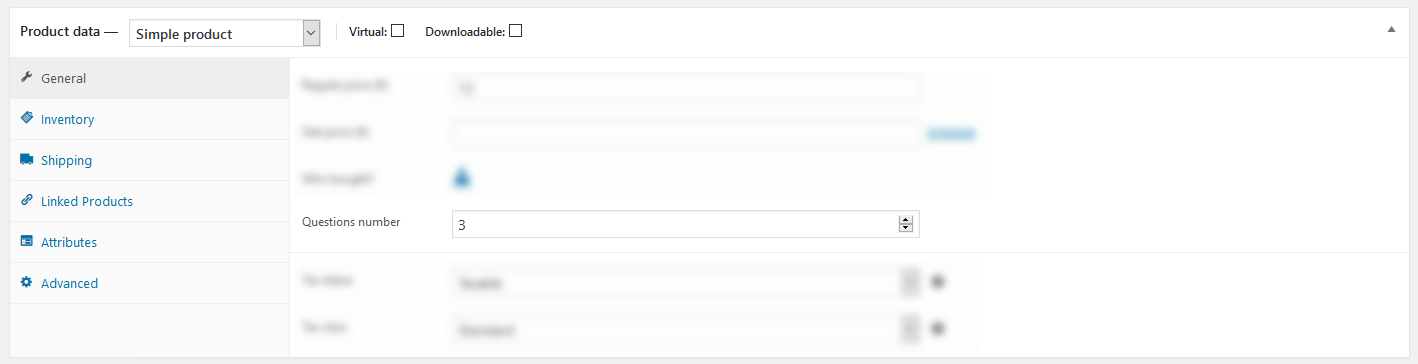 Admin products list page
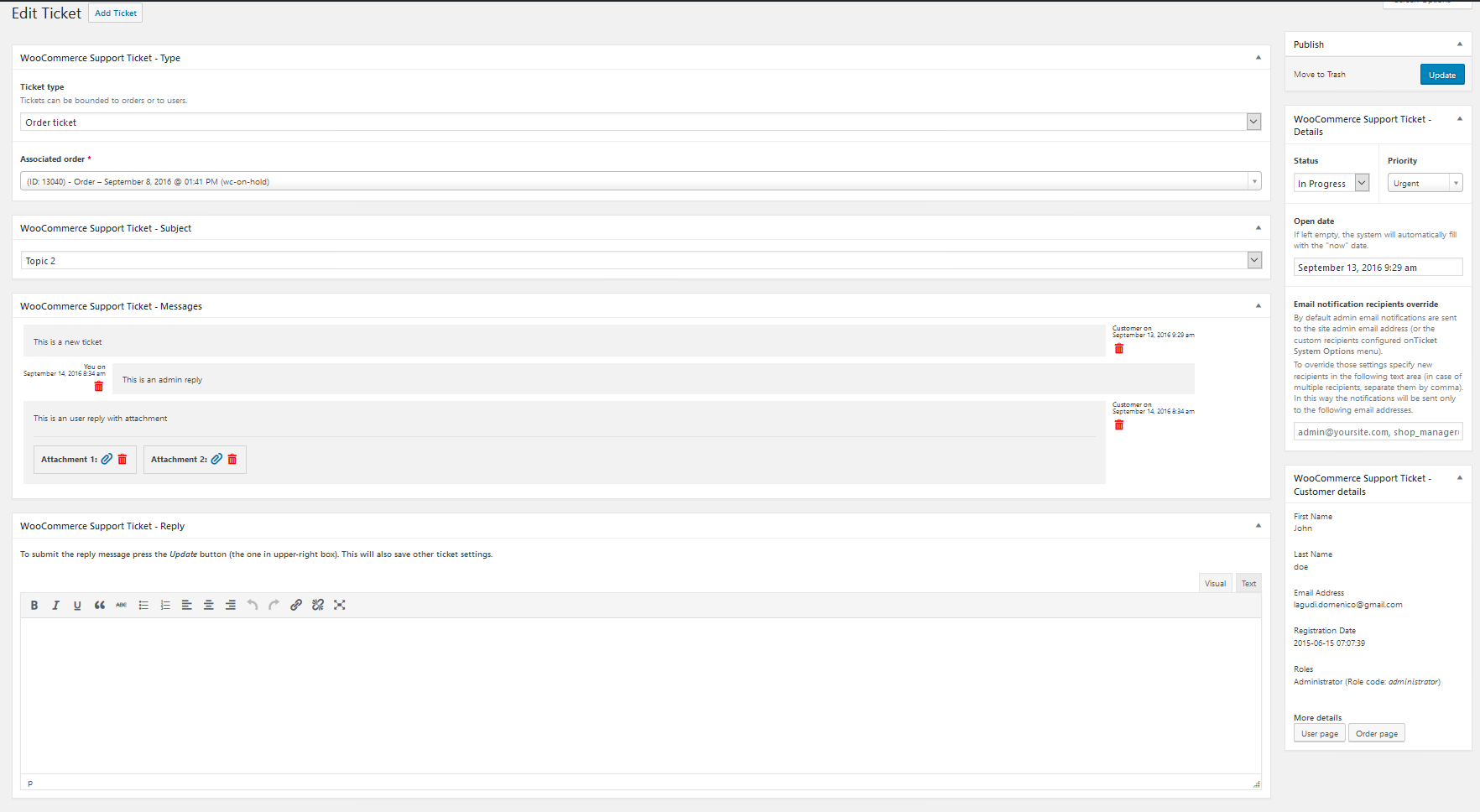
 Admin ticket edit page
CHANGE LOG
= 16.5 - 27.01.23 =
* Added new shortcodes that can be used in the admin notification email bodies

= 16.4 - 14.12.22 =
* Improved automatic ticket management

= 16.3 - 28.11.22 =
* Typo

= 16.2 - 28.11.22 =
* Added new options to customize the "Submit new ticket" area title and the "Subject" label

= 16.1 - 28.11.22 =
* Minor improvement

= 16.0 - 26.11.22 =
* Typo

= 15.9 - 25.11.22 =
* Is now possible to assign to each customer one or more agents. Each ticket opened by that user will be automatically assigned to the associated agent

= 15.8 - 23.11.22 =
* Fixed an issue due to the first message being posted multiple times (automatic tickets only)

= 15.7 - 22.11.22 =
* Automatic ticket: the first message is opened as Admin staff

= 15.6 - 20.10.22 =
* Minor improvement

= 15.5 - 28.09.22 =
* Minor bugfix

= 15.4 - 27.09.22 =
* TinyMCE: removed menu items

= 15.3 - 28.05.22 =
* Fixed an issue related to Order tickets and guest users

= 15.2 - 13.05.22 =
* Added option to restrict new tickets and message posts before the configured time interval

= 15.1 - 22.04.22 =
* Added new shortcodes that can be used for the email body messages

= 15.0 - 21.04.22 =
* Typo

= 14.9 - 09.04.22 =
* Added new "open_new_ticket" for the  shortcode that now allows to deny the opening of new tickets

= 14.8 - 30.03.22 =
* Fixed an issue that made the plugin crash after activating

= 14.7 - 30.03.22 =
* Fixed an issue due to PPT was not automatically opened after an order was placed
* Fixed an issue due to PPT was not displayed on the order page
* Ticket and message counters are now properly displayed on the orders list page

= 14.6 - 02.03.22 =
* Typo

= 14.5 - 13.02.22 =
* Fixed an issue due to was not possible to set "0" to the minimum message length option

= 14.4 - 09.02.22 =
* Added option to set minimum characters

= 14.3 - 20.01.22 =
* Added a new option to send a notification when a ticket is automatically opened by the system

= 14.2 - 24.12.21 =
* Minor bugfix

= 14.1 - 14.11.21 =
* Fixed an issue that prevents order URLs to be properly generated

= 14.0 - 13.11.21 =
* Guest guest customers can access order and ppt tickets via the Thank you page
* The {order_page_url} will automatically generate the link to the Thank you page in case of guest orders

= 13.9 - 12.10.21 =
* Minor bugfix

= 13.8 - 11.10.21 =
* Minor update

= 13.7 - 08.10.21 =
* The uploaded file name is now displayed in the frontend ticket area

= 13.6 - 22.09.21 =
* Added new option to position order ticket area

= 13.5 - 18.03.21 =
* Improved security related to the file upload process

= 13.4 - 29.01.21 =
* Fixed an issue due to the email notifications were not properly formatted

= 13.3 - 13.01.21 =
* Fixed an issue with WooCommerce 4.9

= 13.2 - 09.12.20 =
* Minor bugfix

= 13.1 - 16.10.20 =
* Added option to disable user replies until an admin hasn't replied to the ticket

= 13.0 - 14.10.20 =
* For admin specified topics, is now possible to specify custom recipients

= 12.9 - 17.07.20 =
* Added Dutch language (thanks to kostprijscalculatie.nl)

= 12.8 - 13.07.20 =
* Minor bugfix

= 12.7 - 26.06.20 =
* Libraries updated

= 12.6 - 04.05.20 =
* Fixed an issue due to the email default text was not properly loaded

= 12.5 - 01.05.20 =
* Fixed a UI issue on the frontend ticket area

= 12.4 - 01.05.20 =
* Improved message thread display on the smaller screen

= 12.3 - 09.04.20 =
* Improved message date display function

= 12.2 - 10.03.20 =
* Minor improvement

= 12.1 - 08.03.20 =
* Fixed an issue due to the email sender name option being ignored

= 12.0 - 10.02.20 =
* Improved some SQL queries

= 11.9 - 27.09.19 =
* Fixed an issue related to the WooCommerce Subscriptions plugin

= 11.8 - 18.09.19 =
* Added a new option to mark order tickets as closed when the order hits the "completed" status

= 11.7 - 29.05.19 =
* Added a new option to disable the "payment detection" process for pay per tickets

= 11.6 - 15.05.19 =
* Internal libraries update

= 11.5 - 24.03.19 =
* Minor bugfix

= 11.4 - 21.03.19 =
* Added option to disable new ticket opening for "user ticket" type

= 11.3 - 16.03.19 =
* Minor bugfix

= 11.2 - 20.01.19 =
* Fixed an issue with new lines and predefined answer

= 11.1 - 19.01.19 =
* Added a new option to disable the "Get help" button on the orders list page

= 11.0 - 17.01.19 =
* Fixed an issue with the ticket table page

= 10.9 - 17.01.19 =
* Minor bugfix

= 10.8 - 16.01.19 =
* Is now possible to use some shortcodes for replies
Categories
Tags
External listing. code.market does not sell this product and does not process payment for it. Pricing, payment, delivery, licensing, refunds, and support are handled by the third-party merchant on its own website. We may earn an affiliate commission from a referral. Details.
Products of the Week.
Submit#1

upvote.club
Free Social Media Engagement that Helps Boost Your Content. Upvote Club supports 19 social networks with 100+ engagement actions in one dashboard. Add links to your posts and get free engagement from real users.
SaaS · 14,737 views · 95 clicksSaaS · Week 42 · 14,737 views · 95 clicks
#2

Seenshot App
Free, Fast, MacOS Screenshot app. Make Screenshot cmd+shift+2 and send it via link
Desktop App · 3,865 views · 108 clicksDesktop App · Week 42 · 3,865 views · 108 clicks
#3

Conversational Backlinks for Busy Founders
Place Backlink Relevant Conversation for your domain across Forums and Conversations
Website · 15,707 views · 194 clicksWebsite · Week 42 · 15,707 views · 194 clicks
#4

Substack Posting API
Onboard your Agent to Substack. Write Publish on Substack via API
SaaS · 34,705 views · 183 clicksSaaS · Week 42 · 34,705 views · 183 clicks
#5

codester.com
SocialDesk+: Omnichannel Social Commerce & Business Management Platform This is stronger than simply “Social Commerce and Messaging” because it tells buyers this is a complete business platform, not just a messaging script. Turn Social Conversations Into Sales SocialDesk+ is a complete omnichannel social commerce and business management platform built for businesses that sell and communicate with customers through social media. Instead of switching between WhatsApp, Facebook, Instagram and TikTok, businesses can manage customer conversations, comments, products, leads, follow-ups, automation, teams and business reports from one professional workspace. And because the full source code is included, developers, agencies and entrepreneurs can customize, rebrand and launch SocialDesk+ as their own business solution or SaaS platform. 🚀 Build Your Own Social Commerce Business SocialDesk+ gives you the foundation to launch: - Your own SaaS platform - A white-label social CRM - A social-commerce management system - A customer communication platform - A business messaging solution - A custom solution for clients - A multi-business subscription platform 💬 Connect Your Customers Supported social channels include: WhatsApp • Facebook • Instagram • TikTok Bring supported conversations into one centralized workspace and help businesses respond faster without constantly switching between platforms. 🛍️ More Than a Messaging Platform SocialDesk+ combines communication with the tools businesses need to manage customer opportunities: Inbox Manage customer conversations from connected channels. Comments Monitor and respond to social-media comments. Customers & Leads Organize customer information and potential buyers. Products & Catalog Manage products and give your team quick access to product information. Follow-Ups Make sure potential customers don't get forgotten. Automation Automate repetitive customer questions and responses. AI Assistant Provide AI-assisted communication when configured. Team Management Give managers and staff access to the business workspace. Reports & Analytics Track activity using business reports and analytics. The current product listing already includes these capabilities. 🔥 Why Buyers Will Want It Launch Faster Start with an already-built business platform instead of developing the entire system from zero. Customize Everything The full source code is included, allowing developers to change branding, features, workflows and integrations. Build a SaaS Create multiple business workspaces and offer SocialDesk+ as a subscription-based service. Sell to Businesses Offer it to retailers, restaurants, service businesses, online sellers, agencies and other businesses that communicate with customers through social media. Mobile + Web + Backend This isn't just a mobile UI template. It includes: - Flutter mobile application - Python / FastAPI backend - Web interface - Administration tools - Database infrastructure - API-based architecture - SQLite / PostgreSQL support - Android and iOS project structure 💼 One Platform. Multiple Business Opportunities. For SaaS Entrepreneurs Launch your own subscription platform and allow multiple businesses to operate inside separate workspaces. For Software Agencies Customize and rebrand the platform for clients instead of building an omnichannel business system from scratch. For Developers Use the complete source code as a foundation for your own social-commerce or customer-management product. For Businesses Deploy a dedicated version for your own customer-service and social-commerce operations. 🧩 What's Included Mobile - Flutter / Dart - Android - iOS project Backend - Python - FastAPI - SQLAlchemy - Alembic Database - SQLite - PostgreSQL Web - HTML5 - CSS3 - JavaScript Deployment - Docker - Docker Compose - Production configuration Business Platform - Multi-workspace architecture - Authentication - Teams - Customers - Products - Messaging - Comments - Automation - Reports - Subscriptions - Administration The current listing also documents third-party integrations such as Meta, TikTok, Stripe, Firebase, SMTP and optional OpenAI configuration. ⚡ What Makes SocialDesk+ Different? You're not buying a simple: ❌ Chat UI ❌ WhatsApp clone ❌ Flutter template ❌ Admin dashboard ❌ Basic CRM You're getting a complete business platform foundation that can be customized, branded and commercialized. Connect. Automate. Manage. Grow. SocialDesk+ Omnichannel Social Commerce & Business Management Platform One important change I'd make to the current listing The current page starts with: “A simple guide to managing your social conversations, customers, products and business activity.”
Other · 2,116 views · 28 clicksOther · Week 42 · 2,116 views · 28 clicks
#6

sandbook.app
Sandbook reads EPUB, PDF, web pages and scanned pages aloud with Kokoro TTS, an open neural voice model that runs on your iPhone, free and offline. Choose from 41 natural voices in English, Spanish, French, Italian, Brazilian Portuguese and Hindi and follow each word as it is spoken. Try the same voices in your browser first with the free Kokoro TTS online demo.
Other · 2,122 views · 12 clicksOther · Week 42 · 2,122 views · 12 clicks