WooCommerce Quickbooks Connector
Description
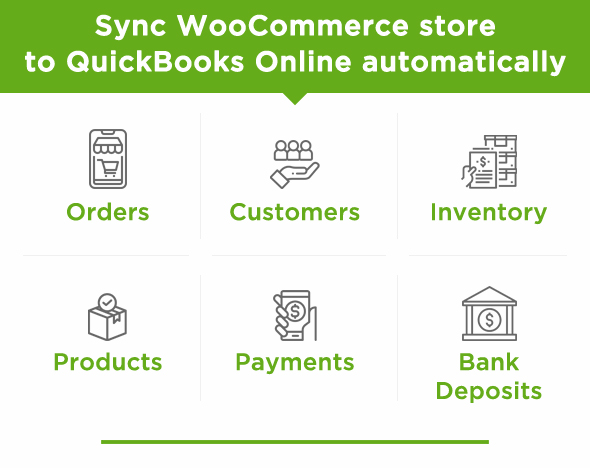
WooCommerce Quickbooks Connector Wordpress plugin Easily integrate QuickBooks Online and WooCommerce. It Syncs WooCommerce stores Orders, Customers, Inventory, Products, Payments, Bank Deposits to QuickBooks Online automatically.
Customizability offered by WooCommerce Quickbooks Connector plugin is unmatched by other alternative SaaS solutions, which makes it the preferred solution for businesses to tailor the plugin to fit their specific needs. Integration for WooCommerce and QuickBooks allows you to sync real-time order info directly from Woocommerce To Quickbooks Online based on various triggers or conditions.
WooCommerce Connector for Quickbooks manages accounting of E-commerce business into Quickbooks online. True Lifetime Updates! No Monthly subscription! No yearly fee! for WooCommerce Sync for QuickBooks Online
Features of WooCommerce Quickbooks Connector :
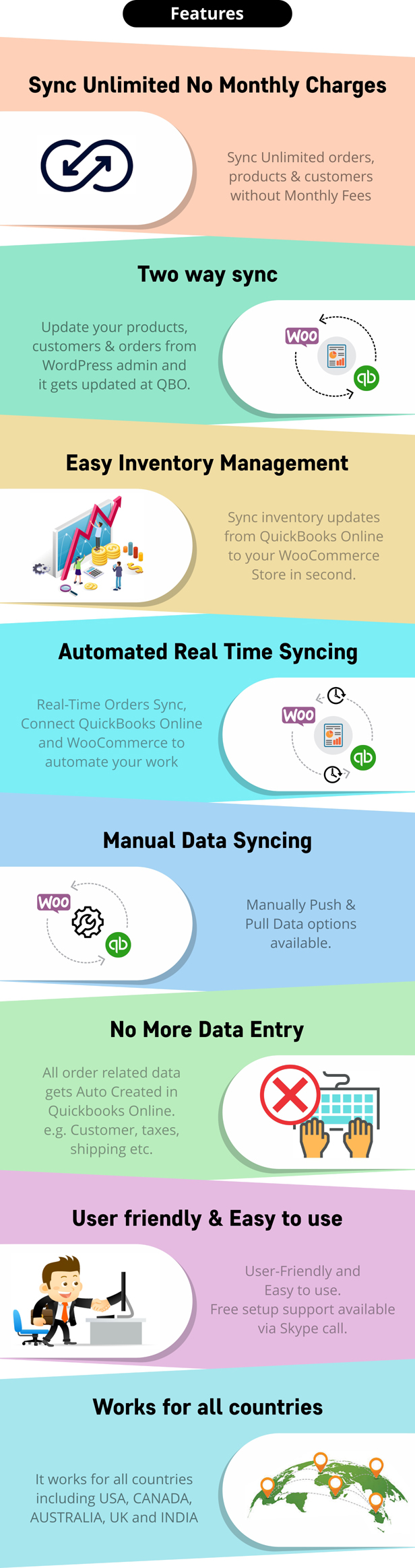
✔ Sync Unlimited orders, Without Monthly Fees. ✔ Real-Time Orders Sync, Connect QuickBooks Online and WooCommerce to automate your work ✔ User-Friendly and Easy to use. Free setup support available via Skype call.
✔ Automatically Export New Orders to Quickbooks Online as per selected rules.
✔ Two Way Auto Product inventory Sync.(WooCommerce <-> QuickBooks). Supports hourly, twice-daily or daily import and Real-time Export.
✔ All order-related data gets Auto Created in Quickbooks Online. e.g. Customer, Tax, Shipping, etc.
✔ Option to Manually Export & Import Data as well as Bulk Export.
✔ Exports Shipping charges, Coupons/Discount amounts, and Complete Tax detail from WooCommerce to Quickbooks.
✔  Allow Customers to See and Download QBO Invoices of their orders inside WooCommerce Customer Account.
✔ Multi-Currency Support. Compatible with Multi Currency for WooCommerce and Currency Switcher for WooCommerce .
✔ Multi-Vendor Support. Compatible with Dokan & Multivendor Marketplace for WooCommerce .
✔ Compatible with WooCommerce Point of Sale (POS) Plugin. Easily Sync orders placed from POS with Store Location as well as customers details.
✔ WPML Support. Compatible with multi-language for WooCommerce plugin.
✔ Export order based on Custom Status. Compatible with WooCommerce Order Status Manager and YITH Custom Order Status Manager
✔ Compatible with WooCommerce Subscriptions
✔ Update your products, customers & orders from WordPress admin and it gets updated at QBO.
✔ Payment Method based Bank Deposit / Deposit Account mapping for ease of accounting in Quickbooks for your Woocommerce Store. ✔ Admins can Download Synced Invoices/Sales orders PDF from Woocommerce order list page.
✔ Export all Orders or Specific Orders to QuickBooks with a Single Export button.
✔ Supports syncing selected Products, Customers, and Orders.
✔ Support Stripe and Paypal Payments Fees Sync.
✔ This plugin is not subjected to GDPR compliant as it does not store any sensitive data of a user.
✔It works for all countries including USA, CANADA, AUSTRALIA, UK, and INDIA

How it Works:

Following triggers/options available to choose workflow
When an order is placed or order status is completed or order status is processing in WordPress then you can do following :
- Create Estimate
- Create Invoice
- Create Sales Receipt
- Create Invoice and Send
- Create Sales Receipt and Send
- Create Estimate and Send
When your order status is refunded you can :
- Create Refund Receipt
- Create Credit memo
Now Export order with any Custom Status. Compatible with WooCommerce Order Status Manager and YITH Custom Order Status Manager Plugin
Plugin Sends Invoice, SalesReceipt, Estimate, Credit Memo, Payment to customer email address via Quickbooks Online.
Create Refund Receipt in QuickBooks when Order is refunded in WooCommerce.
Benefits of WooCommerce Quickbooks Integration
Save your Time and Money Completely automated accounting Customer Information in QuickBooks is Always Accurate Effortlessly Manage Your Stock Levels Automatically Keep Your Products Updated Reduced Errors Instantly sync prices between Woo and QuickBooks.
No More Data Entry :
After installing the plugin, syncing to QuickBooks will be automated so you don’t need to create data in QuickBooks manually. No need of data entry for creating or updating products, orders & customers in QuickBooks Online.
Easy Inventory Management :
WooCommerce QuickBooks Connector connects WooCommerce & QuickBooks Online. You can Sync inventory updates from QuickBooks Online to your store as well as WooCommerce store to your QuickBooks Online.
Real-Time Syncing :
WooCommerce Quickbooks Connector syncs Orders, Products & Customers in Real-Tme. No long wait for your orders to appear in Quickbooks Online.
Two-Way Inventory Syncing :
Your Product, Inventory, Customers & Orders from WordPress admin and it gets updated at QuickBooks Online. If you update Products and Inventory in QuickBooks Online then it periodically gets updated in WooCommerce Store.
Manually Data Syncing Option :
If you only want to sync selected Products, Customers and Orders then you can disable Automatic sync and export it manually to Quickbooks Online.
User-Friendly & Easy to Setup:
The plugin has easy to use user interface for syncing your products, customer & order. We have provided clear documentation and video tutorial for setup.
Have any Question?
Feel free to ask our Support if you looking for any additional features Or have Pre-Sale Question for Quickbooks and WooCommerce – Integration | Connector | Plugin For Free configuration support send request to Skype: techspawn1 or Email to support@techspawn.com
Read more about us at: www.techspawn.com



Changelog
= Version 3.0.4 = February 19, 2022
Fix : Fixes related to PHP8 and Latest WordPress and WooCommerce

= Version 2.2.9 = March 23, 2022
New : Support for OpenID Connect

= Version 2.2.6 = = December 20, 2021
New : Added new feature called "User Roles"
Fix : Minor fix regarding Shop Manager

= Version 2.2.5 =
New : Compatability with WooCommerce Deposits

= Version 2.2.4 =
Fix : Delete QBO Id fix for Invoices
New : Customer Manual Mapping

= Version 2.2.3 =
Fix : Payment Mapping optimization
Fix : Page Load Optimization

= Version 2.2.2 =
Fix : UI UX Fixes

= Version 2.2.1 =
Fix: Product and tax mapping page load issue
Fix: Log issues

= Version 2.2.0 =
Add: Code optimization
Add: tax and product mapping in settings
Add: Stockupp Inventory Management Plugin Compatibility
Fix:  Seperated logs in new menu

= Version 2.1.9 =
Add: Compatibility for WooCommerce Multi Location Inventory Plugin
Fix : Settings Redesign
Fix : Download invoice button
Fix : Refresh Connection

= Version 2.1.8 =
Fix :Paypal payout fee issue fixed

= Version 2.1.7 =
Fix : Compound tax issue fixes

= Version 2.1.6 =
Add : Dokan Compatability
Fix : WC Vendor Export Issue
Fix : Variation Product Mapping Issue
Fix : Refund issue stock levels updation
Fix : Warning and Notice Fixes

= Version 2.1.5=
Fix: Invoice not getting downloaded
Fix: Compound tax mapping for GST
Add: Export Log View changed

= Version 2.1.4 =
Add: Metabox for QBO options
Fix: Clear batches after dispatched

= Version 2.1.3 =
Add : Download Invoice/ Sales order PDF from order list
Add : Option to use Default QBO inovice number serial
Add : Option to add Paypal and Stripe Fees in Expense Account
Fix : Improved product page load speed by moving Product mapping to optional setting
Fix : Tax mapping Issues

= Version 2.1.2 =
Add : Setting for product Mapping and Bundle Product
Add : Support for PayPal Checkout Plugin
Add : Support for Compound Tax Mapping
Fix : Various fixes related to stability and UI.

= Version 2.1.1 =
Fix : Partial Refund not getting exported to QBO
Fix : CSS impact on Wordpress Backend

= Version 2.1.0 =
Add : Support for Automated tax calculation at QBO side.
Add : Download error logs

= Version 2.0.17 =
Fix : Export Rules update not working

= Version 2.0.16 =
Add : Added Sync button to tax mapping.
Fix : Minor Bug Fixes.

= Version 2.0.15 =
Fix : Minor UI Fixes.

= Version 2.0.14 =
Fix : Issue related to Bundle product Mapping.

= Version 2.0.13 =
Fix : Get ID Fixes.

= Version 2.0.12 =
Fix : Minor Issue Fixes.

= Version 2.0.12.1 =
Fix : Regarding Product Import.

= Version 2.0.11 =
Fix : Minor Issue Fixes.

= Version 2.0.10 =
Fix : Minor Fixes related to purchase code verification.

= Version 2.0.9 =
Add : Payment Method to Deposit account reference Mapping.
Add : Import product as draft or publish settings.
Fix : Minor Fixes related to tax mapping.

= Version 2.0.8 =
Add : Mapping bundles in sales order.
Fix : Minor Fixes.

= Version 2.0.7 =
Fix : Minor Fix Related to Product Mapping.
Fix : Minor Fix Related to Export Rule.
Add : Mapping bundles in sales order.

= Version 2.0.6 =
Fix : Minor Fixes.

= Version 2.0.5 =
Add : Allow Customers to download Sales Orders from QBO.
Fix : Minor UI changes.

= Version 2.0.4 =
Add : Product Mapping feature inside WP Products from Quickbooks.

= Version 2.0.3 =
Fix : Minor Fixes related to product description in invoice.
Add : Minor UI changes.

= Version 2.0.2 =
Fix : Increase the import limit from 300 to 1000.
Fix : Minor Fixes for France company.
Fix : Minor Fixes related to the export rule.

= Version 2.0.1 =
Fix : Variation of product export.
Add : Multicurrency support for Aelia Plugin.

= Version 2.0.0 =
Fix : Security related Fixes.

= Version 1.5.4 =
Fix : Minor Issues Fixed For Shipping Taxes.

= Version 1.5.3 =
Fix : Minor Issues Fixed For Multi-Vendor Compatiblity.

= Version 1.5.2 =
Add : Multi-Vendor Compatibility (WCFM).

= Version 1.5.1 =
Add : "Deposit To" field added in Refund.

= Version 1.5.0 =
Fix : Advanced and Basic settings conflicts.

= Version 1.4.17 =
Add : UI Changes.

= Version 1.4.16 =
Fix : JQuery Conflicts.

= Version 1.4.15 =
Add : Displaying Export Logs.
Add : UI Changes.

= Version 1.4.14 =
Add : Selected deposit account displayed in Payment and sales receipt.
Fix : Showing Display Name with Currency.

= Version 1.4.13 =
Fix : White Spaces Issue.

= Version 1.4.12 =
Add : Condition for Location Export.
Add : Different income account for different products functionality.
Fix : Show full redirect url.

= Version 1.4.11 =
Add : Export button on product, customer and sales order listing page
Add : Copy button for copying Redirect URI.
Add : Get tax agency for FR.
Fix : Refresh connection issue.
Fix : Payment method duplicate issue.
Fix : Order date deprecate methode issue.

= Version 1.4.10 =
Add : Multiple Location Sync.

= Version 1.4.9 =
Fix : Minor issue fixes.

= Version 1.4.8 =
Add : WPML compatibility.
Fix : Minor issue fixes.

= Version 1.4.7 =
Add : Option for only mannual export Sales Order.

= Version 1.4.6 =
Add : Paypal Fee Export.
Add : Condition for Customer First Name and Last Name Sync instead Username.

= Version 1.4.5 =
Add : Stripe Fee Export.
Fix : Minor fixes for Tax

= Version 1.4.4 =
Add : Support for Quickbooks Startup Plan.
Fix : UI Fixes.

= Version 1.4.3 =
Fix : UI Fixes.

= Version 1.4.2 =
Fix : Account Mapping Selector issue.

= Version 1.4.1 =
Add : Cron for product Import.
Fix : Product Import.

= Version 1.4.0 =
Add : Mapping for Accounts.
Add : Dynamic order status.
Add : Condition for Short Description Sync Product.
Add : Export Button on Single Order Page.
Add : Export Order Notification.

= Version 1.3.11 =
Fix : Variable Product and Category Switch

= Version 1.3.10 =
New : Support for new Quickbooks feature Category Switch.

= Version 1.3.9 =
New : Sync Non-Inventory Items with type Non-Inventory.

= Version 1.3.8 =
New : Add php error log file and apply cdn files only on admin page.

= Version 1.3.7 =
New : UI Upgrade With Guidelines.

= Version 1.3.6 =
New : UI Upgrade.

= Version 1.3.5 =
New : Debug log file to maintain all logs.

= Version 1.3.4 =
New : Refresh Button to refresh connectivity after 100 days.

= Version 1.3.3 =
New : Datewise Filter for Orders.
Categories
Tags
External listing. code.market does not sell this product and does not process payment for it. Pricing, payment, delivery, licensing, refunds, and support are handled by the third-party merchant on its own website. We may earn an affiliate commission from a referral. Details.
Products of the Week.
Submit#1

upvote.club
Free Social Media Engagement that Helps Boost Your Content. Upvote Club supports 19 social networks with 100+ engagement actions in one dashboard. Add links to your posts and get free engagement from real users.
SaaS · 16,240 views · 96 clicksSaaS · Week 42 · 16,240 views · 96 clicks
#2

Seenshot App
Free, Fast, MacOS Screenshot app. Make Screenshot cmd+shift+2 and send it via link
Desktop App · 5,255 views · 109 clicksDesktop App · Week 42 · 5,255 views · 109 clicks
#3

Conversational Backlinks for Busy Founders
Place Backlink Relevant Conversation for your domain across Forums and Conversations
Website · 17,083 views · 195 clicksWebsite · Week 42 · 17,083 views · 195 clicks
#4

Substack Posting API
Onboard your Agent to Substack. Write Publish on Substack via API
SaaS · 36,073 views · 184 clicksSaaS · Week 42 · 36,073 views · 184 clicks
#5

codester.com
SocialDesk+: Omnichannel Social Commerce & Business Management Platform This is stronger than simply “Social Commerce and Messaging” because it tells buyers this is a complete business platform, not just a messaging script. Turn Social Conversations Into Sales SocialDesk+ is a complete omnichannel social commerce and business management platform built for businesses that sell and communicate with customers through social media. Instead of switching between WhatsApp, Facebook, Instagram and TikTok, businesses can manage customer conversations, comments, products, leads, follow-ups, automation, teams and business reports from one professional workspace. And because the full source code is included, developers, agencies and entrepreneurs can customize, rebrand and launch SocialDesk+ as their own business solution or SaaS platform. 🚀 Build Your Own Social Commerce Business SocialDesk+ gives you the foundation to launch: - Your own SaaS platform - A white-label social CRM - A social-commerce management system - A customer communication platform - A business messaging solution - A custom solution for clients - A multi-business subscription platform 💬 Connect Your Customers Supported social channels include: WhatsApp • Facebook • Instagram • TikTok Bring supported conversations into one centralized workspace and help businesses respond faster without constantly switching between platforms. 🛍️ More Than a Messaging Platform SocialDesk+ combines communication with the tools businesses need to manage customer opportunities: Inbox Manage customer conversations from connected channels. Comments Monitor and respond to social-media comments. Customers & Leads Organize customer information and potential buyers. Products & Catalog Manage products and give your team quick access to product information. Follow-Ups Make sure potential customers don't get forgotten. Automation Automate repetitive customer questions and responses. AI Assistant Provide AI-assisted communication when configured. Team Management Give managers and staff access to the business workspace. Reports & Analytics Track activity using business reports and analytics. The current product listing already includes these capabilities. 🔥 Why Buyers Will Want It Launch Faster Start with an already-built business platform instead of developing the entire system from zero. Customize Everything The full source code is included, allowing developers to change branding, features, workflows and integrations. Build a SaaS Create multiple business workspaces and offer SocialDesk+ as a subscription-based service. Sell to Businesses Offer it to retailers, restaurants, service businesses, online sellers, agencies and other businesses that communicate with customers through social media. Mobile + Web + Backend This isn't just a mobile UI template. It includes: - Flutter mobile application - Python / FastAPI backend - Web interface - Administration tools - Database infrastructure - API-based architecture - SQLite / PostgreSQL support - Android and iOS project structure 💼 One Platform. Multiple Business Opportunities. For SaaS Entrepreneurs Launch your own subscription platform and allow multiple businesses to operate inside separate workspaces. For Software Agencies Customize and rebrand the platform for clients instead of building an omnichannel business system from scratch. For Developers Use the complete source code as a foundation for your own social-commerce or customer-management product. For Businesses Deploy a dedicated version for your own customer-service and social-commerce operations. 🧩 What's Included Mobile - Flutter / Dart - Android - iOS project Backend - Python - FastAPI - SQLAlchemy - Alembic Database - SQLite - PostgreSQL Web - HTML5 - CSS3 - JavaScript Deployment - Docker - Docker Compose - Production configuration Business Platform - Multi-workspace architecture - Authentication - Teams - Customers - Products - Messaging - Comments - Automation - Reports - Subscriptions - Administration The current listing also documents third-party integrations such as Meta, TikTok, Stripe, Firebase, SMTP and optional OpenAI configuration. ⚡ What Makes SocialDesk+ Different? You're not buying a simple: ❌ Chat UI ❌ WhatsApp clone ❌ Flutter template ❌ Admin dashboard ❌ Basic CRM You're getting a complete business platform foundation that can be customized, branded and commercialized. Connect. Automate. Manage. Grow. SocialDesk+ Omnichannel Social Commerce & Business Management Platform One important change I'd make to the current listing The current page starts with: “A simple guide to managing your social conversations, customers, products and business activity.”
Other · 3,485 views · 30 clicksOther · Week 42 · 3,485 views · 30 clicks
#6

sandbook.app
Sandbook reads EPUB, PDF, web pages and scanned pages aloud with Kokoro TTS, an open neural voice model that runs on your iPhone, free and offline. Choose from 41 natural voices in English, Spanish, French, Italian, Brazilian Portuguese and Hindi and follow each word as it is spoken. Try the same voices in your browser first with the free Kokoro TTS online demo.
Other · 3,490 views · 13 clicksOther · Week 42 · 3,490 views · 13 clicks