
Viral Quiz Maker — OnionBuzz for WordPress
Description




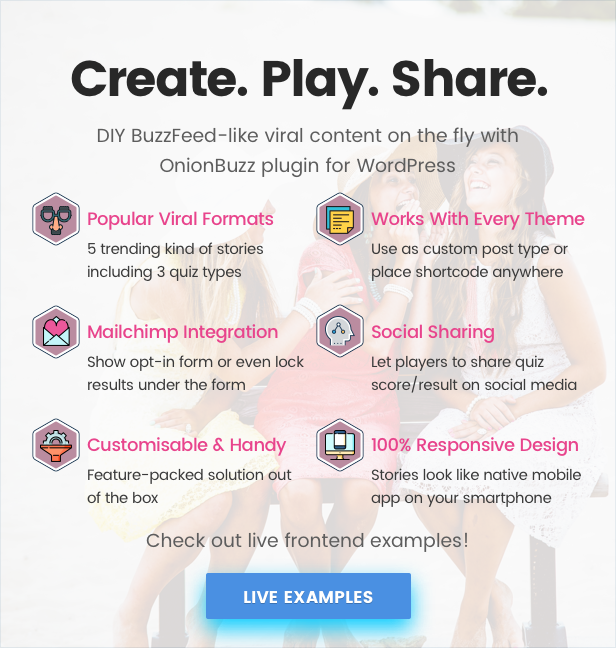
Create BuzzFeed like quizzes on your WordPress website or blog. OnionBuzz plugin lets you add beautifully designed and responsive viral content using shortcodes or custom post types. It’s an easy to use and works with any WordPress theme!
Nowadays, nothing is as sharable as a nice quiz. Quizzes are the best way to engage your audience and it also delivers a lot of benefits for WordPress website owners. People spend time interacting with quizzes because it’s fun and exciting. As a result they spend a lot of time on your site.
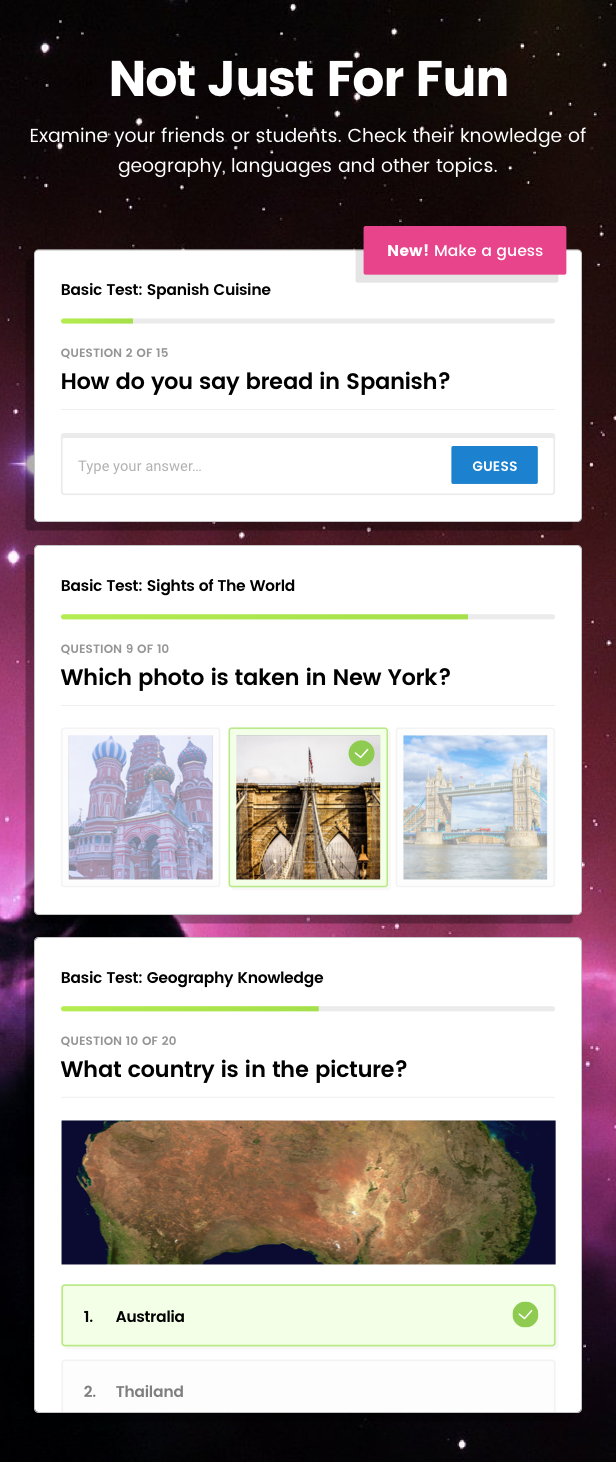
Despite the fact that OnionBuzz is designed for entertainment, this plugin is also a great tool for creating various knowledge tests. Check the knowledge of your audience on various topics, including geography, languages, cooking and others.
Features
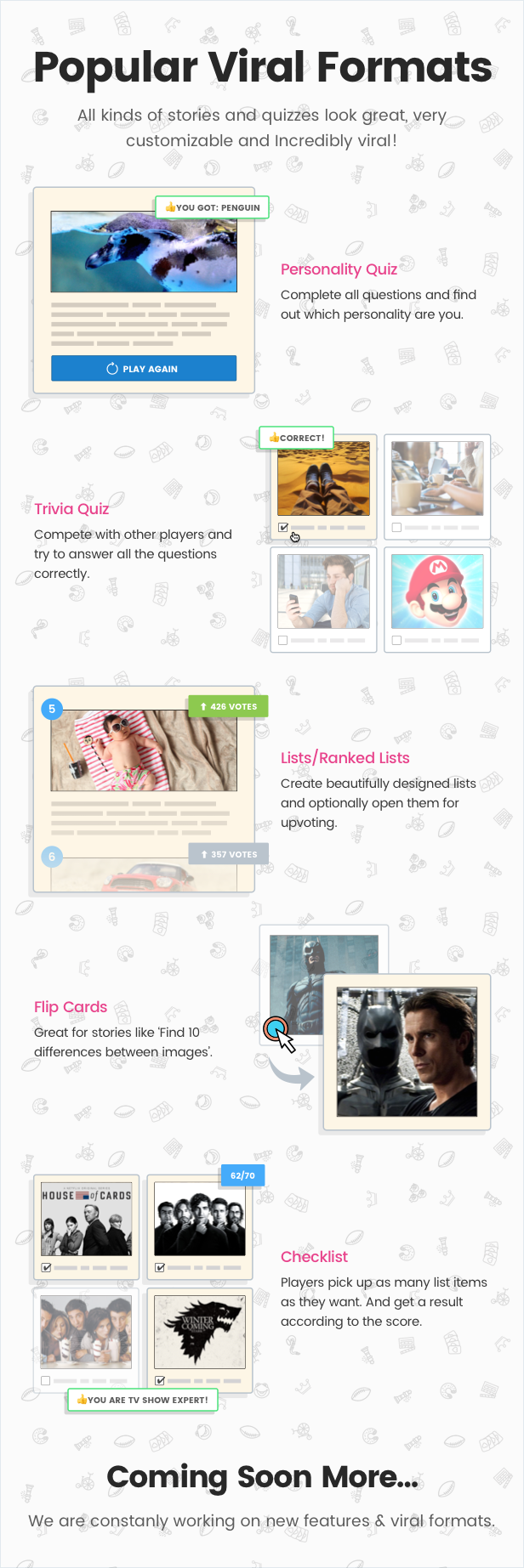
- Popular Post Types — Trivia, Personality and Checklist quiz types, Lists & Ranked Lists, Flip Cards. Coming soon more!
- Feeds (categories) — Create as many categories as you need. Add them as widget for content filtering.
- Leaderboard — Display attractive Trivia Leaderboard widget. Engage your audience to compete and spend more time on your website.
- Sharing buttons — Share quiz score with friends on popular social networks.
- Gather subscribers — Add and customize Mailchimp opt-in form using plugin settings. You can even lock quiz results under the form!
- Social locker — Force to share quiz on social networks to unlock quiz results.
- Advertising — Mix your stories with AdSense, image banners or custom code ads. Different ad locations are available for any needs.
- Quiz statistics — Learn more about players and each play using internal back-end stats.
- Quizzes Answer Types — List, grid (1-4 per row), match (Trivia only).
- Integration options — Use as native plugin’s feed or/and embed quiz with shortcode.
- WordPress widgets — For your feeds and stories.
- Thoughtful design — OnionBuzz was designed for the best experience with any well-coded theme. Additionally, customize UI colors to match your site without coding.
- Quiz layouts — Display quiz as full list or compact slider with one question per screen.
- Question ordering — Display user-defined or randomized questions order.
- Post-answer options — Let you display correct answer content after player makes choice or keep intrigue.
- Translation ready — Use Loco Translate or similar tools to translate plugin on your language. Then you can send translation files to us!
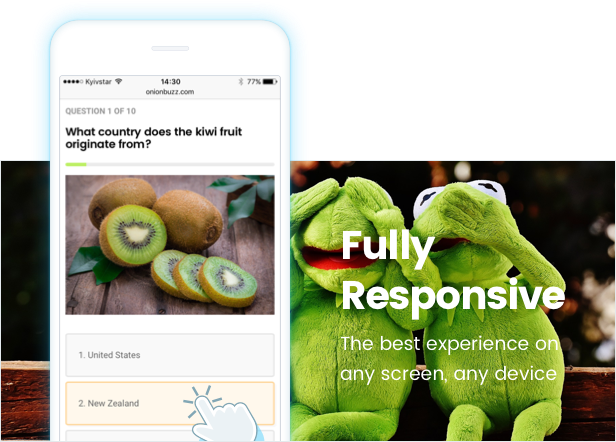
- 100% Responsive — Have fun playing OnionBuzz on any device!

WordPress Shortcodes
Using shortcodes with WordPress blog posts you need to add featured image, title and description for the post in addition. While with native OnionBuzz custom post types you need to fill the story only. Benefits of shortcodes are that you can add stories anywhere on your website. But with native plugin features you have less worries with formatting. And the great thing is that both methods work great together on one website.

Marketing Tools
OnionBuzz lets not only to create awesome viral content for your website. You can use the plugin to achieve your marketing and business goals. Grow your website in all possible directions, get more subscribers, shares, improve site metrics and more. OnionBuzz really helps to make your website works and increase profit!


Advertising
It’s easy to advertise or run marketing campaigns with OnionBuzz. Store AdSense ads, image banners or any custom code ads. And decide where to display your ads. Easy as 1, 2, 3!
Ad locations
- After each story
- Before each story
- Under the result area of quizzes
- After each X quiz questions or story items (e.g. ‘items’ mean list items in Ranked lists or so)

Requirements and Limitations
- Only one shortcode per page is allowed. No limitations for custom post types though.
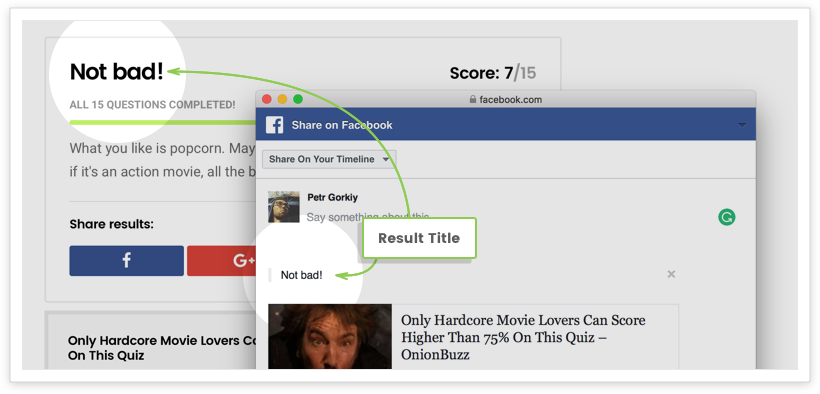
- Facebook doesn’t allow to share custom title, description and images since Graph API 2.9. So, It’s NOT possible to share quiz results on Facebook since July 17, 2017. Which means developers can’t customize Facebook sharebox anymore. The quiz page will be shared instead. Meantime, we applied small workaround so you would be able to share result titles inside the sharebox. Screenshot Learn more: Facebook official announcement
- RTL is not supported currently.
- We didn’t make tests for multisite compatibility.
Changelog
Version 1.2.7
- Change: Small improvement for security
Version 1.2.6
- Fix: PHP notice on frontend in some cases
Version 1.2.5
- Fix: PHP error in admin settings in some cases
Version 1.2.4
- Fix: Bugs in shortcode appearing in some cases
Version 1.2.3
- Improvement: Code optimizations
- Fix: Minor bug fixes in admin section
- Fix: Fixed bug in frontend script
- Fix: Fixed conflicts with some 3rd party plugins
Version 1.2.2
Please update all your Trivia and Checklist quiz results to a new % scale.
- Improvement: Score range of Trivia and Checklist results changed from absolute to relative values. Update your quizzes!
- Improvement: Breadcrumb text can be changed from the settings now.
- Improvement: Setting for story slug added.
- Improvement: The limit on length of the story title is removed.
- Improvement: Contributors have access to plugin now.
- Fix: Fix for possible issues with OnionBuzz database encoding.
- Fix: 'Score:' string added for translation.
Version 1.2.1
- Feature: Trivia Leaderboard widget
- Improvement: More backend stats for quizzes
- Fix: Some ads could not be saved
Version 1.2.0
- Feature: Advertising! Add AdSense, image banners or customs ads to your stories
- Feature: Backend statistics for quizzes
- Improvement: ‘1 per row’ option added to Grid layout.
- Improvement: Workaround for Facebook results sharing according to Graph API 2.9 changes.
- Improvement: When answering last question in Slider mode last answer’s explanation is not automatically replaced with result anymore.
Version 1.1.6
- Feature: Force to share quiz to unlock result
- Fix: TinyMCE compatibility minor fixes
Version 1.1.5
- Fix: Issue with tinyMCE editor preventing stories to be saved
- Fix: Autoscroll now works in Firefox
- Fix: Issue with upvote button in Ranked Lists
Version 1.1.4
- Improvement: Design fixes and optimizations for smartphones
- Fix: Minor fixes and improvements in admin
Version 1.1.3
- Feature: New kind of stories: Checklist
- Feature: Translation support for stories frontend
- Improvement: You can now share Trivia score even if no result was added in admin
- Improvement: More convenient admin panel with guide links and additional warnings for better UX
- Improvement: Design tweaks for better compatibility with different themes
- Improvement: Easier story preview from Stories list in admin
- Fix: Results score calculation issue in Trivia
- Fix: ‘Null’ thing on sharing ‘empty’ result in Trivia
- Fix: Tags removed from results sharing text
Version 1.1.2
- Feature: Advanced editor for descriptions
- Improvement: Lists order type added "by votes"
- Improvement: Shortcodes are now allowed in story description
- Fix: Endless result loading
- Fix: Issue when questions list page not shown in admin
- Fix: Various backend and frontend fixes
Version 1.1.1
- Fix: Shortcodes now work on single pages
- Fix: "Wrong!" addition to the title explanation was removed from Trivia Match
- Fix: PHP warnings in admin panel
- Fix: Custom CSS in Settings section
- Fix: Wrong links in admin panel
Version 1.1.0
- Feature: New kind of stories: Lists and Ranked Lists
- Feature: New kind of stories: Flip Cards
- Feature: New answer type for Trivia: Match (make your guess!)
- Feature: OnionBuzz Recent Stories widget
- Improvement: More options for answer explanation: title, image
- Improvement: Various admin UI fixes and improvements
- Improvement: Various frontend design fixes and improvements
- Fix: Slider navigation buttons
- Fix: Correct answers now highlights if wrong answer was picked
Version 1.0.0
- Initial release
You may also like:
- Superfly — Responsive WordPress Menu Plugin
- Flow-Flow — WordPress Social Stream Plugin
Categories
Tags
External listing. code.market does not sell this product and does not process payment for it. Pricing, payment, delivery, licensing, refunds, and support are handled by the third-party merchant on its own website. We may earn an affiliate commission from a referral. Details.
Products of the Week.
Submit#1

upvote.club
Free Social Media Engagement that Helps Boost Your Content. Upvote Club supports 19 social networks with 100+ engagement actions in one dashboard. Add links to your posts and get free engagement from real users.
SaaS · 16,477 views · 96 clicksSaaS · Week 42 · 16,477 views · 96 clicks
#2

Seenshot App
Free, Fast, MacOS Screenshot app. Make Screenshot cmd+shift+2 and send it via link
Desktop App · 5,465 views · 109 clicksDesktop App · Week 42 · 5,465 views · 109 clicks
#3

Conversational Backlinks for Busy Founders
Place Backlink Relevant Conversation for your domain across Forums and Conversations
Website · 17,286 views · 195 clicksWebsite · Week 42 · 17,286 views · 195 clicks
#4

Substack Posting API
Onboard your Agent to Substack. Write Publish on Substack via API
SaaS · 36,279 views · 184 clicksSaaS · Week 42 · 36,279 views · 184 clicks
#5

codester.com
SocialDesk+: Omnichannel Social Commerce & Business Management Platform This is stronger than simply “Social Commerce and Messaging” because it tells buyers this is a complete business platform, not just a messaging script. Turn Social Conversations Into Sales SocialDesk+ is a complete omnichannel social commerce and business management platform built for businesses that sell and communicate with customers through social media. Instead of switching between WhatsApp, Facebook, Instagram and TikTok, businesses can manage customer conversations, comments, products, leads, follow-ups, automation, teams and business reports from one professional workspace. And because the full source code is included, developers, agencies and entrepreneurs can customize, rebrand and launch SocialDesk+ as their own business solution or SaaS platform. 🚀 Build Your Own Social Commerce Business SocialDesk+ gives you the foundation to launch: - Your own SaaS platform - A white-label social CRM - A social-commerce management system - A customer communication platform - A business messaging solution - A custom solution for clients - A multi-business subscription platform 💬 Connect Your Customers Supported social channels include: WhatsApp • Facebook • Instagram • TikTok Bring supported conversations into one centralized workspace and help businesses respond faster without constantly switching between platforms. 🛍️ More Than a Messaging Platform SocialDesk+ combines communication with the tools businesses need to manage customer opportunities: Inbox Manage customer conversations from connected channels. Comments Monitor and respond to social-media comments. Customers & Leads Organize customer information and potential buyers. Products & Catalog Manage products and give your team quick access to product information. Follow-Ups Make sure potential customers don't get forgotten. Automation Automate repetitive customer questions and responses. AI Assistant Provide AI-assisted communication when configured. Team Management Give managers and staff access to the business workspace. Reports & Analytics Track activity using business reports and analytics. The current product listing already includes these capabilities. 🔥 Why Buyers Will Want It Launch Faster Start with an already-built business platform instead of developing the entire system from zero. Customize Everything The full source code is included, allowing developers to change branding, features, workflows and integrations. Build a SaaS Create multiple business workspaces and offer SocialDesk+ as a subscription-based service. Sell to Businesses Offer it to retailers, restaurants, service businesses, online sellers, agencies and other businesses that communicate with customers through social media. Mobile + Web + Backend This isn't just a mobile UI template. It includes: - Flutter mobile application - Python / FastAPI backend - Web interface - Administration tools - Database infrastructure - API-based architecture - SQLite / PostgreSQL support - Android and iOS project structure 💼 One Platform. Multiple Business Opportunities. For SaaS Entrepreneurs Launch your own subscription platform and allow multiple businesses to operate inside separate workspaces. For Software Agencies Customize and rebrand the platform for clients instead of building an omnichannel business system from scratch. For Developers Use the complete source code as a foundation for your own social-commerce or customer-management product. For Businesses Deploy a dedicated version for your own customer-service and social-commerce operations. 🧩 What's Included Mobile - Flutter / Dart - Android - iOS project Backend - Python - FastAPI - SQLAlchemy - Alembic Database - SQLite - PostgreSQL Web - HTML5 - CSS3 - JavaScript Deployment - Docker - Docker Compose - Production configuration Business Platform - Multi-workspace architecture - Authentication - Teams - Customers - Products - Messaging - Comments - Automation - Reports - Subscriptions - Administration The current listing also documents third-party integrations such as Meta, TikTok, Stripe, Firebase, SMTP and optional OpenAI configuration. ⚡ What Makes SocialDesk+ Different? You're not buying a simple: ❌ Chat UI ❌ WhatsApp clone ❌ Flutter template ❌ Admin dashboard ❌ Basic CRM You're getting a complete business platform foundation that can be customized, branded and commercialized. Connect. Automate. Manage. Grow. SocialDesk+ Omnichannel Social Commerce & Business Management Platform One important change I'd make to the current listing The current page starts with: “A simple guide to managing your social conversations, customers, products and business activity.”
Other · 3,690 views · 32 clicksOther · Week 42 · 3,690 views · 32 clicks
#6

sandbook.app
Sandbook reads EPUB, PDF, web pages and scanned pages aloud with Kokoro TTS, an open neural voice model that runs on your iPhone, free and offline. Choose from 41 natural voices in English, Spanish, French, Italian, Brazilian Portuguese and Hindi and follow each word as it is spoken. Try the same voices in your browser first with the free Kokoro TTS online demo.
Other · 3,692 views · 13 clicksOther · Week 42 · 3,692 views · 13 clicks