
User Extra Fields
Description
WordPress User Extra Field plugin enhances your WordPress installation by allowing you to associate extra user profile fields for registered users. Fields can be optionally shown on the register page, account page, and more! Wordpress User Extra Field plugin is also WooCommerce, BuddyPress, and WPML compatible!
LIVE DEMO (WooCommerce and BuddyPress)
user: demo pass: demoLIVE DEMO (WordPress and Theme My Login)
user: demo pass: demoHow to automatically update the plugin
To receive automatic updates just install and configure the Envato updater plugin: httpss://goo.gl/pkJS33 .The official guide that explains how to configure it can be found at the following link: httpss://envato.com/market-plugin .CUSTOMIZE REGISTER PAGE
WordPress User Extra Field lets the site admin easily add new fields to the user registration page. This can be done using a nice visual composer. Fields that can be added are:- File
- Text
- Textarea
- Number
- Site url
- Date
- Time
- Multiple choice
- Single choice
- Dropdown menu
- Coutry & state (available only for WooCommerce. State field can be optionally hidden)
FILE UPLOAD
Your users/customers are able to attach files to their profiles! This can be done during the registration process or even during the WooCommerce checkout process! Site admin can also limit file size and file types allowed to upload. Any file of any size can be uploaded! Give it a try on the demo site!Visibility according user role
Would you like to show extra fields only for some user roles? you can! just enable the special option while configuring the field!USER PROFILE EDIT PAGE
WPUEF extends the user profile page adding the extra fields created. In this way, every user (or site admin) can edit his info.DISPLAY FIELDS IN USERS TABLE / WOOCOMMERCE CUSTOMERS MANAGER TABLE
For each fiend is also possible to show its content directly in the embedded Users table and in the WooCommerce Customer Manager customers table, each field in its own column.WPML COMPATIBLE
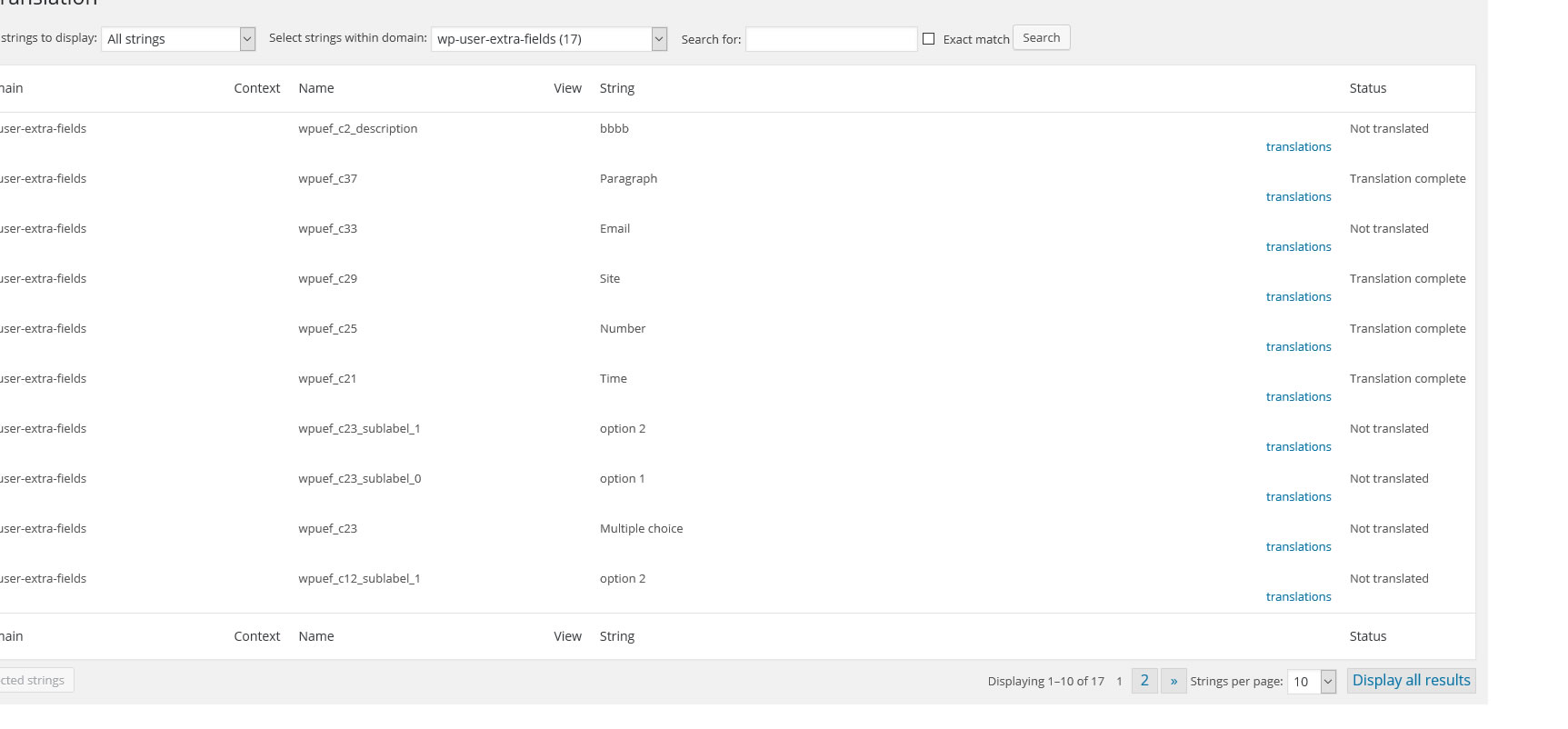
WPUEF is wpml compatible. Create as many fields as you want, then translate labels and description using the WPML -> String translation menuWOOCOMMERCE COMPATIBLE
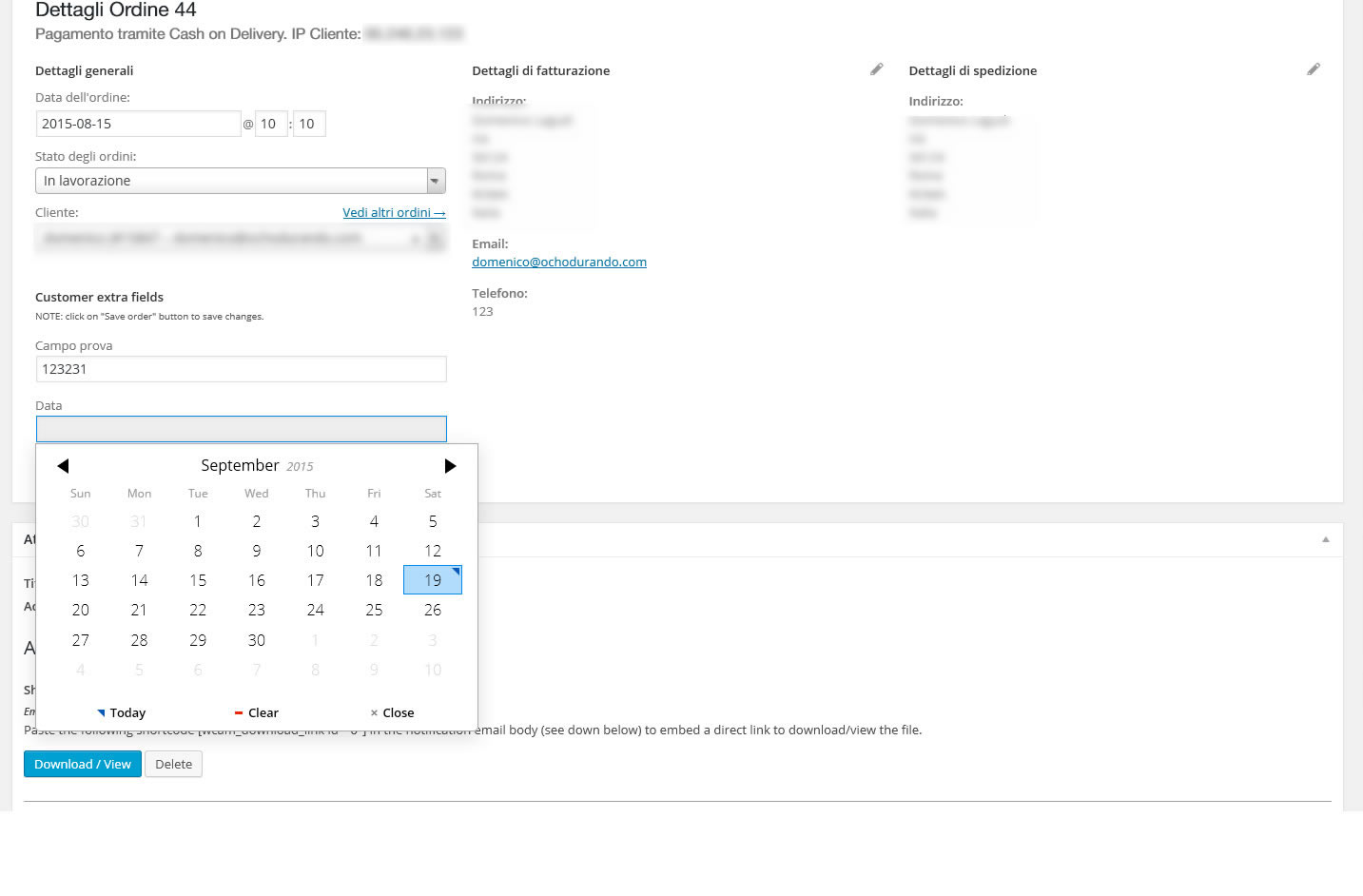
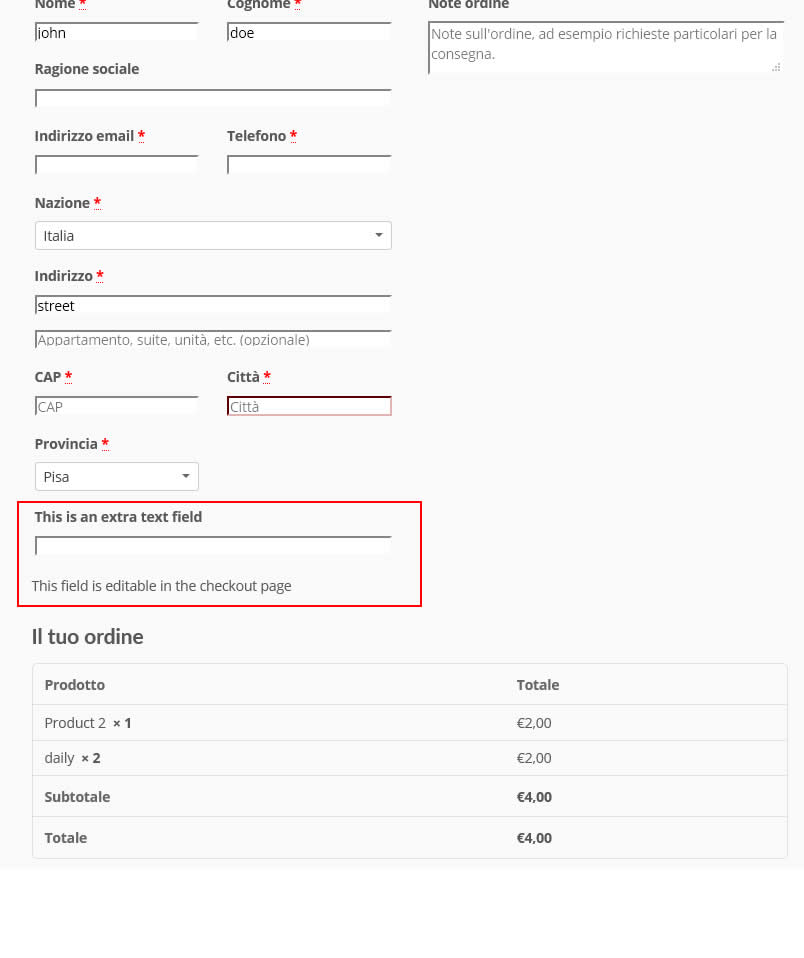
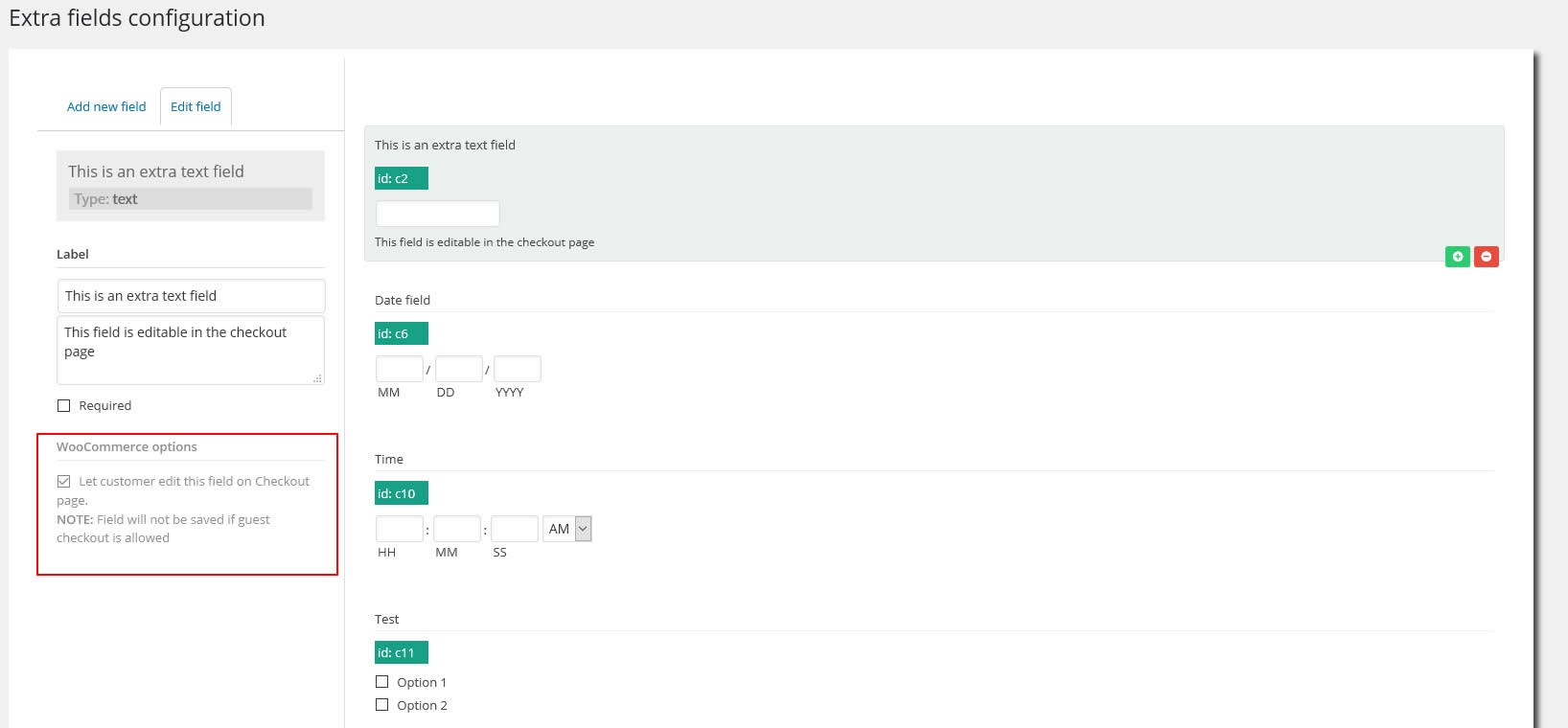
WPUEF supports WooCommerce. Automatically adds an extra field on the registration (optionally can be hidden). Your customers, by default, will be able to edit extra fields on their “My Account” page but, optionally, the Shop admin can configure every field to be editable only in the “Shipping Address” or “Billing Address” edit pages! Furthermore, the Shop admin can also trace this extra info directly on the backend order details page. In fact, WPUEF adds a new meta box containing the extra user fields box next to the customer info box. In this way, you can have all the user and order info under control in one place! In addition, every extra field can be optionally (or ONLY) displayed and edited also on the Checkout page. This can be useful during user registration on the checkout step. Note however that Extra fields will not be shown if the guest checkout option is enabled. In this case, fields will be automatically displayed only if the ‘create account’ checkbox is checked by the user. The admin can also display two custom HTML snippets before and after the checkout extra fields form. Go to Settings -> Extra fields menu to configure those fields.WOOCOMMERCE COPY EXTRA FIELDS CONTENT AS ORDER CUSTOM FIELDS
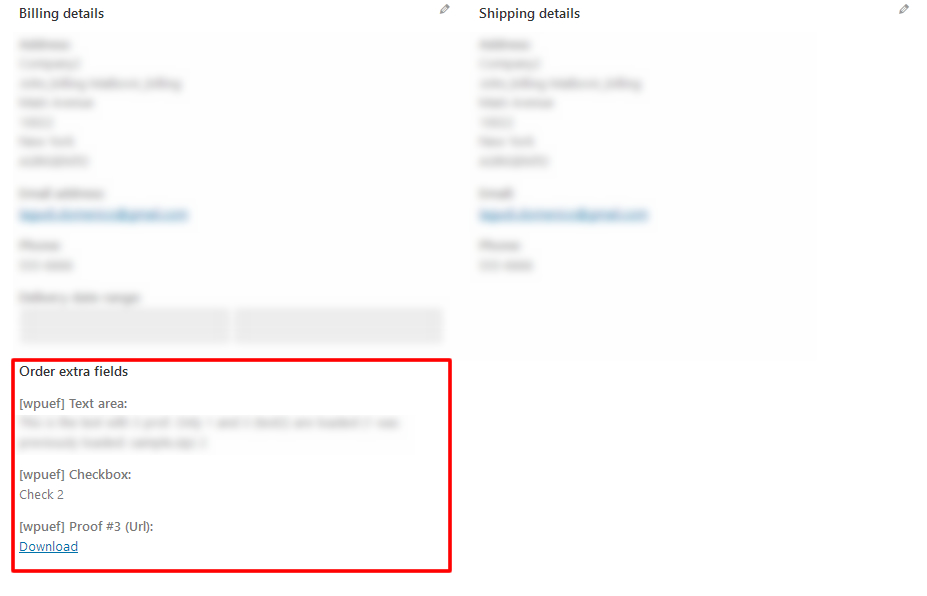
Fields content can be optionally copied to order meta as custom fields. To do that the Shop admin has to enable the visible during the Checkout process and the Save as order extra field options for the fields he needs. In this way, after the order is placed, field contents are copied to order meta as custom fields. Extra order field values are shown under the Billing details and can be edited and deleted using the native WordPress Custom fields meta box. In the case of files, they will be deleted on order delete or if the custom field containing the file path is deleted. In this way, each order will store the content of the extra field submitted by the user during the checkout process independently of the actual values stored in the user profile!WOOCOMMERCE FIELDS OVERWRITE
WPUEF gives you the possibility to store field content in the default WooCommerce billing and shipping fields. All the fields can be overwritten. To overwrite a field you have just to create a new text/country & state field (or email field in case you would like to overwrite the billing email address field) and then on the overwrite options selection select in which field the content has to be stored. You can optionally assign to the Billing name, Shipping name, and user first name (the same thing can be done for the last name) the same value. Just select one of the Multiple overwrite options in the dropdown menu.WOOCOMMERCE EMAILS SUPPORT
Optionally, all the user’s extra fields can be reported directly into the WooCommerce emails, in this way you can keep an eye on all the user extra info at once!WOOCOMMERCE FIELD ROW SIZE
You can optionally set field row size: half-size (left/right) or full-width size! NOTE: this option cannot be applied to the “Country & State” and “Title” fields. It will have a full-width size.Title field
Title fields are separators that can be used to separate fields in the register form. The title can be customized using the following options:- tag to use: label, h1, h2, h3, h4, h5, h6
- custom margin
- custom classes
PASSWORD OVERWRITE AND WEAK PASSWORD USAGE
Optionally you can overwrite the password field too. This can be useful if you want to allow weak password usage. Enabling this special option your customers will be able to register (and reset their password on the woocommerce reset password page) using any password, the plugin will override the default woocommerce password weakness check. This special field will be visible ONLY on the register page, checkout register form, and optionally on the My account page.BUDDYPRESS COMPATIBLE
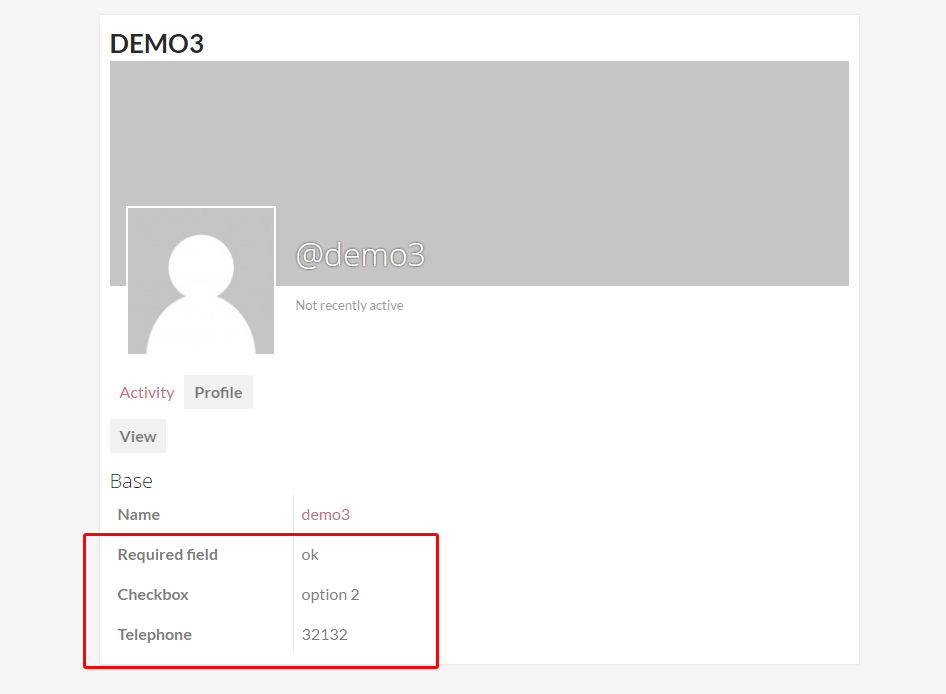
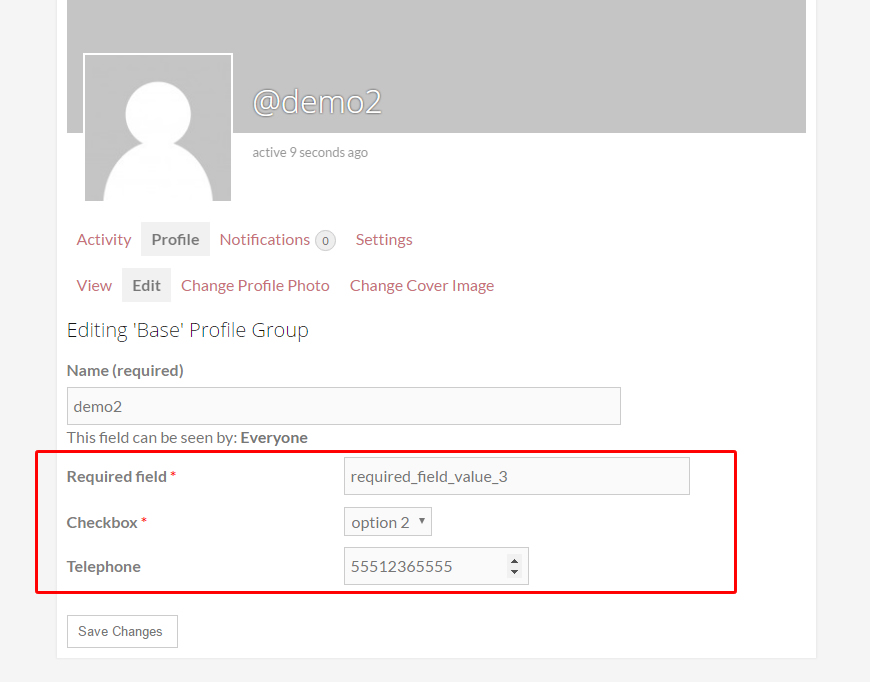
WPUEF is BuddyPress compatible. This means that fields are automatically added to the user register page (optionally can be hidden to be displayed on that page) and will be publicly viable in the user profile. Every user can edit those extra fields using their own edit profile page.FIELDS CAN BE EDITABLE ONLY BY ADMIN
Shop admin can choose to create fields to be editable only by him and visible on the user profile pageCUSTOM FORM SHORTCODE
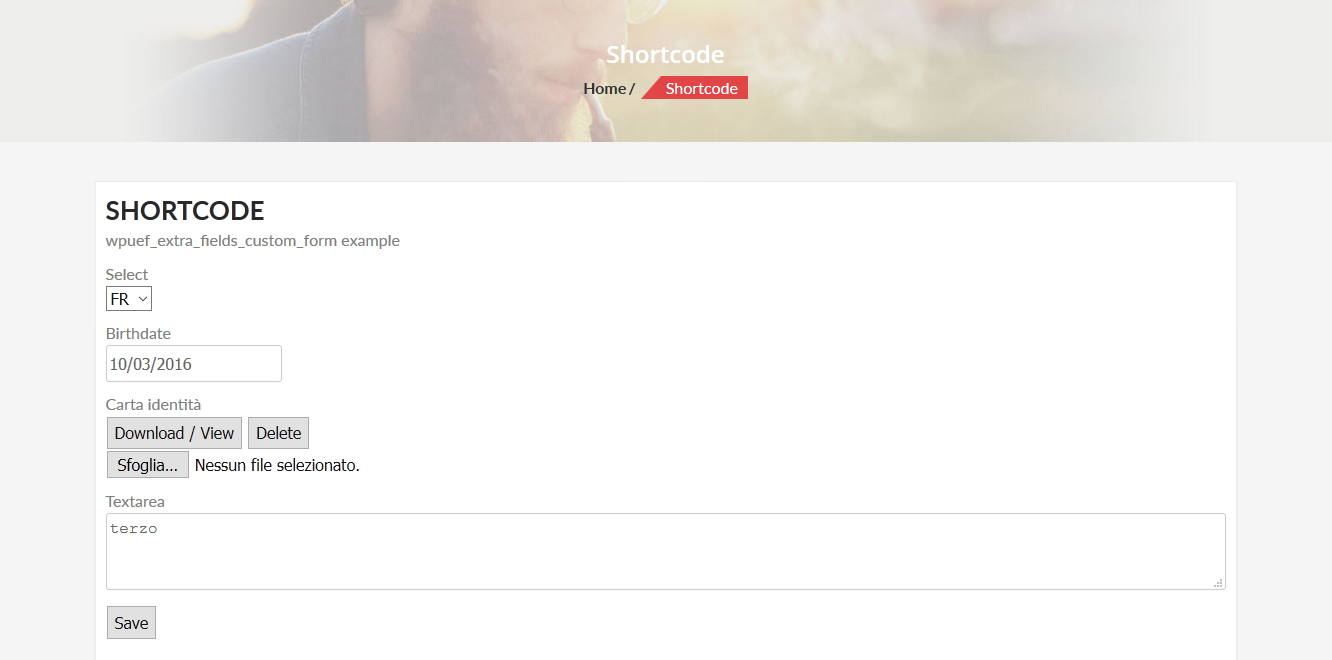
WPUEF allows you to render custom forms with the selected extra fields on any page supporting WordPress shortcode system. To that use the where the field_ids parameter specifies the id of the fields that will be displayed. Ex.:WORDPRESS FIREST AND LAST NAME FIELDS OVERWRITE
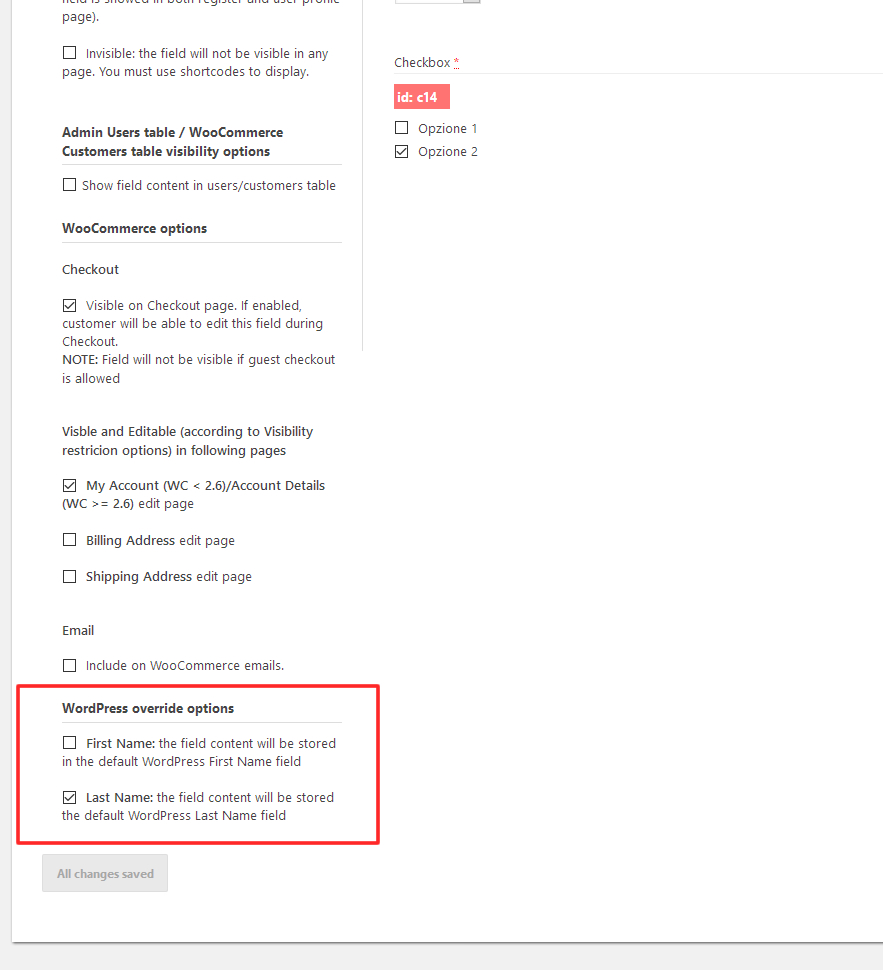
WPUEF gives you the possibility to store text field content in the default Name and Lastname WordPress fields. To that, you have just to create a text field and then check the First/Last name overwrite option.Show field value shortcode
Would you like to display a field value for the current or a particular user? You can just using the shortcode. A “field_id” must be specified and optionally can also specify a “user_id” parameter. The “user_id” will let you display a field value for a particular user, if left empty will show the field value for the current user. You can also automatically generate html links using the field content. For example, using a field with id c2:Test linkYou can also use html code like:
<img src=" alt="example" /><strong>Test</strong>
Display image shortcode
For file fields, you can show the uploaded image just using the . Where the field_id is the file field id for which you want to display the image. Optionally you can be passed as parameters the width and the height. For example:RETRIEVE AND SAVE FIELDS DATA PROGRAMMATICALLY
WPUEF exposes two functions:- wpuef_get_field($field_id, $user_id = null). The function will return an object containing all the field data (label, values, etc.). To know the object structure you can user
the special wpuef_var_dump() function as follow:
$result = wpuef_get_field('c13', 16669);
var_dump($result);
The result will be:object(stdClass)#803 (7) { ["label"]=> string(6) "My custom dropdown field" ["field_type"]=> string( 8 ) "dropdown" ["required"]=> bool(false) ["field_options"]=> object(stdClass)#807 (2) { ["options"]=> array(3) { [0]=> object(stdClass)#782 (2) { ["label"]=> string(2) "Label string for option 1" ["checked"]=> bool(false) } [1]=> object(stdClass)#757 (2) { ["label"]=> string(2) "Label string for option 2" ["checked"]=> bool(false) } [2]=> object(stdClass)#758 (2) { ["label"]=> string(2) "Label string for option 3" ["checked"]=> bool(false) } } ["include_blank_option"]=> bool(false) } ["cid"]=> string(2) "c6" ["woocommerce_edit_on_my_account_page"]=> bool(true) ["value"]=> string(1) "1" }To get the specific user selected value, use the “value” variable. Example:$result = wpuef_get_field('c13', 16669); var_dump($result->value); //Will print the user selected value for that field. - wpuef_set_field($field_id, $value, $user_id = null)
KEEPS YOUR SERVER CLEAN
On user deletion, every file attached is deleted too.NOTE ON IMPORT/EXPORT USER EXTRA FIELD VALUES VIA CSV
The plugin hasn’t any feature to import/export via CSV field values associated with users. For that you have to use the following plugin: WooCommerce Customers Manager.VISUAL COMPOSER
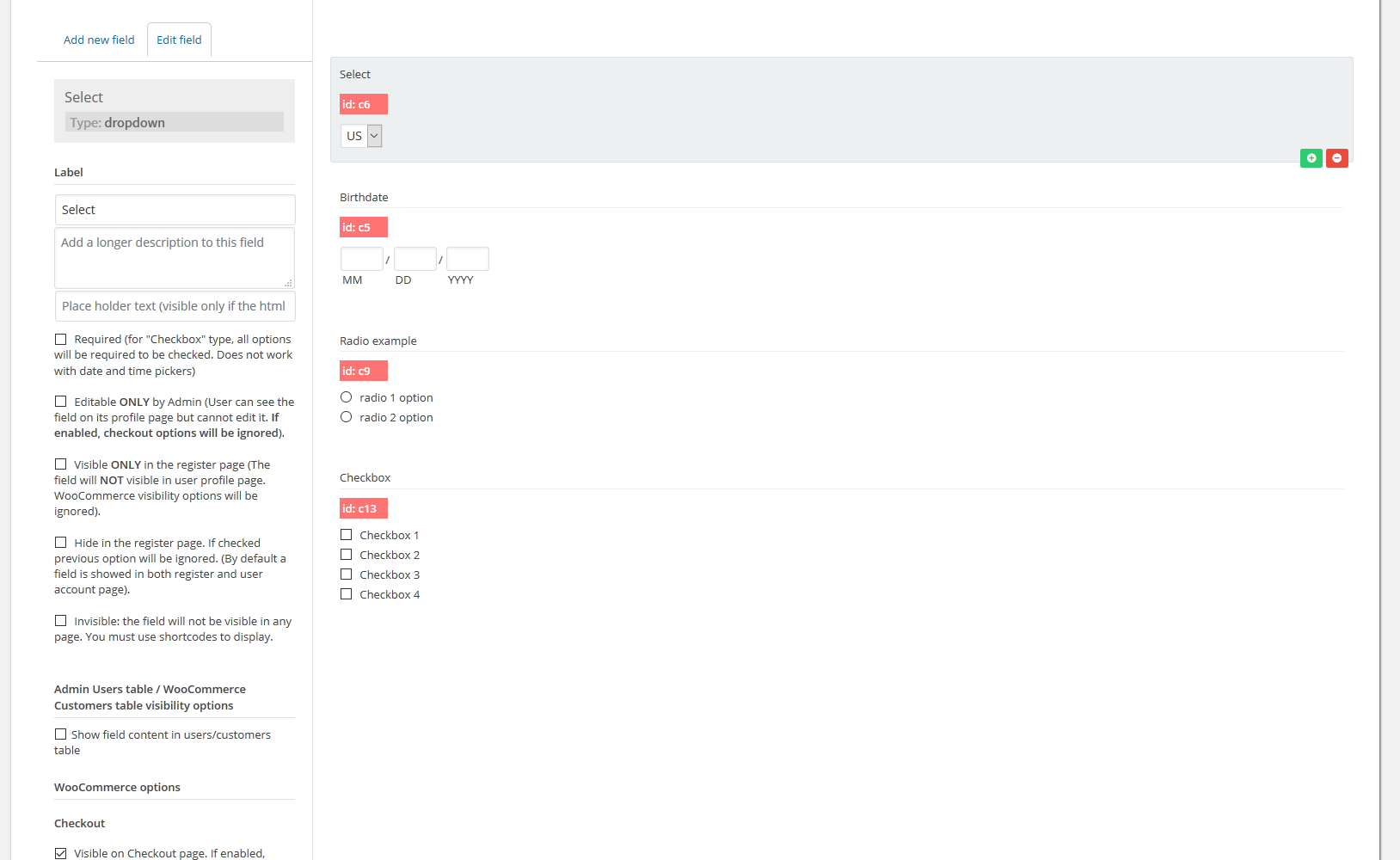
Create and edit all the fields you want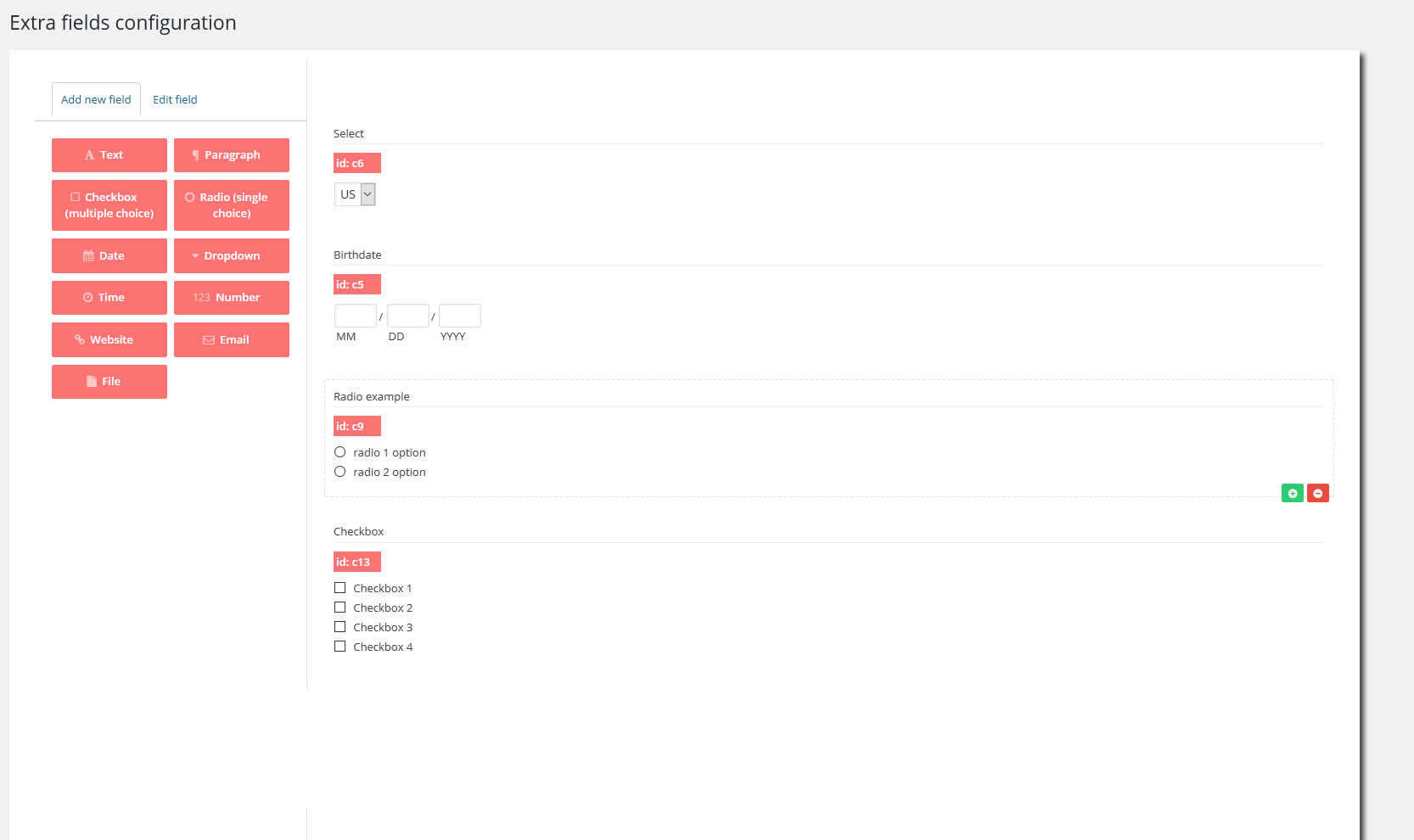
REGISTRATION PAGE
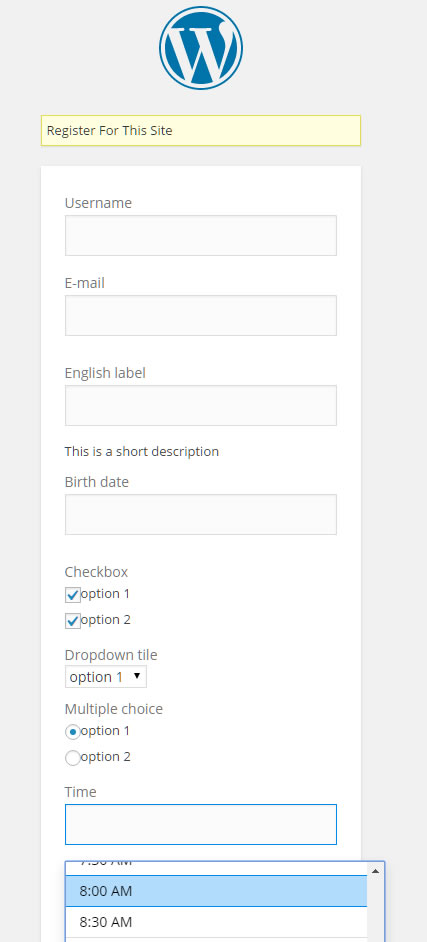
Registration page example (using “Theme my login” plugin that allows to use the site theme for the registration page instead of the default one)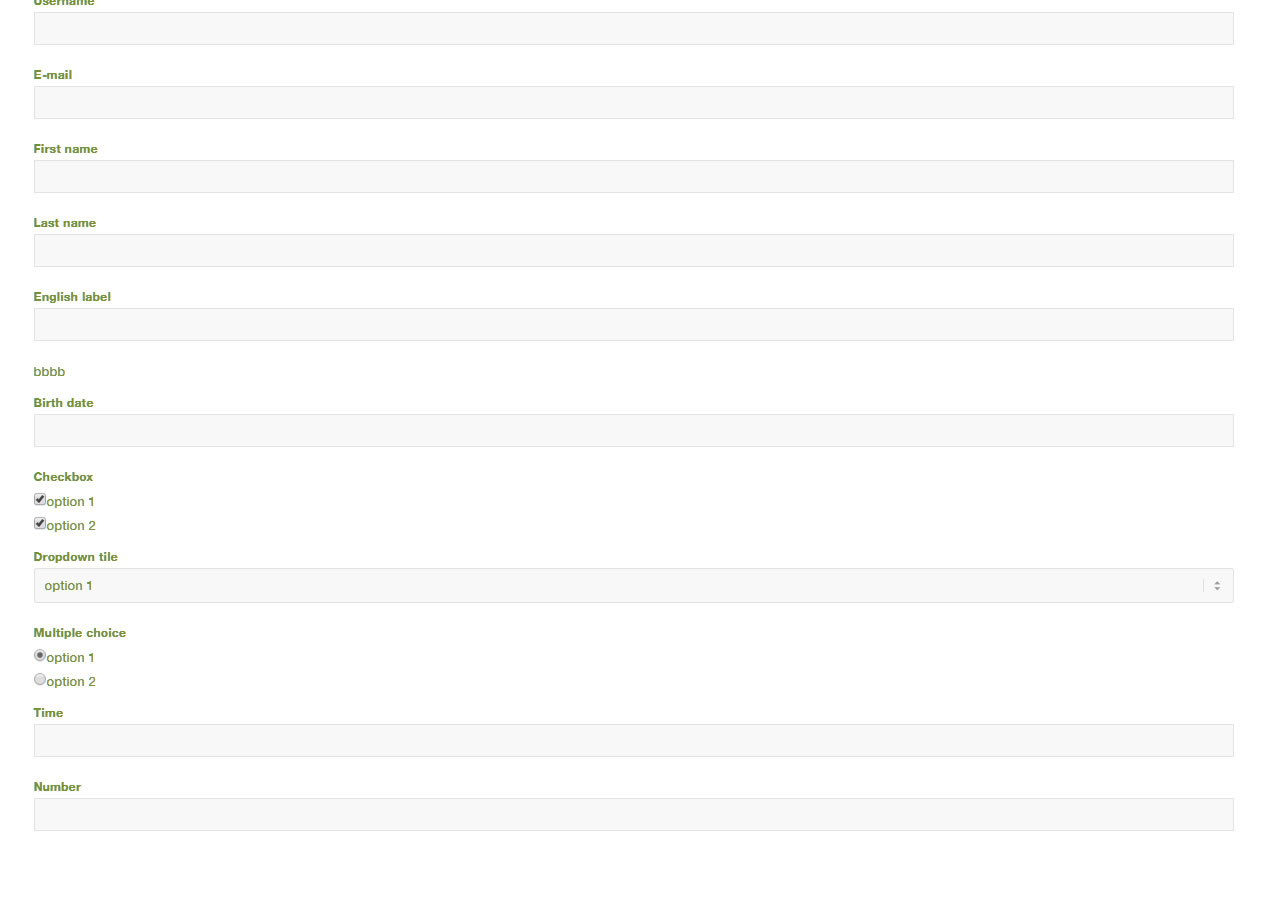 Example using the default WordPress page
MY ACCOUNT EDIT PAGE (FRONTEND)
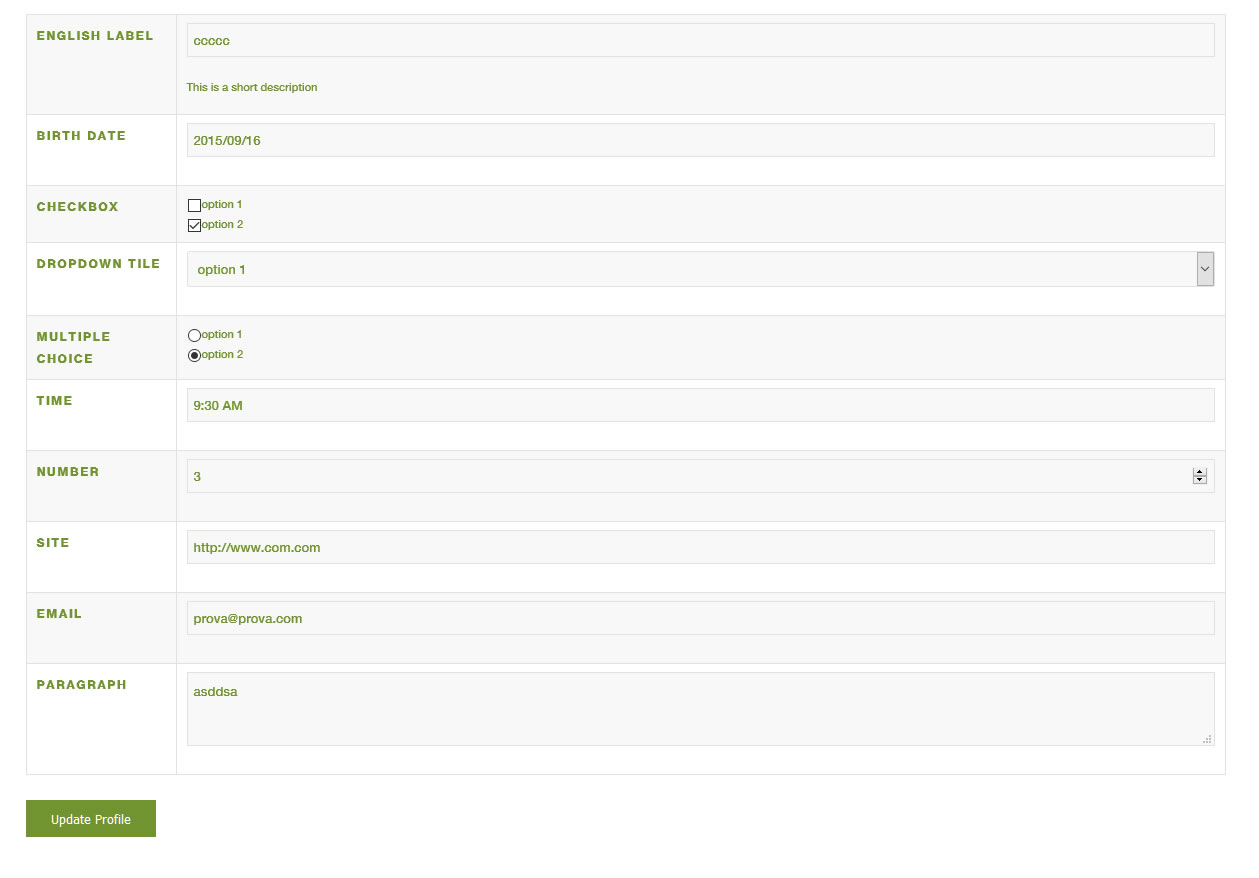
WOOCOMMERCE REGISTRATION PAGE
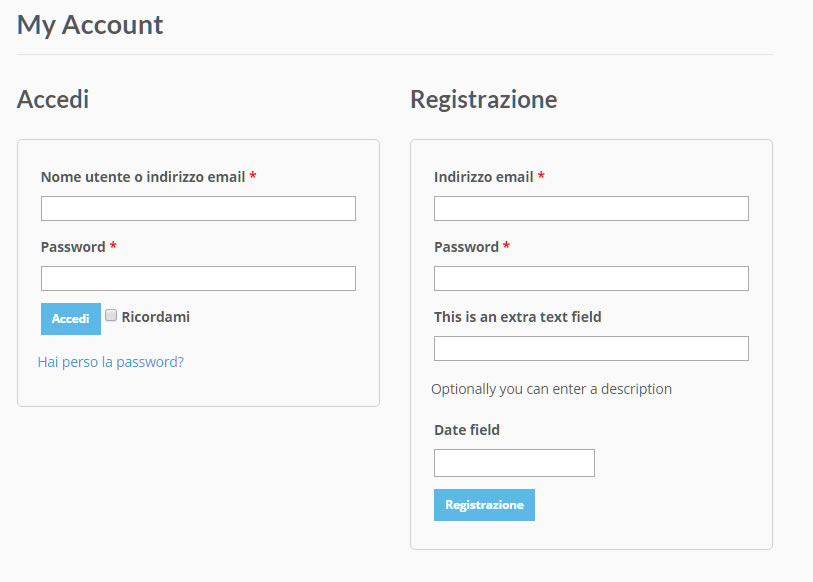
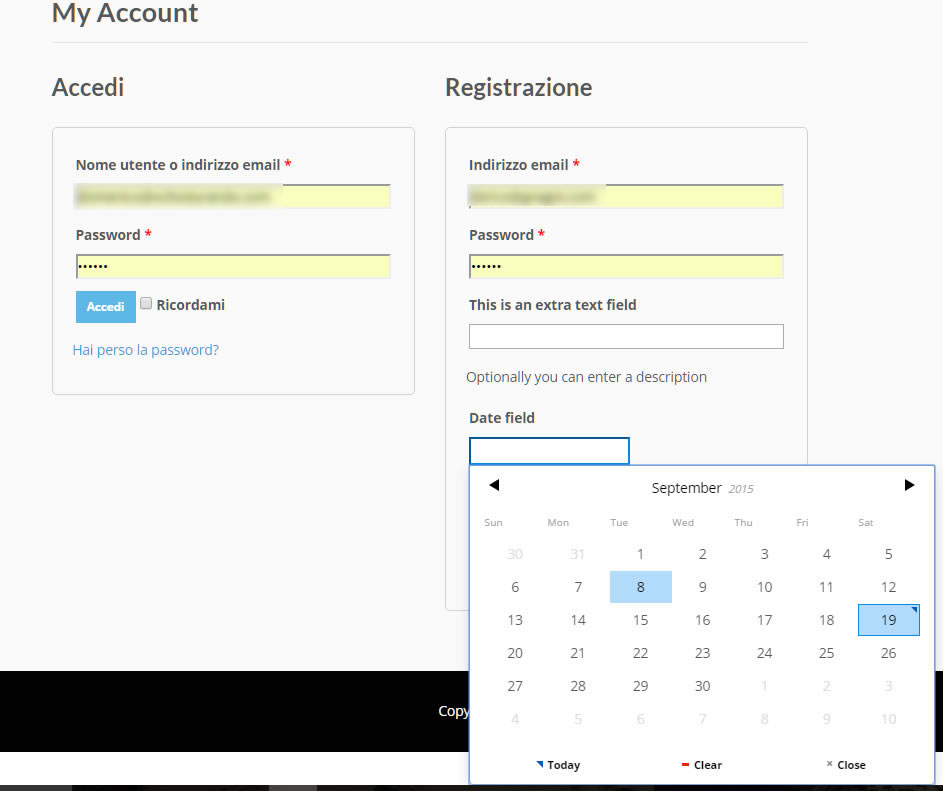
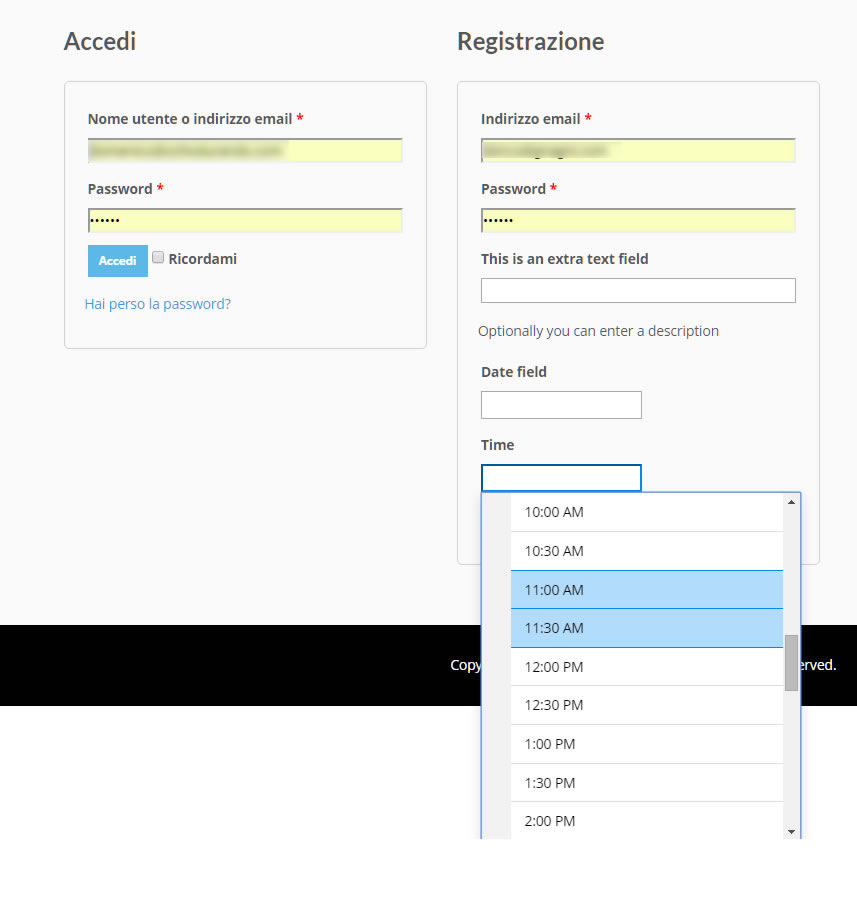
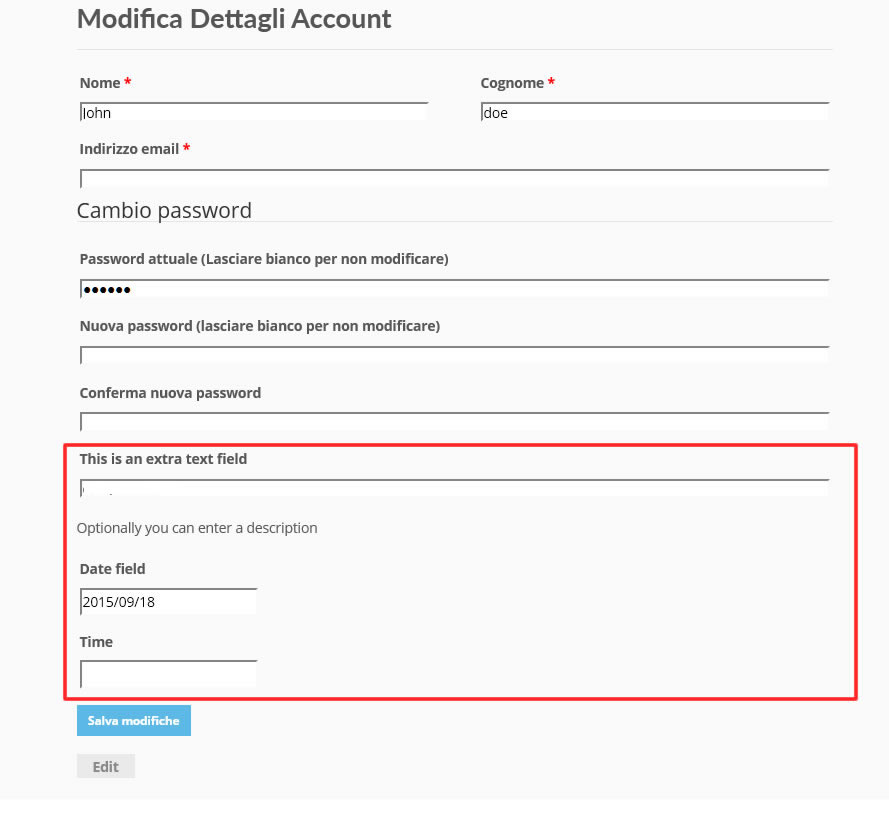
WOOCOMMERCE EDIT ACCOUNT PAGE (FRONTEND)
WOOCOMMERCE ORDER DETAIL PAGE (ADMIN)
 Extra field displayed on the checkout page
BUDDYPRESS USER PROFILE PAGE
CUSTOM FORM
OPTIONS TO overwrite FIRST AND LAST NAME WORDPRESS FIELDS
EXTRA FIELDS CAN BE COPIED TO ORDER META
WPML TRANSLATION STRING PAGE WITH WPUEF DATA
CHANGE LOG
= 16.3 - 19.12.22 =
* Minor bugfix
* Added the option to save the template files on the child directory "wpuef" on the theme folder

= 16.2 - 31.08.22 =
* Minor bugfix

= 16.1 - 28.08.22 =
* Minor bugfix

= 16.0 - 15.03.22 =
* Fixed some texts that were not properly displayed in the options menu

= 15.9 - 17.01.22 =
* Upload process improved

= 15.8 - 23.11.21 =
* Minor bugfix

= 15.7 - 11.11.21 =
* Fixed an issue that prevented fields to be properly displayed on the checkout in case of guest checkout was disabled

= 15.6 - 27.10.21 =
* Minor improvements

= 15.5 - 22.10.21 =
* Bugfix

= 15.4 - 14.07.21 =
* Fixed a javascript issue that in some cases might prevent the configurator page to be properly rendered

= 15.3 - 26.05.21 =
* Code redesign

= 15.2 - 26.10.20 =
* Fixed an issue that prevented the "WooCommerce Customers Manager" user details page to be properly displayed

= 15.1 - 01.10.20 =
* Fixed an issue with the checkbox default value management

= 15.0 - 14.08.20 =
* Fixed an issue related to WordPress 5.5 and jQuery

= 14.9 - 15.07.20 =
* Improved BuddyPress compatibility

= 14.8 - 05.05.20 =
* Fixed a minor issue related to the default value selection for radio fields

= 14.7 - 09.01.20 =
* Each form field has now its own id. The format is "wpuef_field_{field_id}". The field container (if any) has the following format "wpuef-row-{field_id}"

= 14.6 - 02.12.19 =
* Removed the  prefix when displaying order extra fields

= 14.5 - 23.11.19 =
* Minor improvement

= 14.4 - 14.10.19 =
* Fixed an issue related to the registration form and Divi Theme

= 14.3 - 09.09.19 =
* Added option to hide user extra fields are on WooCommerce admin order edit page

= 14.2 - 05.09.19 =
* Updated date and time picker libraries

= 14.1 - 18.04.19 =
* Minor bugfix

= 14.0 - 20.11.18 =
* Added a new option to position fields before/after the default fields in the WooCommerce account details and billing/shipping details pages

= 13.9 - 08.11.18 =
* Fixed an issue that may raise 500 server error

= 13.8 - 31.10.18 =
* Fixed an issue with file copy to order meta option

= 13.7 - 11.10.18 =
* Minor bugfix
Categories
Tags
External listing. code.market does not sell this product and does not process payment for it. Pricing, payment, delivery, licensing, refunds, and support are handled by the third-party merchant on its own website. We may earn an affiliate commission from a referral. Details.
Products of the Week.
Submit#1

upvote.club
Free Social Media Engagement that Helps Boost Your Content. Upvote Club supports 19 social networks with 100+ engagement actions in one dashboard. Add links to your posts and get free engagement from real users.
SaaS · 18,225 views · 96 clicksSaaS · Week 42 · 18,225 views · 96 clicks
#2

Seenshot App
Free, Fast, MacOS Screenshot app. Make Screenshot cmd+shift+2 and send it via link
Desktop App · 7,071 views · 109 clicksDesktop App · Week 42 · 7,071 views · 109 clicks
#3

Conversational Backlinks for Busy Founders
Place Backlink Relevant Conversation for your domain across Forums and Conversations
Website · 18,881 views · 197 clicksWebsite · Week 42 · 18,881 views · 197 clicks
#4

Substack Posting API
Onboard your Agent to Substack. Write Publish on Substack via API
SaaS · 37,862 views · 185 clicksSaaS · Week 42 · 37,862 views · 185 clicks
#5

codester.com
SocialDesk+: Omnichannel Social Commerce & Business Management Platform This is stronger than simply “Social Commerce and Messaging” because it tells buyers this is a complete business platform, not just a messaging script. Turn Social Conversations Into Sales SocialDesk+ is a complete omnichannel social commerce and business management platform built for businesses that sell and communicate with customers through social media. Instead of switching between WhatsApp, Facebook, Instagram and TikTok, businesses can manage customer conversations, comments, products, leads, follow-ups, automation, teams and business reports from one professional workspace. And because the full source code is included, developers, agencies and entrepreneurs can customize, rebrand and launch SocialDesk+ as their own business solution or SaaS platform. 🚀 Build Your Own Social Commerce Business SocialDesk+ gives you the foundation to launch: - Your own SaaS platform - A white-label social CRM - A social-commerce management system - A customer communication platform - A business messaging solution - A custom solution for clients - A multi-business subscription platform 💬 Connect Your Customers Supported social channels include: WhatsApp • Facebook • Instagram • TikTok Bring supported conversations into one centralized workspace and help businesses respond faster without constantly switching between platforms. 🛍️ More Than a Messaging Platform SocialDesk+ combines communication with the tools businesses need to manage customer opportunities: Inbox Manage customer conversations from connected channels. Comments Monitor and respond to social-media comments. Customers & Leads Organize customer information and potential buyers. Products & Catalog Manage products and give your team quick access to product information. Follow-Ups Make sure potential customers don't get forgotten. Automation Automate repetitive customer questions and responses. AI Assistant Provide AI-assisted communication when configured. Team Management Give managers and staff access to the business workspace. Reports & Analytics Track activity using business reports and analytics. The current product listing already includes these capabilities. 🔥 Why Buyers Will Want It Launch Faster Start with an already-built business platform instead of developing the entire system from zero. Customize Everything The full source code is included, allowing developers to change branding, features, workflows and integrations. Build a SaaS Create multiple business workspaces and offer SocialDesk+ as a subscription-based service. Sell to Businesses Offer it to retailers, restaurants, service businesses, online sellers, agencies and other businesses that communicate with customers through social media. Mobile + Web + Backend This isn't just a mobile UI template. It includes: - Flutter mobile application - Python / FastAPI backend - Web interface - Administration tools - Database infrastructure - API-based architecture - SQLite / PostgreSQL support - Android and iOS project structure 💼 One Platform. Multiple Business Opportunities. For SaaS Entrepreneurs Launch your own subscription platform and allow multiple businesses to operate inside separate workspaces. For Software Agencies Customize and rebrand the platform for clients instead of building an omnichannel business system from scratch. For Developers Use the complete source code as a foundation for your own social-commerce or customer-management product. For Businesses Deploy a dedicated version for your own customer-service and social-commerce operations. 🧩 What's Included Mobile - Flutter / Dart - Android - iOS project Backend - Python - FastAPI - SQLAlchemy - Alembic Database - SQLite - PostgreSQL Web - HTML5 - CSS3 - JavaScript Deployment - Docker - Docker Compose - Production configuration Business Platform - Multi-workspace architecture - Authentication - Teams - Customers - Products - Messaging - Comments - Automation - Reports - Subscriptions - Administration The current listing also documents third-party integrations such as Meta, TikTok, Stripe, Firebase, SMTP and optional OpenAI configuration. ⚡ What Makes SocialDesk+ Different? You're not buying a simple: ❌ Chat UI ❌ WhatsApp clone ❌ Flutter template ❌ Admin dashboard ❌ Basic CRM You're getting a complete business platform foundation that can be customized, branded and commercialized. Connect. Automate. Manage. Grow. SocialDesk+ Omnichannel Social Commerce & Business Management Platform One important change I'd make to the current listing The current page starts with: “A simple guide to managing your social conversations, customers, products and business activity.”
Other · 5,271 views · 32 clicksOther · Week 42 · 5,271 views · 32 clicks
#6

sandbook.app
Sandbook reads EPUB, PDF, web pages and scanned pages aloud with Kokoro TTS, an open neural voice model that runs on your iPhone, free and offline. Choose from 41 natural voices in English, Spanish, French, Italian, Brazilian Portuguese and Hindi and follow each word as it is spoken. Try the same voices in your browser first with the free Kokoro TTS online demo.
Other · 5,265 views · 13 clicksOther · Week 42 · 5,265 views · 13 clicks