User Activity Log PRO for WordPress
Description






User Activity Log PRO WordPress Plugin
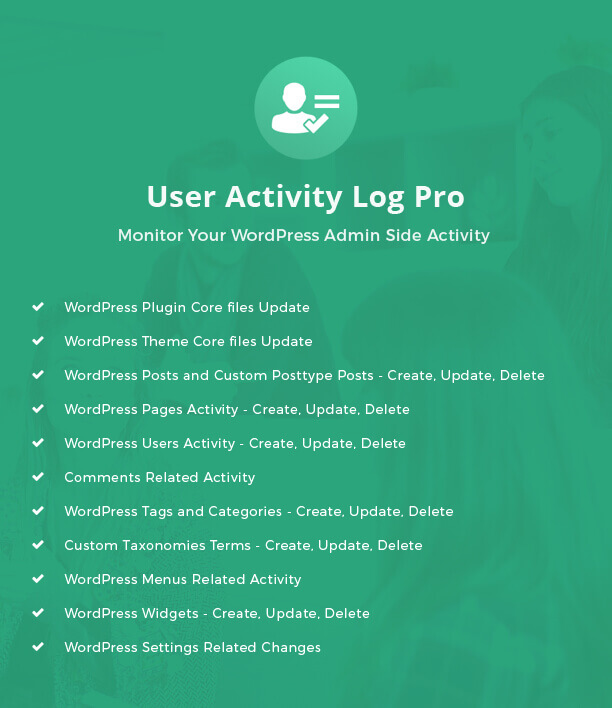
User Activity Log Pro WordPress plugin is a powerful and strong monitor system to track your users and team activities. It helps you about WordPress core updates, Posts & Pages updates, User activities, etc. which are done in admin side for any WordPress powered website.
Why User Activity Log required?
Does your website have many users for various admin side activities?
Do you stick with issue to track your freelancers, hire developers or website user’s activity on your website admin side?
Do you want to secure your site by tracking log of all user activity?
Do you want to get notified when a particular user is logged in?
Just relax, now with the help of “User Activity Log Pro” WordPress Plugin you can track all users activity on your website. This is the most needed WordPress plugin for all and specially for website owners.
User Activity Log plugin bundled with most needed security features when we have to track users and we will keep adding more in future versions.
If your server not providing server logging for your WordPress website then it is a best choice to use this plugin for recording your website activities. Also our plugin recommended by WordPress Codex for logging various activity Under “WordPress Hardening” article.
When User Activity Log Pro useful for you?
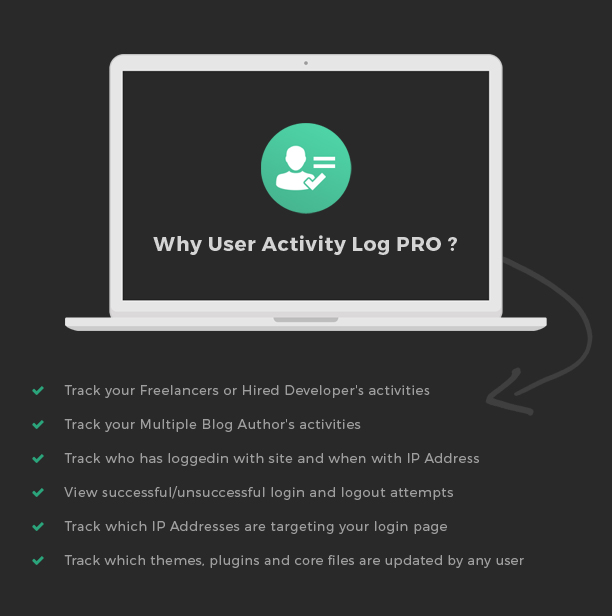
- Track your Freelancers or Hire Developer’s activities
- Track your multiple Blog Author’s changes
- Track who has logged-in with site and when
- View successful login and logout attempts
- Track which IP addresses are targeting your login page
- Track which themes, plugins and core files are updated in your absence time
For whom User Activity Log Pro is useful?
- Most needed for Website Owner
- Product Manager, Site In-charge or Site Manager, Team Leader, Developers
- IT companies to track multiple developers behavior
- IT Consultants, Freelancers
What makes User Activity Log PRO Outstanding?
5 Reasons to Choose User Activity Log PRO1. Administrative Activity Tracking
Sometimes users are thinking about as I can do anything with the website if I have some upper level passwords and no one can track me. But now, you can put they guys as off and feel them as you are also in track-able mode. No one single person will miss from user tracking including admin user.2. Password Security to delete log
If you have already shared your admin passwords to your developer or freelancers. They can’t remove/delete or download that log summary or any single log until they have master password of User Activity log. We are providing high security to care your log data.3. Email Tracking
Whenever selected user role’s users are logged in with website then you will automatically notify via email. System will generate one email and will send it to your selected addresses.4. WP Setting Tracking
Sometimes we suddenly notice that our WordPress back-end settings were changed by someone else. When we ask freelancers or developers or other team members, who made this changes? But there is no reply. So how to track who made this changes? Answer is User Activity log PRO report shows all log with details.5. Download Activity Log before Delete
This is must needed solution required as you want backup of selected log but don’t want to show that log with Activity Log list for another users. You can download your single & multiple selection logs anytime, no copy-paste required.Other useful features :
User Details Tracking
Users need to change some details related to that own profiles and that new details might create an impact on our website like first name, last name, website link, email address, etc. If any user change own user related details then you will also get tracking about that changes.Favorite/Unfavorite Log
You can set some filter on log from your side as my favorite log and it will be easily accessible for future usage.Who can access the User Activity Log Pro panel? There is one “Role Manager” tab option available under settings page and you can assign that stuff to Contributor, Editor or one of your website Custom Role.
Activity Log Sorting Options
You can sort out activity log list based on Date, Author, IP Address, Hook, Type, etc. then you can do that thing easily with ascending and descending order.Activity Log Filtering Options
You can filter out activity log list based on Date, Author, IP Address, Hook, Type, etc. same like sorting and one more feature option is available as favorite/unfavorite log.User Friendly Admin Panel
Easiness with backend panel is first requirement of any plugin and we have already understood that thing. So, beginner can also start website tracking.Log Reset Option
Options to reset your activity data anytime via “Delete Log Activities” option. That will remove your all activities data with download and email option.Email Notification
If you want an instant email in your Email Inbox when selected users or selected user role’s users are Logged-in with website. You can customize your email body too.Export log to CSV file
User Activity Log Pro plugin provides you an option to export log data into CSV file format. So, you can easily read for your next future usage.Hook Selection Option to track selected action
No need to track all activities? No worry, we are providing large number of options as you can select a checkbox for posts, pages, media, categories, tags, etc.Custom Post Type & Custom Taxonomies Support
User Activity Log Pro compatible with custom post types and custom taxonomies. You have some custom post types like portfolios, testimonials, etc. and worrying about that tracking then this is a best solution for you.Role Manager Feature
Who can access the User Activity Log Pro panel? There is one “Role Manager” tab option available under settings page and you can assign that stuff to Contributor, Editor or one of your website Custom Role.View Log in Detail
We are familiar with revision post type in WordPress and that will store your all revisions but if you want to delete any one selected revision then you can’t do it. User Activity Log doing that same stuff but you can select for which post type you want to track and only selected post type start tracking with page contents.Blog website owners can use User Activity Log Pro as like SVN, github, etc. as project synchronize tool for multiple blog authors.
Custom Event Log
You are really happy with the current plugin’s functionality but still want to add some more stuff from your side. We have already figure out that requirement also and added that support also.Below are arguments to add custom event log to track your custom events/actions :
- Event Name (Hook Name)
- Event Label
- Event Type
- Event Description
There are no limits to add your custom event log entries. You can add thousands of event hook and can track every one.
Supported plugins
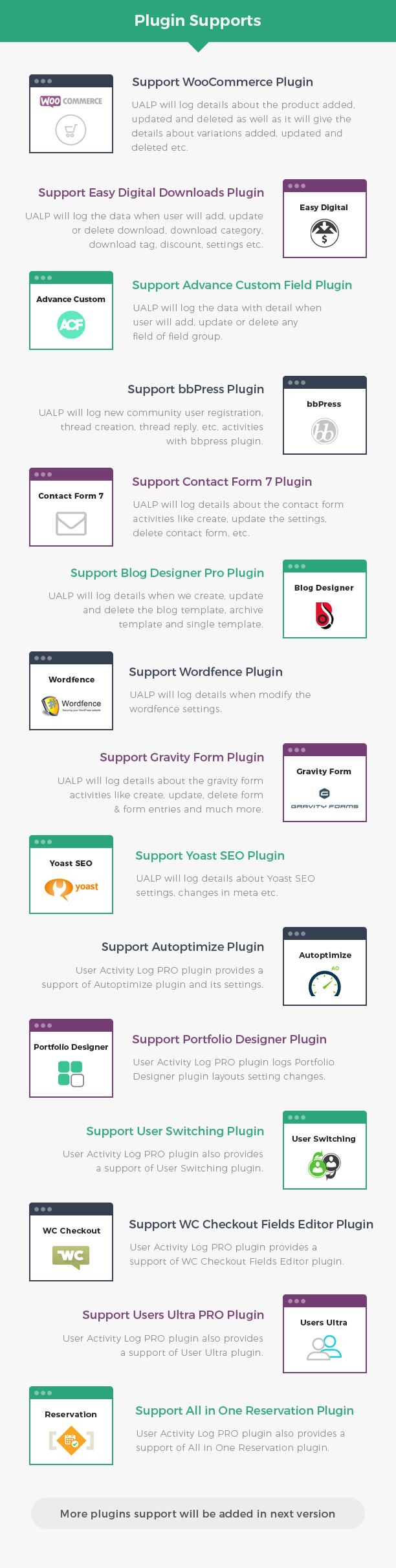
With the popularization of plugins usage, we have filter out and selected some useful plugins and provided inbuilt support with the User Activity Log Pro plugin. You can add your plugins support via above feature – “Custom Event Log”- WooCommerce
- Easy Digital Download
- bbPress
- Advanced Custom Field (ACF)
- Contact Form 7
- Gravity Form
- Yoast SEO
- Wordfence
- Blog Designer PRO
- Autoptimize
- All in One Reservation
- Portfolio Designer
- User Switching
- Users Ultra
- WC Checkout Fields Editor
Translation/Localization
This plugin comes Localization/Internationalization ready. It is following WordPress I18n standards. It can be easily translated or localized in other languages different than English.
TRANSLATION READY
.pot files included, for easy translationImprovement suggestions
If you have any suggestions on how to improve this item please let us know! We will be happy to consider any suggestion and appreciate your efforts. We will go through all your feedback weekly and pick the most requested features to be included in a future update! Contact us Here
Need Customer Support?
If you have any query regarding User Activity Log PRO plugin then feel free to submit ticket at our support portal.Changelog
Sep 28th, 2022 (Version 2.3)
* Added: Graphical View for User/Role Wise
* Updated: Make compatible with WordPress version 6.0.2
* Fixed: Minor bug fix
Jun 13th, 2022 (Version 2.2)
* Updated: Make compatible with WordPress version 6.0
* Fixed: Minor bug fix
Feb 28th, 2022 (Version 2.1)
* Added: Number of failed login for existing user
* Added: Number of failed login for non existing user
* Updated: Make compatible with WordPress version 5.9
* Updated: Make compatible with PHP version 8.0
* Fixed: Export Log Issue
* Fixed: Date Related Issue
* Fixed: woo-commerce not working with multisite
* Fixed: Export by Time Related Issue
* Fixed: Minor bug fix
March 16th, 2021 (Version 2.0)
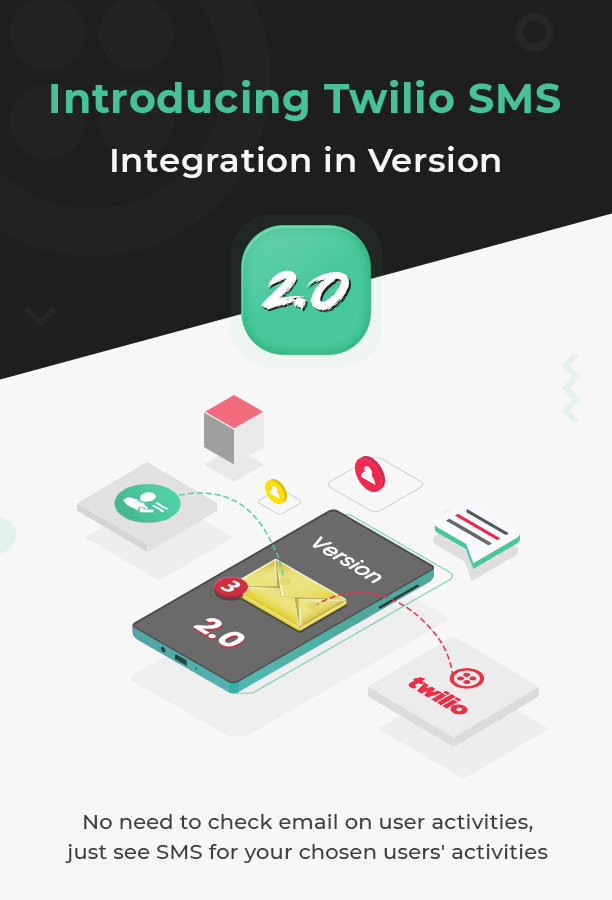
* Added: "SMS Notification"
* Updated: Make compatible with WordPress version 5.7
* Fixed: Minor bug fix
August 19th, 2020 (Version 1.6.1)
* Added: "Delete data on deletion of plugin" option
* Updated: Make compatible with WordPress version 5.5
* Fixed: Minor bug fix
January 5th, 2020 (Version 1.6)
* Updated: Remove wpseo_opengraph, wpseo_twitter hook
* Updated: separate all hook
* Added: export json
* Added: exclude log section
* Added: Log Page selected transition_post_status then display advance filter
* Added: view activity log button on post and user page
* Added: Report Section
* Added: Email trigger notification
* Fixed: Custom date selection on log page
* Fixed: wp_logout hook and wp_login_failed hook
* Fixed: debug log issue
August 12th, 2019 (Version 1.5)
* Added: Enable/disable option to Display Dashboard Widget
* Added: Email Notification on Failed login of a WordPress user
* Added: Email Notification on Failed login of non existing users
* Added: Email Notification in 404 page
* Added: 404 Page Hook
* Added: Email Notification for all hook
* Added: Compatible with Multisite
* Added: Plugin support - BuddyPress
* Updated: Make compatible with latest version of yoast seo.
* Fixed: debug log issue
December 28th, 2018 (Version 1.4)
* Added: Compatible with Gutenberg
* Added: Record the Browser and operating system of user
* Added: Display All users logged out and logged in time history
* Added: View activity of all users within their logged in and logged out time
* Added: Log out any user from any one device or from all devices by just one click
* Fixed: Migrate issue
* Fixed: debug log issue in export detail
* Fixed: Solve issue of label in email
August 22th, 2018 (Version 1.3.2)
* Fixed: Solve minor issues
August 8th, 2018 (Version 1.3.1)
* Added: Add option to disable Ip Address and Country option
* Updated: Add compatibility with WordPress 4.9.8
* Fixed: Logged in User email issue
* Fixed: Migrate issue from Lite version to Pro
May 24th, 2018 (Version 1.3)
* Added: Plugin support - Autoptimize
* Added: Plugin support - All in One Reservation
* Added: Plugin support - Portfolio Designer
* Added: Plugin support - User Switching
* Added: Plugin support - Users Ultra
* Added: Plugin support - WC Checkout Fields Editor
* Updated: Admin can add multiple emails.
* Updated: Added filtering option for country.
* Updated: Added 'Logged In' tab to display all the logged in users.
* Updated: Added database integration and migration functionality.
* Updated: Send Email Notification for different activities.
November 13th, 2017 (Version 1.2.2)
* Updated: Add compatibility with WordPress 4.9
* Updated: Add option to disable guest users' logs.
September 22th, 2017 (Version 1.2.1)
* Updated: Add compatibility with WordPress 4.8.2
* Fixed: Solve sorting issue
April 17th, 2017 (Version 1.2)
* Added: Plugin support - Advance Custom Field (ACF), Easy Digital Download
* Added: Taxonomy support for all post type’s single post
* Added: Admin Dashboard Widget, "Latest User Activity Logs"
* Added: More filter hooks for developers to check activities
* Added: Reset option in filter to reset log history
* Updated: Detail log for WooCommerce product and Coupon data
* Updated: Detail log added for post with post thumbnail support
* Updated: Feature option, if stop to log of particular user – role wise and user wise
* Updated: Log data analysis with support of date range
* Updated: Data filter for log history
* Updated: Detail log for user update options
* Fixed: Can’t update SEO Title with Yoast SEO plugin
January 3rd, 2017 (Version 1.1)
* Added: Plugin support - Wordfence, Gravity form, Yoast SEO and Blog Designer PRO
* Fixed: Custom message not changing in Email Settings
* Fixed: Email getting "User Registration Date" instead of "Login Date"
September 30th, 2016 (Version 1.0.0)
* Initial release
Categories
Tags
External listing. code.market does not sell this product and does not process payment for it. Pricing, payment, delivery, licensing, refunds, and support are handled by the third-party merchant on its own website. We may earn an affiliate commission from a referral. Details.
Products of the Week.
Submit#1

upvote.club
Free Social Media Engagement that Helps Boost Your Content. Upvote Club supports 19 social networks with 100+ engagement actions in one dashboard. Add links to your posts and get free engagement from real users.
SaaS · 15,285 views · 95 clicksSaaS · Week 42 · 15,285 views · 95 clicks
#2

Seenshot App
Free, Fast, MacOS Screenshot app. Make Screenshot cmd+shift+2 and send it via link
Desktop App · 4,370 views · 108 clicksDesktop App · Week 42 · 4,370 views · 108 clicks
#3

Conversational Backlinks for Busy Founders
Place Backlink Relevant Conversation for your domain across Forums and Conversations
Website · 16,204 views · 194 clicksWebsite · Week 42 · 16,204 views · 194 clicks
#4

Substack Posting API
Onboard your Agent to Substack. Write Publish on Substack via API
SaaS · 35,201 views · 183 clicksSaaS · Week 42 · 35,201 views · 183 clicks
#5

codester.com
SocialDesk+: Omnichannel Social Commerce & Business Management Platform This is stronger than simply “Social Commerce and Messaging” because it tells buyers this is a complete business platform, not just a messaging script. Turn Social Conversations Into Sales SocialDesk+ is a complete omnichannel social commerce and business management platform built for businesses that sell and communicate with customers through social media. Instead of switching between WhatsApp, Facebook, Instagram and TikTok, businesses can manage customer conversations, comments, products, leads, follow-ups, automation, teams and business reports from one professional workspace. And because the full source code is included, developers, agencies and entrepreneurs can customize, rebrand and launch SocialDesk+ as their own business solution or SaaS platform. 🚀 Build Your Own Social Commerce Business SocialDesk+ gives you the foundation to launch: - Your own SaaS platform - A white-label social CRM - A social-commerce management system - A customer communication platform - A business messaging solution - A custom solution for clients - A multi-business subscription platform 💬 Connect Your Customers Supported social channels include: WhatsApp • Facebook • Instagram • TikTok Bring supported conversations into one centralized workspace and help businesses respond faster without constantly switching between platforms. 🛍️ More Than a Messaging Platform SocialDesk+ combines communication with the tools businesses need to manage customer opportunities: Inbox Manage customer conversations from connected channels. Comments Monitor and respond to social-media comments. Customers & Leads Organize customer information and potential buyers. Products & Catalog Manage products and give your team quick access to product information. Follow-Ups Make sure potential customers don't get forgotten. Automation Automate repetitive customer questions and responses. AI Assistant Provide AI-assisted communication when configured. Team Management Give managers and staff access to the business workspace. Reports & Analytics Track activity using business reports and analytics. The current product listing already includes these capabilities. 🔥 Why Buyers Will Want It Launch Faster Start with an already-built business platform instead of developing the entire system from zero. Customize Everything The full source code is included, allowing developers to change branding, features, workflows and integrations. Build a SaaS Create multiple business workspaces and offer SocialDesk+ as a subscription-based service. Sell to Businesses Offer it to retailers, restaurants, service businesses, online sellers, agencies and other businesses that communicate with customers through social media. Mobile + Web + Backend This isn't just a mobile UI template. It includes: - Flutter mobile application - Python / FastAPI backend - Web interface - Administration tools - Database infrastructure - API-based architecture - SQLite / PostgreSQL support - Android and iOS project structure 💼 One Platform. Multiple Business Opportunities. For SaaS Entrepreneurs Launch your own subscription platform and allow multiple businesses to operate inside separate workspaces. For Software Agencies Customize and rebrand the platform for clients instead of building an omnichannel business system from scratch. For Developers Use the complete source code as a foundation for your own social-commerce or customer-management product. For Businesses Deploy a dedicated version for your own customer-service and social-commerce operations. 🧩 What's Included Mobile - Flutter / Dart - Android - iOS project Backend - Python - FastAPI - SQLAlchemy - Alembic Database - SQLite - PostgreSQL Web - HTML5 - CSS3 - JavaScript Deployment - Docker - Docker Compose - Production configuration Business Platform - Multi-workspace architecture - Authentication - Teams - Customers - Products - Messaging - Comments - Automation - Reports - Subscriptions - Administration The current listing also documents third-party integrations such as Meta, TikTok, Stripe, Firebase, SMTP and optional OpenAI configuration. ⚡ What Makes SocialDesk+ Different? You're not buying a simple: ❌ Chat UI ❌ WhatsApp clone ❌ Flutter template ❌ Admin dashboard ❌ Basic CRM You're getting a complete business platform foundation that can be customized, branded and commercialized. Connect. Automate. Manage. Grow. SocialDesk+ Omnichannel Social Commerce & Business Management Platform One important change I'd make to the current listing The current page starts with: “A simple guide to managing your social conversations, customers, products and business activity.”
Other · 2,612 views · 29 clicksOther · Week 42 · 2,612 views · 29 clicks
#6

sandbook.app
Sandbook reads EPUB, PDF, web pages and scanned pages aloud with Kokoro TTS, an open neural voice model that runs on your iPhone, free and offline. Choose from 41 natural voices in English, Spanish, French, Italian, Brazilian Portuguese and Hindi and follow each word as it is spoken. Try the same voices in your browser first with the free Kokoro TTS online demo.
Other · 2,619 views · 12 clicksOther · Week 42 · 2,619 views · 12 clicks