UI Feedback Review - Agent Skill That Turns Tester Feedback into a Prioritized Fix Plan
Description
What it does: turns what testers said about a finished interface into a fix plan your agent can act on. A tester describes a symptom ("I clicked Next three more times") and suggests the first fix that comes to mind ("make the error bigger and red"). The skill records the suggestion as a signal, finds the cause with a rule of human perception (the error sat in a corner toast that vanished after 3 seconds, outside the user's locus of attention), and proposes the fix that removes it, with a measurable check that it worked.
Who it is for: developers, designers, and product owners who ran a usability test, a beta, or a hallway test and now hold a pile of notes, and anyone who asks an agent to "fix what the testers said" and wants it to fix causes, not symptoms.
What you get: the skill folder for your agent: SKILL.md with the six-step process, and references/interface-rules.md, a 12-section reference of interface rules for models (Raskin's The Humane Interface, GOMS, Fitts's and Hick's laws, Nielsen's heuristics, Gestalt, WCAG 2.2) with a 33-item self-check checklist and a table of 21 anti-patterns. Plus HTML documentation on installing it in Claude Code, Cursor, or any agent that reads Markdown.
What you do: copy the folder into your agent's skills folder and give it the interface (code, screenshots, a URL, or a description) and the feedback in any format: "Here is our checkout and notes from three testers. Review the feedback and give me a fix plan."
Features
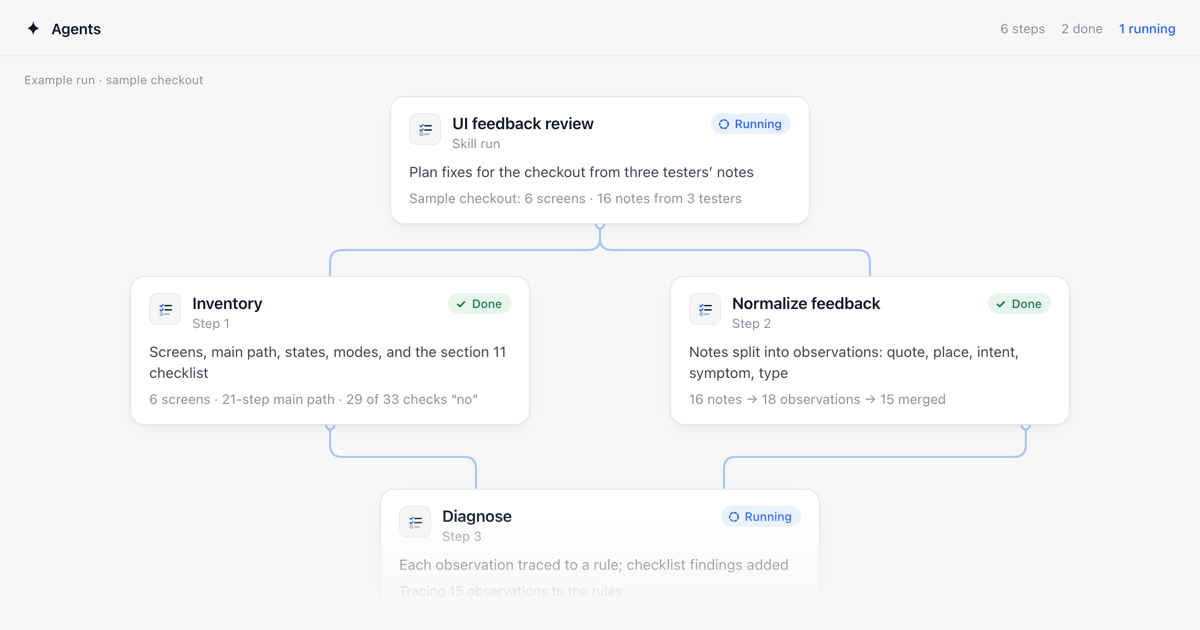
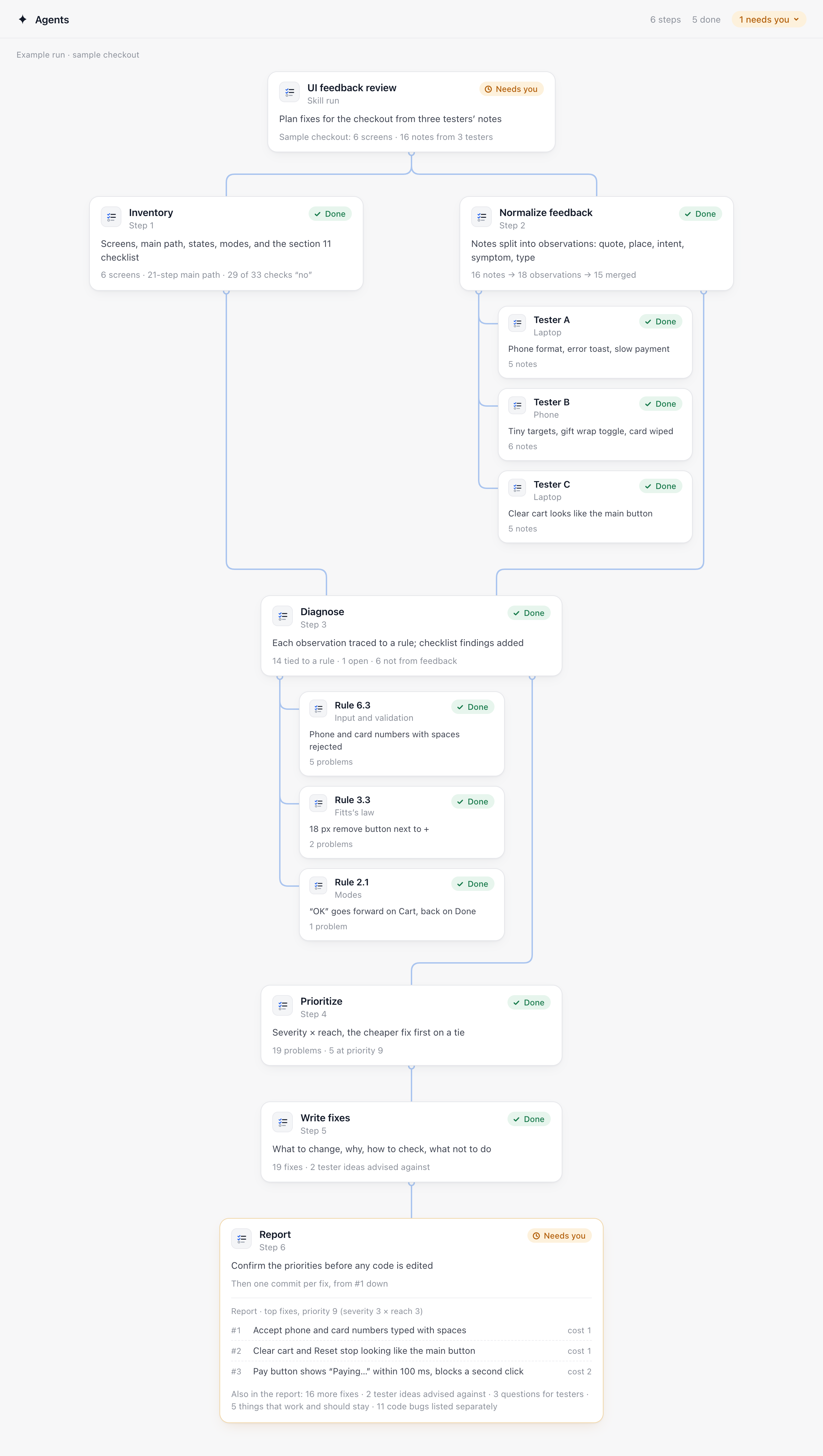
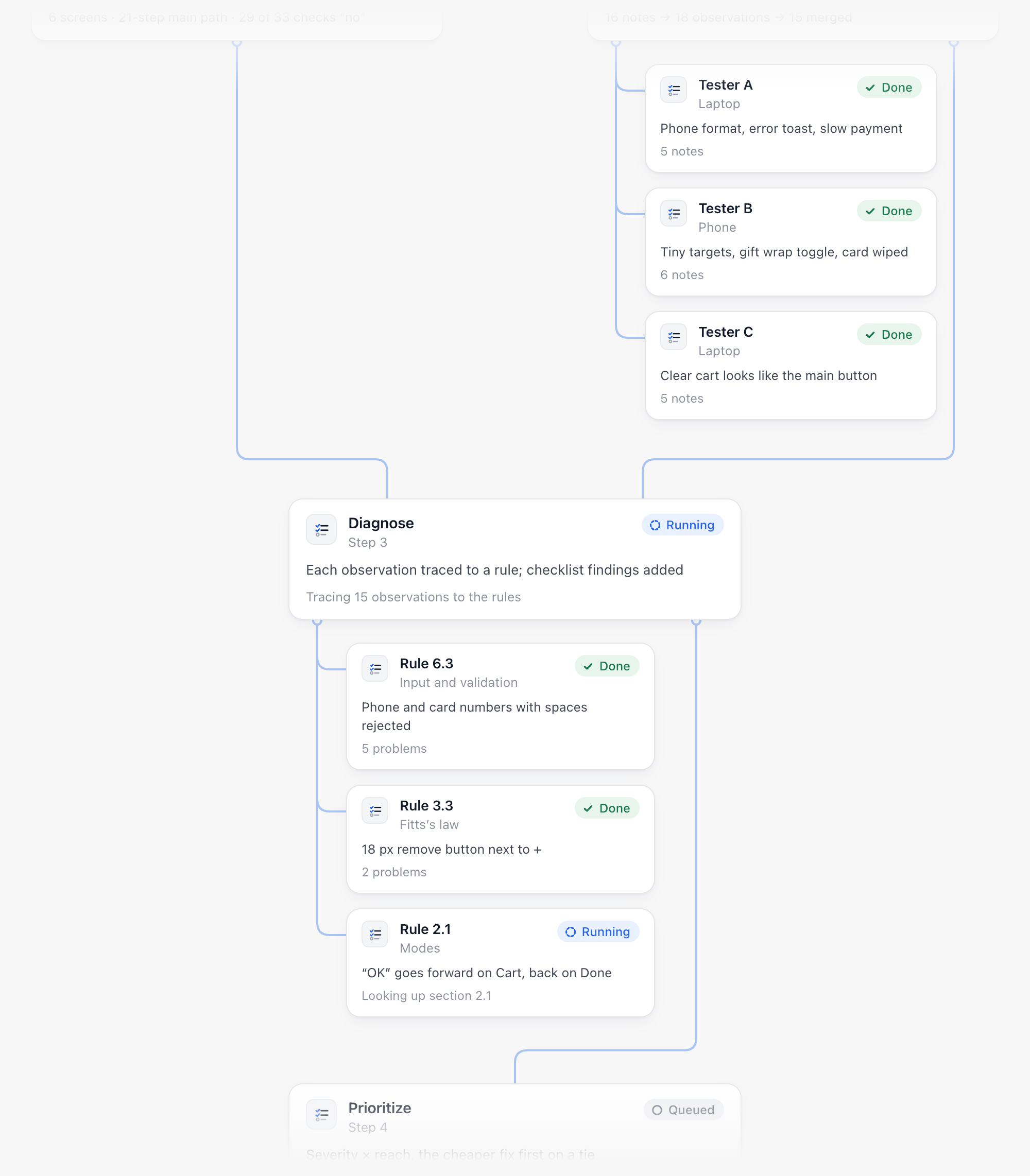
- Six steps: inventory of the interface before reading the feedback, normalized observations, diagnosis by rule, priority, fixes, report
- Inventory first: screens, the main path counted in GOMS steps, the six states of every screen, hidden modes, and the 33-item checklist, so the agent does not see the interface through the tester's eyes
- Feedback split into atomic observations (quote, place, intent, symptom, the tester's suggestion, type) and merged across testers with a count of who ran into each one
- Every observation traced to a numbered section of the rules reference, or marked "cause not determined" with a question for the tester, no rules invented after the fact
- Problems the testers missed but the checklist found go into the plan marked "not from feedback"
- Priority = severity x reach (1-3 each), the cheaper fix first on a tie, problems that block the main task for everyone come first
- One fix per cause, at the element level, with the rule, the tester's quote, a measurable check, and why the tester's own idea would not remove the cause
- Guards against bad fixes: no settings "so everyone can choose", no second way to do the same thing, no confirmation where undo works, no icon where a word works
- Code bugs listed apart from UX problems, no judging of visual taste unless you ask
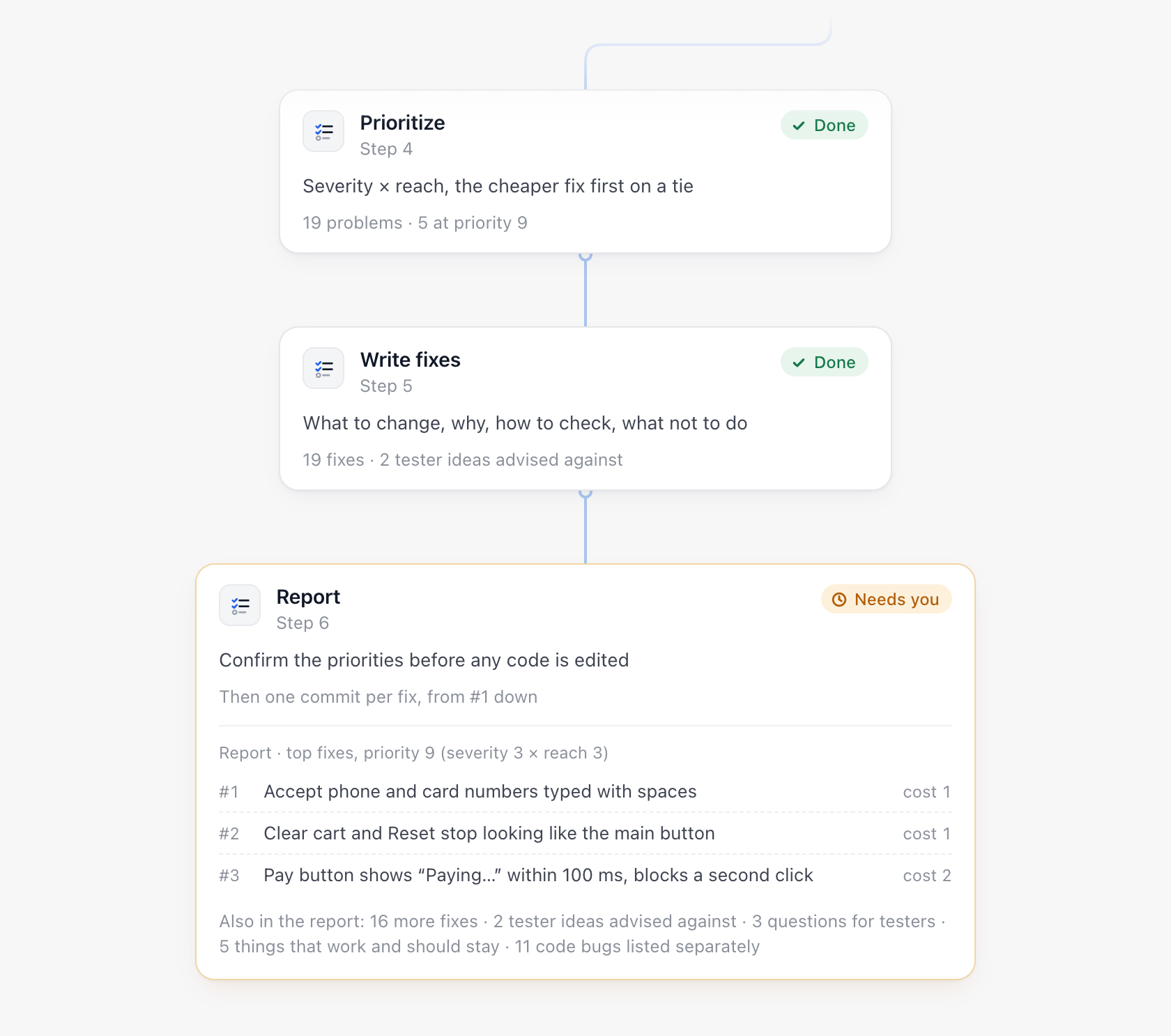
- Code is edited only after you confirm the priorities, one commit per fix, from the top
- Works in any agent that reads files, no accounts, keys, or network
A real result
Before publishing, the skill was run end to end by a separate agent on a sample six-screen checkout with 16 notes from three testers. It inventoried 6 screens and a 21-step main path (29 of 33 checklist items answered "no"), turned the notes into 18 observations and merged them into 15, tied 14 to a rule and kept 1 ("feels old-fashioned") as a question, and added 6 problems no tester mentioned, including that the buyer never saw an order total before paying. The report had 19 fixes, 5 at priority 9: accept phone and card numbers typed with spaces, stop the Clear cart and Reset buttons looking like the main button, and make the pay button answer within 100 ms and block a second click. It advised against 2 tester ideas (a bigger red error toast, a separate "Express checkout" button), asked 3 questions, named 5 things to keep, and listed 11 code bugs separately.
Tags
Products of the Week.
Submit🥇

STOP GUESSING WHAT TO POST
AI that learns your brand voice and builds a month of consistent, on-brand social content: carousels, posts and hooks that sound like you, not like everyone else's AI.
SaaS · 3,233 views · 28 clicksSaaS · Week 45 · 3,233 views · 28 clicks
🥈

Conversational Backlinks for Busy Founders
Place Backlink Relevant Conversation for your domain across Forums and Conversations
Website · 40,636 views · 217 clicksWebsite · Week 45 · 40,636 views · 217 clicks
🥉

upvote.club
Free Social Media Engagement that Helps Boost Your Content. Upvote Club supports 19 social networks with 100+ engagement actions in one dashboard. Add links to your posts and get free engagement from real users.
SaaS · 38,735 views · 111 clicksSaaS · Week 45 · 38,735 views · 111 clicks
#4

Substack Posting API
Onboard your Agent to Substack. Write Publish on Substack via API
SaaS · 57,773 views · 197 clicksSaaS · Week 45 · 57,773 views · 197 clicks
#5

Seenshot App
Free, Fast, MacOS Screenshot app. Make Screenshot cmd+shift+2 and send it via link
Desktop App · 27,178 views · 119 clicksDesktop App · Week 45 · 27,178 views · 119 clicks
#6

Hand-Placed Backlinks $9.99 per link. Flat rate.
Buy hand-placed forum, Q-A and directory backlinks. Flat $9.99 per link, no subscriptions — you only pay for approved listings.
Website · 3,087 views · 18 clicksWebsite · Week 45 · 3,087 views · 18 clicks
#7

Free Invoice Generator - PDF Invoices in Your Browser, No Sign-Up
A free invoice maker for freelancers and small businesses: fill in the invoice, check the live preview, and download a PDF that looks exactly like it. Any currency, tax per item, three templates, no sign-up, and nothing leaves your device.
1,777 views · 16 clicksWeek 45 · 1,777 views · 16 clicks
#8

Merge PDF Files Free - Combine PDFs in Your Browser, No Upload
A free PDF merger for office workers, students, and freelancers: combine PDFs and images into one file in the browser, reorder files and pages, pick page ranges, keep bookmarks, and open password-protected PDFs. Nothing is uploaded, no sign-up, no watermark.
1,653 views · 13 clicksWeek 45 · 1,653 views · 13 clicks