
Superlens | Photography Theme for WordPress
Description


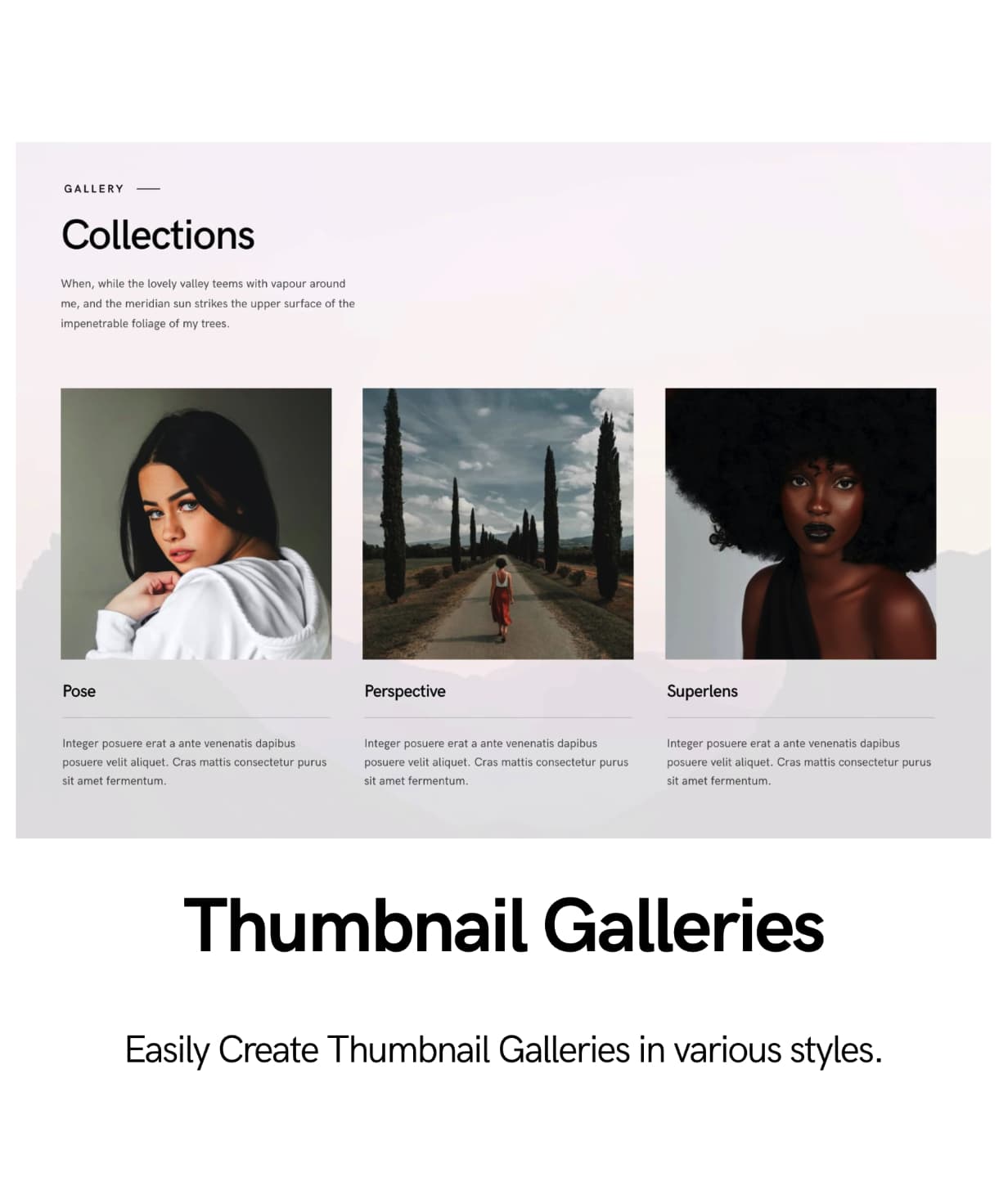
Welcome to Superlens Photography theme for WordPress
Superlens photography WordPress theme is designed with professional photographers in mind. It uses a minimalist yet attractive design approach so that your photos are always in the center.
Superlens photography theme is built with page layouts for fullscreen slideshows, portfolios, proofing, events, blog and and landing pages.
Lazy load images to improve page load times making even large image sets to load the page first and then display the images intelligently as the user scrolls.
Apposed to simply fading in the images as user scrolls this technique uses actual lazy loading to load the images dynamically.
The galleries can handle all the images you can add to it and at the same time display them very fast.
Superlens is powered by Elementor Pagebuilder, which is a live pagebuilder that let’s you easily customize each block, typography, fonts, colors, backgrounds, etc.
The theme uses large images allowing you to beautifully showcase your photographs. It also comes with a built-in sliders and gallery designs with different approaches.
For those who are starting a photography website for the first time using WordPress, this is an easy to build theme with an end design of professionalism and powerful features.
Superlens theme is supported and future proof. It is coded with the highest strict standards which also makes it future proof.
Superlens is Gutenberg optimized which will also work with live pagebuilder on click.
View Superlens Help Guide
Portfolios
Superlens’s variety of grid based portfolio management will make it easy to display your work. Portfolio posts are specifically designed to display details of your work. As an example it can be used to display photography sets. A gallery of thumbnails each representing a specific photography occasion on click will take the visitors to the details of the occasion with photographs that can be enlarged in lightboxes or slideshows.
Portfolio posts can be posted within categories just like blog posts and those categories can be used as filters to help visitors view specifics within the gallery.
There are many combinations that can be used to display the portfolio galleries. You can even link the gallery thumbnails to custom links which can take the visitors off-site or anywhere within the site easily.
Portfolio features
- Each portfolio can be password protected.
- Album support
- The portfolio galleries can be linked through albums.
- 1,2,3,4 and 5 column support
- Left sidebar, right sidebar, fullwidth page and Edge to edge page support.
- Filterable using portfolio categories
- Linking Method * Custom Linked * Direct Linked * Lightbox Linked
- Utilizes lazy loading so that even large galleries are displayed very fast.
- SEO with Alt text
- Portrait grids
- Landscape grids
- Square grids
- Masonry grids
- Boxed grids
- Spaced grids
- Classic grids with title, description and category.
- Do more by having the choice to ommit title, description or category name display.
- Change colors of overlays and hover icons.
- Change typography, font and colors of titles, description and categories easily using live previews.
- Tweak and adjust for responsive layouts.
Image Gallery features
- Drag and drop images to build a gallery fast. Easy to use with rapid building in mind.
- Tag Supported. Tag each image to generate filters from.
- Title and description support
- 1,2,3,4 and 5 column support
- Left sidebar, right sidebar, fullwidth page and Edge to edge page support.
- Filterable using tag categories
- Linking Method * Custom Linked * Purchase Linked * Download Galleries * Lightbox Linked
- Utilizes lazy loading so that even large galleries are displayed very fast.
- SEO with Alt text
- Portrait grids
- Landscape grids
- Square grids
- Masonry grids
- Boxed grids
- Spaced grids
- Classic grids with title, description and category.
- Do more by having the choice to omit title and description
- Change colors of overlays and hover icons.
- Change typography, font and colors of titles, description and categories easily using live previews.
- Tweak and adjust for responsive layouts
Proofing Galleries with Client Management
- Drag and drop images to build a gallery fast. Easy to use with rapid building in mind.
- Client management
- Client Gallery
- Assign multiple proofing galleries to a client
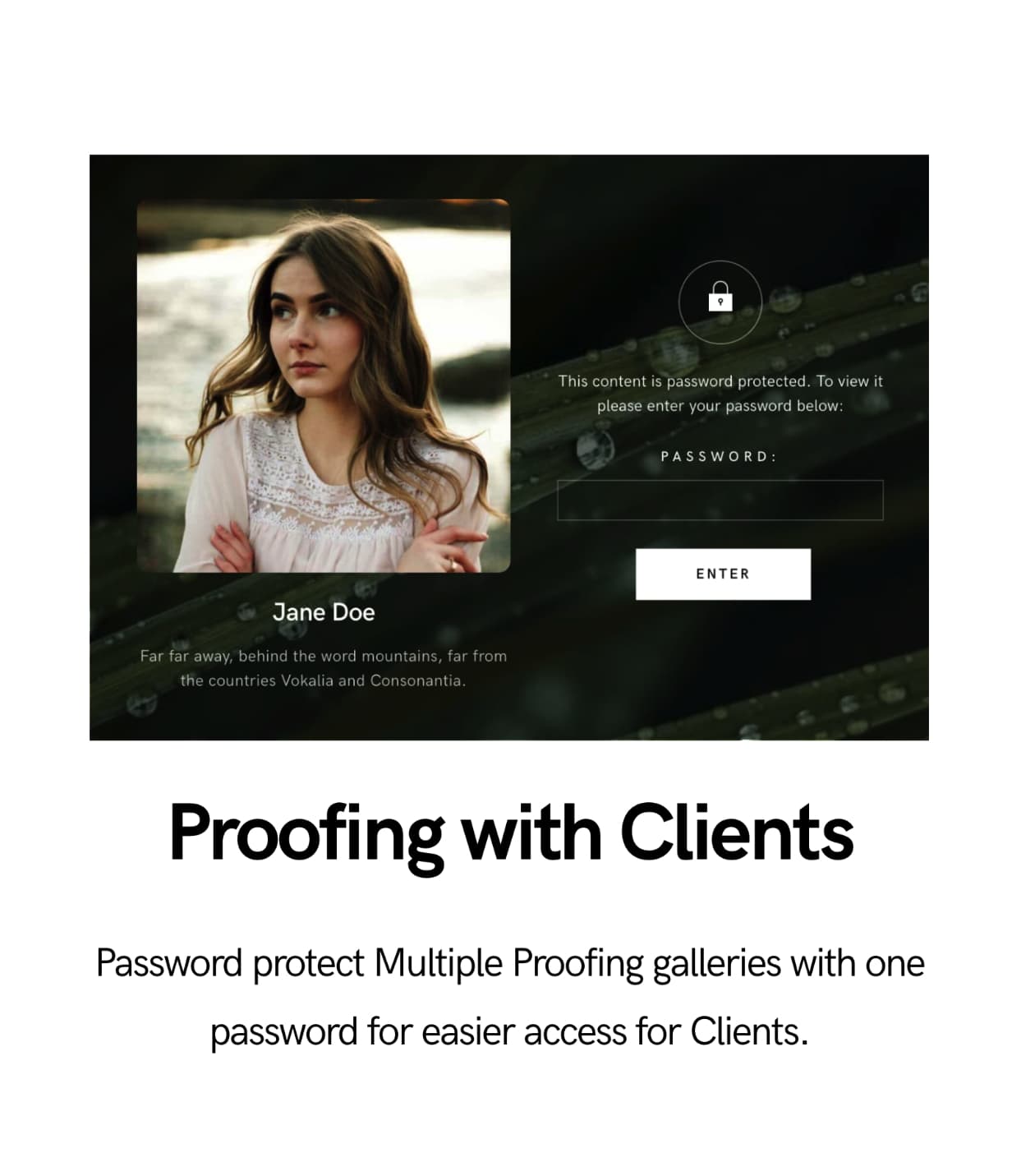
- Set one password to a client and password protect all the proofing galleries under the client.
- Password protect individually or bulk protect by assigning a password assigned client.
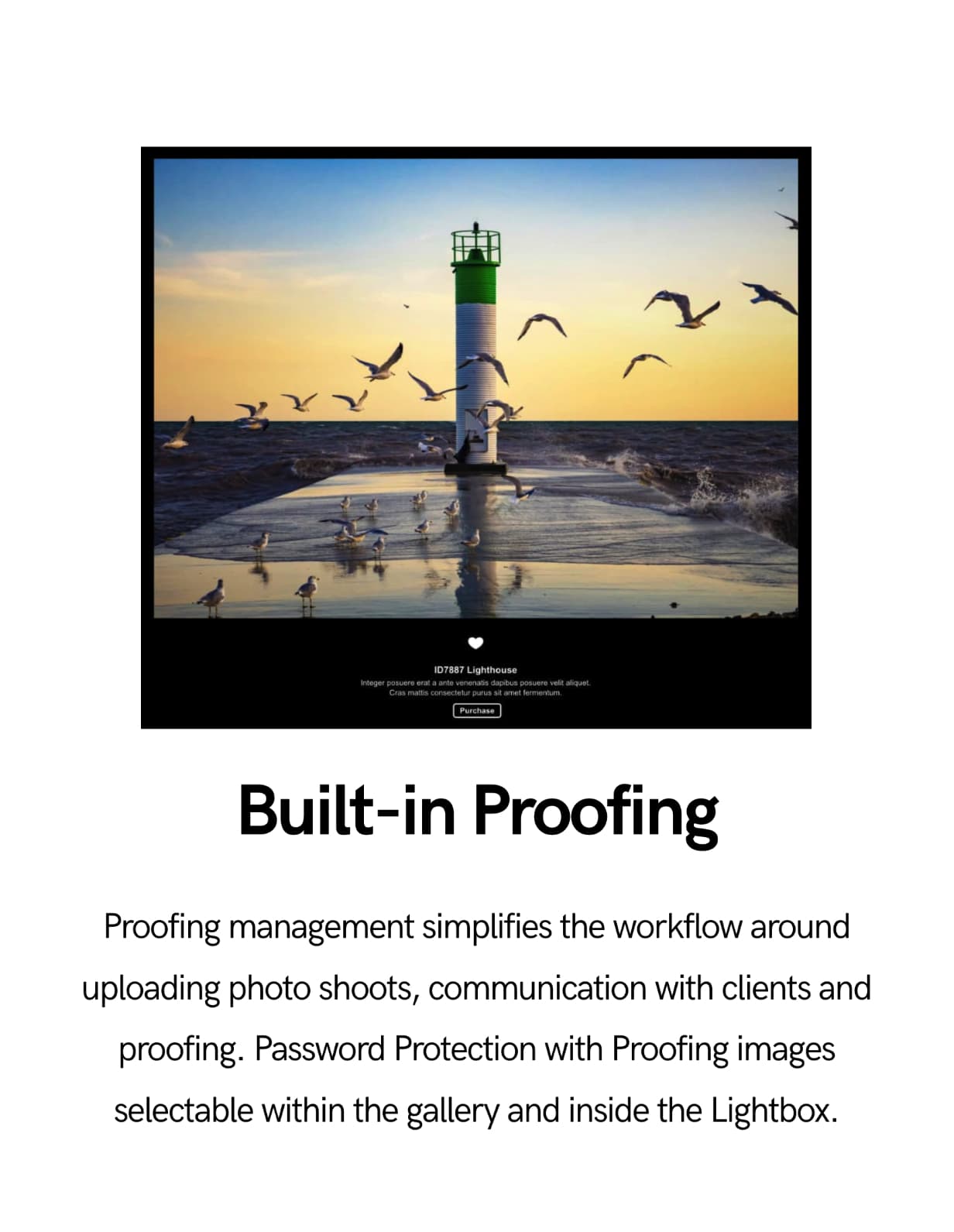
- View selected proofing images based on image, filename or unique ID
- Easy to copy paste selected proofing images so that it can be used to bulk search with Lightroom or other search facilities.
- Display client info and style them anywhere in the proofing page using live builder.
- Title and description support
- 1,2,3 and 4 column support
- Left sidebar, right sidebar, fullwidth page and Edge to edge page support.
- Utilizes lazy loading so that even large galleries are displayed very fast.
- SEO with Alt text
- Portrait grids
- Landscape grids
- Square grids
- Masonry grids
- Boxed grids
- Spaced grids
- Classic grids with title, description and category.
- Do more by having the choice to omit title and description
- Change colors of overlays and hover icons.
- Change typography, font and colors of titles, description and categories easily using live previews.
- Tweak and adjust for responsive layouts
Events Galleries
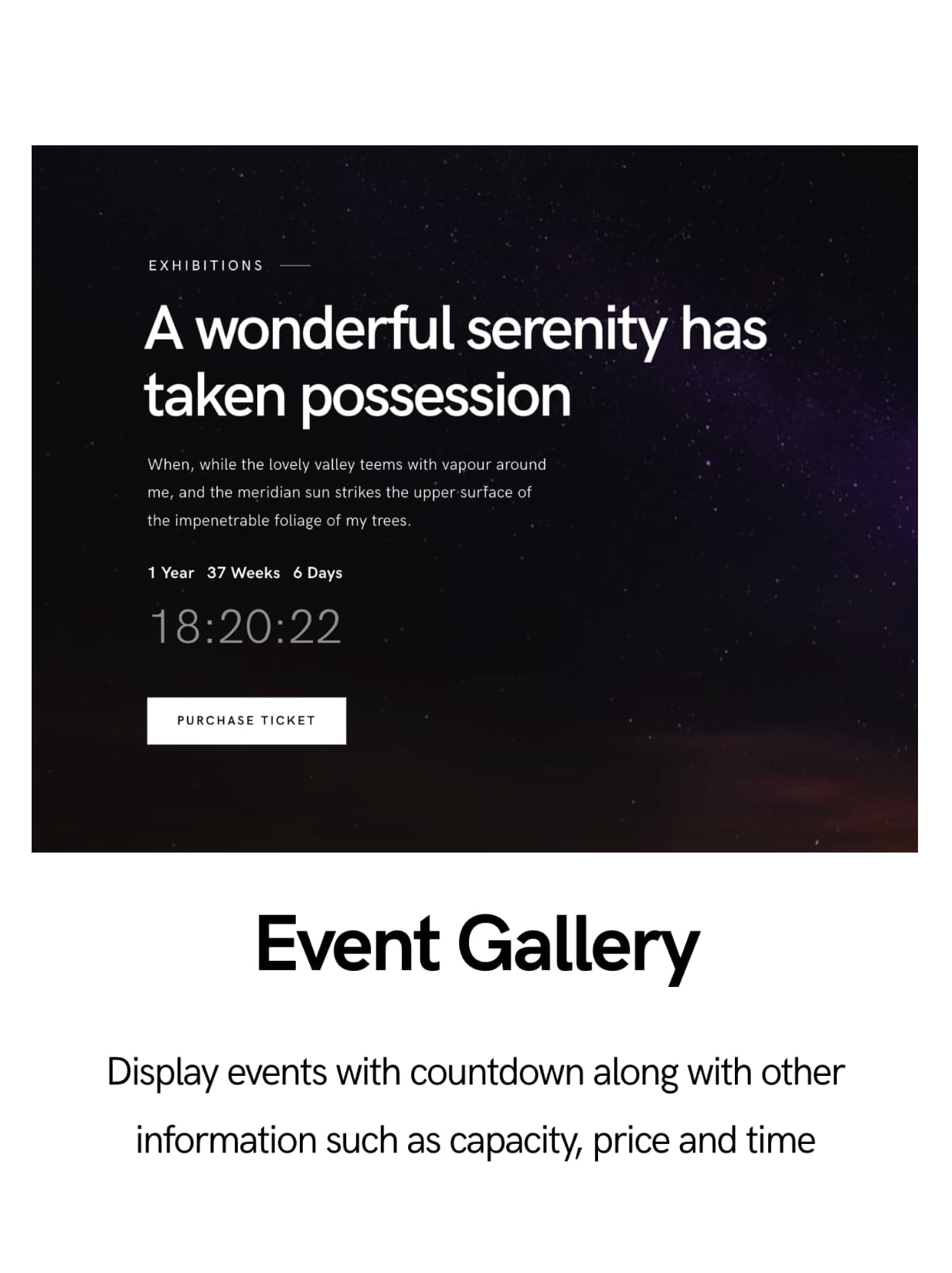
- Create events posts with event status
- Store events information on events post
- Display events info and style them anywhere in the events post using live builder.
- Password protect.
- View selected proofing images based on image, filename or unique ID
- Easy to copy paste selected proofing images so that it can be used to bulk search with Lightroom or other search facilities.
- Title and description support
- 1,2,3 and 4 column support
- Left sidebar, right sidebar, fullwidth page and Edge to edge page support.
- Utilizes lazy loading so that even large galleries are displayed very fast.
- SEO with Alt text
- Portrait grids
- Landscape grids
- Square grids
- Masonry grids
- Boxed grids
- Spaced grids
- Classic grids with title, description and category.
- Do more by having the choice to ommit title and description
- Change colors of overlays and hover icons.
- Change typography, font and colors of titles, description and categories easily using live previews.
- Tweak and adjust for responsive layouts
Blog Lists and Grids
- Create blog posts with postformat types gallery, standard , aside, audio, quote, image and video
- Password protect.
- Gutenberg optimized or build with live pagebuidler without affecting SEO.
- Left sidebar, right sidebar, fullwidth page and Edge to edge page support.
- Utilizes lazy loading so that even large galleries are displayed very fast.
- Change typography, font and colors as you build using live pagebuilder.
- Tweak and adjust for responsive layouts
WooCommerce
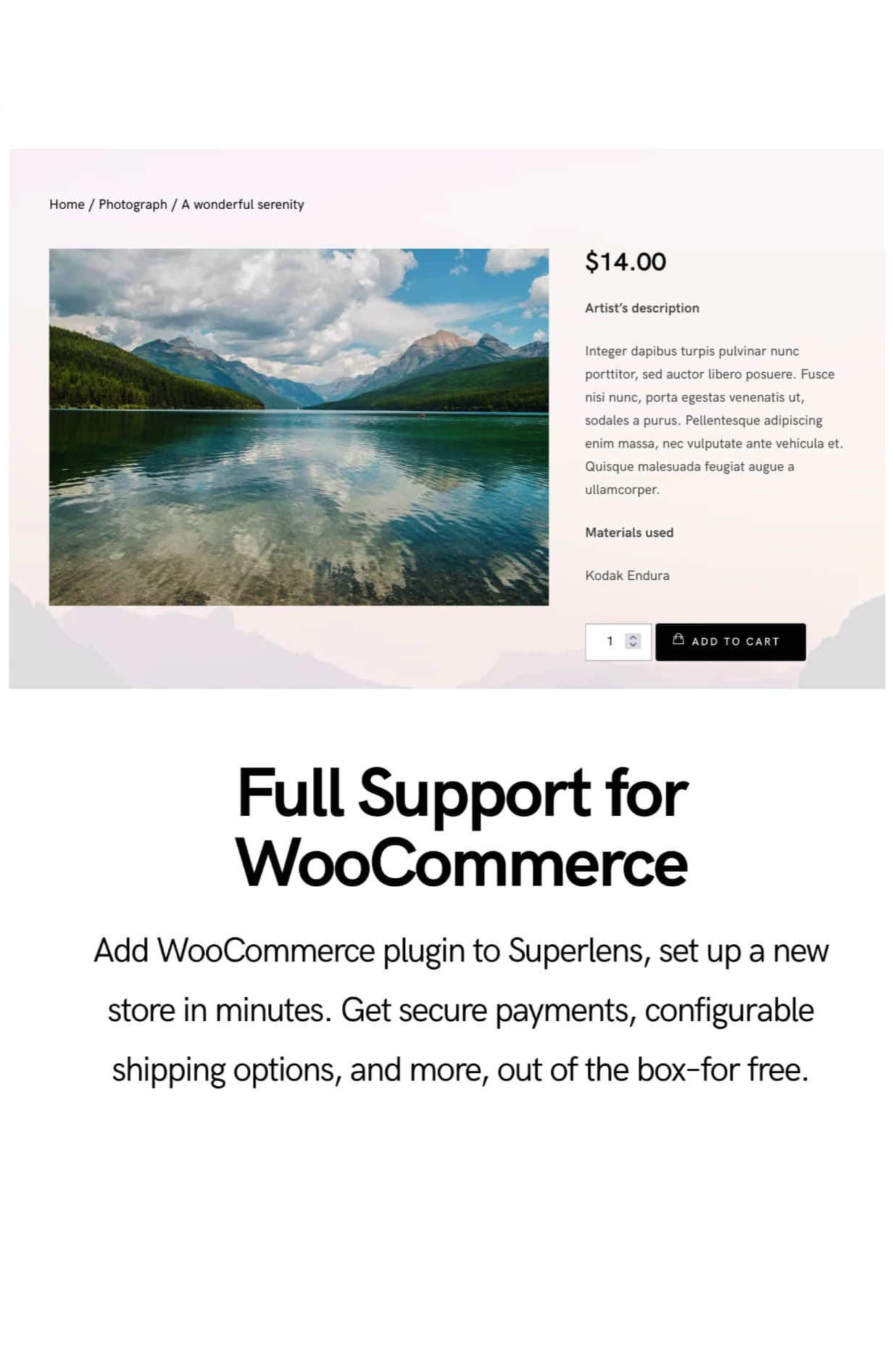
Superlens is WooCommerce compatible.
Sell digital or non digital products or easily using the most powerful e-commerce system. Images in the theme carry a purchase field which can be linked to the e-commerce product easily.
View any of these images anywhere in the website through the lightbox will display the purchase link.
Lightbox Features
- Responsive
CSS-only approach for resizing images and videos. So it will be extremely flexible and faster.
- Touch and Drag
Lightbox supports touch and swipe navigation on touchscreen devices, as well as mouse drag for desktops. This allows users to navigate between slides by either swipe or mouse drag.
- Zoom & Fullscreen
You can double-click on the image to see its actual size. Zoom-in and zoom-out controls can be used for changing the zoom of the image.
- Smart preloading
Loads images as you view them to improve performance. Slides are loaded as you navigate to it.
Slideshow elements
- Carousel
- 3D slideshow
- 2D slideshow
- Column based carousels
- Lightbox enabled
Before and After Images
- Easy to setup Before and after images
Elementor Drag & Drop Live Editor
Elementor has the fastest, most intuitive editor in WordPress. Simply drag, drop and customize.
- No Coding
Reach high-end designs, without any coding. The resulting page code is compact and optimized for every device.
- Navigator
Get an overview map of your entire page and reorder different elements with a simple drag and drop.
- Finder
A search bar that offers easy navigation between different pages & dashboard settings.
- Redo Undo
Quickly undo any mistakes with a simple CTRL / CMD Z.
- Auto Save
No more need to click save. Your work is continuously saved and backed-up automatically.
- Revision History
With Revision History, your entire page creation process is saved and can be easily re-traced.
- Draft Mode
Published a page and want to continue working on it? No problem, simply save it as a draft.
- Copy Paste
Quickly copy any element and paste it to a different place on the page, or to an entirely different page on your site.
- Copy Style ( Very useful )
Copy the entire styling from a widget, column or section and paste it to another element with a click.
- In-line Editing
Use the in-line editing feature to type directly on-screen, and make blog post and content writing an easy and intuitive process.
- Background Gradients
With Elementor, it’s easy to add background gradient colors to any WordPress page or post.
- Background Videos
Make your background come alive by adding interesting background videos to your sections.
- Background Overlay
Add another layer of color, gradient or image above your background.
- Enhanced Background Images
Customize responsive background images per device, and set custom position and size.
- Shape Divider
Add interesting shapes that separate the sections of your page in many ways.
- Box Shadow
Set custom made box shadows visually, without having to deal with CSS.
- One-Page Websites
Create a one page website that includes click to scroll navigation, as well as all the needed sections of a website.
- Landing Pages
Creating and managing landing pages has never been this easy, all within your current WordPress website.
- Typography with Pagebuilder
- Easy to customize
Play with the font family, size, weight, transform, style, decoration, line-Height and letter spacing.
- Google Fonts
Choose from hundreds of Google fonts available.
- Text Editor Columns
Divide your Text Editor widget into responsive columns, and set the gap between the columns for better layout.
- Layouts with pagebuilder
- Section Width
Go beyond the oversimplified and generic page designs, by having more control over the various sections.
- Section Height
Go beyond the oversimplified and generic page designs, by having more control over the various sections.
- Full Width
Easily create full width pages no matter which theme you are using, with the strech section feature.
- Column Width
Enter a specific column width, or visually scale the width by dragging the edge of the column.
- Column Gap
Change the gaps between columns in order to let your design breathe.
- Margin & Padding
Set the padding & margin for sections, columns and widgets.
- Nested Columns
Create advanced layouts by nesting columns inside a given column. This creates a sort of inner section crucial for certain designs.
- Mobile Editing with Elementor
- 100% Responsive
Use Elementor’s extensive mobile editing tools to create a website that is truly 100% responsive.
- Mobile Font Size
With this feature, you can change the font size per device.
- Responsive Column Width
Choose a different column layout for mobile by changing the column width.
- Padding and Margin
This feature is used to make a different padding or margin size per device.
- Reverse Columns
This feature reverses the ordering of columns, so when you go to mobile the last column will appear on top.
Changelog
Version 1.1.6
-------------

Kirki plugin related changes

Files 'includes/customize/register.php'
Files 'style.css'

Version 1.1.5
-------------

Added theme customizer default call instead of using Kirki

Files 'includes/admin/tgm/tgm-init.php'
Files 'includes/functions/big-arrays.php'
Files 'includes/functions/theme-functions.php'
Files 'style.css'

Version 1.1.4
-------------

Opacity control for Boxed styles in Thumbnails Grids

Files 'includes/admin/tgm/tgm-init.php'
Files 'style.css'

Version 1.1.3
-------------

Correct Proofing sort

Files 'includes/admin/tgm/tgm-init.php'
Files 'style.css'

Files 'includes/plugins/

Version 1.1.2
-------------

Added Fullscreen swiper slide font selection and transition control

Files 'functions.php'
Files 'includes/admin/tgm/tgm-init.php'
Files 'includes/customize/css/customize-controls.css'
Files 'includes/customize/register.php'
Files 'style.css'
Files 'template-parts/fullscreen/fullscreen-swiperslides.php'

Files 'includes/plugins/

Version 1.1.1
-------------

Localization corrections and additions

Files 'comments.php'
Files 'css/styles-content.css'
Files 'includes/customize/register.php'
Files 'languages/superlens.pot'
Files 'style.css'
Files 'template-parts/author-bio.php'
Files 'template-parts/post-navigate.php'
Files 'template-parts/postformats/post-data.php'

Version 1.1.0
-------------

Corrected swiper slides

Files 'includes/admin/tgm/tgm-init.php'
Files 'style.css'

Version 1.0.9
-------------

Updated revolution slider

Files 'includes/admin/tgm/tgm-init.php'
Files 'style.css'

Files 'includes/plugins/

Version 1.0.8
-------------

Elementor widgets update

Files 'includes/admin/tgm/tgm-init.php'
Files 'style.css'

Files 'includes/plugins/

Version 1.0.6
-------------

Corrected Fullscreen responsive set
Added Mobile menu search enable/disable
Added Fullscreen footer enable/disable

Files 'footer.php'
Files 'includes/customize/register.php'
Files 'includes/functions/theme-functions.php'
Files 'style.css'
Files 'template-parts/menu/mobile-menu.php'

Version 1.0.5
-------------

Corrected Proofing Archive Grid

Files 'includes/admin/tgm/tgm-init.php'
Files 'style.css'

Version 1.0.4
-------------

Added more imagesloaded functions

Files 'includes/admin/tgm/tgm-init.php'
Files 'style.css'

Version 1.0.3
-------------

Added infobox description limiter
Corrected slideshow title overlaying on navigation for iPad

Files 'css/responsive.css'
Files 'functions.php'
Files 'includes/admin/tgm/tgm-init.php'
Files 'includes/customize/register.php'
Files 'style.css'

Version 1.0.2
-------------

Fullscreen toggle home fixed

Files 'includes/functions/theme-functions.php'
Files 'style.css'

Version 1.0.1
-------------

WordPress 5.8 related changes

Files 'functions.php'
Files 'style.css'

Version 1.0
-----------

Initial Release
Categories
Tags
External listing. code.market does not sell this product and does not process payment for it. Pricing, payment, delivery, licensing, refunds, and support are handled by the third-party merchant on its own website. We may earn an affiliate commission from a referral. Details.
Products of the Week.
Submit#1

upvote.club
Free Social Media Engagement that Helps Boost Your Content. Upvote Club supports 19 social networks with 100+ engagement actions in one dashboard. Add links to your posts and get free engagement from real users.
SaaS · 15,615 views · 96 clicksSaaS · Week 42 · 15,615 views · 96 clicks
#2

Seenshot App
Free, Fast, MacOS Screenshot app. Make Screenshot cmd+shift+2 and send it via link
Desktop App · 4,679 views · 109 clicksDesktop App · Week 42 · 4,679 views · 109 clicks
#3

Conversational Backlinks for Busy Founders
Place Backlink Relevant Conversation for your domain across Forums and Conversations
Website · 16,509 views · 195 clicksWebsite · Week 42 · 16,509 views · 195 clicks
#4

Substack Posting API
Onboard your Agent to Substack. Write Publish on Substack via API
SaaS · 35,504 views · 184 clicksSaaS · Week 42 · 35,504 views · 184 clicks
#5

codester.com
SocialDesk+: Omnichannel Social Commerce & Business Management Platform This is stronger than simply “Social Commerce and Messaging” because it tells buyers this is a complete business platform, not just a messaging script. Turn Social Conversations Into Sales SocialDesk+ is a complete omnichannel social commerce and business management platform built for businesses that sell and communicate with customers through social media. Instead of switching between WhatsApp, Facebook, Instagram and TikTok, businesses can manage customer conversations, comments, products, leads, follow-ups, automation, teams and business reports from one professional workspace. And because the full source code is included, developers, agencies and entrepreneurs can customize, rebrand and launch SocialDesk+ as their own business solution or SaaS platform. 🚀 Build Your Own Social Commerce Business SocialDesk+ gives you the foundation to launch: - Your own SaaS platform - A white-label social CRM - A social-commerce management system - A customer communication platform - A business messaging solution - A custom solution for clients - A multi-business subscription platform 💬 Connect Your Customers Supported social channels include: WhatsApp • Facebook • Instagram • TikTok Bring supported conversations into one centralized workspace and help businesses respond faster without constantly switching between platforms. 🛍️ More Than a Messaging Platform SocialDesk+ combines communication with the tools businesses need to manage customer opportunities: Inbox Manage customer conversations from connected channels. Comments Monitor and respond to social-media comments. Customers & Leads Organize customer information and potential buyers. Products & Catalog Manage products and give your team quick access to product information. Follow-Ups Make sure potential customers don't get forgotten. Automation Automate repetitive customer questions and responses. AI Assistant Provide AI-assisted communication when configured. Team Management Give managers and staff access to the business workspace. Reports & Analytics Track activity using business reports and analytics. The current product listing already includes these capabilities. 🔥 Why Buyers Will Want It Launch Faster Start with an already-built business platform instead of developing the entire system from zero. Customize Everything The full source code is included, allowing developers to change branding, features, workflows and integrations. Build a SaaS Create multiple business workspaces and offer SocialDesk+ as a subscription-based service. Sell to Businesses Offer it to retailers, restaurants, service businesses, online sellers, agencies and other businesses that communicate with customers through social media. Mobile + Web + Backend This isn't just a mobile UI template. It includes: - Flutter mobile application - Python / FastAPI backend - Web interface - Administration tools - Database infrastructure - API-based architecture - SQLite / PostgreSQL support - Android and iOS project structure 💼 One Platform. Multiple Business Opportunities. For SaaS Entrepreneurs Launch your own subscription platform and allow multiple businesses to operate inside separate workspaces. For Software Agencies Customize and rebrand the platform for clients instead of building an omnichannel business system from scratch. For Developers Use the complete source code as a foundation for your own social-commerce or customer-management product. For Businesses Deploy a dedicated version for your own customer-service and social-commerce operations. 🧩 What's Included Mobile - Flutter / Dart - Android - iOS project Backend - Python - FastAPI - SQLAlchemy - Alembic Database - SQLite - PostgreSQL Web - HTML5 - CSS3 - JavaScript Deployment - Docker - Docker Compose - Production configuration Business Platform - Multi-workspace architecture - Authentication - Teams - Customers - Products - Messaging - Comments - Automation - Reports - Subscriptions - Administration The current listing also documents third-party integrations such as Meta, TikTok, Stripe, Firebase, SMTP and optional OpenAI configuration. ⚡ What Makes SocialDesk+ Different? You're not buying a simple: ❌ Chat UI ❌ WhatsApp clone ❌ Flutter template ❌ Admin dashboard ❌ Basic CRM You're getting a complete business platform foundation that can be customized, branded and commercialized. Connect. Automate. Manage. Grow. SocialDesk+ Omnichannel Social Commerce & Business Management Platform One important change I'd make to the current listing The current page starts with: “A simple guide to managing your social conversations, customers, products and business activity.”
Other · 2,915 views · 30 clicksOther · Week 42 · 2,915 views · 30 clicks
#6

sandbook.app
Sandbook reads EPUB, PDF, web pages and scanned pages aloud with Kokoro TTS, an open neural voice model that runs on your iPhone, free and offline. Choose from 41 natural voices in English, Spanish, French, Italian, Brazilian Portuguese and Hindi and follow each word as it is spoken. Try the same voices in your browser first with the free Kokoro TTS online demo.
Other · 2,922 views · 13 clicksOther · Week 42 · 2,922 views · 13 clicks