
Stachethemes Event Calendar - WordPress Events Calendar Plugin
Description
Current Version 3.3.1 – 10 Feb, 2023 – View Changelog WordPress 6 Ready WooCommerce 5 Ready Elementor Ready Buddypress Ready GDPR Ready
 What is Stachethemes Event Calendar?
Stachethemes Event Calendar is a unique approach to the classic event calendar concept. Fully responsive with modern design and feel this WordPress Event Calendar Plugin will display your events in easy to read and navigate way. The plugin is packed with rich arsenal of features and options to help you create fully detailed and informative events quick and easy!








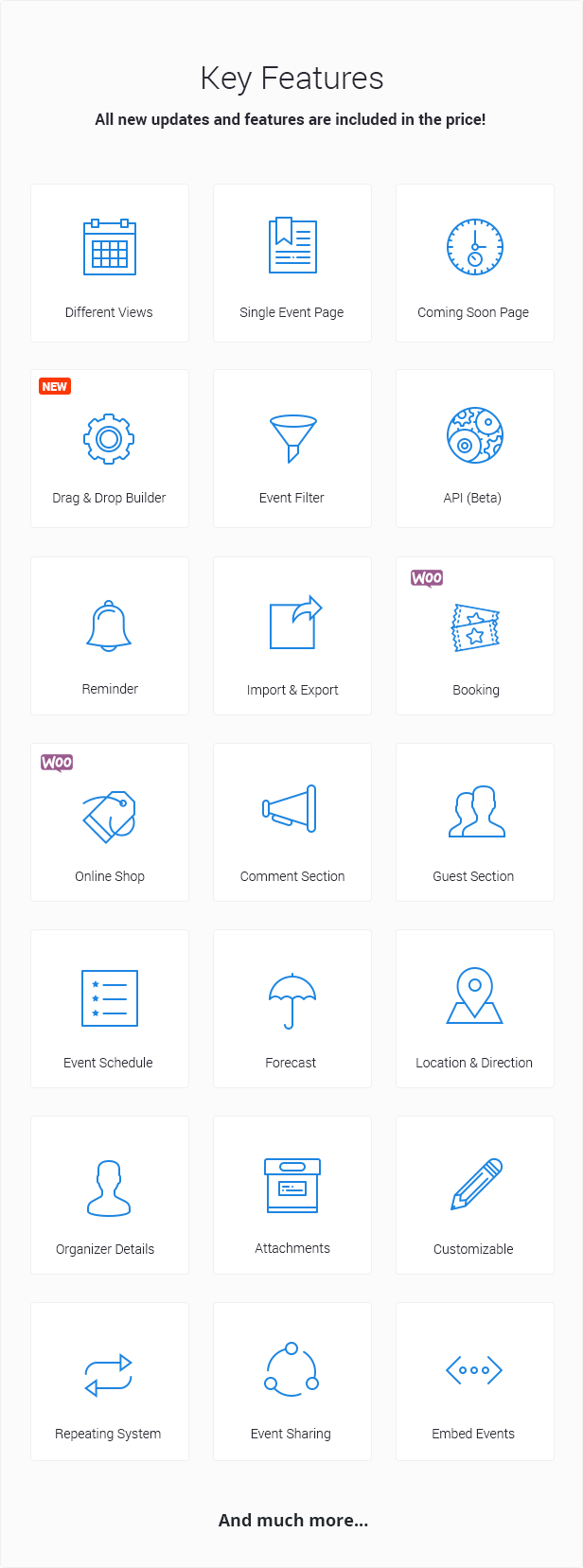
 Plugin Features
General Features
 Buddypress Support
 Sidebar Widget
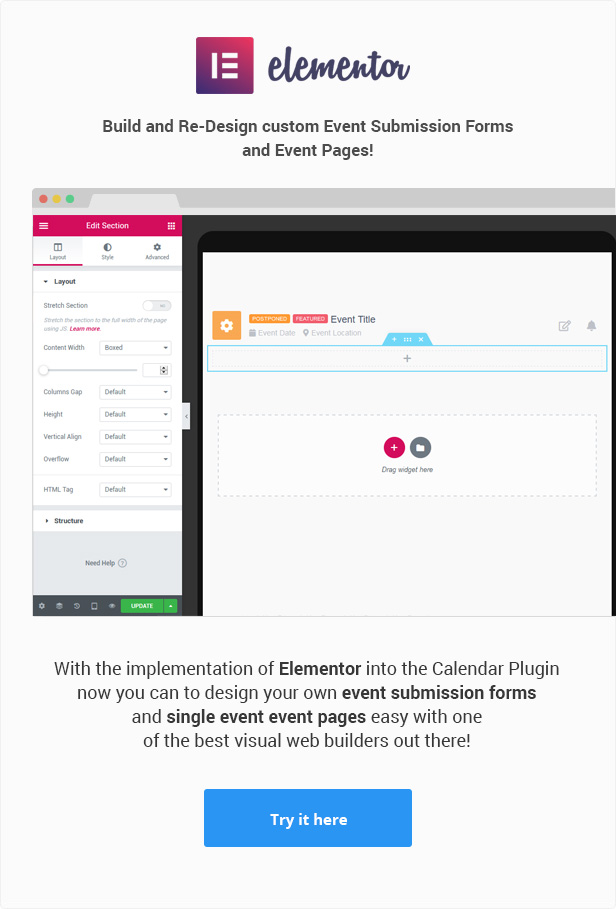
Elementor Builder Integration
Ticket QR code scan
Allow users to create paid events from the front-end.
Collect RSVP
Sidebar Widget
Elementor Builder Integration
Ticket QR code scan
Allow users to create paid events from the front-end.
Collect RSVP New sharing options: Messenger, WhatsApp and Viber
CSV Import & Export
Open Event in Modal Window
Create Custom Event Submission Forms
Edit Events from the Front-End
Add Custom Icon with PNG
Add Date Instead of Icon
Add Image Instead of Icon
Add New Icons from Font Awesome
New Icon Interface
Color Themes
Organizer Information
Event Coming Soon Page
Event Categories
Show/Hide Category Tags
E-Mail Event Sharing
WPML Support
Booking System
Month View
Week View
Day View
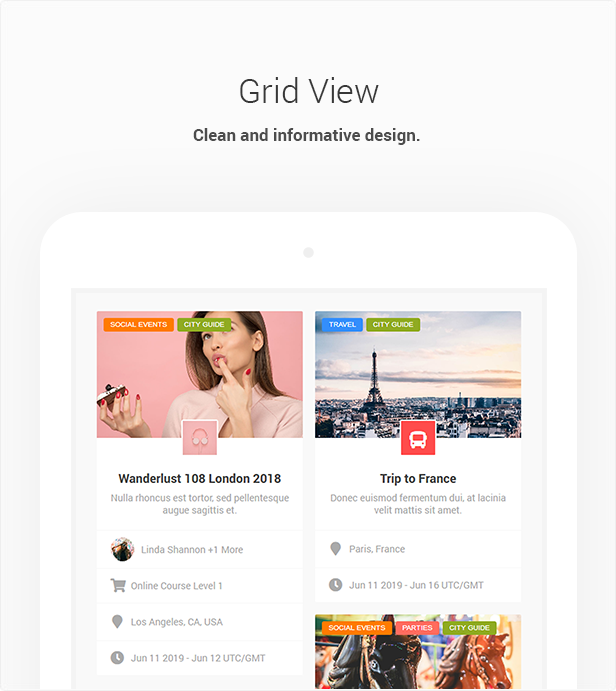
Grid View
Box Grid View
Map View
Agenda View
Create Event Single Pages
Create Single Day Events
Create Multiple Day Events
Create All Day Events
Create Events that hold more than one day
Create Never ending events
Open Events in the Calendar or in Single Page
Set Featured Event
Show Only Featured Events
Duplicate Event
Allow users to submit events from the front-end
Review and Approve the Submitted Events
Set a certain date for event to end
Repeating Events
iCalendar RRULE Support
New sharing options: Messenger, WhatsApp and Viber
CSV Import & Export
Open Event in Modal Window
Create Custom Event Submission Forms
Edit Events from the Front-End
Add Custom Icon with PNG
Add Date Instead of Icon
Add Image Instead of Icon
Add New Icons from Font Awesome
New Icon Interface
Color Themes
Organizer Information
Event Coming Soon Page
Event Categories
Show/Hide Category Tags
E-Mail Event Sharing
WPML Support
Booking System
Month View
Week View
Day View
Grid View
Box Grid View
Map View
Agenda View
Create Event Single Pages
Create Single Day Events
Create Multiple Day Events
Create All Day Events
Create Events that hold more than one day
Create Never ending events
Open Events in the Calendar or in Single Page
Set Featured Event
Show Only Featured Events
Duplicate Event
Allow users to submit events from the front-end
Review and Approve the Submitted Events
Set a certain date for event to end
Repeating Events
iCalendar RRULE Support Finish an event after certain repeats
Unlimited number of events per day
Unlimited number of event calendars
Add Multiple Images to the event
Re-Arrange the images in event description
Filter Events
Filter Events by Location
Filter Events by Category
Filter Events by Organizer
Option to enter keywords to event to show on calendar search result
Search Events by date, name or keywords
Add Location Map
Advanced Event Locations system
OpenStreetMap Location Direction
Google Maps Location Direction
Multiple map styles for Google Maps
Add Event Countdown Timer
Export to Google Calendar
iCalendar support
Import, Export and Sync .ical files
Export all events from the WordPress Back-end
Enable/Disable the Event Tooltip
Attach files to your users to download from the event
Ability to hide past events in shortcodes
Change the number of the columns in grid view
Create Detailed Schedule
Create Detailed Event Guests list
Add Weather Forecast section
Facebook Comments Section
Disqus Comments Section
Create Embed Events
Auto Updater
API (Beta)
Create Merchandise section
Finish an event after certain repeats
Unlimited number of events per day
Unlimited number of event calendars
Add Multiple Images to the event
Re-Arrange the images in event description
Filter Events
Filter Events by Location
Filter Events by Category
Filter Events by Organizer
Option to enter keywords to event to show on calendar search result
Search Events by date, name or keywords
Add Location Map
Advanced Event Locations system
OpenStreetMap Location Direction
Google Maps Location Direction
Multiple map styles for Google Maps
Add Event Countdown Timer
Export to Google Calendar
iCalendar support
Import, Export and Sync .ical files
Export all events from the WordPress Back-end
Enable/Disable the Event Tooltip
Attach files to your users to download from the event
Ability to hide past events in shortcodes
Change the number of the columns in grid view
Create Detailed Schedule
Create Detailed Event Guests list
Add Weather Forecast section
Facebook Comments Section
Disqus Comments Section
Create Embed Events
Auto Updater
API (Beta)
Create Merchandise section Set E-Mail Reminder
Customize Reminder e-mail content
Customize Invitation e-mail content
Multi-site Ready
Translation Ready
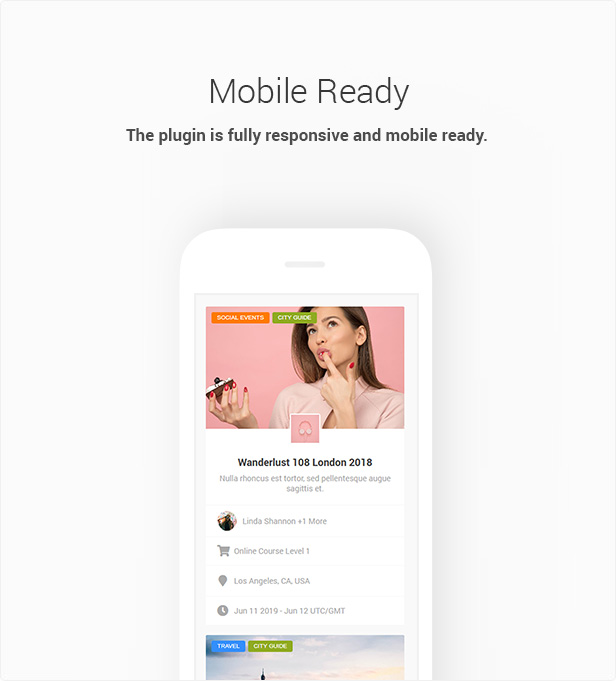
Responsive Design
Show/Hide Search Button
Show/Hide Social Icons and Export options
Show/Hide Filter Button
Show/Hide View Buttons
Show/Hide Time Zone
Enable/Disable Remind feature
Show/Hide Top Navigation
Change Date Format: YY-MM-DD, DD-MM-YY or MM-DD-YY
Change First day of the week: Monday, Saturday or Sunday
Change Time Format: 12 or 24 hours
Change the Default view: Agenda, Month, Week, Day, Grid, Box Grid or Map
Change Events visibility from Public to Private
Change Weather degrees from Celsius to Fahrenheit
Change Weather wind from Mph to Kph
WPBakery Page Builder support (Formerly Visual Composer)
Share Events on Social Networks
Google Recaptcha
Set E-Mail Reminder
Customize Reminder e-mail content
Customize Invitation e-mail content
Multi-site Ready
Translation Ready
Responsive Design
Show/Hide Search Button
Show/Hide Social Icons and Export options
Show/Hide Filter Button
Show/Hide View Buttons
Show/Hide Time Zone
Enable/Disable Remind feature
Show/Hide Top Navigation
Change Date Format: YY-MM-DD, DD-MM-YY or MM-DD-YY
Change First day of the week: Monday, Saturday or Sunday
Change Time Format: 12 or 24 hours
Change the Default view: Agenda, Month, Week, Day, Grid, Box Grid or Map
Change Events visibility from Public to Private
Change Weather degrees from Celsius to Fahrenheit
Change Weather wind from Mph to Kph
WPBakery Page Builder support (Formerly Visual Composer)
Share Events on Social Networks
Google Recaptcha
Repeating Events
Create Daily Events
Create Weekly Events
Create Monthly Events
Create Yearly Events
Repeat Events on Weekdays and Weekends
Set Custom Intervals for Events
Option to put gap between repeats
Different Views
Month View
Week View
Day View
Agenda View
Grid View
Box Grid View
Map View
Modal Mode
Coming Soon Mode
Single Pade Mode
Customization

Select Custom Colors
Select Custom Fonts
Change Layout Colors
Font-Awesome Icons
Add Custom CSS Code
Booking
Powered by WooCommerce
Enable and Disable the booking feature
Create different kind of tickets
Create free tickets >
Create certain fees for each ticket
Set a limit for certain tickets
Set a limit on total bookings
Add custom fields to booking form
Coupons and Discount System
Notification for the customer
Notification for admin
Verification to customer
Confirmation by admin to customer
CSV export option
Currency options
Global Tax/Fee system
Powered by WooCommerce
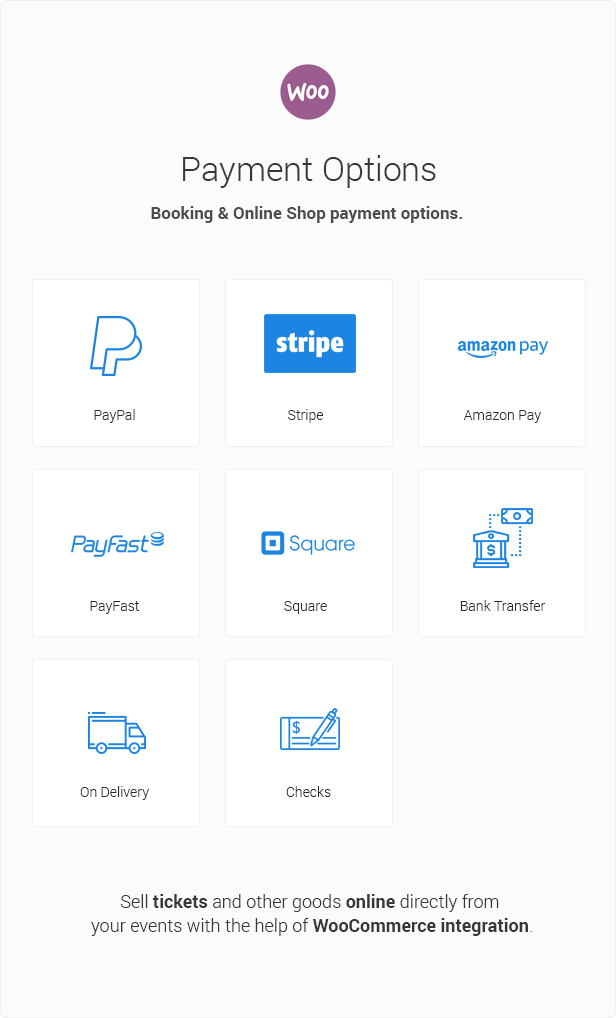
Pay with: PayPal, Stripe, Amazon Pay, PayFast, Square, Checks, Bank Transfers or On Delivery
Ticket QR code scan
Integration
WPML Support
Font Awesome Icons
WooCommerce
Elementor Builder
Google Fonts
Google Maps
OpenStreetMap
OpenWeatherMap
For Developers
Custom Functions Using WordPress Actions API
Filter Plugin Options Using WordPress Filtering System
Create Custom Tabs
Envato Mentions

In Top Lists
10 Best WordPress Event Calendar Plugins & Themes 2020
15 Best Event Calendar WordPress Plugins 2019
6+ Best Event Management Plugins For WordPress 2019
9 Best Event Calendar Plugins for WordPress 2019
14 Best Event Calendar Plugins for WordPress
7 Best Event Calendar plugins for WordPress Sites 2019
5 Best WordPress Events Plugins Compared
10 Best WordPress Event Calendar Plugins
10+ Best event calendar plugins for WordPress in 2019
Best WordPress Event Calendar Plugins
Event Calendar WordPress Plugins
How to use it?



Credits
Icons by Font Awesome. Check them out! Comments section by Disqus Map and reCAPTCHA by Google. Weather Forecast by OpenWeather
Change log
10.02.2023 Version 3.3.1
- Bug fix where installation fails on some old PHP versions
24.01.2023 Version 3.3.0
- Bug fix in Tickets menu where clicking on the title would result critical error (bad url).
- Bug fix where Organizer description was unintentionally escaping HTML content.
- Bug fix where the server sometimes throws warning about undefined HTTP_USER_AGENT.
- Updated deprecated filter "block_categories" to "block_categories_all".
- Fixed Notice " ...wp-editor script should not be enqueued together with the new widgets editor... ".
- Added Dutch translation
03.01.2023 Version 3.2.9
- Events List Widget: Added option to filter by Organizer.
- Added event date below the event title when the event is opened in modal window.
- Bug fix where color picker text was not positioned properly in the admin area.
- Added russian translation.
30.09.2022 Version 3.2.8
- Fixed Elementor deprecation warning _register_controls method.
- Edit page returns 404 if the user cannot edit the event.
- Imported events no longer display "Visit Website" button if no url provided.
14. 08.2022 Version 3.2.7
- Event schedule is now automatically ordered by date when saving/updating event.
- Bug fix where event submission form does not save short description.
- Bug fix where widget display wrong time. (date_i18n -> wp_date).
- Bug fix where attendee name is empty when exporting to CSV.
13.12.2021 Version 3.2.6
- Fixed ticket price increment from 0.1 to 0.01
- Added wpautop filter to Organizer Details
- Bug fix where Event Tooltip (Month Layout) month label was missing translation
- Bug fix where Events List Widget date was missing translation
- Bug fix where ticket quantity input was not working correctly on mobile devices
- "Add Photo" button for Organizers in Event Submission Form is only available for logged-in users.
- Bug fix where ICS export generates invalid rrule string
- Bug fix where ICS import/export may crash on PHP 8.0 and above
Categories
Tags
External listing. code.market does not sell this product and does not process payment for it. Pricing, payment, delivery, licensing, refunds, and support are handled by the third-party merchant on its own website. We may earn an affiliate commission from a referral. Details.
Products of the Week.
Submit#1

upvote.club
Free Social Media Engagement that Helps Boost Your Content. Upvote Club supports 19 social networks with 100+ engagement actions in one dashboard. Add links to your posts and get free engagement from real users.
SaaS · 16,394 views · 96 clicksSaaS · Week 42 · 16,394 views · 96 clicks
#2

Seenshot App
Free, Fast, MacOS Screenshot app. Make Screenshot cmd+shift+2 and send it via link
Desktop App · 5,389 views · 109 clicksDesktop App · Week 42 · 5,389 views · 109 clicks
#3

Conversational Backlinks for Busy Founders
Place Backlink Relevant Conversation for your domain across Forums and Conversations
Website · 17,213 views · 195 clicksWebsite · Week 42 · 17,213 views · 195 clicks
#4

Substack Posting API
Onboard your Agent to Substack. Write Publish on Substack via API
SaaS · 36,206 views · 184 clicksSaaS · Week 42 · 36,206 views · 184 clicks
#5

codester.com
SocialDesk+: Omnichannel Social Commerce & Business Management Platform This is stronger than simply “Social Commerce and Messaging” because it tells buyers this is a complete business platform, not just a messaging script. Turn Social Conversations Into Sales SocialDesk+ is a complete omnichannel social commerce and business management platform built for businesses that sell and communicate with customers through social media. Instead of switching between WhatsApp, Facebook, Instagram and TikTok, businesses can manage customer conversations, comments, products, leads, follow-ups, automation, teams and business reports from one professional workspace. And because the full source code is included, developers, agencies and entrepreneurs can customize, rebrand and launch SocialDesk+ as their own business solution or SaaS platform. 🚀 Build Your Own Social Commerce Business SocialDesk+ gives you the foundation to launch: - Your own SaaS platform - A white-label social CRM - A social-commerce management system - A customer communication platform - A business messaging solution - A custom solution for clients - A multi-business subscription platform 💬 Connect Your Customers Supported social channels include: WhatsApp • Facebook • Instagram • TikTok Bring supported conversations into one centralized workspace and help businesses respond faster without constantly switching between platforms. 🛍️ More Than a Messaging Platform SocialDesk+ combines communication with the tools businesses need to manage customer opportunities: Inbox Manage customer conversations from connected channels. Comments Monitor and respond to social-media comments. Customers & Leads Organize customer information and potential buyers. Products & Catalog Manage products and give your team quick access to product information. Follow-Ups Make sure potential customers don't get forgotten. Automation Automate repetitive customer questions and responses. AI Assistant Provide AI-assisted communication when configured. Team Management Give managers and staff access to the business workspace. Reports & Analytics Track activity using business reports and analytics. The current product listing already includes these capabilities. 🔥 Why Buyers Will Want It Launch Faster Start with an already-built business platform instead of developing the entire system from zero. Customize Everything The full source code is included, allowing developers to change branding, features, workflows and integrations. Build a SaaS Create multiple business workspaces and offer SocialDesk+ as a subscription-based service. Sell to Businesses Offer it to retailers, restaurants, service businesses, online sellers, agencies and other businesses that communicate with customers through social media. Mobile + Web + Backend This isn't just a mobile UI template. It includes: - Flutter mobile application - Python / FastAPI backend - Web interface - Administration tools - Database infrastructure - API-based architecture - SQLite / PostgreSQL support - Android and iOS project structure 💼 One Platform. Multiple Business Opportunities. For SaaS Entrepreneurs Launch your own subscription platform and allow multiple businesses to operate inside separate workspaces. For Software Agencies Customize and rebrand the platform for clients instead of building an omnichannel business system from scratch. For Developers Use the complete source code as a foundation for your own social-commerce or customer-management product. For Businesses Deploy a dedicated version for your own customer-service and social-commerce operations. 🧩 What's Included Mobile - Flutter / Dart - Android - iOS project Backend - Python - FastAPI - SQLAlchemy - Alembic Database - SQLite - PostgreSQL Web - HTML5 - CSS3 - JavaScript Deployment - Docker - Docker Compose - Production configuration Business Platform - Multi-workspace architecture - Authentication - Teams - Customers - Products - Messaging - Comments - Automation - Reports - Subscriptions - Administration The current listing also documents third-party integrations such as Meta, TikTok, Stripe, Firebase, SMTP and optional OpenAI configuration. ⚡ What Makes SocialDesk+ Different? You're not buying a simple: ❌ Chat UI ❌ WhatsApp clone ❌ Flutter template ❌ Admin dashboard ❌ Basic CRM You're getting a complete business platform foundation that can be customized, branded and commercialized. Connect. Automate. Manage. Grow. SocialDesk+ Omnichannel Social Commerce & Business Management Platform One important change I'd make to the current listing The current page starts with: “A simple guide to managing your social conversations, customers, products and business activity.”
Other · 3,617 views · 31 clicksOther · Week 42 · 3,617 views · 31 clicks
#6

sandbook.app
Sandbook reads EPUB, PDF, web pages and scanned pages aloud with Kokoro TTS, an open neural voice model that runs on your iPhone, free and offline. Choose from 41 natural voices in English, Spanish, French, Italian, Brazilian Portuguese and Hindi and follow each word as it is spoken. Try the same voices in your browser first with the free Kokoro TTS online demo.
Other · 3,621 views · 13 clicksOther · Week 42 · 3,621 views · 13 clicks