Split PDF Free - Split PDF Pages in Your Browser, No Upload
Description
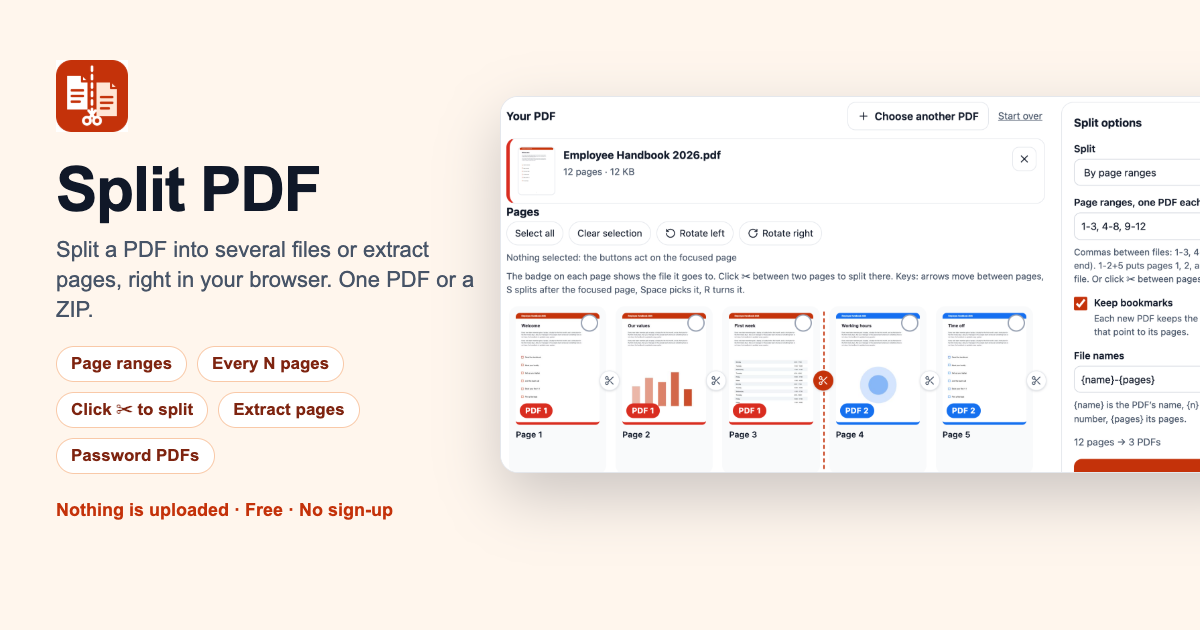
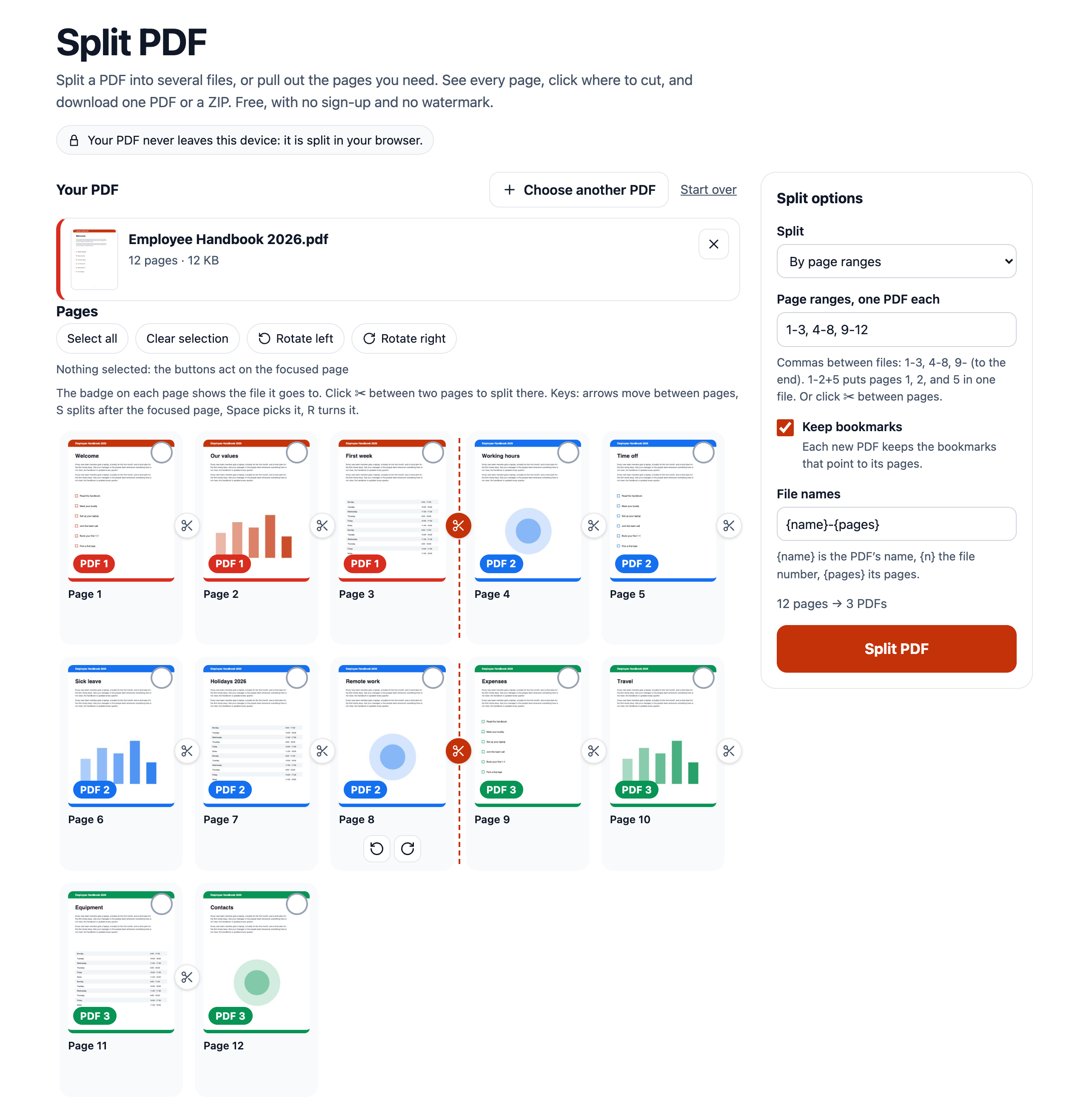
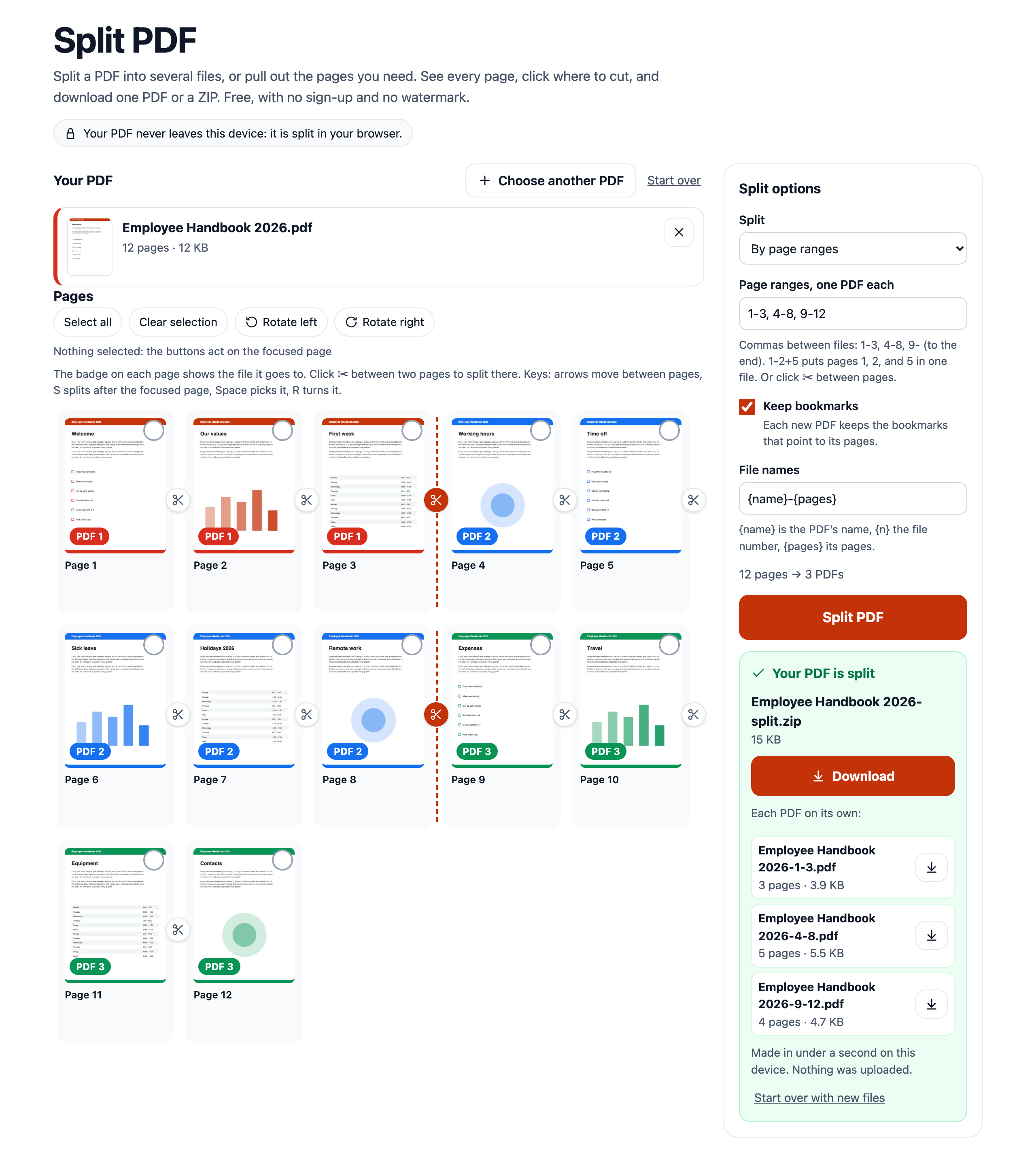
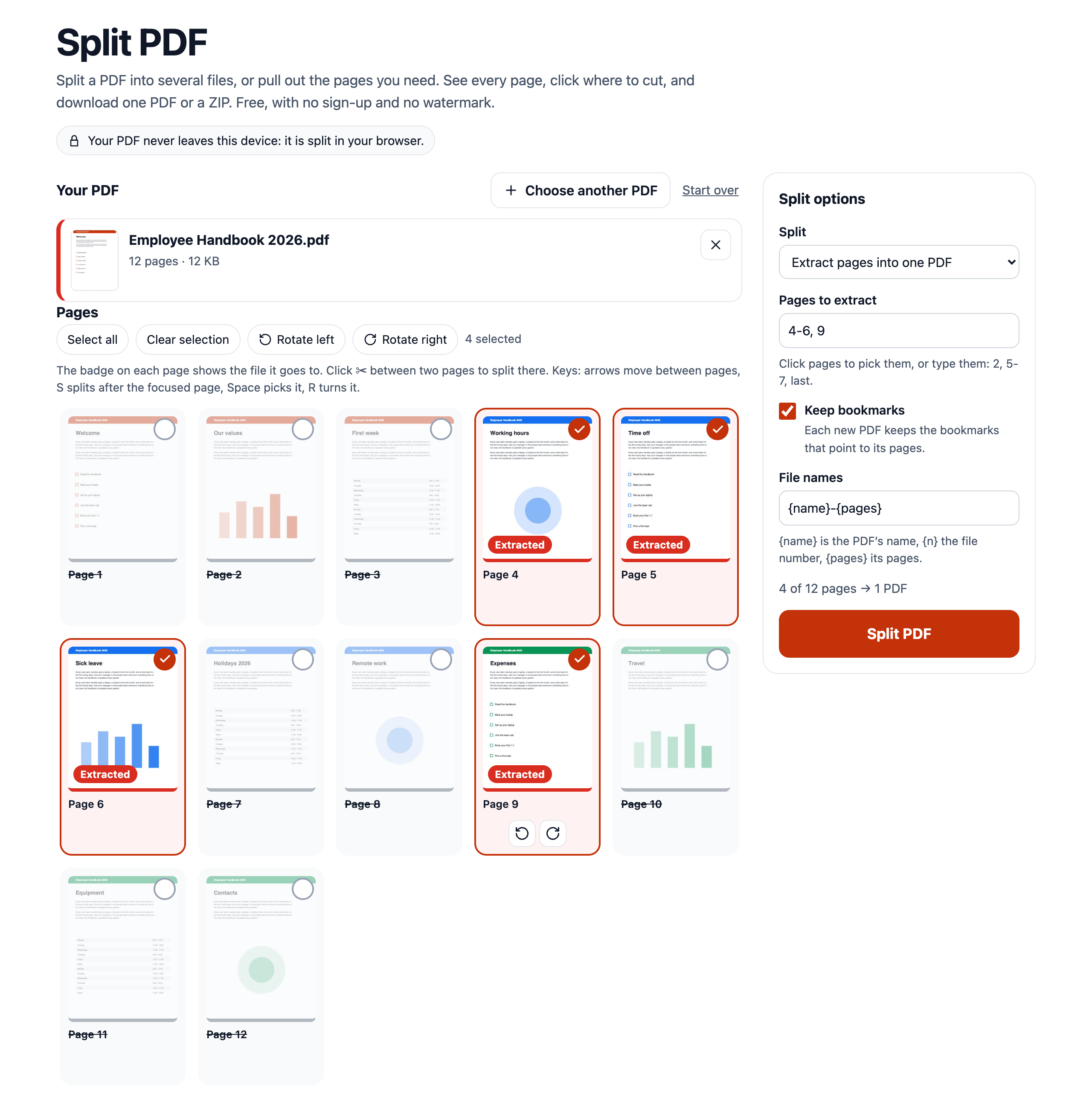
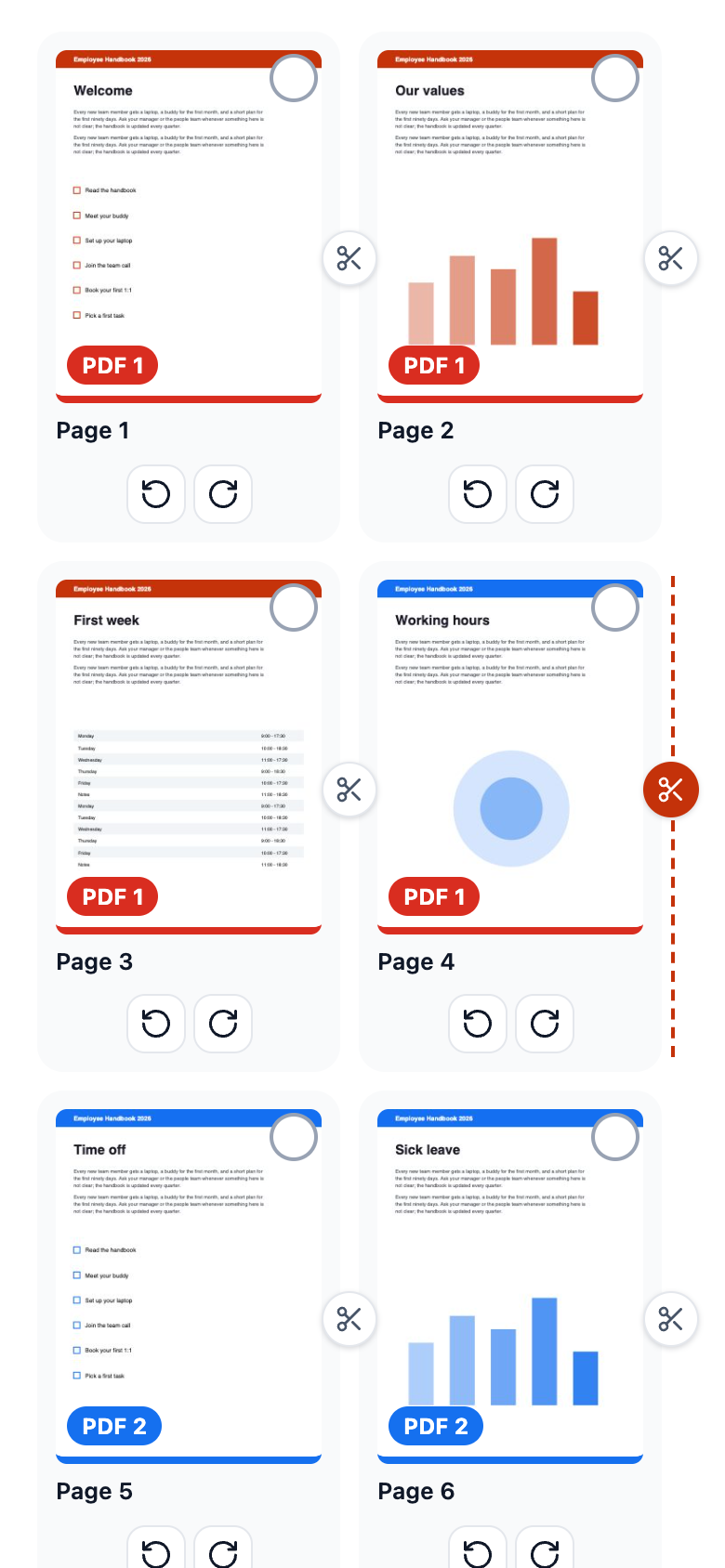
What it does: splits one PDF into several PDFs, or pulls the pages you need into a new one, right in the browser. Drop a PDF and pick how to split it: by page ranges like 1-3, 4-8, 9- (one PDF per range), every N pages, every page into its own PDF, or the pages you click into one PDF. A thumbnail of every page shows which new file it goes to, and the scissors between pages set the split points with one click. Pages are copied as they are, not printed again: text stays selectable and searchable, and links, fonts, and image quality do not change. Each new PDF keeps the bookmarks that point to its pages and carries only the fonts and images its own pages use, so parts of a big file stay small. Password-protected PDFs open when you type the password. Several files download as one ZIP, and each PDF also on its own. Nothing is uploaded: the file is read and split on the visitor's device, and the page keeps working offline once it has loaded.
Who it is for: anyone who needs part of a PDF: office workers sending one chapter of a report or one invoice from a monthly batch, students pulling the pages they need from lecture notes and scanned books, freelancers splitting a signed contract into its parts. It is also for site owners who want a private PDF splitter on their own domain, with no server to run and no per-task limits.
What you get: use it free in the live preview above, or take the whole tool: a one-page site for any static host (no build step, no server, no database, no API keys), the PDF engine as separate JavaScript modules you can reuse in your own code (opening encrypted PDFs, copying pages, split ranges, leaving unused fonts and images out, ZIP), one config file for the name, colours, and size limit, HTML documentation on hosting, settings, embedding with an iframe, and the engine API, and Node.js tests with sample files, including PDFs encrypted with RC4 and AES.
What you do: upload the split-pdf folder to your host (Cloudflare Pages, Netlify, Vercel, GitHub Pages, or your own server), open the page, and split. Change the name, colour, and limits in js/config.js.
Features
- The PDF never leaves the device: reading, decrypting, and splitting all happen in the browser, in a background worker
- Split by page ranges (
1-3, 4-8, 9-, one PDF each,1-2+5puts pages that are apart into one file), every N pages, or every page - Extract pages: click the pages you want, or type them (
2, 5-7, last), and get one PDF with just those pages - A thumbnail of every page with a badge for the PDF it goes to, pages left out are dimmed
- Scissors between pages: click (or press S) to add or remove a split point, works with touch too
- Lossless: pages are copied, so text, fonts, links, and image quality stay exactly as they were
- Small parts: each new PDF carries only the fonts and images its pages use (a 46 MB file whose pages share every image split into 20 PDFs of 2.3 MB each, not 46 MB each)
- Bookmarks stay with the pages they point to, form fields keep working
- Password-protected PDFs open with their password (RC4 40/128-bit, AES-128, AES-256), files with only editing restrictions open without one
- Turn pages before splitting, the new files keep the rotation
- File names from a pattern: the original name, the file number, the pages (
Report-1-3.pdf), safe on every system and never repeated - One PDF downloads as a PDF, several come as one ZIP and one by one
- Large files: a 289 MB PDF split in about 5 seconds and a 1,500-page PDF into 1,500 PDFs in under 3 seconds in Chrome, with the page staying responsive
- Clear messages for wrong ranges, empty, damaged, or non-PDF files, no watermark, no sign-up, no task or file-count limits
- Works with the keyboard, on phones, in Chrome, Firefox, and Safari, and inside an iframe (it reports its height)
Screenshots
Categories
Tags
Built with
 Free Video Downloader for Snapchat - Spotlight, Stories, and Highlights
Products of the Week.
Submit🥇

STOP GUESSING WHAT TO POST
AI that learns your brand voice and builds a month of consistent, on-brand social content: carousels, posts and hooks that sound like you, not like everyone else's AI.
SaaS · 3,147 views · 28 clicksSaaS · Week 45 · 3,147 views · 28 clicks
🥈

Conversational Backlinks for Busy Founders
Place Backlink Relevant Conversation for your domain across Forums and Conversations
Website · 40,547 views · 217 clicksWebsite · Week 45 · 40,547 views · 217 clicks
🥉

upvote.club
Free Social Media Engagement that Helps Boost Your Content. Upvote Club supports 19 social networks with 100+ engagement actions in one dashboard. Add links to your posts and get free engagement from real users.
SaaS · 38,645 views · 111 clicksSaaS · Week 45 · 38,645 views · 111 clicks
#4

Substack Posting API
Onboard your Agent to Substack. Write Publish on Substack via API
SaaS · 57,687 views · 197 clicksSaaS · Week 45 · 57,687 views · 197 clicks
#5

Seenshot App
Free, Fast, MacOS Screenshot app. Make Screenshot cmd+shift+2 and send it via link
Desktop App · 27,115 views · 119 clicksDesktop App · Week 45 · 27,115 views · 119 clicks
#6

Hand-Placed Backlinks $9.99 per link. Flat rate.
Buy hand-placed forum, Q-A and directory backlinks. Flat $9.99 per link, no subscriptions — you only pay for approved listings.
Website · 3,037 views · 18 clicksWebsite · Week 45 · 3,037 views · 18 clicks
#7

Free Invoice Generator - PDF Invoices in Your Browser, No Sign-Up
A free invoice maker for freelancers and small businesses: fill in the invoice, check the live preview, and download a PDF that looks exactly like it. Any currency, tax per item, three templates, no sign-up, and nothing leaves your device.
1,731 views · 16 clicksWeek 45 · 1,731 views · 16 clicks
#8

Merge PDF Files Free - Combine PDFs in Your Browser, No Upload
A free PDF merger for office workers, students, and freelancers: combine PDFs and images into one file in the browser, reorder files and pages, pick page ranges, keep bookmarks, and open password-protected PDFs. Nothing is uploaded, no sign-up, no watermark.
1,618 views · 13 clicksWeek 45 · 1,618 views · 13 clicks