Smart Content Protector - Pro WP Copy Protection
Description


About Smart Content Protector
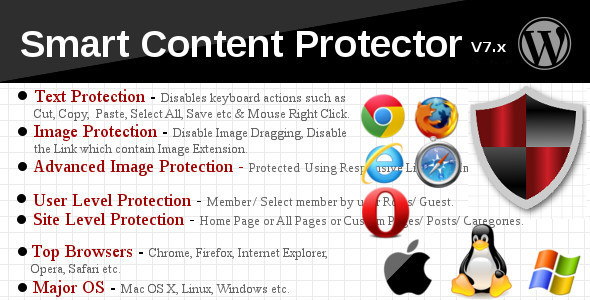
Smart Content Protector is the go to Plugin to Protect the Text and Images in your WordPress site. In order to avoid Plagiarism, it is essential to make sure the Text and Images from your WordPress site is not copied. This Plugin serves as the Content Protector for your WordPress site. It works automatically once the Plugin is activated.Text Protection features in this Plugin to disable the possible shortcut keys for copying the Text. Also this Plugin has Image Protection options to Disable the Image Dragging and Disable the Original Image to view. It also contains the option stop the link which shows the image link. Advanced Image Protection using Responsive Lightbox and Image Watermark. You can also choose where this Plugin should work like All Pages (including Home Page and all other Pages & Posts) or Home Page or Custom Pages/Posts using the Settings Page options.
Features
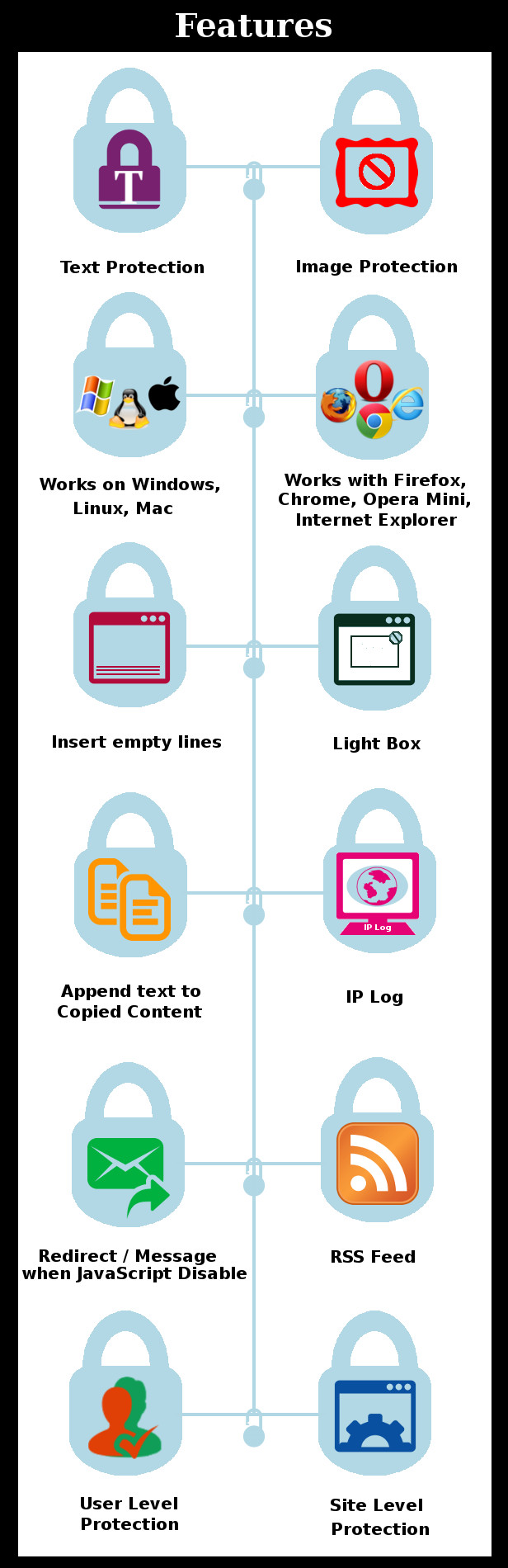
- Supported for Windows, Linux, Mac OS X etc
- Multiple Text and Image Protection methods
- Advanced Image Protection using Responsive Lightbox
- Image Watermark
- Protect your Text and Images by Disabling the Mouse Right Click and Possible Shortcut Keys for Cut (CTRL+x), Copy (CTRL+c), Paste (CTRL+v), Select All(CTRL+a), View Source (CTRL+u) etc.
- Protect Content based on User Level (Members / Guests)
- Alert Message Option for Print Screen (PrtScn, ALT + PrtScn and CTRL + PrtScn). You can use it trick your users by displaying say “Print Screen is Disabled” message.
- Enable this Plugin on Home Page or All Pages or Custom Pages/Posts in Settings Page
- Custom Pages/Posts has Include/Exclude specific Page/Post for Protection
- Disable Image Dragging, Disable the Link which contain image extension
- Different Types of Settings like General Settings, Text Protection Settings, Image Protection Settings for customizing the Plugin as per your needs
- Works out of the box
- Disable Smart Content Protector by a check box in Settings Page
- Simple and Easy to use
- Highly Customizable from the Settings Page
- Option to Display Alert Message on Mouse Right Click
- Number of Empty lines in View Source can be set
- Append Text to the copied content
- Text Highlighting option
- Option to Prevent Page loading if JavaScript is Disabled in Browser
- Log IP Addresses that Copied Content
- Disable Right Click for Internal/External Links
- Inherently disables Right Click for HTML5 Video/Audio
How to Upgrade to a newer version of Smart Content Protector?
If you are using an older version and want to upgrade to the latest version of Smart Content Protector then please do the following steps. 1. Deactivate and Delete the existing version of Smart Content Protector in your site. 2. Download the latest version file (smartcontentprotector.zip) of Smart Content Protector from Codecanyon. 3. Unzip smartcontentprotector.zip inside which you will find the Plugins files i.e. contentprotector.zip. 4. Install the latest version of Smart Content Protector i.e. contentprotector.zip using WordPress Dashboard. 5. Activate the Plugin. Please note you will not lose any settings values, data etc by following the above steps.Support
Please check the documentation as we have lots of information there. The documentation file can be found inside the documentation folder which you will find when you unzip the downloaded zip file.For support, feature request or any help, please register and open a support ticket on our site.
Updates
Version 8.4 on 09 December 2022
Tweak: Improvement made in Include and Exclude options in Image Watermark Protection
Tweak: Tested up to WordPress 6.1.1 and WooCommerce 7.1

Version 8.3 on 18 November 2020
Fix: User role based content protection not works properly

Version 8.2 on 14 March 2020
Fix: Enable Right-click option does not works properly
Fix: Background image color incorrectly changed for watermark applied image

Version 8.1 on 22 August 2019
Fix: Fatal error thrown in frontend single product page
Fix: 'P' letter key(in the keyboard) not works properly when Inspect Source checkbox is enabled

Version 8.0 on 04 March 2019
New: Added option to restrict the mouse middle button click

Version 7.9 on 05 October 2018
New: Added Disable F12(Inspect Source) option as Experimental

Version 7.8 on 27 July 2018
Fix: Enhancement in Apply Watermark Image
Fix: Error while Disabling RSS Feed

Version 7.7 on 29 May 2018
New: GDPR compliance WordPress compatibility for Privacy Policy update
Fix: Input fields typing issue on Internet Explorer browser

Version 7.6 on 10 February 2018
Fix: Shortcut Key Protection enabled when the option is disabled

Version 7.5 on 03 February 2018
New: Option added to Restrict the Right Click on Images with Hyperlink
Fix: Conflict with Publisher theme
Fix: Content Protected when Protection is disabled
Fix: Disable Right Click feature for Highlighted Content
Fix: Conflict with Form Fields(can't enter the text) when protection is enabled

Version 7.4 on 23 November 2017
Tweak: Code improvements

Version 7.3 on 12 October 2017
New: Option added to record IPs when Protection Disabled

Version 7.2 on 01 September 2017
Fix: Unable to comment in the Page using iPhone, iPad.etc

Version 7.1 on 21 June 2017
Tweak: Improvements in recording IP logs

Version 7.0 on 19 May 2017
New: Recording IP Address supported for Left Mouse Click, Text Dragging, View Source, Print Screen, Right Mouse Click
Fix: Multiple entries issue for same IP Address

Version 6.9 on 13 April 2017
Fix: Header already sent issue upon activation

Version 6.8 on 04 January 2017
Fix: Admin Dashboard undefined index error

Version 6.7 on 05 December 2016
New: Content Restriction based on Post Types

Version 6.6 on 10 November 2016
New: Added Title option when RSS field is disabled

Version 6.5 on 27 September 2016
Tweak: Remote IP support when using proxy server
Tweak: Load script after jQuery
Fix: W3C Validation Issue with CSS
Fix: Header already sent warning issue on upon activation

Version 6.4 on 01 August 2016
Fix: Empty Lines in View Source problem

Version 6.3 on 21 July 2016
- Fix: Optimized the loading of settings

Version 6.2 on 05 July 2016
- Fix: Save button not displayed in the settings page when the site is RTL
- Fix: We can Right Click the highlighted text, when the option(Disable Right Click for Text Highlight) is disabled
- Fix: Appended Message hasn't displayed, when we use the enter key between the text in "Enter Message" box

Version 6.1 on 14 April 2016
- Fix: Displaying Watermark for Media Protection
- Tweak: New script added to attach the watermark to protect the media content
- Tweak: Removed Edge option which is not applicable to the newly added watermark script
- New: Updated Document

Version 6.0 on 13 March 2016
- Fix: Custom Category selection not replicated in Post/Page
- Fix: Deactivate/Activate resetting the Settings
- Tweak: Code Improvements

Version 5.9 on 23 August 2015
- New : Disable right click for text highlight option

Version 5.8 on 08 July 2015
- New: Screenshot a Portion of Your Screen - Cmd+Shift+4
- New: Take a Shot of Your Entire Screen - Cmd+Shift+3
- New: Save a Screenshot to the Clipboard - Cmd+Ctrl+Shift+3
- New: Screenshot of an Open Window - Cmd+Shift+4+Spacebar

Version 5.7 on 17 June 2015
- Fix: PrettyPhoto.js file has been updated for XSS Security

Version 5.6 on 13 May 2015
- New: Watermark Image Edge Position Option

Version 5.5 on 16 March 2015
- Option to exclude Watermark for images based on size

Version 5.4 on 04 March 2015
- Bug fix in Keyboard shortcut

Version 5.3 on 03 March 2015
- Fixed the jQuery Error by unchecked Text Protection Windows, Linux & Mac

Version 5.2 on 01 March 2015
- Option to Include/Exclude Images for Watermark

Version 5.1 on 23 February 2015
- Added Category Option for Content Protection

Version 5.0 on 18 February 2015
- Image Watermark Feature

Version 4.7 on 01 February 2015
- Added Content Protection Option based on User Roles
- Content Protect Page/Post Name or ID Text Box changed to Text area

Version 4.6 on 15 November 2014
- Redirect when JavaScript is disabled in Browser

Version 4.5 on 03 November 2014
- Added Position Option to Insert Empty Lines in View Source
- Added New feature All Pages/Posts(Excluding Home Page)
- Added New feature Disable Right Click for Internal/External Links
- Copy IP Log Time is now using WordPress Time Settings
- Bug fixed in IP Log

Version 4.4 on 26 August 2014
- Bug Fix and Debug Errors cleared

Version 4.3 on 15 August 2014
- Disable RSS Feed Option
- Log IP Addresses that Copied Content
- Updated Admin Layout

Version 4.2 on 08 August 2014
- Enable Alert Message on CTRL+C or Mouse Copy after Text Selection

Version 4.1 on 28 June 2014
- Default Options updated

Version 4.0 on 18 June 2014
- Fixed Bug on Mouse Up Event

Version 3.9 on 13 June 2014
- Enable/Disable Option for Empty Lines of View Source

Version 3.8 on 27 May 2014
- Header Problem Bug Fixed

Version 3.7 on 10 May 2014
- Improvement Made in Empty Lines to View Source

Version 3.6 on 02 May 2014
- Validation for JS Enabled in Browser

Version 3.5 on 05 April 2014
- Alert Message Option for Print Screen (PrtScn, ALT + PrtScn and CTRL + PrtScn)

Version 3.4 on 15 March 2014
- Bug fixed in script inclusion

Version 3.3 on 19 February 2014
- Added All Pages/Posts Option
- Bug Fixed in Custom Post/Page Option

Version 3.2 on 30 January 2014
- Developer Console Disable Option Enhanced.

Version 3.1 on 28 January 2014
- Bug Fixed in Include/Exclude Page/Post Option.

Version 3.0 on 27 January 2014
- CTRL Print and CMD Print Disable Option Updated

Version 2.9 on 29 November 2013
- Text Highlight Option can be set in Settings Page

Version 2.8 on 23 November 2013
- Advanced Image Protection using Lightbox

Version 2.7 on 21 November 2013
- Enable Right Click on Hyperlink Option Added

Version 2.6 on 4 November 2013
- Settings Page broken link problem fixed

Version 2.5 on 11 October 2013
- CTRL + Key Bug fixed

Version 2.4 on 01 October 2013
- Number of Empty lines in View Source can be set
- Append Text to the copied content

Version 2.3 on 25 September 2013
- Option to Include/Exclude specific Page/Post for Protection

Version 2.2 on 24 September 2013
- Option to Display Alert Message on Mouse Right Click

Version 2.1 on 18 September 2013
- CTRL Print and CMD Print Disable Option Set in Settings Page

Version 2.0 on 15 September 2013
- Plugin is now supported for Windows, Linux and Mac OS X
- Text Protection Title Enhanced

Version 1.1 on 22 August 2013
- Developer Console Disabled
- Empty Space Added in View Source

Version 1.0 on 20 August 2013
- This is the First Version
Categories
Tags
External listing. code.market does not sell this product and does not process payment for it. Pricing, payment, delivery, licensing, refunds, and support are handled by the third-party merchant on its own website. We may earn an affiliate commission from a referral. Details.
Products of the Week.
Submit#1

upvote.club
Free Social Media Engagement that Helps Boost Your Content. Upvote Club supports 19 social networks with 100+ engagement actions in one dashboard. Add links to your posts and get free engagement from real users.
SaaS · 15,292 views · 95 clicksSaaS · Week 42 · 15,292 views · 95 clicks
#2

Seenshot App
Free, Fast, MacOS Screenshot app. Make Screenshot cmd+shift+2 and send it via link
Desktop App · 4,374 views · 108 clicksDesktop App · Week 42 · 4,374 views · 108 clicks
#3

Conversational Backlinks for Busy Founders
Place Backlink Relevant Conversation for your domain across Forums and Conversations
Website · 16,208 views · 194 clicksWebsite · Week 42 · 16,208 views · 194 clicks
#4

Substack Posting API
Onboard your Agent to Substack. Write Publish on Substack via API
SaaS · 35,205 views · 183 clicksSaaS · Week 42 · 35,205 views · 183 clicks
#5

codester.com
SocialDesk+: Omnichannel Social Commerce & Business Management Platform This is stronger than simply “Social Commerce and Messaging” because it tells buyers this is a complete business platform, not just a messaging script. Turn Social Conversations Into Sales SocialDesk+ is a complete omnichannel social commerce and business management platform built for businesses that sell and communicate with customers through social media. Instead of switching between WhatsApp, Facebook, Instagram and TikTok, businesses can manage customer conversations, comments, products, leads, follow-ups, automation, teams and business reports from one professional workspace. And because the full source code is included, developers, agencies and entrepreneurs can customize, rebrand and launch SocialDesk+ as their own business solution or SaaS platform. 🚀 Build Your Own Social Commerce Business SocialDesk+ gives you the foundation to launch: - Your own SaaS platform - A white-label social CRM - A social-commerce management system - A customer communication platform - A business messaging solution - A custom solution for clients - A multi-business subscription platform 💬 Connect Your Customers Supported social channels include: WhatsApp • Facebook • Instagram • TikTok Bring supported conversations into one centralized workspace and help businesses respond faster without constantly switching between platforms. 🛍️ More Than a Messaging Platform SocialDesk+ combines communication with the tools businesses need to manage customer opportunities: Inbox Manage customer conversations from connected channels. Comments Monitor and respond to social-media comments. Customers & Leads Organize customer information and potential buyers. Products & Catalog Manage products and give your team quick access to product information. Follow-Ups Make sure potential customers don't get forgotten. Automation Automate repetitive customer questions and responses. AI Assistant Provide AI-assisted communication when configured. Team Management Give managers and staff access to the business workspace. Reports & Analytics Track activity using business reports and analytics. The current product listing already includes these capabilities. 🔥 Why Buyers Will Want It Launch Faster Start with an already-built business platform instead of developing the entire system from zero. Customize Everything The full source code is included, allowing developers to change branding, features, workflows and integrations. Build a SaaS Create multiple business workspaces and offer SocialDesk+ as a subscription-based service. Sell to Businesses Offer it to retailers, restaurants, service businesses, online sellers, agencies and other businesses that communicate with customers through social media. Mobile + Web + Backend This isn't just a mobile UI template. It includes: - Flutter mobile application - Python / FastAPI backend - Web interface - Administration tools - Database infrastructure - API-based architecture - SQLite / PostgreSQL support - Android and iOS project structure 💼 One Platform. Multiple Business Opportunities. For SaaS Entrepreneurs Launch your own subscription platform and allow multiple businesses to operate inside separate workspaces. For Software Agencies Customize and rebrand the platform for clients instead of building an omnichannel business system from scratch. For Developers Use the complete source code as a foundation for your own social-commerce or customer-management product. For Businesses Deploy a dedicated version for your own customer-service and social-commerce operations. 🧩 What's Included Mobile - Flutter / Dart - Android - iOS project Backend - Python - FastAPI - SQLAlchemy - Alembic Database - SQLite - PostgreSQL Web - HTML5 - CSS3 - JavaScript Deployment - Docker - Docker Compose - Production configuration Business Platform - Multi-workspace architecture - Authentication - Teams - Customers - Products - Messaging - Comments - Automation - Reports - Subscriptions - Administration The current listing also documents third-party integrations such as Meta, TikTok, Stripe, Firebase, SMTP and optional OpenAI configuration. ⚡ What Makes SocialDesk+ Different? You're not buying a simple: ❌ Chat UI ❌ WhatsApp clone ❌ Flutter template ❌ Admin dashboard ❌ Basic CRM You're getting a complete business platform foundation that can be customized, branded and commercialized. Connect. Automate. Manage. Grow. SocialDesk+ Omnichannel Social Commerce & Business Management Platform One important change I'd make to the current listing The current page starts with: “A simple guide to managing your social conversations, customers, products and business activity.”
Other · 2,616 views · 29 clicksOther · Week 42 · 2,616 views · 29 clicks
#6

sandbook.app
Sandbook reads EPUB, PDF, web pages and scanned pages aloud with Kokoro TTS, an open neural voice model that runs on your iPhone, free and offline. Choose from 41 natural voices in English, Spanish, French, Italian, Brazilian Portuguese and Hindi and follow each word as it is spoken. Try the same voices in your browser first with the free Kokoro TTS online demo.
Other · 2,623 views · 12 clicksOther · Week 42 · 2,623 views · 12 clicks