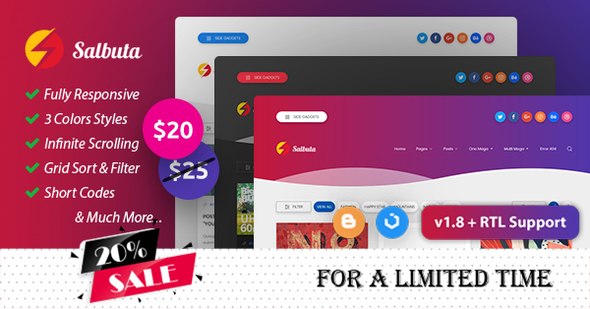
Salbuta Blog & Personal Responsive Blogger Theme
Description
Salbuta is a blog & personal responsive Blogger (www.blogger.com) theme with a modern grid light & gradient, multi layouts & columns and easily customized design with a well explained documentation.
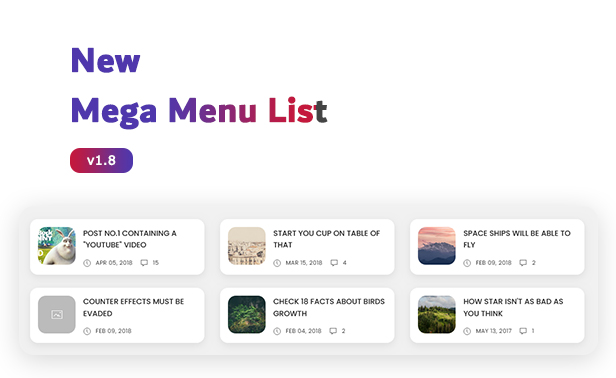
June 22, 2023 – v1.8 + Added new mega menu list style + Added option to disable ads inside pages or posts separately + Added option to add a homepage image for social web preview + Added option to hide unwanted sharing icons + Updated documentation to comply with the v1.8 version
Mobile-Friendly Test by Google Here Structured Data Test by Schema Here Rich Results Test by Google Here

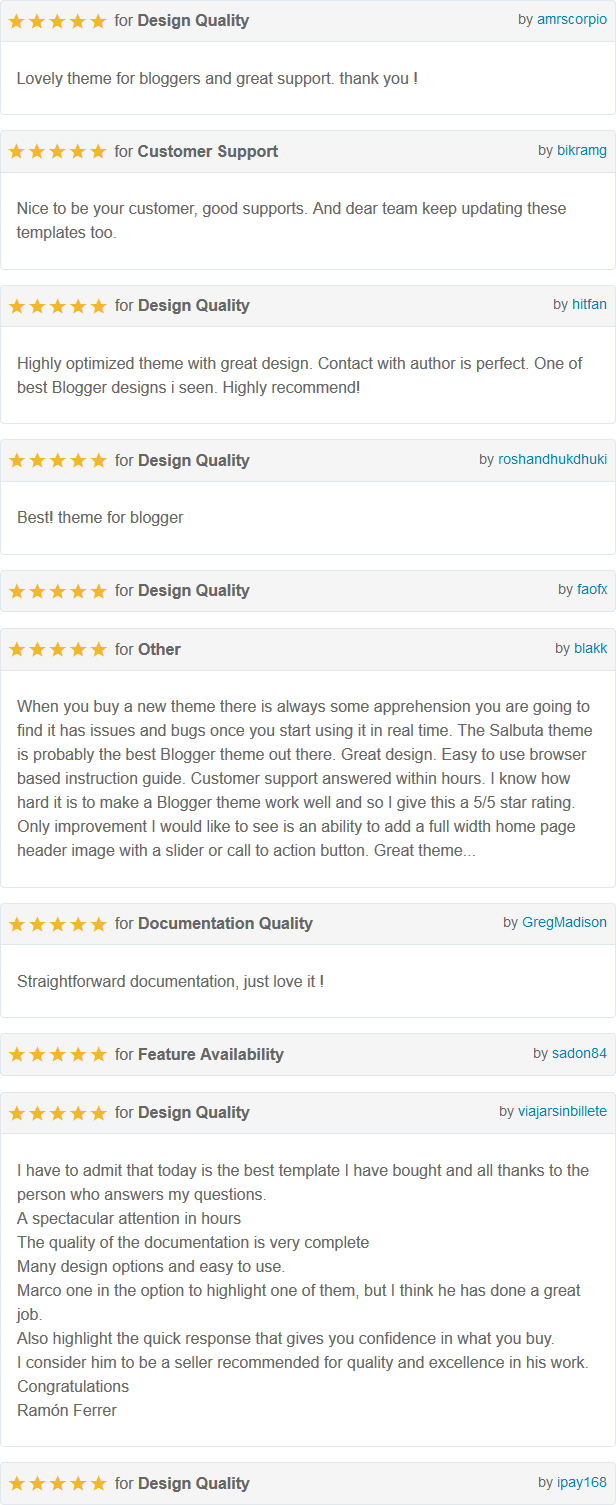
Theme Rating
Theme Features
-
Fully 100% Responsive Salbuta is fully responsive to work fine on all devices including (Desktop PCs, Laptops, Tablets and Smart phones).
-
RTL Supported Salbuta supports RTL direction (demo 1 – demo 2 – demo 3)
-
UiKit 3 Based Theme Salbuta is based on Uikit 3 library that gives you a suitable typography concept and many other features.
-
Multiple Layout Styles Salbuta has Gradient, Light and Dark styles with many options to use.
-
Custom Posts Layout Salbuta has 4 post layouts (Default Post with Right Sidebar – Post with Left Sidebar – Full Width Post with No Sidebar – Post with Full Width Title). Full Width Title can be added to any of the other 3 layout style.
-
1 & 2 Columns Salbuta has can be set to 1 Column or 2 Columns. Sidebar can be enabled or disabled in index, posts or static pages or some of them.
-
Wavy Style Salbuta has a wave like shape in header and footer. This can be enabled or disabled as you like.
-
Sticky Header Salbuta has a Sticky Navigation Header on top while scrolling. This can be enabled or disabled as you like.
-
Drop & Mega Menus Salbuta 2 levels drop down menus and single & multi mega menus to show featured posts with a label of your choice. You can use Drop Down and Mega Menu as many times as you need.
-
Home Slider Salbuta has a gadget to show featured posts in homepage in 2 style (Slideshow – Carousel).
-
Sticky Last Sidebar Gadget Salbuta has a Sticky Last Sidebar Gadget on top while scrolling. This can be enabled or disabled as you like.
-
Grid Posts Filter Salbuta has a Grid Posts Filter to sort posts using label names that can be adjusted from the gadget. This can be enabled or disabled as you like.
-
Grid Posts View Salbuta has a Grid Posts View option to select between expanding or shrinking posts. Expanding posts will show full posts or shrinking posts will show images only with title in a tooltip. This can be enabled to let users set the style they like or disabled and select any style as you like to be the main as you like. Also you can enable or disable shrinking for all other kind of posts including Mega posts, Related posts and Featured posts in error page. When you enable shrinking by default or user shrink them using View option, those posts will be shrunken too.
-
Grid Posts Images Auto Height Salbuta by default has grid posts with cropped according to width and hight modifiers and have fixed size. You can enable the grid posts images to have auto height and cropped according to width modifier only.
-
Infinite Scrolling Salbuta has the option to load more posts in the same page without redirecting to other pages. This can be enabled or disabled as you like.
-
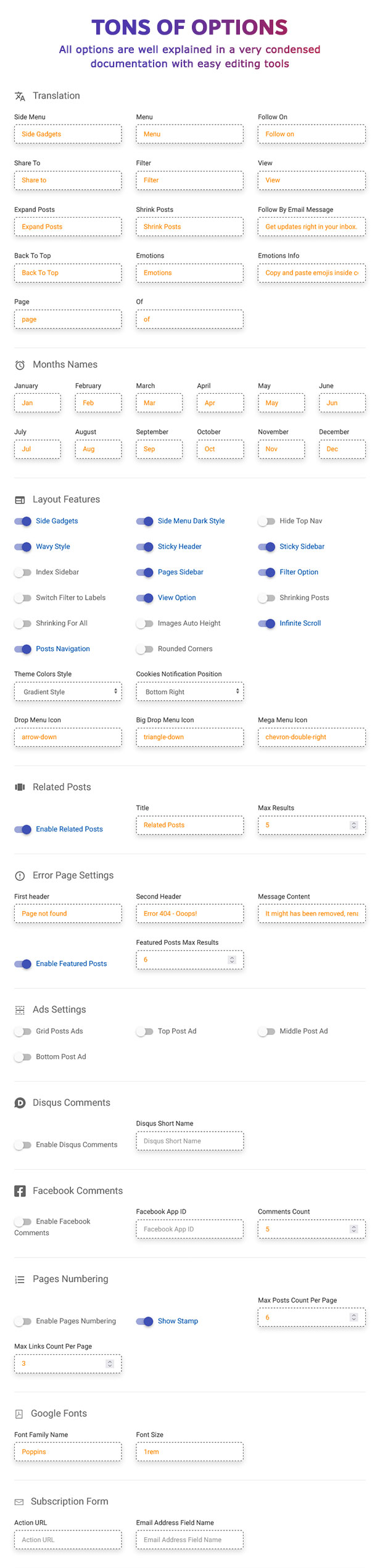
Highly Condensed Documentation Salbuta has a highly condensed documentation that explains every part of the theme. Also there are tools to help you create some of theme content easily.
-
Custom Pages (Label, Archive and Search) Salbuta has custom design for the blog pages (Label, Archive and Search). With the grid posts view option.
-
Youtube Videos Support Salbuta supports Youtube videos images. If your post doesn’t have images and have a Youtube video, the Youtube video image will be picked up automatically.
-
Customized Social Icons Gadget Salbuta has plugin that lets you to put your social pages links inside the traditional Blogger Link List gadget to show social icons.
-
Custom Posts Comments System Salbuta Posts Comments system has been built from zero. Every part of the has been modified to give the best design and user practice. It has a box with many nice emotions to be used by users. Also it supports Disqus comments system.
-
Custom Error 404 Page Salbuta has an integrated, fast and simple Error 404 Page with some random posts to increase the user flow rate. This random posts can be enabled or disabled as you like.
-
Translation Ready Salbuta has an option to edit all texts used to your preferred words or language. All these text are gathered together in one place for an easy editing and not scattered throughout the theme.
-
Full Set of Short Codes Salbuta has a nice hand picked set of short codes including (Tabs “Vertical & Horizontal” – Accordion – Icons – Alerts – Buttons – Tooltips – Carousel – Slideshow – Grid System – Alignment Classes – Blockquotes). All these short codes in the demo are explained inside the Documentation. In addition you can use the other full Uikit 3 Short Codes.
-
SEO & Adverts Salbuta is SEO optimized and Ads Ready as you can put your ads almost every where as (after blog header – below blog footer – in between grid posts – top of post – middle of post – below post)
-
Structured Data Included Salbuta has a fully correctly added structured data that will enhance your blog search results in all search engines.
-
Browsers Compatibility Salbuta Supports the major web Browsers Including (Firefox, Opera, Chrome, Safari and Edge).
-
Blogger Theme Designer Salbuta supports the Blogger Theme Designer to be able to change Font, Link & Hover Colors, Background of the theme without any coding knowledge.
Theme Used Assets
I have used the following assets
- jQuery 3.4.1 by jQuery Foundation
- Uikit 3.0.3 by YOOtheme GmbH
- Featured Posts 1.9 by Orthemes
- Pages Numbering 1.0 by Orthemes
Theme Demo Font
The fonts used inside the demo themes are “Poppins” font for the default version and “Changa” font for RTL version. You will be able to change the font so easily from the Blogger theme designer and choose between many of free fonts.
Theme Demo Images
I have used the images for the demo from unsplash.com and they aren’t included in theme files.
Change Log
June 22 2023 - v1.8
+ Added new mega menu list style
+ Added option to disable ads inside pages or posts separately
+ Added option to add a homepage image for social web preview
+ Added option to hide unwanted sharing icons
+ Updated documentation to comply with the v1.8 version

April 14, 2023 - v1.7.1
+ Fixed RTL missing resources

March 27, 2023 - v1.7
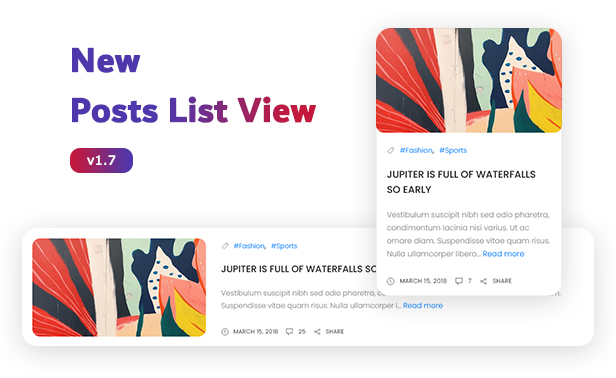
+ Added new posts list view style
+ Added lightbulb, kaizala, medium icons
+ Fixed low res post thumbnails
+ Fixed posts navigation repeated requests bug
+ Fixed some other reported bugs
+ Updated documentation to comply with the v1.7 version

June 17, 2022 - v1.6
+ Fixed social sharing icons links when URLs sometimes the url doesn't load properly
+ Enhanced the filter and view options designs
+ Changed icons names discord to discord-square and quote-right to quote
+ Added option to show search form in the header instead of the icon
+ Added option to increase the theme width for big screens
+ Added option to adjust the homepage slideshow height
+ Added copy url button to sharing icons
+ Added bag, twitch and discord icons
+ Added lazy loading support to images
+ Added table of contents shortcode

January 6, 2022 - v1.5
+ Added new option to use Google fonts easily instead of the limited fonts of the Blogger theme designer
+ Added new option to hide top nav and its spacing
+ Added support to custom third party subscription form like Mailchimp or so
+ Added telegram to post sharing icons
+ Added Messenger icon
+ Enhanced header spacing and responsiveness
+ Enhanced resources loading performance

June 22, 2021 - v1.4
+ Added new rounded corners option.
+ Added new option to set the menu drop icons.
+ Fixed bug related to theme customize in Blogger dashboard
+ Fixed some accessibility issues
+ Fixed some reported bugs
+ Removed the license validation limitations
+ Updated inside posts ads spots to support adding multiple ads spots instead of one
+ Updated documentation to comply with the v1.4 version

June 2, 2021 - v1.3.2
+ Updated documentation to meet the new Blogger gadgets design
+ Added bitbucket social icon. You can use it immediately without the need to update the theme XML

April 24, 2021 - v1.3.1
+ Fixed images thumbnails in featured posts
+ Fixed post author profile link for authors with no links
+ Fixed the translation generate code tool in the documentation that was generating wrong code

February 4, 2021 - v1.3
+ Almost all suggested features added
+ Added pages numbering built from scratch
+ Added new option to switch homepage filter to labels (The Most Wanted Suggestion)
+ Added new big drop sub menu
+ Added Facebook comments
+ Added posts next and previous navigation and the option to disable or enable it
+ Added new option to enable or disable the side gadgets menu
+ Added link for label of the mega menu posts
+ Added tiktok, disqus, blogger, blogger-square and facebook-square social icons
+ Fixed all reported homepage slider issues
+ Fixed the scrolling bug on mobile chrome
+ Fixed the console warnings
+ Fixed the full title issue of posts with youtube videos on mobile
+ Fixed the thumbnails issue not shown in some posts
+ Fixed hidden search form issue in IOS
+ Updated documentation to comply with the v1.3 version and split the theme options section into smaller sections to be easier to follow

August 31, 2020 - v1.2.3
+ Added google-play, vk, telegram and discord social icons
+ Updated documentation to meet the new Blogger dashboard design

April 20, 2020 - v1.2.2
+ Updated documentation

April 4, 2020 - v1.2
+ Added new dark style
+ Added new home slider gadget with 2 styles
+ Added new option to control side menus styles separately to be light or dark
+ Added new option to control the cookies notification position
+ Added snapchat social icon
+ Added more ads spots and more control over ads positions (after blog header, below blog footer, in between grid posts, top of post, middle of post and below post)
+ Added more sharing social icons
+ Added Disqus comments
+ Fixed some reported bugs
+ Updated documentation to comply with the v1.2 version

May 2, 2019 - v1.1
+ Added new RTL version
+ Enhanced words translations
+ Updated documentation to comply with the RTL version

April 25, 2019 - v1.0.1
+ Enhanced grid posts filter support

April 20, 2019 - v1.0
+ Initial Release
Categories
Tags
External listing. code.market does not sell this product and does not process payment for it. Pricing, payment, delivery, licensing, refunds, and support are handled by the third-party merchant on its own website. We may earn an affiliate commission from a referral. Details.
Products of the Week.
Submit#1

upvote.club
Free Social Media Engagement that Helps Boost Your Content. Upvote Club supports 19 social networks with 100+ engagement actions in one dashboard. Add links to your posts and get free engagement from real users.
SaaS · 18,533 views · 97 clicksSaaS · Week 42 · 18,533 views · 97 clicks
#2

Seenshot App
Free, Fast, MacOS Screenshot app. Make Screenshot cmd+shift+2 and send it via link
Desktop App · 7,347 views · 109 clicksDesktop App · Week 42 · 7,347 views · 109 clicks
#3

Conversational Backlinks for Busy Founders
Place Backlink Relevant Conversation for your domain across Forums and Conversations
Website · 19,149 views · 197 clicksWebsite · Week 42 · 19,149 views · 197 clicks
#4

Substack Posting API
Onboard your Agent to Substack. Write Publish on Substack via API
SaaS · 38,129 views · 186 clicksSaaS · Week 42 · 38,129 views · 186 clicks
#5

codester.com
SocialDesk+: Omnichannel Social Commerce & Business Management Platform This is stronger than simply “Social Commerce and Messaging” because it tells buyers this is a complete business platform, not just a messaging script. Turn Social Conversations Into Sales SocialDesk+ is a complete omnichannel social commerce and business management platform built for businesses that sell and communicate with customers through social media. Instead of switching between WhatsApp, Facebook, Instagram and TikTok, businesses can manage customer conversations, comments, products, leads, follow-ups, automation, teams and business reports from one professional workspace. And because the full source code is included, developers, agencies and entrepreneurs can customize, rebrand and launch SocialDesk+ as their own business solution or SaaS platform. 🚀 Build Your Own Social Commerce Business SocialDesk+ gives you the foundation to launch: - Your own SaaS platform - A white-label social CRM - A social-commerce management system - A customer communication platform - A business messaging solution - A custom solution for clients - A multi-business subscription platform 💬 Connect Your Customers Supported social channels include: WhatsApp • Facebook • Instagram • TikTok Bring supported conversations into one centralized workspace and help businesses respond faster without constantly switching between platforms. 🛍️ More Than a Messaging Platform SocialDesk+ combines communication with the tools businesses need to manage customer opportunities: Inbox Manage customer conversations from connected channels. Comments Monitor and respond to social-media comments. Customers & Leads Organize customer information and potential buyers. Products & Catalog Manage products and give your team quick access to product information. Follow-Ups Make sure potential customers don't get forgotten. Automation Automate repetitive customer questions and responses. AI Assistant Provide AI-assisted communication when configured. Team Management Give managers and staff access to the business workspace. Reports & Analytics Track activity using business reports and analytics. The current product listing already includes these capabilities. 🔥 Why Buyers Will Want It Launch Faster Start with an already-built business platform instead of developing the entire system from zero. Customize Everything The full source code is included, allowing developers to change branding, features, workflows and integrations. Build a SaaS Create multiple business workspaces and offer SocialDesk+ as a subscription-based service. Sell to Businesses Offer it to retailers, restaurants, service businesses, online sellers, agencies and other businesses that communicate with customers through social media. Mobile + Web + Backend This isn't just a mobile UI template. It includes: - Flutter mobile application - Python / FastAPI backend - Web interface - Administration tools - Database infrastructure - API-based architecture - SQLite / PostgreSQL support - Android and iOS project structure 💼 One Platform. Multiple Business Opportunities. For SaaS Entrepreneurs Launch your own subscription platform and allow multiple businesses to operate inside separate workspaces. For Software Agencies Customize and rebrand the platform for clients instead of building an omnichannel business system from scratch. For Developers Use the complete source code as a foundation for your own social-commerce or customer-management product. For Businesses Deploy a dedicated version for your own customer-service and social-commerce operations. 🧩 What's Included Mobile - Flutter / Dart - Android - iOS project Backend - Python - FastAPI - SQLAlchemy - Alembic Database - SQLite - PostgreSQL Web - HTML5 - CSS3 - JavaScript Deployment - Docker - Docker Compose - Production configuration Business Platform - Multi-workspace architecture - Authentication - Teams - Customers - Products - Messaging - Comments - Automation - Reports - Subscriptions - Administration The current listing also documents third-party integrations such as Meta, TikTok, Stripe, Firebase, SMTP and optional OpenAI configuration. ⚡ What Makes SocialDesk+ Different? You're not buying a simple: ❌ Chat UI ❌ WhatsApp clone ❌ Flutter template ❌ Admin dashboard ❌ Basic CRM You're getting a complete business platform foundation that can be customized, branded and commercialized. Connect. Automate. Manage. Grow. SocialDesk+ Omnichannel Social Commerce & Business Management Platform One important change I'd make to the current listing The current page starts with: “A simple guide to managing your social conversations, customers, products and business activity.”
Other · 5,538 views · 32 clicksOther · Week 42 · 5,538 views · 32 clicks
#6

sandbook.app
Sandbook reads EPUB, PDF, web pages and scanned pages aloud with Kokoro TTS, an open neural voice model that runs on your iPhone, free and offline. Choose from 41 natural voices in English, Spanish, French, Italian, Brazilian Portuguese and Hindi and follow each word as it is spoken. Try the same voices in your browser first with the free Kokoro TTS online demo.
Other · 5,532 views · 13 clicksOther · Week 42 · 5,532 views · 13 clicks