RoverCRM - Customer Relationship And Project Management System
Description



We are open to any help/support through our support system. Please send us an e-mail to support@techvill.org or click here to create a ticket
Overview of RoverCRM






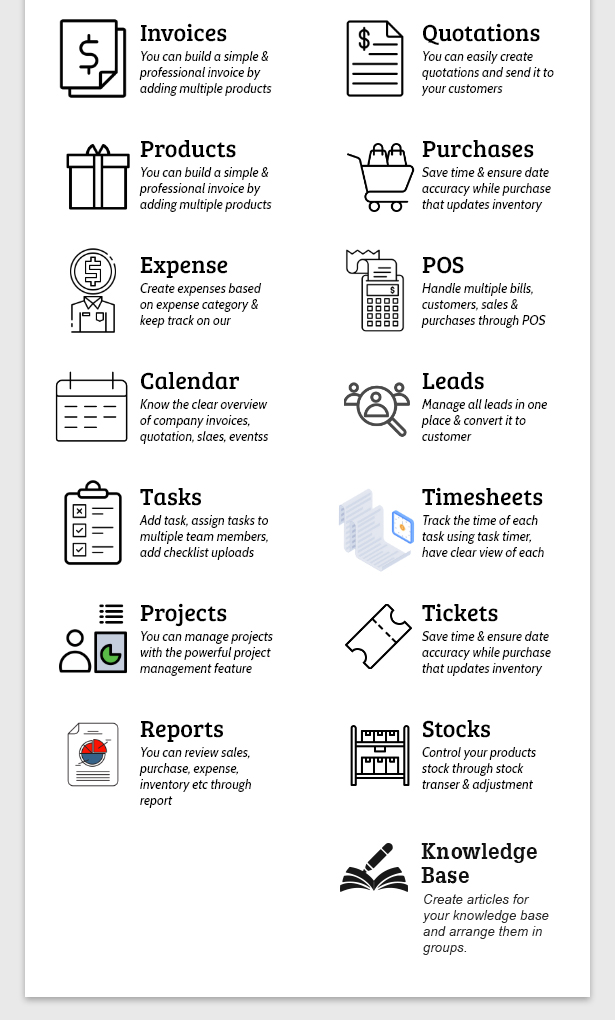

- RoverCRM- Inventory & Project Management System with POS module is a stock/inventory management system that allows you to manage your customers, sales, purchases,control stock, invoices, take payments & many more.
- Keep all your team’s tasks in one place. Collaborate and work in real time for real results. Whether you are running a small business or a big, it is the best solution where you can explore your inventory, purchases, sales & project management in one application.
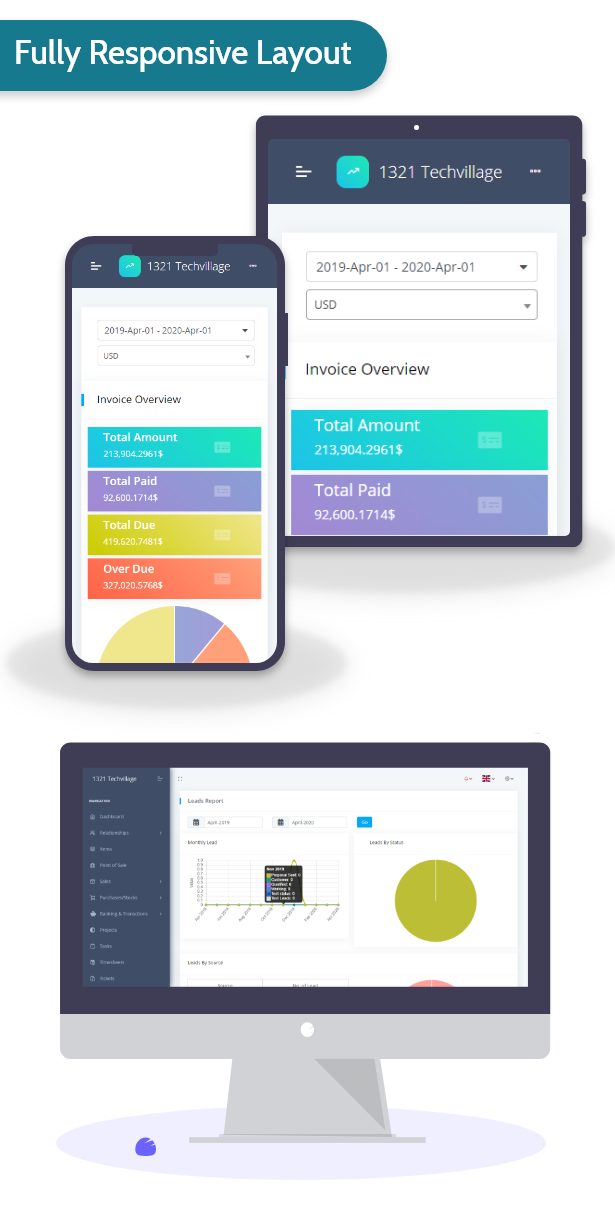
- User friendly, simple & responsive UI design – that will improve your business performance & make it more professional.
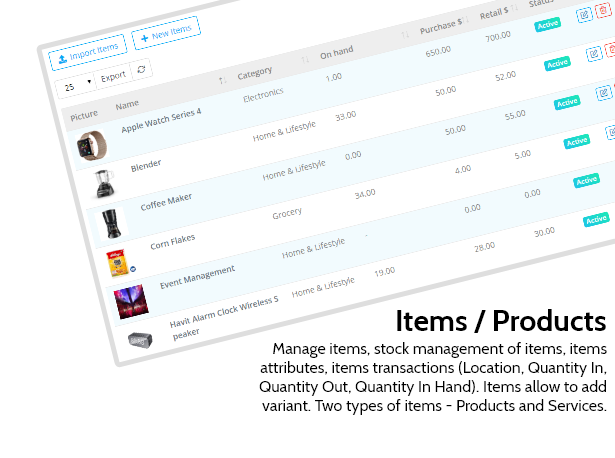
- Manage stock control, make purchases, manage all your inventory products & custom products, currencies, taxes, expenses, bank account & transactions in one application, not on spreadsheets. It will save your time and you can explore it in new opprtunities.
- POS module will help you to manage sales & inventory easily. It’s faster POS interface will save your time.
Demo Site info:
Admin Login: URL: username : admin@techvill.net password : 123456
Customer Login: URL: username : customer@techvill.net passwrod : 123456
Point of Sale Login: URL: username : pos@techvill.net passwrod : 123456
Key Features
Dashboard
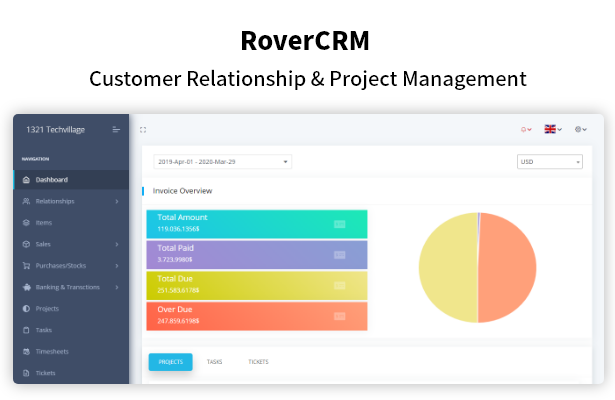
Graphical overview of Invoices, Quotations, Expenses & Leads is represented on Dashboard. Total paid, due & overdue amount of Invoices is represented via Pie chart, Quotation converted to invoice or not- you can see the amount via a pie chart. Per month expenses cost with each category is represented via a graph. Projects, Tasks & Tickets summary are also present on dashboard.
Relationship
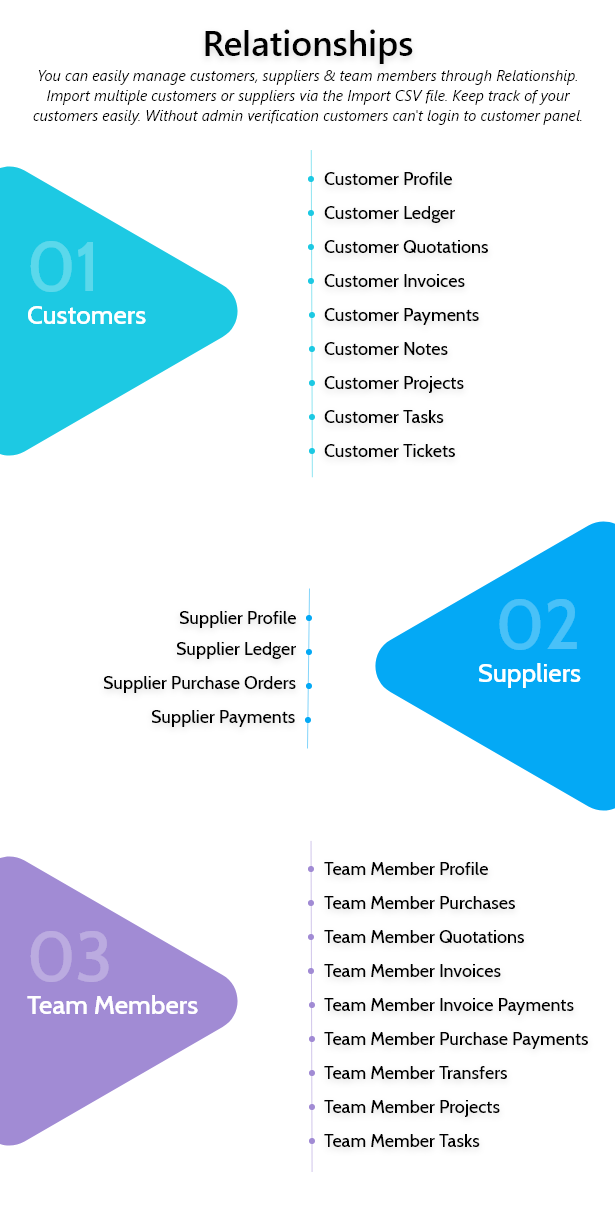
You can easily manage customers, suppliers & team members through Relationship. Import multiple customers or suppliers via the Import CSV file. Keep track of your customers easily. Without admin verification customers can’t login to customer panel.
Invoices
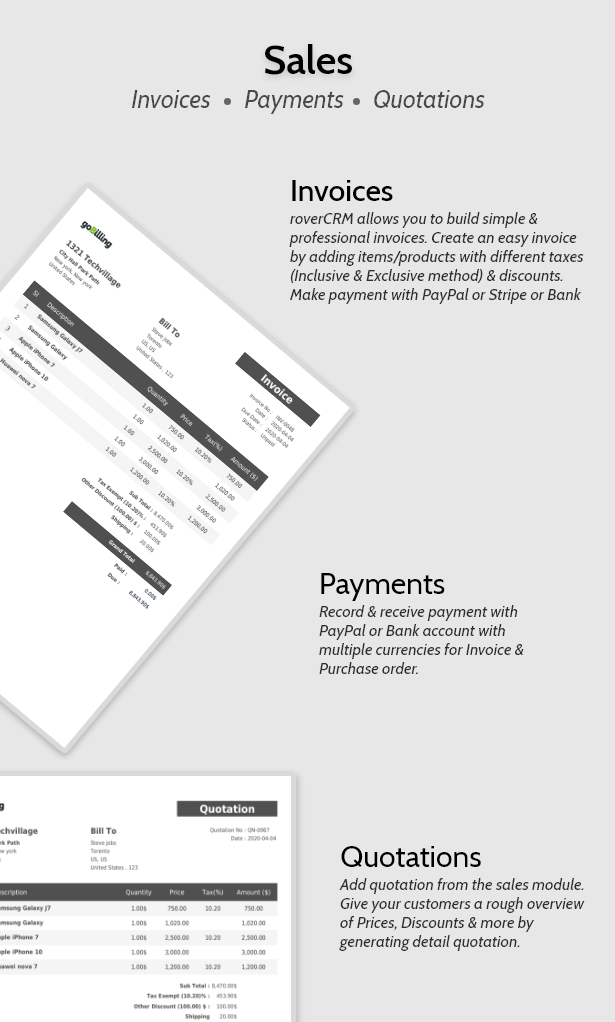
RoverCRM allows you to build simple & professional invoices. Create an easy invoice by adding items/products with different taxes (Inclusive & Exclusive method) & discounts. Make payment with Paypal or Bank account.
Quotations
Add quotation from the sales module. Give your customers a rough overview of Prices, Discounts & more by generating detail quotation.
Purchase Order
Save time and ensure data accuracy when you create purchase orders that update inventory levels automatically. Create purchase order via selecting supplier. You can receive purchase order automatically or manually.
Payments
Record & receive payment with Paypal or Bank account with multiple currencies for Invoice & Purchase order.
POS (Point of Sale) Module
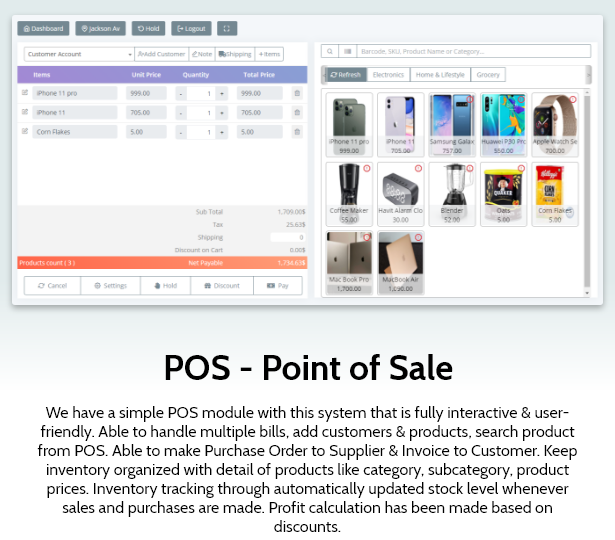
We have a simple POS module with this system that is fully interactive & user-friendly. Able to handle multiple bills, add customers & products, search product from POS. Able to make Purchase Order to Supplier & Invoice to Customer. Keep inventory organized with detail of products like category, subcategory, product prices. Inventory tracking through automatically updated stock level whenever sales and purchases are made. Profit calculation has been made based on discounts.
Stock Management
Manage your stock by enabling stock management that will affect your system inventory. If the stock is not available, you can’t create any invoices. The system will give an alert as notification when your warehouse or store item quantity reached lower. Control your products through stock transfer/adjustments. Stock Transfers: The stock transfer function is the process of moving the stock inventory from one location to another location. Stock Adjustment: Stock adjustments are increases and decreases made to inventory to match an item’s actual on-hand quantity.
Multi Warehouse
Manage your inventory efficiently across multiple warehouses and locations all on a single platform..
Bank Accounts
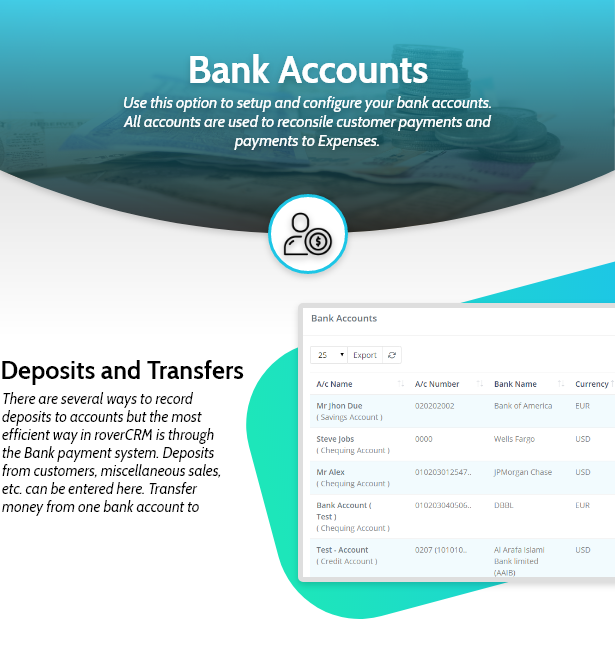
Use this option to setup and configure your bank accounts. All accounts are used to reconsile customer payments and payments to Expenses.
Bank Account Deposits and Transfers
There are several ways to record deposits to accounts but the most efficient way in RoverCRM is through the Bank payment system. Deposits from customers, miscellaneous sales, etc. can be entered here. Transfer money from one bank account to another
Project Management
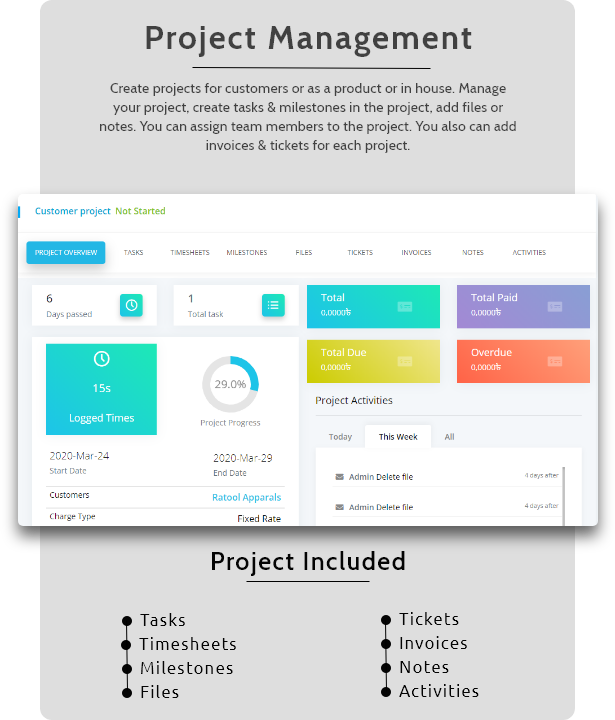
Create projects for customers or as a product or in house. Manage your project, create tasks & milestones in the project, add files or notes. You can assign team members to the project. You also can add invoices & tickets for each project.
Task Management
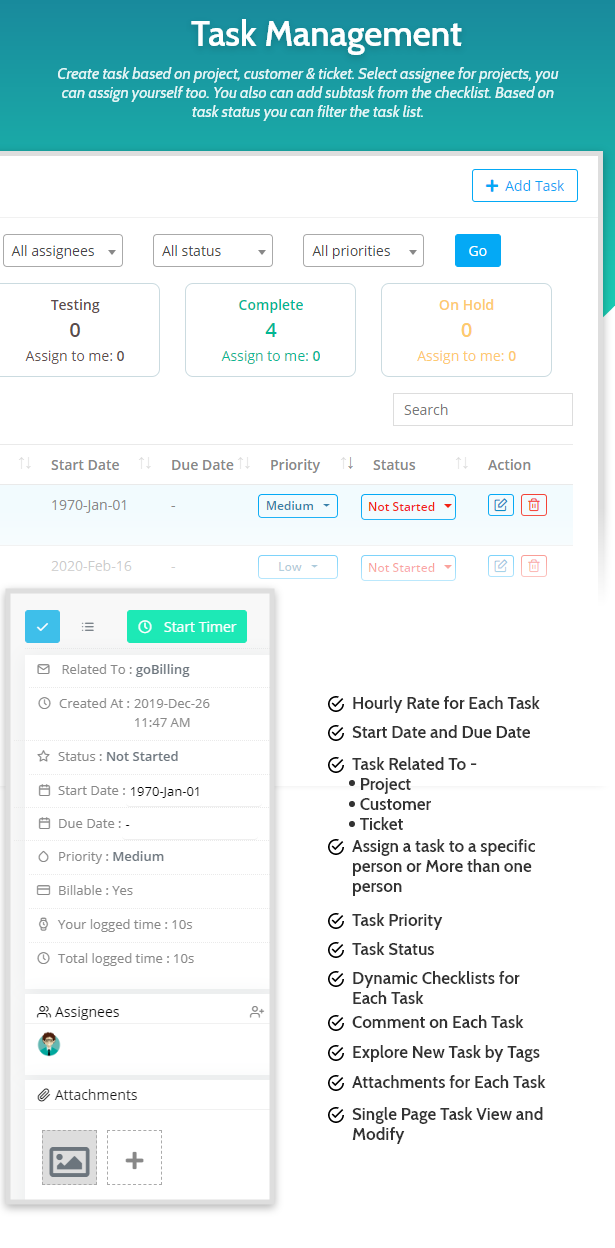
Create task based on project, customer & ticket. Select assignee for projects, you can assign yourself too. You also can add subtask from the checklist. Based on task status you can filter the task list.
Task Timer
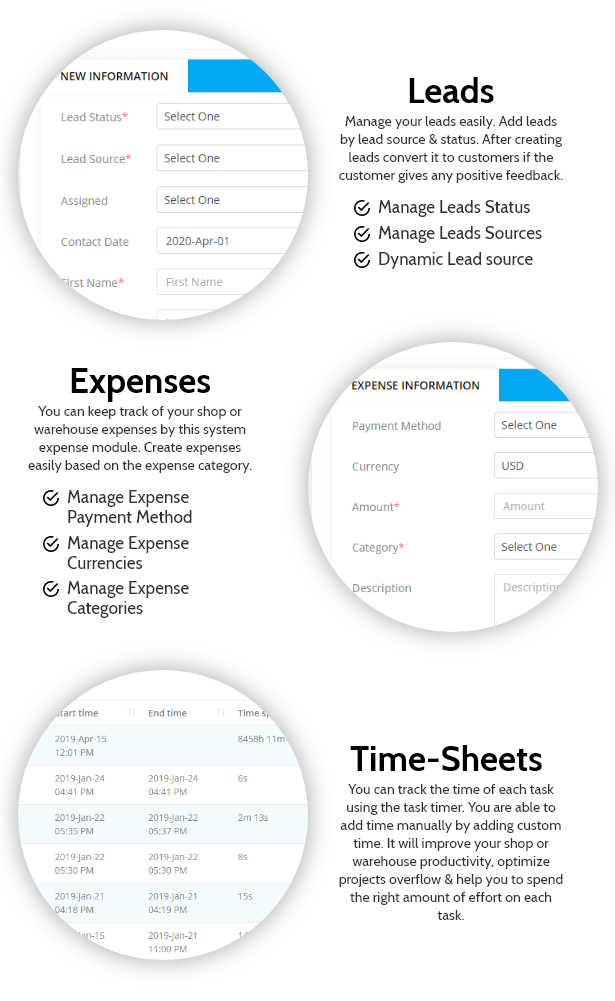
You can track the time of each task using the task timer. You are able to add time manually by adding custom time. It will improve your shop or warehouse productivity, optimize projects overflow & help you to spend the right amount of effort on each task.
Support Ticket
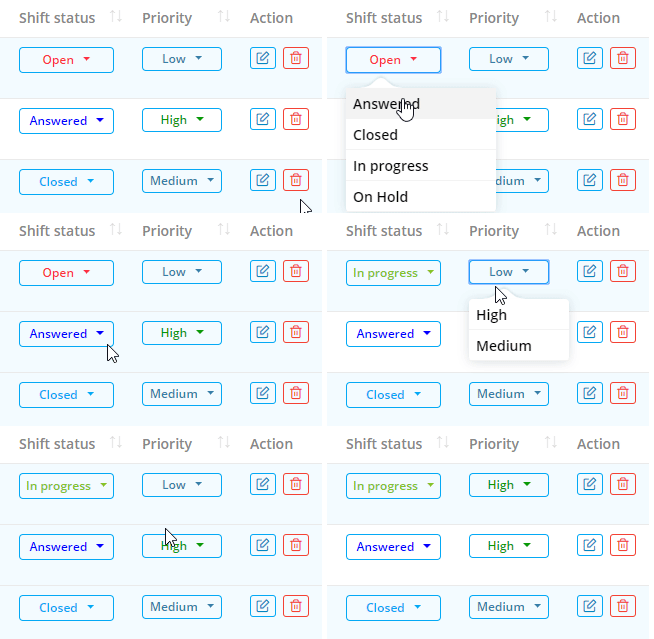
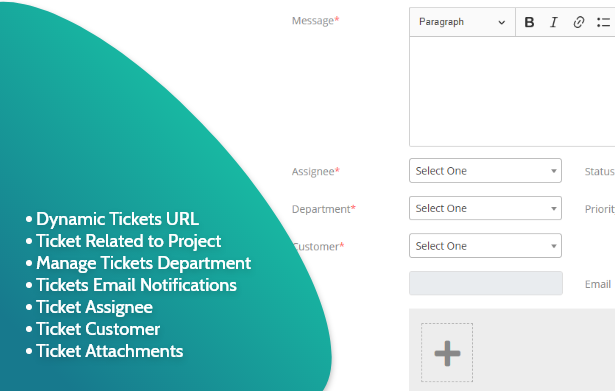
A powerful ticket system can track the support request that your customer creates based on their status & priorities. You can assign a ticket to your team members.
Expenses
You can keep track of your shop or warehouse expenses by this system expense module. Create expenses easily based on the expense category.
Leads
Manage your leads easily. Add leads by lead source & status. After creating leads convert it to customers if the customer gives any positive feedback.
Calendar
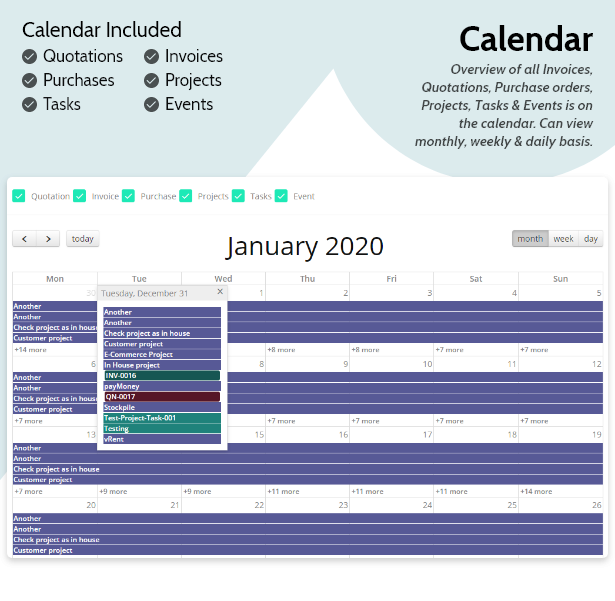
Overview of all Invoices, Quotations, Purchase orders, Projects, Tasks & Events is on the calendar. Can view monthly, weekly & daily basis.
User Role & Permissions
As owner of this site you can add other user as admin providing permission to specific role.
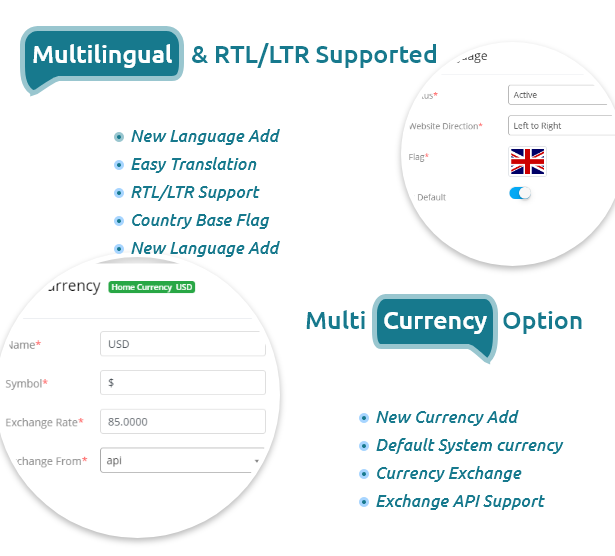
Multilingual & RTL/LTR Supported
The system supports multiple languages. You can change website directions based on Right to Left or Left to right.
Email Templates & settings
To send mail we have dynamic email template which is changeable too. If you want you can change the template. It also supports multiple languages. We have two E-mail sending protocols. You can send email via SMTP and another one is default, send mail option.
Reports
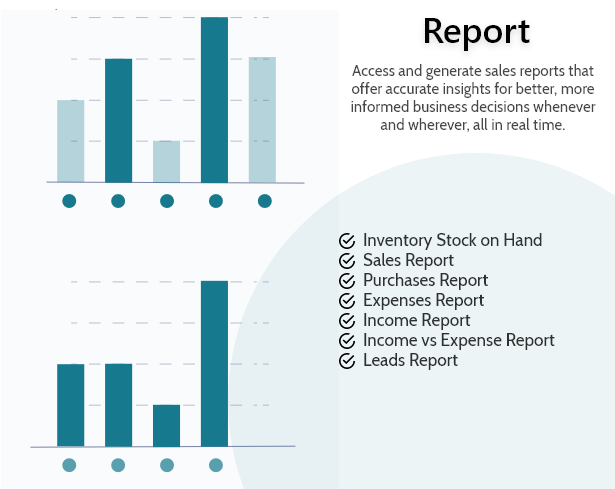
Access and generate sales reports that offer accurate insights for better, more informed business decisions whenever and wherever, all in real time.
- Inventory Stock on Hand Reports
- Sales Reports
- Purchase Reports
- Team Members Reports
- Expense Reports
- Income Report
- Income VS Expense Reports
Customer Area:
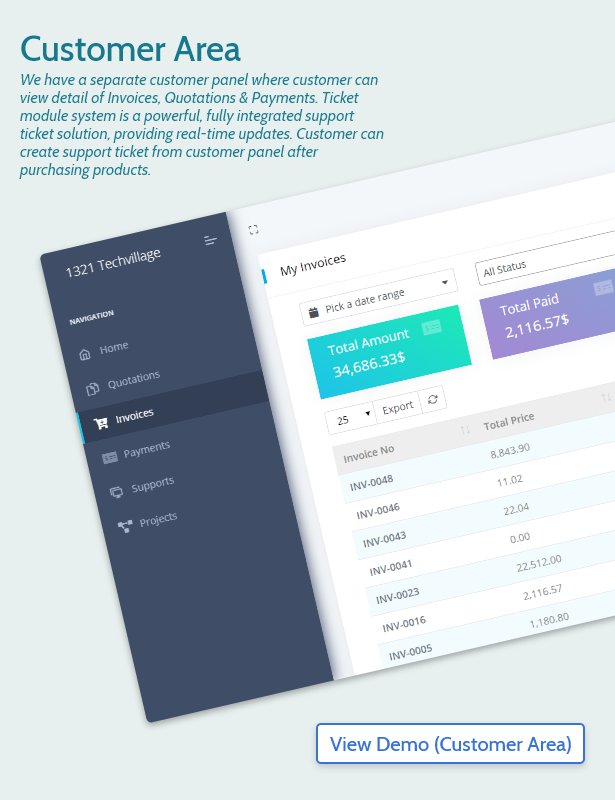
We have a separate customer panel where customer can view detail of Invoices, Quotations & Payments. Ticket module system is a powerful, fully integrated support ticket solution, providing real-time updates. Customer can create support ticket from customer panel after purchasing products.
New Released Features (v-1.3)
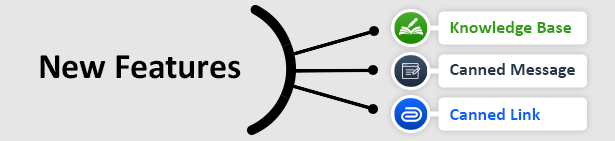
Knowledge Base
It’s an online library of self-service information about a product, service, department, or topic. To assist your clients, create knowledge base articles and organize them into groups. Anyone can leaves comments on an article using their Facebook account.
Canned Message
It’s a predefined messages for the frequently asked questions that are used in support ticket reply. You can set predined messages from general settings canned message menu.
Canned Links
It’s a predefined links which are used in support ticket reply. This type of links are frequently used in ticket reply. You can set predined links from general settings canned link menu.
Update ChangeLog
RoverCRM v-1.7 07 August, 2022
New Feature: Added shareable link at Ticket
New Feature: Added shareable link at Quotation
New Feature: Added shareable link at Invoice
New Feature: Added restriction to view folder via URL

Improvement: Update middleware
Improvement: Make common function to reusability
Improvement: HTML rendering while sending the mail
Improvement: Validate while making the payment

Bug Fixing: Fixed permission issue while updating the user info
Bug Fixing: Fixed tax calculation
Bug Fixing: Payment status on pdf
Bug Fixing: Remove console error on the installer
Bug Fixing: File attachments on customer payment
RoverCRM v-1.5 26 October, 2021
New Feature: Re-installation option added

Improvement: Date separated with space
Improvement: All are functional even there are no email settings
Improvement: Removed canned message while ticket reply from the customer panel

Bug Fixing: Fixed installation & configuration issues on windows server
Bug Fixing: Fixed installer while dummy data off
Bug Fixing: Fixed server port issues while installation
Bug Fixing: Fixed email sending issues, if not email not configured
RoverCRM v-1.3 July 16, 2021
New Feature: Added Canned Message in ticket reply and implement it's functionality.
New Feature: Added Canned Link in ticket reply and implement it's functionality.
New Feature: Added Knowledge Base module and implement it's functionality.
New Feature: Added currency conversion api and implement it's functinality.
New Feature: Spanish, Russian, Turkish, Chinese, Portuguese are added as new language.
New Feature: Added customer activation link email template.

Improvement: Laravel version upgraded to 8.x
Improvement: Transaction detail link updated on banking & transaction.
Improvement: Showed the uploaded file in Banking & Transaction.
Improvement: Priority comes below the name in project & ticket list.
Improvement: If possible then data comes from cache.
Improvement: Not stored only white space input field.
Improvement: Priority is also appeared in ticket reply.
Improvement: Changed the priority color.
Improvement: Updated assign name in lead list.
Improvement: Added project creator name in project overview and activities.
Improvement: Added project in ticket reply and can change the project from ticket reply.
Improvement: Added pdf attachment option while sending purchase payment receipt email.
Improvement: Added spinner while click into sign in button.
Improvement: Added assignee in ticket list.

Bug Fixing: Fixed project files list errors and project date issue.
Bug Fixing: Fixed task comment issue.
Bug Fixing: Fixed invoice empty reference, wrong flat discount issues.
Bug Fixing: Fixed customer quotation pdf issue.
Bug Fixing: Fixed address issue on suplier module.
Bug Fixing: Fixed the issue of purchase creating without item.
Bug Fixing: Fixed project count value in dashboard.
Bug Fixing: Fixed customer note list page and quotation date filtering issue.
Bug Fixing: Fixed customer change status issue.
Bug Fixing: Fixed customer ledger pdf generate and invoice over due issue.
Bug Fixing: Fixed supplier purchase order, payment date filter design issue.
Bug Fixing: Fixed purchase add, edit custom amount required issue.
Bug Fixing: Fixed bank account transaction debit credit filtering issue.
Bug Fixing: Fixed bank account deposit edit image issue.
Bug Fixing: Fixed item entry error.
RoverCRM v-1.1 March 3, 2021
New Feature: French is added as a new language.

Improvement: Updated the design of dark theme all over the project.
Improvement: Updated the design of file previewer for the whole project.
Improvement: Refactor Stock Adjustment Js.
Improvement: Changed the purchase report design.
Improvement: Generated auto email & sms template while creating language.
Improvement: Sent mail to the assignees while changing the task status.
Improvement: Sent mail to the assignees while commenting on a task.
Improvement: Refactor redirection from item and item varints edit.
Improvement: Used variant item parent name in the card header.
Improvement: English and Default languages are not deletable.
Improvement: Default language made always active.
Improvement: Changed ticket list design.
Improvement: Changed customer list design.
Improvement: Improved the finance menu design.
Improvement: Changed timesheet list design.
Improvement: Improved the registration country field color.

Bug Fixing: Resolved task modal file delete issue.
Bug Fixing: Resolved caching issue in language.
Bug Fixing: Resolved item category issue while creating new item.
Bug Fixing: Resolved the ticket filter wrong values issue.
Bug Fixing: Resolved customer registration verification mail issue.
Initial Release v-1.0 February 04, 2021
Initial Release
Categories
Tags
External listing. code.market does not sell this product and does not process payment for it. Pricing, payment, delivery, licensing, refunds, and support are handled by the third-party merchant on its own website. We may earn an affiliate commission from a referral. Details.
Products of the Week.
Submit#1

upvote.club
Free Social Media Engagement that Helps Boost Your Content. Upvote Club supports 19 social networks with 100+ engagement actions in one dashboard. Add links to your posts and get free engagement from real users.
SaaS · 16,260 views · 96 clicksSaaS · Week 42 · 16,260 views · 96 clicks
#2

Seenshot App
Free, Fast, MacOS Screenshot app. Make Screenshot cmd+shift+2 and send it via link
Desktop App · 5,274 views · 109 clicksDesktop App · Week 42 · 5,274 views · 109 clicks
#3

Conversational Backlinks for Busy Founders
Place Backlink Relevant Conversation for your domain across Forums and Conversations
Website · 17,101 views · 195 clicksWebsite · Week 42 · 17,101 views · 195 clicks
#4

Substack Posting API
Onboard your Agent to Substack. Write Publish on Substack via API
SaaS · 36,092 views · 184 clicksSaaS · Week 42 · 36,092 views · 184 clicks
#5

codester.com
SocialDesk+: Omnichannel Social Commerce & Business Management Platform This is stronger than simply “Social Commerce and Messaging” because it tells buyers this is a complete business platform, not just a messaging script. Turn Social Conversations Into Sales SocialDesk+ is a complete omnichannel social commerce and business management platform built for businesses that sell and communicate with customers through social media. Instead of switching between WhatsApp, Facebook, Instagram and TikTok, businesses can manage customer conversations, comments, products, leads, follow-ups, automation, teams and business reports from one professional workspace. And because the full source code is included, developers, agencies and entrepreneurs can customize, rebrand and launch SocialDesk+ as their own business solution or SaaS platform. 🚀 Build Your Own Social Commerce Business SocialDesk+ gives you the foundation to launch: - Your own SaaS platform - A white-label social CRM - A social-commerce management system - A customer communication platform - A business messaging solution - A custom solution for clients - A multi-business subscription platform 💬 Connect Your Customers Supported social channels include: WhatsApp • Facebook • Instagram • TikTok Bring supported conversations into one centralized workspace and help businesses respond faster without constantly switching between platforms. 🛍️ More Than a Messaging Platform SocialDesk+ combines communication with the tools businesses need to manage customer opportunities: Inbox Manage customer conversations from connected channels. Comments Monitor and respond to social-media comments. Customers & Leads Organize customer information and potential buyers. Products & Catalog Manage products and give your team quick access to product information. Follow-Ups Make sure potential customers don't get forgotten. Automation Automate repetitive customer questions and responses. AI Assistant Provide AI-assisted communication when configured. Team Management Give managers and staff access to the business workspace. Reports & Analytics Track activity using business reports and analytics. The current product listing already includes these capabilities. 🔥 Why Buyers Will Want It Launch Faster Start with an already-built business platform instead of developing the entire system from zero. Customize Everything The full source code is included, allowing developers to change branding, features, workflows and integrations. Build a SaaS Create multiple business workspaces and offer SocialDesk+ as a subscription-based service. Sell to Businesses Offer it to retailers, restaurants, service businesses, online sellers, agencies and other businesses that communicate with customers through social media. Mobile + Web + Backend This isn't just a mobile UI template. It includes: - Flutter mobile application - Python / FastAPI backend - Web interface - Administration tools - Database infrastructure - API-based architecture - SQLite / PostgreSQL support - Android and iOS project structure 💼 One Platform. Multiple Business Opportunities. For SaaS Entrepreneurs Launch your own subscription platform and allow multiple businesses to operate inside separate workspaces. For Software Agencies Customize and rebrand the platform for clients instead of building an omnichannel business system from scratch. For Developers Use the complete source code as a foundation for your own social-commerce or customer-management product. For Businesses Deploy a dedicated version for your own customer-service and social-commerce operations. 🧩 What's Included Mobile - Flutter / Dart - Android - iOS project Backend - Python - FastAPI - SQLAlchemy - Alembic Database - SQLite - PostgreSQL Web - HTML5 - CSS3 - JavaScript Deployment - Docker - Docker Compose - Production configuration Business Platform - Multi-workspace architecture - Authentication - Teams - Customers - Products - Messaging - Comments - Automation - Reports - Subscriptions - Administration The current listing also documents third-party integrations such as Meta, TikTok, Stripe, Firebase, SMTP and optional OpenAI configuration. ⚡ What Makes SocialDesk+ Different? You're not buying a simple: ❌ Chat UI ❌ WhatsApp clone ❌ Flutter template ❌ Admin dashboard ❌ Basic CRM You're getting a complete business platform foundation that can be customized, branded and commercialized. Connect. Automate. Manage. Grow. SocialDesk+ Omnichannel Social Commerce & Business Management Platform One important change I'd make to the current listing The current page starts with: “A simple guide to managing your social conversations, customers, products and business activity.”
Other · 3,504 views · 31 clicksOther · Week 42 · 3,504 views · 31 clicks
#6

sandbook.app
Sandbook reads EPUB, PDF, web pages and scanned pages aloud with Kokoro TTS, an open neural voice model that runs on your iPhone, free and offline. Choose from 41 natural voices in English, Spanish, French, Italian, Brazilian Portuguese and Hindi and follow each word as it is spoken. Try the same voices in your browser first with the free Kokoro TTS online demo.
Other · 3,509 views · 13 clicksOther · Week 42 · 3,509 views · 13 clicks