
Quick Social SaaS - Social Media Publishing

Description
Quick Social SaaS is a complete social media publishing service you run as your own subscription business, built on Laravel 12. Customers arrive on your website, pick a plan, pay through one of seventeen payment gateways and publish to fourteen social channels from their own workspace. You watch the money and the accounts from the staff console.
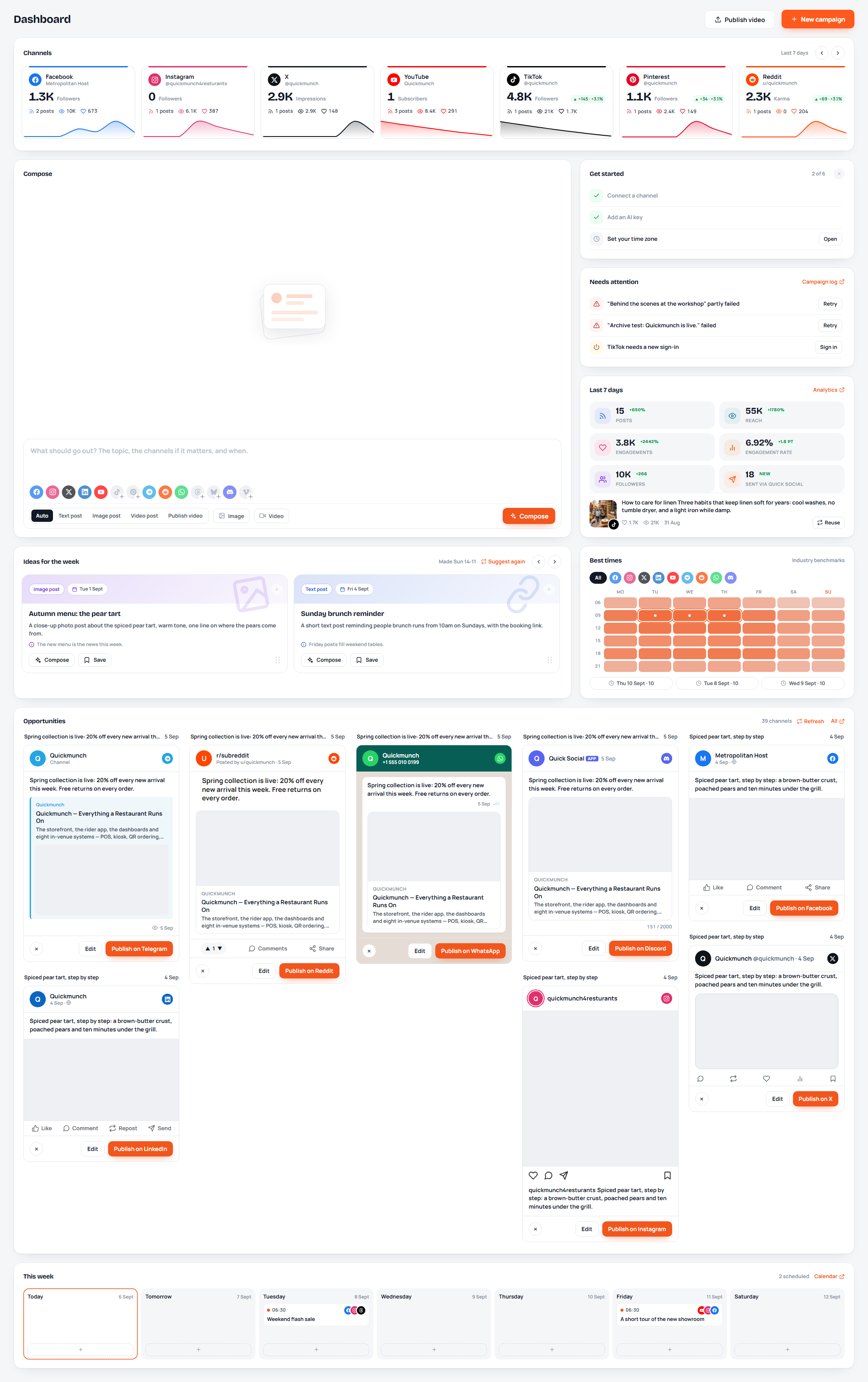
Everything a subscription business needs is already wired: plans with real limits, free trials, monthly and yearly terms, coupons, invoices, refunds, renewals and cancellations, a public marketing website with pricing, and a console with revenue, orders, payments and webhooks. Nothing is stubbed and no third-party billing service is required - the money runs through gateways you connect with your own keys.
Inside a workspace, a customer composes a post once and sees it the way every channel will show it, publishes now or schedules it, uploads native video to six platforms, and follows what went out from the campaign log, the calendar, the channels' own feeds and the analytics. AI writes captions, plans the week and makes pictures and video clips, on keys you set once for the whole site.
One customer can run several brands, each in its own workspace with its own channels, calendar, media and reports, and invite team members to help - which is what turns a single subscription into an agency account.
Features
A Subscription Business, Not Just a Panel
- Customers sign up on your site, confirm their email and land in a workspace of their own - your staff never creates their accounts
- Plans you write yourself: name, tagline, monthly and yearly price, trial length, and the limits that matter - workspaces, connected channels, team members, posts a month, AI credits, media storage, analytics history, and whether the image studio, the video studio and Google Drive are included
- Free trials: one per account, started from the pricing page or from Plan and billing, with reminders three days and one day before the end
- Every limit is enforced where it is felt: adding a workspace, connecting a channel, inviting a member, publishing, scheduling, asking the AI, uploading to the library, opening a studio, choosing an analytics range
- A downgrade never deletes anything - the newest workspaces over the new limit go read-only until the customer upgrades or removes one
- Monthly and yearly terms, prepaid terms that add on to each other, renewals from the gateway's own events, cancel-at-period-end, and a plan the staff can grant by hand
Seventeen Payment Gateways, Invoices and Coupons
- PayPal, Stripe, Braintree, Square, Mollie, Paystack, Flutterwave, PayU, SSLCommerz, AamarPay, ToyyibPay, Skrill, GoCardless, Amazon Pay, VR Pay and Cryptomus, plus bank transfer with a receipt upload your staff confirms
- Each gateway is switched on, put in test or live mode and given your own keys from the console; credentials are stored encrypted, the webhook address is shown for you to register, and a test button checks the connection before a customer meets it
- Checkout with billing details, a coupon box, tax and the methods you allow; PayPal's buttons, Braintree's drop-in and Amazon Pay are drawn inline
- Invoices with your own prefix and numbering, printable from the browser, with credit notes when you refund
- Coupons: a percentage or a fixed amount, limited to certain plans, with a redemption count and an expiry
- Webhooks processed as they arrive, kept with their payload, and retried from the console when one fails
Fourteen Channels, One Composer
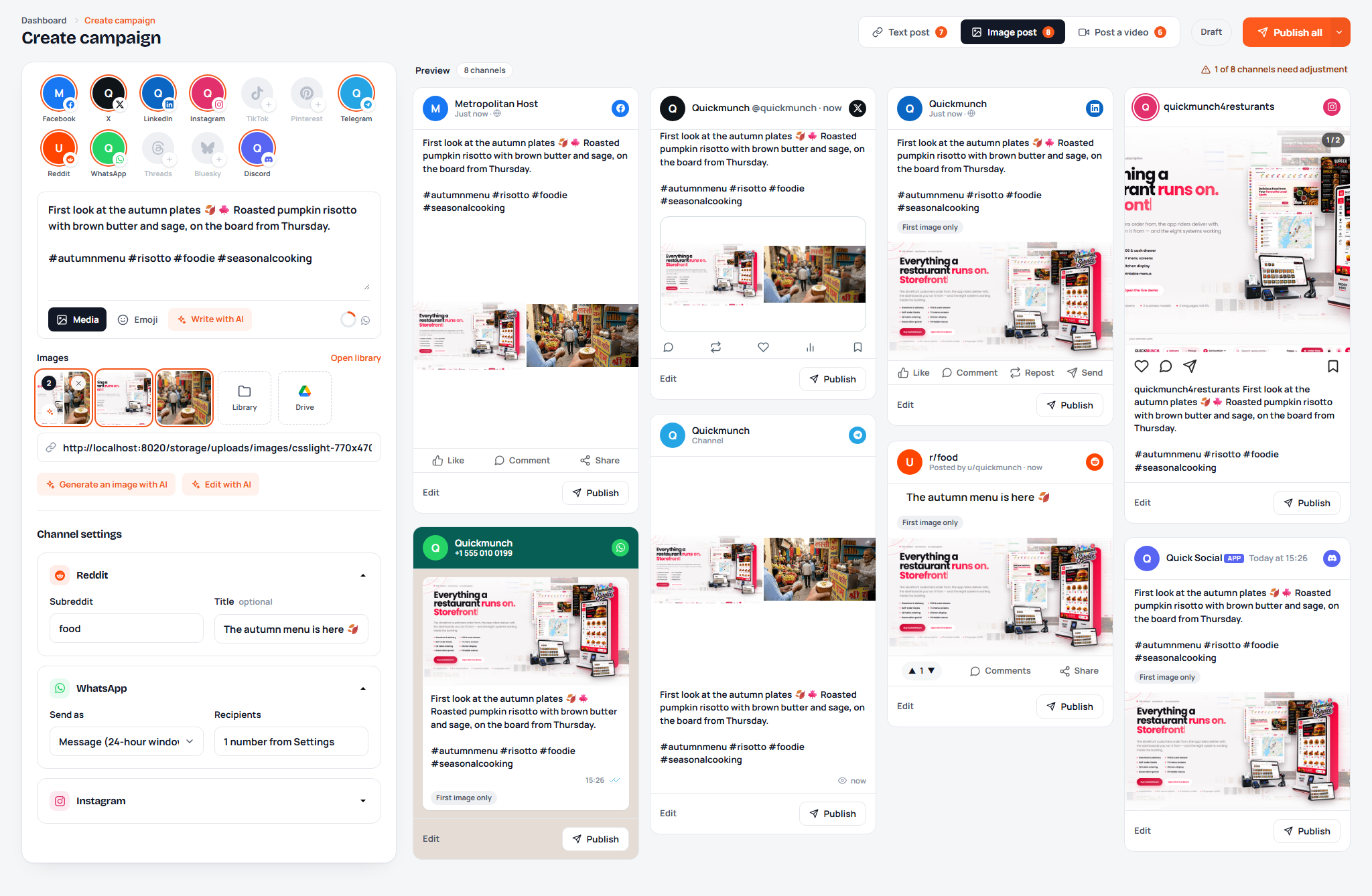
- Text, image and video posts to Facebook Pages, X, LinkedIn (profile and company page), Instagram, TikTok, Pinterest, Telegram, Reddit, WhatsApp Business, Threads, Bluesky and Discord
- Native video uploads to YouTube (videos and Shorts), Vimeo, TikTok, Instagram Reels, Facebook Reels and Pinterest video pins, each with its own settings: visibility, category, playlist, made-for-kids, comments, duet, stitch, boards and cover frames
- Live previews: every selected channel drawn the way that platform shows a post, with the connected account's name and avatar, link cards, image sets and per-channel text
- Per-channel settings where a channel needs them: the subreddit and title for Reddit, a message or approved template for WhatsApp, a board for Pinterest
- Publish now, schedule, or save as a draft; publish every channel at once or one card at a time
Scheduling, Calendar and Campaign Log
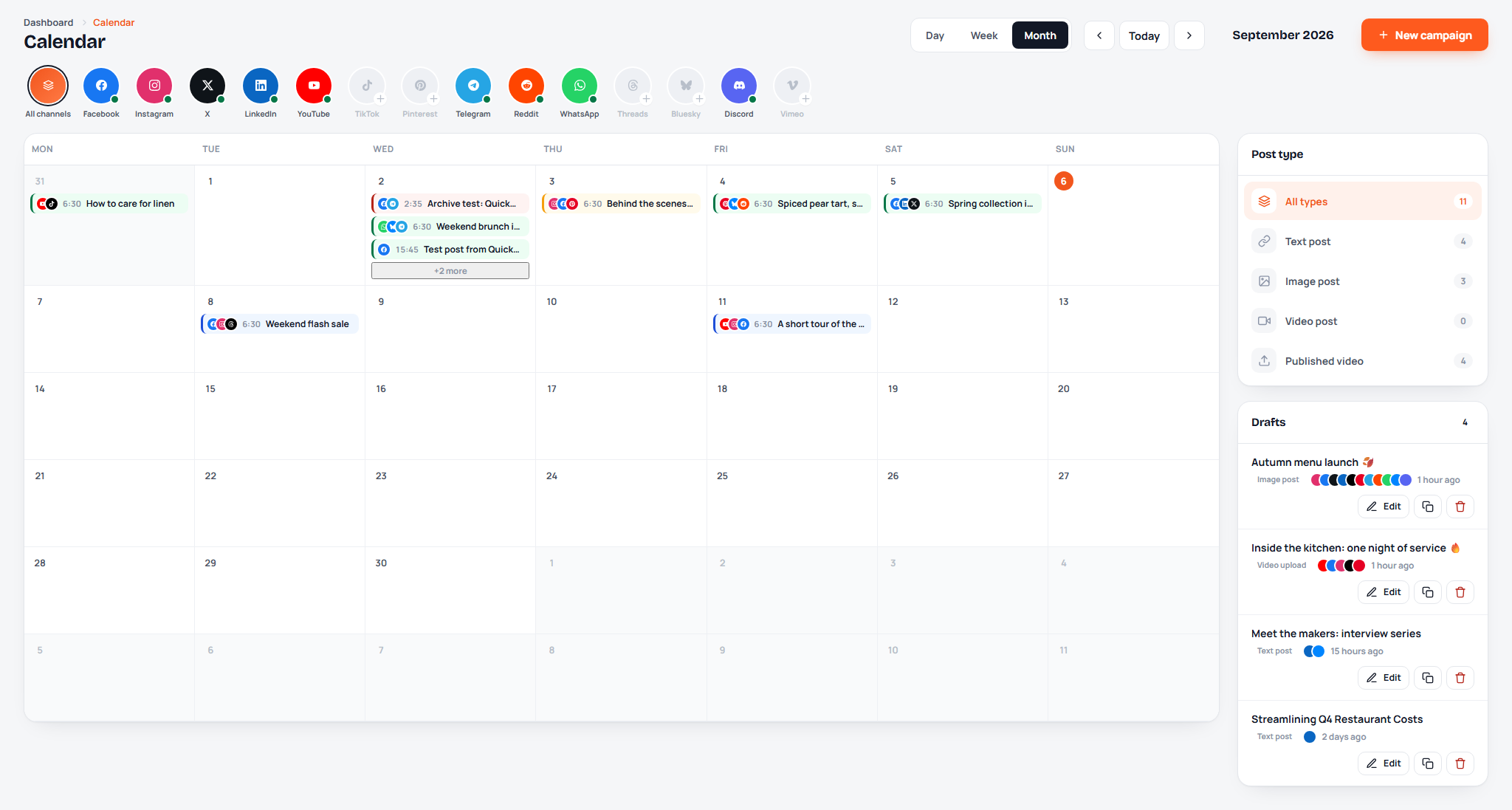
- A calendar of drafts, scheduled and published campaigns with drag-and-drop rescheduling and a week strip on the dashboard
- The scheduler publishes on time from one cron entry for the whole site; the same entry expires unpaid orders, reconciles subscriptions and sweeps trials
- The campaign log keeps every run: what was published, the post links on each platform, what failed and why, with a one-click retry per channel
- Opportunities: recent campaigns that skipped a channel, ready to publish there in one click
Feeds, Analytics and Best Times
- Feeds: the channels' own posts read into the app, in a wall the customer can reuse from
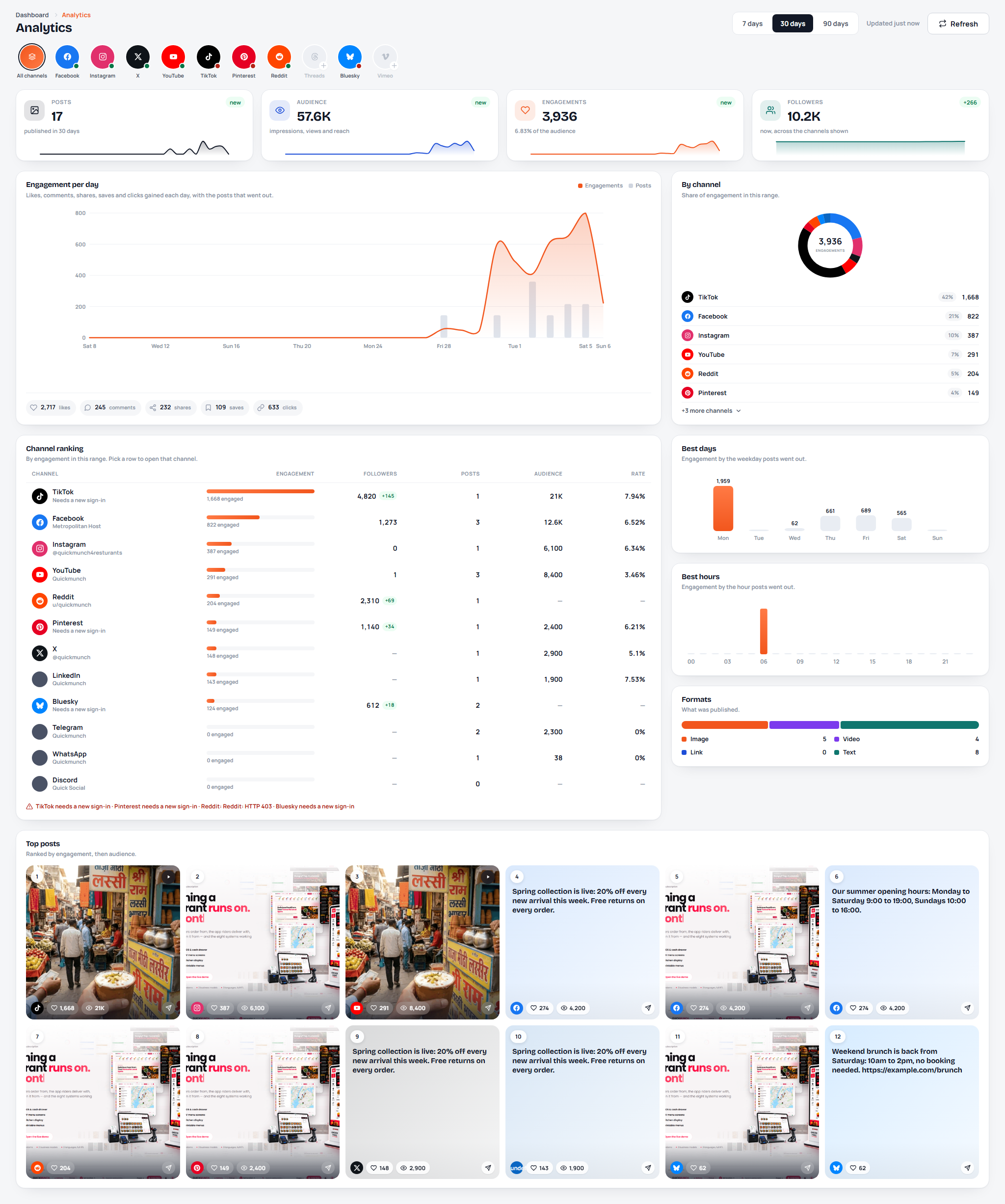
- Analytics for 7, 30 or 90 days - as far back as the plan allows: posts, reach, engagements, engagement rate and followers per channel, day-by-day lines, top posts, formats and the best days and hours
- Campaign and video analytics: each post's numbers over time on every channel it went to
- Best times: a heat map of the audience's activity per channel, and the next good slots to post
AI Where It Saves Time (bring your own key)
- Write with AI in the composer, in the brand's voice, tailored per channel when asked
- Ideas for the week: five suggestions drawn from recent results, composed with one click
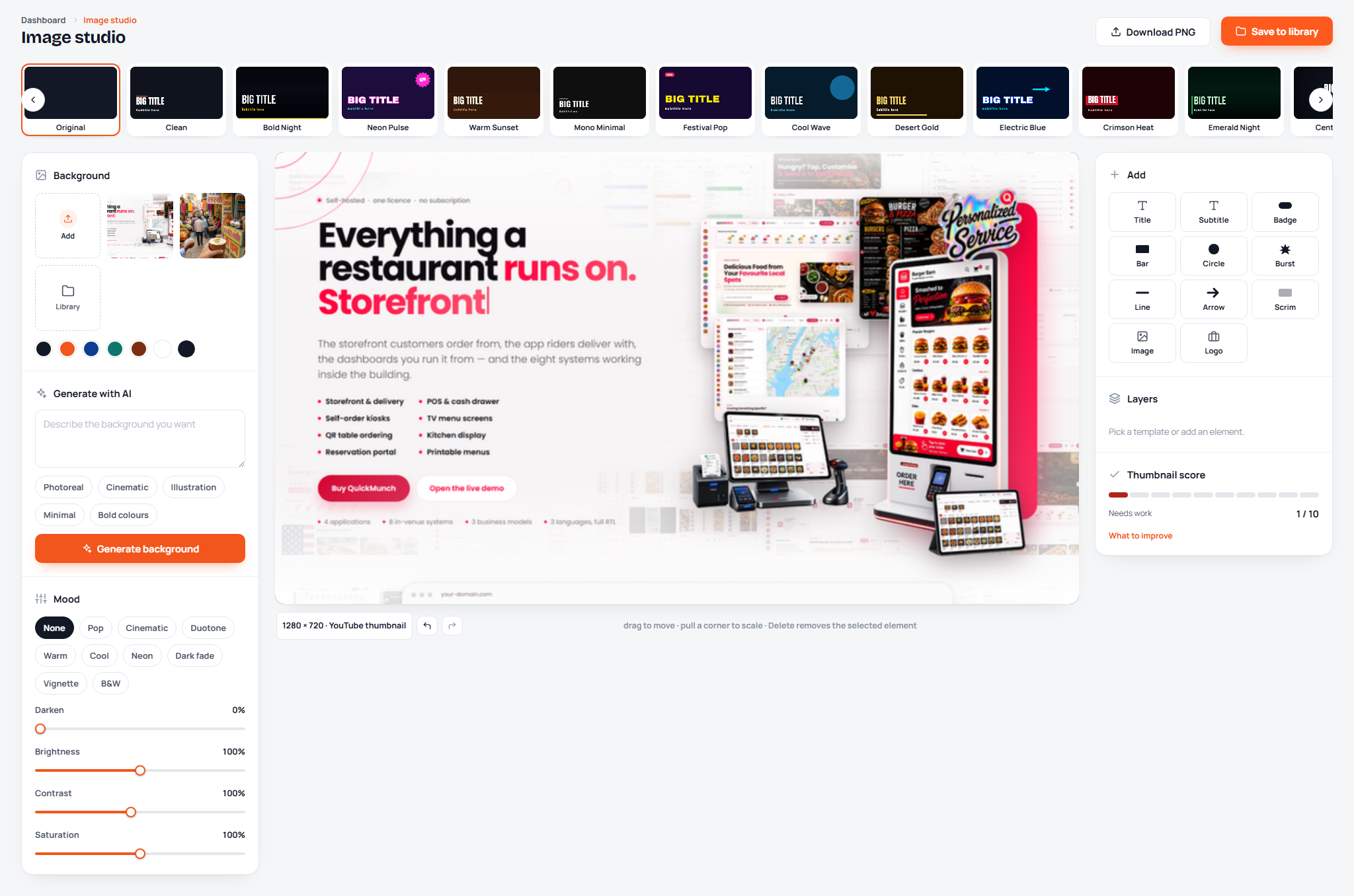
- Image studio: text, fonts, layers and templates over pictures or AI-generated ones, rendered on the server
- Video studio: trim, captions, covers and AI-generated clips (FFmpeg on the server)
- AI credits are part of the plan: every call is counted per month and per account, and a failed call gives its credit back
- Four providers - OpenAI, Anthropic, Google Gemini and OpenRouter - with a provider and model chosen per feature
Your Public Website, Included
- Home with the hero, channel marquee, three steps, eight features, showcase sections, a numbers band, plan cards with a monthly/yearly switch, FAQ and a closing call to action
- Features, Channels (all fourteen, with what each accepts) and Pricing with a comparison table drawn from the plans' own limits
- Contact with topics, a honeypot and rate limiting; messages are stored and read in the console
- About, terms, privacy, refunds and cookies as template texts you edit, linked from sign-up and checkout
- sitemap.xml and robots.txt, and every word of the site in one config file
The Staff Console
- A dashboard with MRR, 30-day revenue, new customers, running trials and churn, a twelve-month revenue chart, a thirty-day sign-up line, accounts by plan, what needs a look, recent orders and the newest customers
- Clients and Workspaces: search every customer, open one to see their plan, usage, workspaces, team and invoices, suspend an account, or sign in as them to see exactly what they see
- Plans, Orders (search, confirm a bank transfer, refund), Payments, Invoices, Coupons, Webhooks and Payment gateways
- Site settings for AI keys, SMTP, the scheduler, Firebase push and branding, plus the website's message inbox
- Staff accounts are separate from customers: a staff session is never a customer session, and a customer can never reach the console
Workspaces, Teams and Isolation
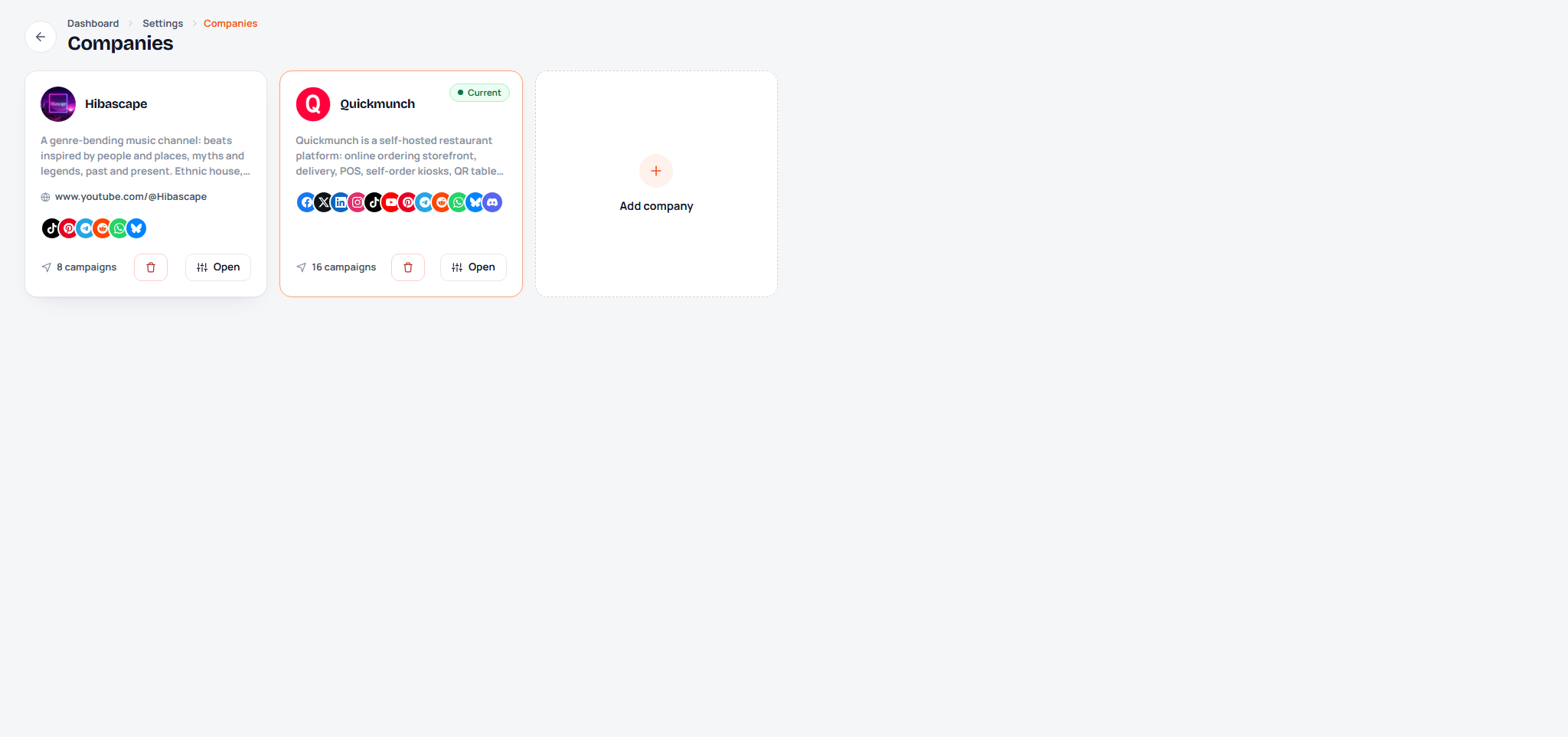
- A customer runs one workspace per brand or client, switched from the top bar; each has its own channels, campaigns, calendar, ideas, media and reports
- Team members by invitation: invited by email or a copyable link; they work in the workspace but never see the plan, the billing or the invoices
- Isolation is enforced in the middleware, not in the views: a URL naming another account's campaign, channel or file never resolves
- Suspended accounts, email confirmation when the site can send email, sign-in times, and each customer's own profile and time zone
What's Included
- Full Laravel 12 source: controllers, services, form requests, Blade views, and the CSS and JavaScript sources built with Vite (the built files are included, nothing needs building to run)
- A three-step web installer: server check, folder permissions, database and the first staff account
- The application ships as a single quick-social-saas.zip - upload one file to your host and extract it there
- HTML documentation covering installation, the website, plans and payments, every screen and its controls, connecting each channel, the AI providers, SMTP, push notifications, Google Drive, demo mode, updating and troubleshooting, plus an installation guide PDF
- All assets local: fonts, icons, scripts. No sample content in the product - the site starts empty and yours
Third-Party Integrations (all optional, off by default)
- Payments: PayPal, Stripe, Braintree, Square, Mollie, Paystack, Flutterwave, PayU, SSLCommerz, AamarPay, ToyyibPay, Skrill, GoCardless, Amazon Pay, VR Pay, Cryptomus; bank transfer needs no account at all
- Social platforms: your own developer app per channel (Meta, X, LinkedIn, Google, TikTok, Pinterest, Reddit, Threads, Vimeo), a bot for Telegram, the WhatsApp Business API, an app password for Bluesky, a webhook for Discord
- AI: OpenAI, Anthropic, Google Gemini, OpenRouter - your own key, and your own privacy notice per your provider's terms
- Push notifications: Firebase Cloud Messaging. Google Drive for importing media. SMTP for email
Version 1.0.0
- First release.
Requirements
Server Requirements
- PHP 8.2 or newer with BCMath, cURL, Exif, Fileinfo, GD, Gettext, Mbstring, MySQLi, PDO, PDO MySQL and Zip
- MySQL 5.7+ (8.x supported) or MariaDB 10.3+
- Apache with mod_rewrite (the included .htaccess files handle the rewriting) or Nginx pointed at public/
- HTTPS on the live domain: the social platforms and the payment gateways only accept https callback and webhook addresses
- One cron entry for the scheduler, trials, orders and renewals; FFmpeg on the server for the video studio (optional)
Browser Compatibility
- Chrome and Edge 111+, Firefox 113+, Safari 16.4+, and the current Chrome and Safari on Android and iOS
- Responsive from phones to desktop, with a full-screen mode for the workspace
- Internet Explorer is not supported
Instructions
Live Demo
- Website and sign-up: Quick Social SaaS
- Staff console: Quick Social SaaS console
- Documentation: Quick Social SaaS documentation
One-click demo access is shown beside both sign-in forms - pick a role and you are in. All demo accounts share the password: demo1234
- Customer - client@example.com / demo1234
- Team member - member@example.com / demo1234
- Site owner (console) - admin@example.com / demo1234
The demo is read-only: nothing you change is saved, nothing is published and no payment is taken.
Installing
- Unzip the download. quick-social-saas.zip holds the application; upload it to your hosting and extract it there.
- Point the domain at the folder's public/ directory, and create an empty MySQL database with a user that has full rights on it.
- Open your domain in a browser. You are sent to the installer: server check, folder permissions, then the database details and the admin account you will run the site with.
- The installer creates the tables and the four plans a new site starts with, writes the configuration and opens the console sign-in at /admin/login.
- Add the cron entry shown under Settings, Scheduler, so posts publish on time and trials, orders and renewals are kept up to date.
First steps in the console
- Settings, Payment gateways: currency, tax and your seller details, then switch on a gateway with your own keys and register its webhook address.
- Settings, SMTP: the mailbox the site sends from, so sign-ups can confirm their email and invitations and reminders go out.
- Plans: rename, reprice or retire the four plans the installer created, and set what each one allows.
- Settings, Branding: the name, logo, favicon and colours the website, the workspaces and the emails wear, and edit the legal pages before you open the doors.
Full documentation is included in the download (Documentation/index.html) and covers every screen, connecting each channel, the AI providers, SMTP, push notifications, demo mode, updating and troubleshooting.
| Author | metropolitanhost |
|---|---|
| Category | Scripts & Code / PHP Scripts / SaaS |
| Price | $54 |
| Extended License | $162 |
| First Release | Sep 21, 2026 |
| Last Update | Sep 21, 2026 |
| Database | MySQL 5.7, MySQL 8.0, MariaDB 10.x, MariaDB 11.x, MySQL 5.x |
| Files included | .php, .css, .html, .sql, JavaScript .js |
| Software version | PHP 8.2, PHP 8.3, PHP 8.4 |
| Software framework | Laravel |
| Programming language | PHP, JavaScript |
Categories
Tags
External listing. code.market does not sell this product and does not process payment for it. Pricing, payment, delivery, licensing, refunds, and support are handled by the third-party merchant on its own website. We may earn an affiliate commission from a referral. Details.
Products of the Week.
Submit🥇

STOP GUESSING WHAT TO POST
AI that learns your brand voice and builds a month of consistent, on-brand social content: carousels, posts and hooks that sound like you, not like everyone else's AI.
SaaS · 3,184 views · 28 clicksSaaS · Week 45 · 3,184 views · 28 clicks
🥈

Conversational Backlinks for Busy Founders
Place Backlink Relevant Conversation for your domain across Forums and Conversations
Website · 40,584 views · 217 clicksWebsite · Week 45 · 40,584 views · 217 clicks
🥉

upvote.club
Free Social Media Engagement that Helps Boost Your Content. Upvote Club supports 19 social networks with 100+ engagement actions in one dashboard. Add links to your posts and get free engagement from real users.
SaaS · 38,682 views · 111 clicksSaaS · Week 45 · 38,682 views · 111 clicks
#4

Substack Posting API
Onboard your Agent to Substack. Write Publish on Substack via API
SaaS · 57,722 views · 197 clicksSaaS · Week 45 · 57,722 views · 197 clicks
#5

Seenshot App
Free, Fast, MacOS Screenshot app. Make Screenshot cmd+shift+2 and send it via link
Desktop App · 27,148 views · 119 clicksDesktop App · Week 45 · 27,148 views · 119 clicks
#6

Hand-Placed Backlinks $9.99 per link. Flat rate.
Buy hand-placed forum, Q-A and directory backlinks. Flat $9.99 per link, no subscriptions — you only pay for approved listings.
Website · 3,061 views · 18 clicksWebsite · Week 45 · 3,061 views · 18 clicks
#7

Free Invoice Generator - PDF Invoices in Your Browser, No Sign-Up
A free invoice maker for freelancers and small businesses: fill in the invoice, check the live preview, and download a PDF that looks exactly like it. Any currency, tax per item, three templates, no sign-up, and nothing leaves your device.
1,752 views · 16 clicksWeek 45 · 1,752 views · 16 clicks
#8

Merge PDF Files Free - Combine PDFs in Your Browser, No Upload
A free PDF merger for office workers, students, and freelancers: combine PDFs and images into one file in the browser, reorder files and pages, pick page ranges, keep bookmarks, and open password-protected PDFs. Nothing is uploaded, no sign-up, no watermark.
1,634 views · 13 clicksWeek 45 · 1,634 views · 13 clicks