
QR Code Generator vCard SaaS
Description
Roadmap | Changelog | Support | Docs


Quick Code is an advanced QR Code generator platform, it can build customized and unique QR Codes. With rich feature set, such as logos, stickers, and outlined shapes. You can build eye catching QR codes, which result in a higher conversion rate.
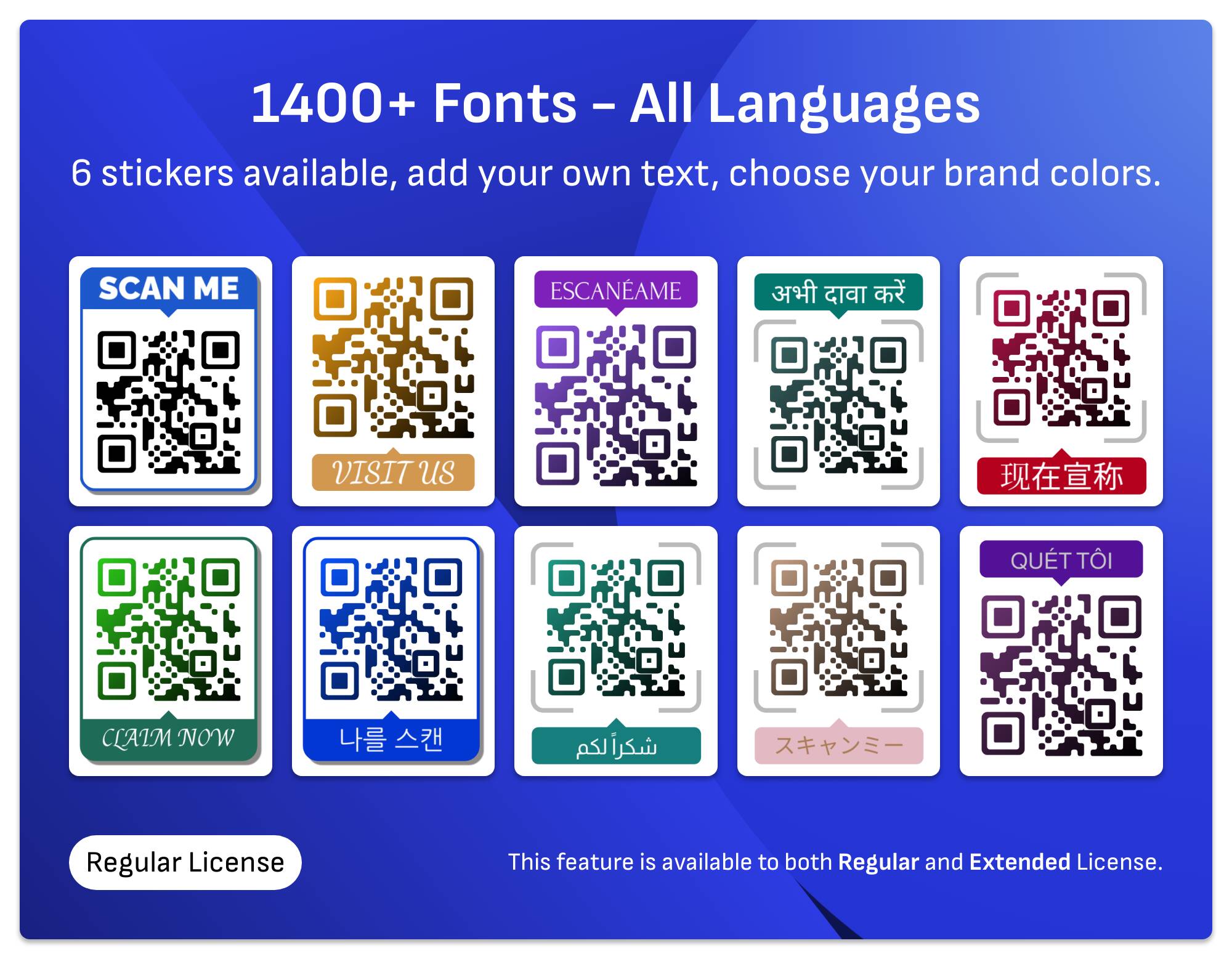
Add beautifull stickers with text to QR codes to make it even more appealing
Add text – in your native language – along with your QR code, the text feature supports almost every language. You can choose your preferred font from 1400+ supported fonts.
Quick Code QR Code Generator will help you create beautiful stickers with no designing skills required.
Font feature is built on top of Google fonts, no API key is required to use this feature.
Complex layout languages are supported, like Arabic, Urdu and Farsi, along with Chinese, Japanese, Hindi and all of Latin languages.
Make your QR codes unique with many custom patterns
Instead of building QR codes with the traditional square pattern, you can choose one of many available patterns and finder shapes. Quick Code QR Code Generator has the following patterns:
- 15 Custom patterns.
- 9 Finder shapes.
- 8 Finder dot shapes.
Outlined shapes
Outlined shapes is a special technique that allows us to fill dummy data around your QR code. Choose the right shape that match your business category, and start creating unique QR codes that reflect your business.
Quick Code QR Code Generator available shapes are:
- Circle
- Cloud
- Shopping Cart
- Gift
- Cup
- T-Shirt
- Home
- Book
- Message
- Bag
- Truck
- Trophy
- Umbrella
- Van
- Watch
- Water
- Bulb
- Sun
- Car
- Pet
- GYM
- Salon
- Food
- Ice Cream
- Search
- Burger
- Apple
- Barn
- Sun Rise
- Star
- Realtor
- Legal
- Juice
- Water Glass
- Electrician
- Plumber
- Builder
- Home Mover
- Cooking
- Gardening
- Furniture
- Mobile
- Restaurant
- Travel
- Dentist
- Golf
- Pizza
- Locksmith
- Bakery
- Painter
- Pest
QR Code Types
Quick Code QR Code Generator comes with many QR code types, every type has its own form fields and the result QR code opens the related app on the user device.
- Dynamic URL (dynamic).
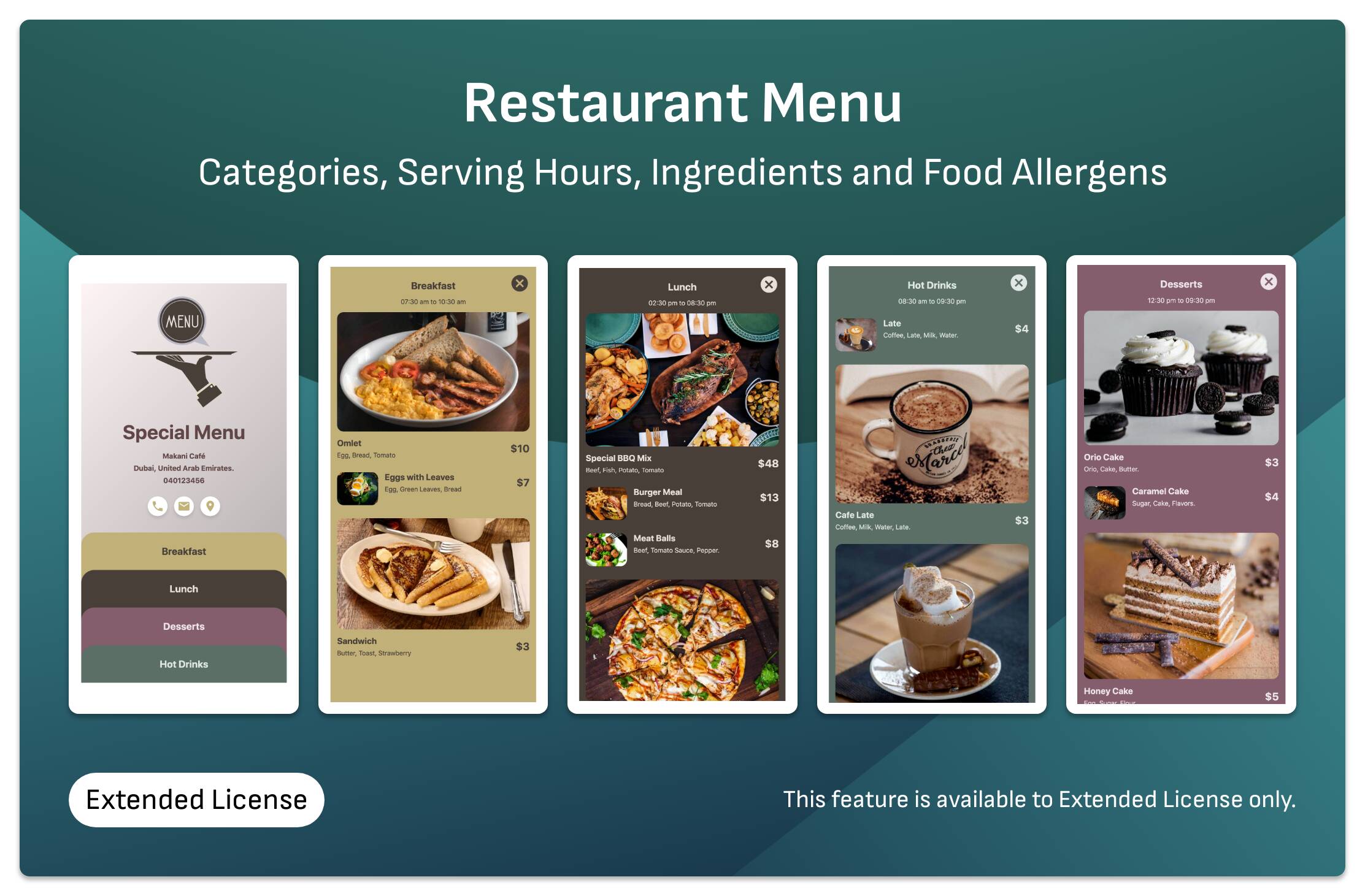
- Restaurant Menu (dynamic) Extended License.
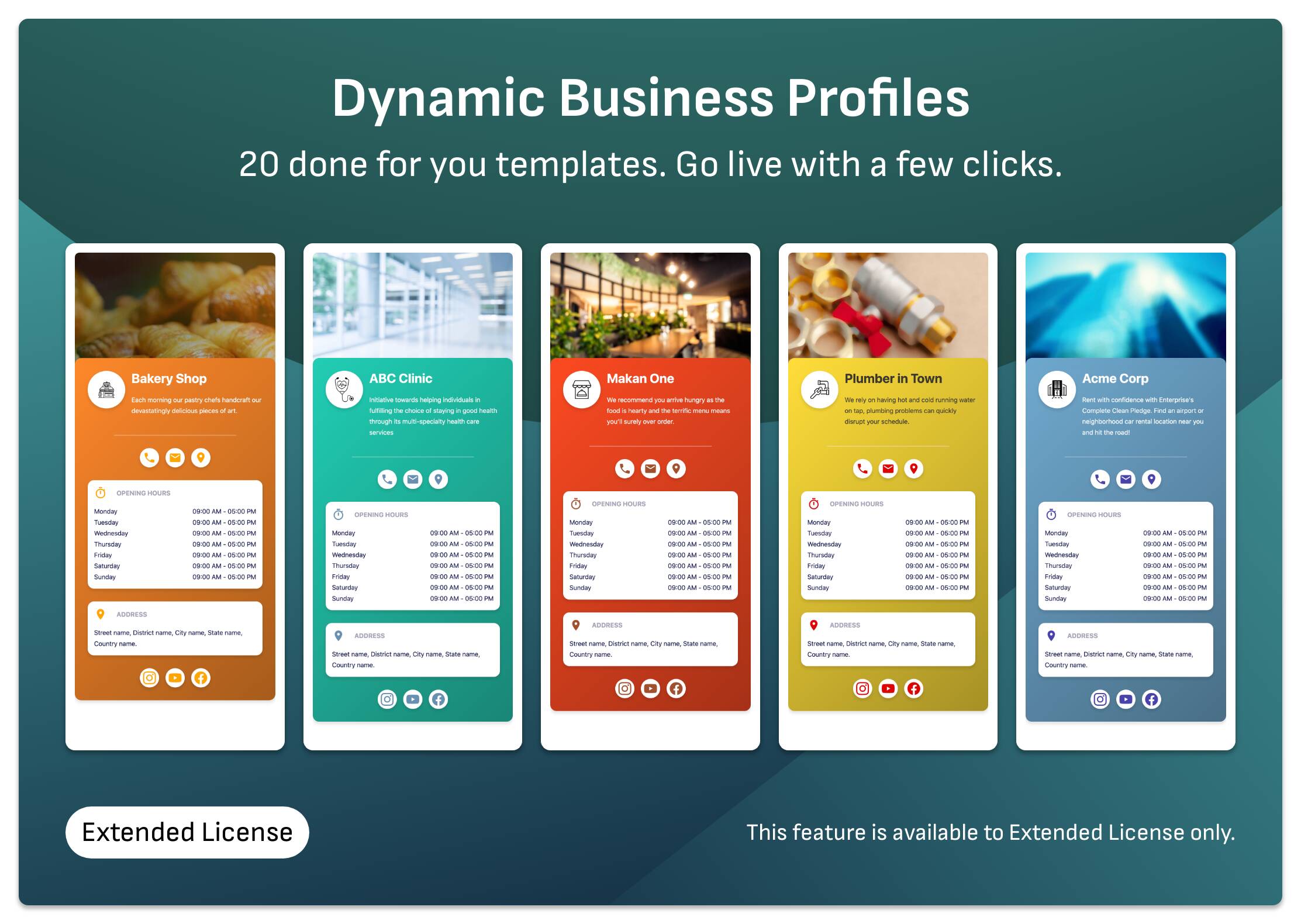
- Business Profile (dynamic) Extended License.
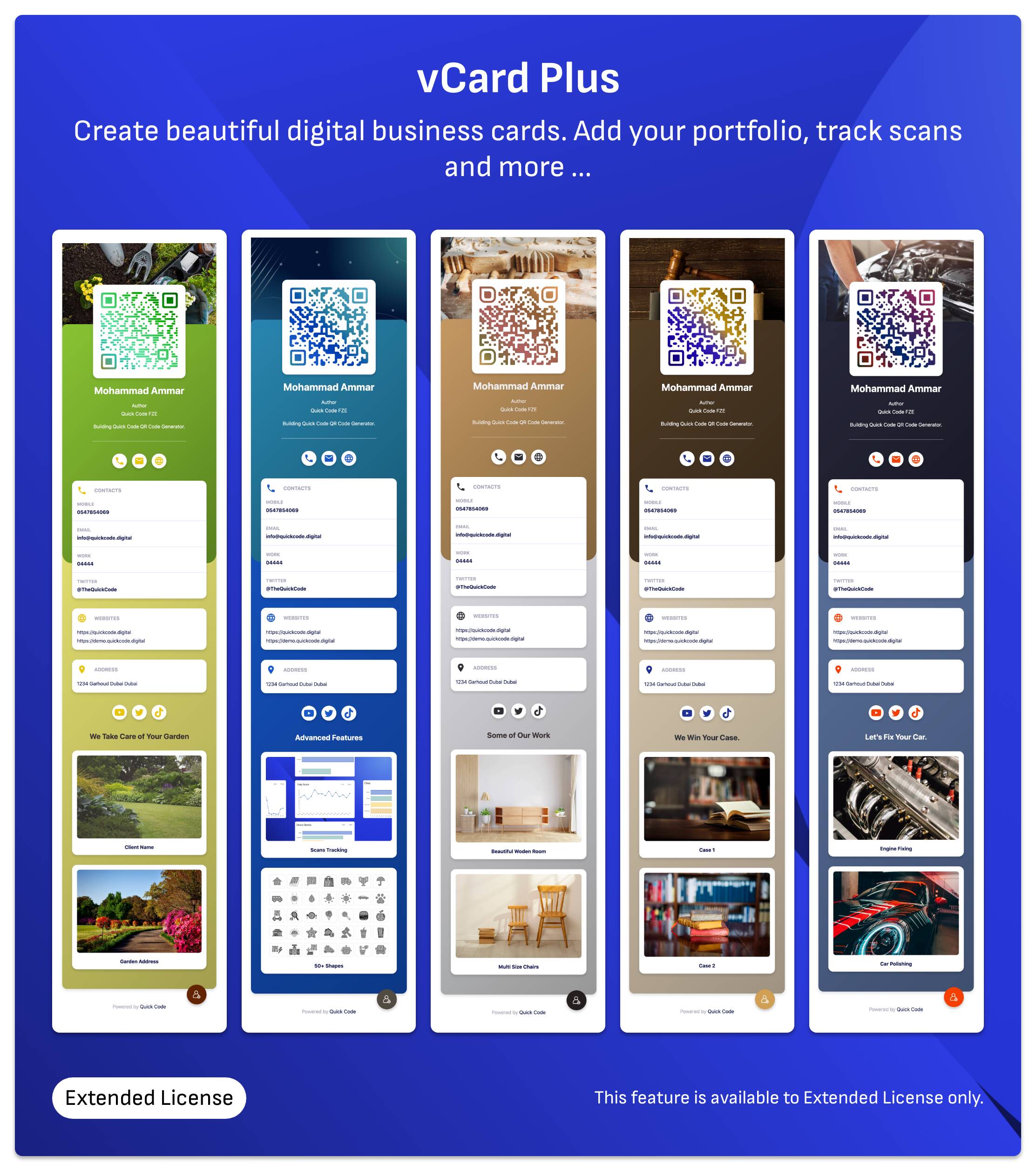
- vCard+ Extended License.
- Google Review Collector (dynamic) Regular License.
- Product Catalogue (dynamic) Extended License.
- VCard (static).
- Static Text / URL (static).
- Email (static).
- SMS (static).
- WIFI (static).
- WhatsApp (static).
- FaceTime (static).
- Location (static) with ability to select the application (Google Maps, Waze, or device default app).
- Event (static) you can set event frequency (yearly, monthly, weekly, daily).
- Crypto (static) Bitcoin, Ethereum, Bitcoin Cash, Lite Coin, Dash.
- PayPal (static).
- Zoom (static).
- Skype (static).
- Brazilian PIX Payments (static).
- Call (static).
- Telegram (static).
- Messanger (static).
- WeChat (static).
- Viber (static).
Image Fill
Exclusively available with Quick Code QR Code Generator, this feature allows you to fill your QR Code with your custom art instead of solid color or gradient fill. QR code pattern would be masked with your image, to create even more unique experience.
Gradient Fill
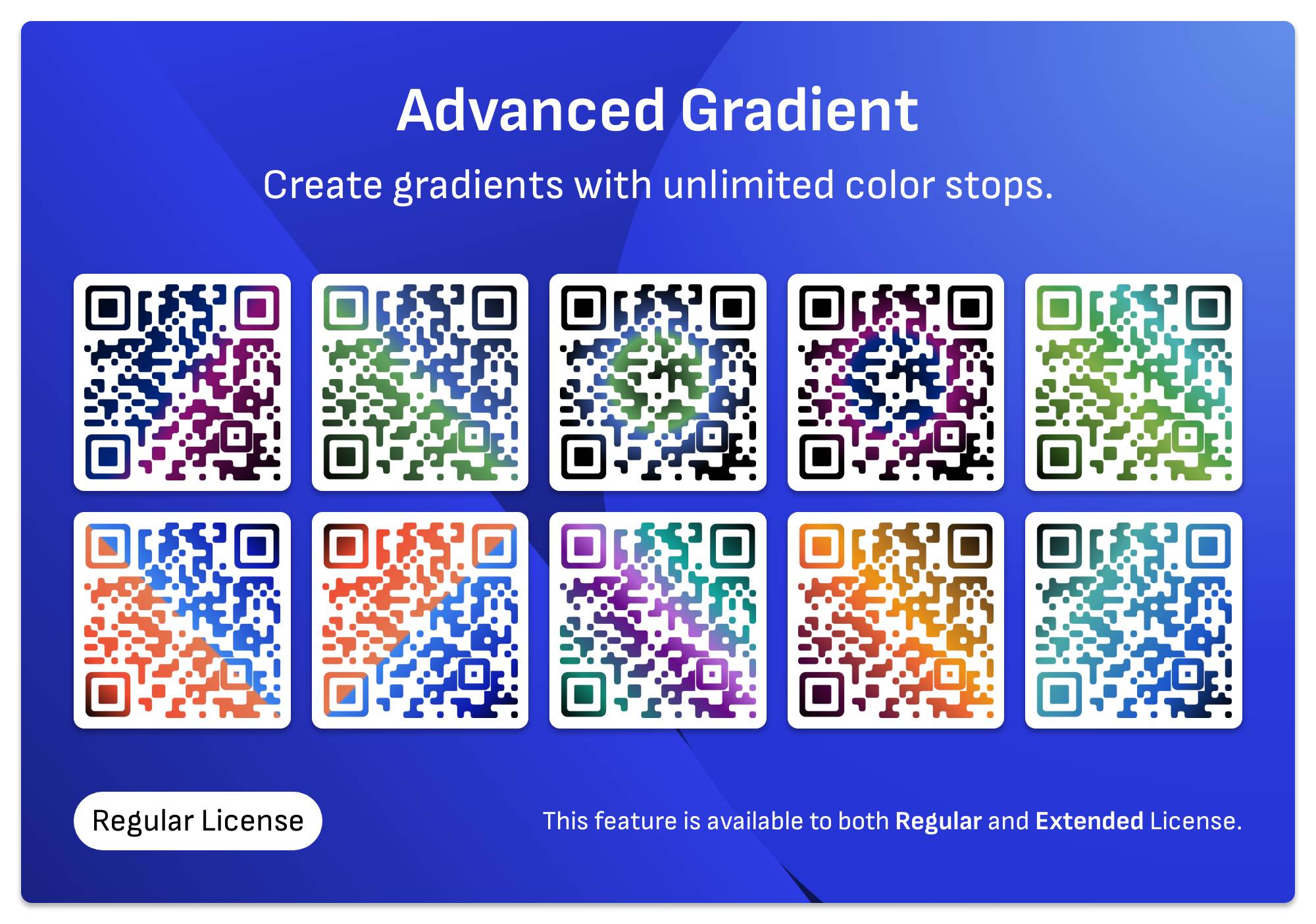
Advanced gradient, you can add as many colors as you want, with easy to use user interface. This can be done only with Quick Code QR Code Generator.
- Supports multiple colors (not just start and end color).
- Can delete and add color as you go.
- Each color opacity can be changed.
- Draggable UI builder.
QR Code with Logo
Add your own logo or choose from many predefined logos (28 preset logos available).
You can resize, rotate or move your logo. If your logo is transparent, you can add rounded or square background to it. You can change the backround color of the logo as well right from within the user interface of Quick Code QR Code Generator.
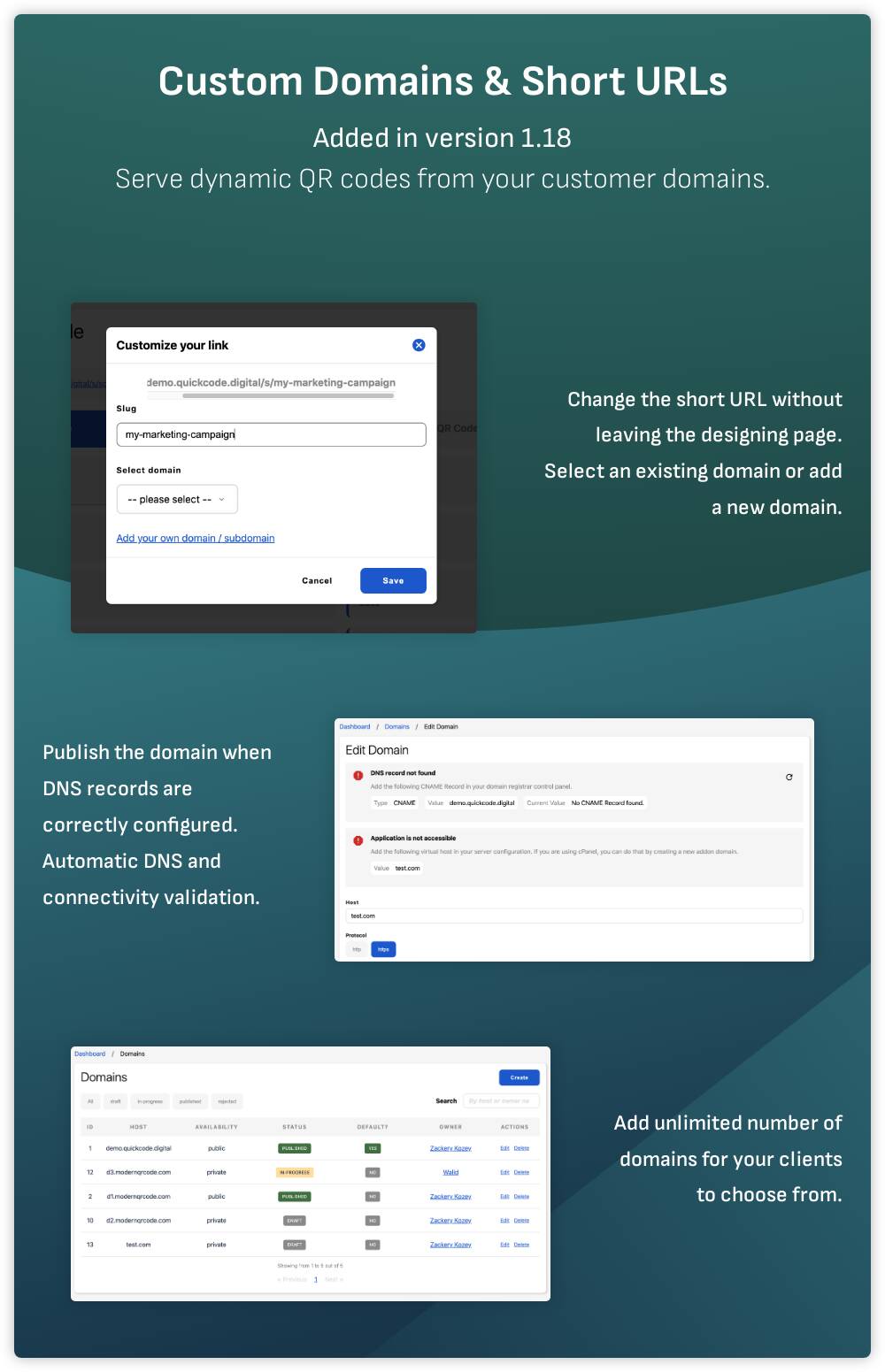
Custom Domains & URL Shortening
Allows you to provide your customers with many custom domains to server dynamic QR codes from. Your customers can submit their own domains also.
Customers can change the URL of the dynamic QR codes generated by Quick Code QR Code Generator, they can choose the domain as well. All with a simple 2 clicks.
For more details, please have a look at Custom Domains Feature Docs.
Content Management
Quick Code QR Code Generator comes with many modules to help you customize your content. Blog posts and dynamic pages are server side rendered to help you with SEO.
You can create unlimited pages right from within your admin panel, and keep your pages intact even after software update.
It is possible to edit the meta description for every page / blog post which is essential for SEO.
Translation Support
Once you install Quick Code QR Code Generator, you will get many languages added automatically for you. You can add your own translation by modifiying a single json file.
Auto translation feature is built using Google translation API. Instead of writing all translation lines yourself, you can add your language and auto translate it with a single click.
These languages are added by default:
- Romanian
- Chinese Simplified
- Japanese
- Norwegian
- Turkish
- Swedish
- Vietnamese
- Italian
- Hindi
- German
- French
- Spanish
- Portuguese
- English (Default – read only).
Integrate with your own app with built-in API
Every single function of the application is built using its API, however, the API documentation is work in progress and is available on Demo Api Docs.
If you feel this feature is essential for you, leave us a comment so we can prioritize our work on the docs.
Easy to use UI / UX
Quick Code QR Code Generator is built on multiple steps while creating QR codes, to make the process easier, every step is focused on a single task.
The UI is carefully crafted from ground up, we did not build it based on any template, dashboard pages and even data tables are mobile first, and work very well on desktops and on large screens (e.g. iMac).
Most of the advanced design features are available on the home page, so guest users can test out all the features before signing up.
Start your own business with Quick Code
Quick Code QR Code Generator is a SaaS script, so it supports user registration and user managment (sign up, reset password, login).
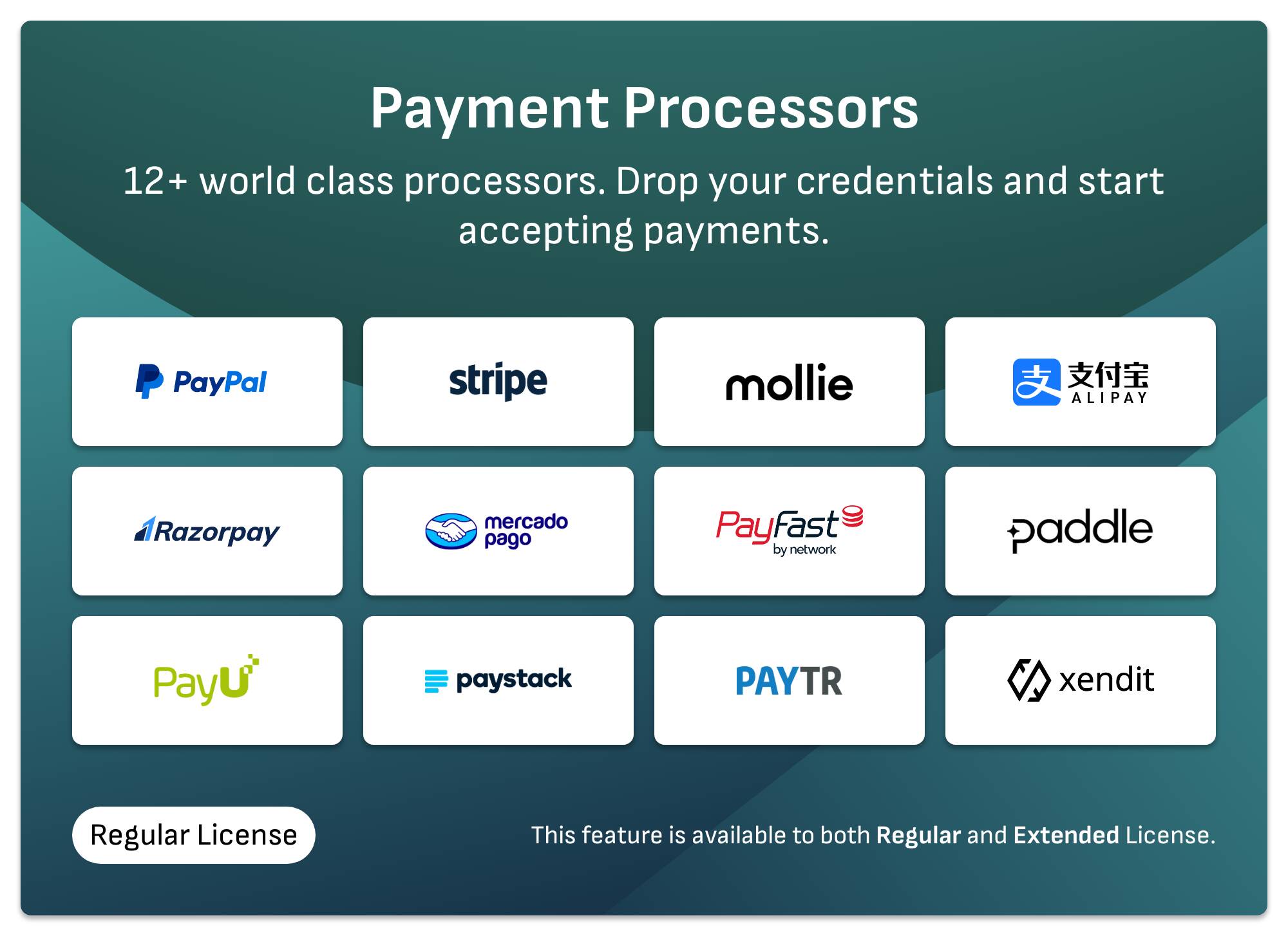
Available Payment Processors (Regular License)
- PayPal subscription based integration, automatic webhook registration.
- Stripe subscription based integration, automatic webhook registration.
- PayU international (payu.com), one time payment integration.
- Paddle subscription based integration.
- RazorPay subscription and one time payments integration.
- Mercado Pago one time payment integration.
- Pay TR one time payment integration – not tested, because we do not have test keys.
- PayFast one time payment integration.
- Xendit one time payment integration.
- Mollie one time payment integration.
- PayStack one time payment integration.
- AliPay – China one time payment integration – not tested, becase we do not have test keys.
- YooKassa one time payment integration – not tested, becase we do not have test keys.
- Offline Payment Integration receive payment receipts and approve transactions manually.
Folders and User Invites (Extended License Only)
Create folders to organize your workflow, move QR codes between folders and allow your clients to invite their team members and give them access to a specific folder only. This is to make the daily use of Quick Code QR Code Generator easier.
Other Features
- Dynamic sitemap.
- Change the script colors and add your own branding to it.
- Advanced favicon configuration available to enable your website to be added to the client device home screen in a beatiful way.
- Built-in captcha (there is no need to obtain 3rd party keys to use captcha).
- Disable or enable the frontend, usefull if you want to use your own theme or CMS (e.g. Wordpress) and keep the script for dashboard use only. Check out this guide.
- Disable or enable new user registrations.
- Menu builder: add your customer portal link or your company contact links to the clients dashboard sidebar.
- Each frontend generator has it’s own editable page which could help you with SEO. Links can be translated from the System Settings > Pages tab.
Important Note About SVG Files
SVG files currently only work in browsers, they cannot be opened in any vector editing software, we are working to make that happen in the near future. See the point in our roadmap.
We are happy to hear your thoughts
We are open to feature requests and user feedback. We listen carefully to our customers words, if you have any feature you would like to see added, please let us know, we will be very happy to hear it!
Support and docs
For bug reports and feature requests please use our customer portal.
For documentation and user guides please refer to:
What our customers say
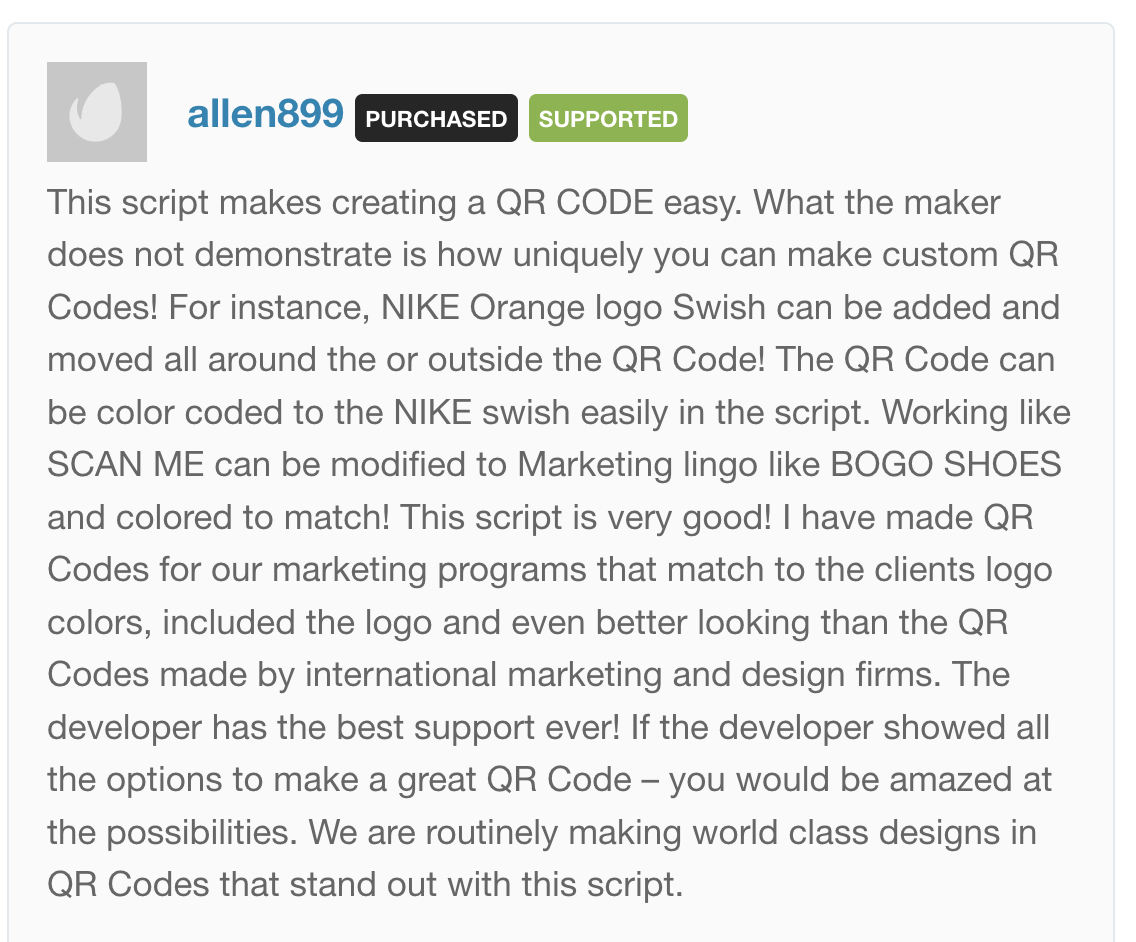
We would like to highlight some of nice comments our happy customers left us. Never forget to read rest of customer reviews.
Thank you!
If you have reached this far reading about Quick Code, we would like to say Thank you! And we will be looking forward to having you one of our customers
Demo
Admin User
Demo URL:
- Email: admin@example.invalid
- Password: password
Regular User
Demo URL:
- Email: demouser@example.com
- Password: password
Updates publishing
Starting from v1.15 we are releasing a new version every week once. We believe this would allow our customers enough time to install and test out new features.
Change log
2023-03-19 v2.12.8
- Added recommended image size in business profile and vCard+
- Bugfix: add to contacts button color cannot be changed in vCard+
- Food allergens bug fix, in Restaurant Menu QR code.
- Pagination bugfix in dashboard pages.
- Bugfix: Sub Category items not showing in full height when sub category is selected.
2023-03-18 v2.12.7
- Content Blocks: added language filter.
- Content Blocks: added delete all blocks of language button.
- Content Blocks: added copy all blocks from language to another.
- Bugfix: show only the current language content blocks when a single language is enabled.
- Added a note about SVG files not being compatible with vector editing softwares in the download QR code page.
- Removed WeChat because there is no easy way to get the direct WeChat QR code to work.
- Bugfix: Viber QR code doesn’t work if + symbol is added.
- Improvement: Event fail to scan when end date is before start date, added form validation entry.
- QR code type sort order: you can now control the order of all QR code types from Settings > QR Code Types > Sort Order.
- Home page banner can now be changed from Settings > Appearance > Others.
- Business Profile: logo made littlebit larger.
- Powered by: Added an entry in Settings > General to change the powered by text.
- Added best image size in Menu Item popup and Product Item popup.
- Bugfix: black color cannot be selected with the color picker component.
- Added parent category name in Menu Item popup, in the category selector component. Something like: Parent > Child.
2023-03-16 v2.12.6
- Translation seeder bug fix.
- Add additional working hours per day in opening hours modal, see feature demo.
2023-03-15 v2.12.5
- Added FAQs to vCard+
- Added Custom Links to vCard+
- Added new sticker: Healthcare.
2023-03-15 v2.12.4
- New dynamic type: Product Catalogue.
- Updated icons in the home page generator.
- Bugfix: special characters break the installer.
Categories
Tags
External listing. code.market does not sell this product and does not process payment for it. Pricing, payment, delivery, licensing, refunds, and support are handled by the third-party merchant on its own website. We may earn an affiliate commission from a referral. Details.
Products of the Week.
Submit#1

upvote.club
Free Social Media Engagement that Helps Boost Your Content. Upvote Club supports 19 social networks with 100+ engagement actions in one dashboard. Add links to your posts and get free engagement from real users.
SaaS · 15,822 views · 96 clicksSaaS · Week 42 · 15,822 views · 96 clicks
#2

Seenshot App
Free, Fast, MacOS Screenshot app. Make Screenshot cmd+shift+2 and send it via link
Desktop App · 4,873 views · 109 clicksDesktop App · Week 42 · 4,873 views · 109 clicks
#3

Conversational Backlinks for Busy Founders
Place Backlink Relevant Conversation for your domain across Forums and Conversations
Website · 16,700 views · 195 clicksWebsite · Week 42 · 16,700 views · 195 clicks
#4

Substack Posting API
Onboard your Agent to Substack. Write Publish on Substack via API
SaaS · 35,695 views · 184 clicksSaaS · Week 42 · 35,695 views · 184 clicks
#5

codester.com
SocialDesk+: Omnichannel Social Commerce & Business Management Platform This is stronger than simply “Social Commerce and Messaging” because it tells buyers this is a complete business platform, not just a messaging script. Turn Social Conversations Into Sales SocialDesk+ is a complete omnichannel social commerce and business management platform built for businesses that sell and communicate with customers through social media. Instead of switching between WhatsApp, Facebook, Instagram and TikTok, businesses can manage customer conversations, comments, products, leads, follow-ups, automation, teams and business reports from one professional workspace. And because the full source code is included, developers, agencies and entrepreneurs can customize, rebrand and launch SocialDesk+ as their own business solution or SaaS platform. 🚀 Build Your Own Social Commerce Business SocialDesk+ gives you the foundation to launch: - Your own SaaS platform - A white-label social CRM - A social-commerce management system - A customer communication platform - A business messaging solution - A custom solution for clients - A multi-business subscription platform 💬 Connect Your Customers Supported social channels include: WhatsApp • Facebook • Instagram • TikTok Bring supported conversations into one centralized workspace and help businesses respond faster without constantly switching between platforms. 🛍️ More Than a Messaging Platform SocialDesk+ combines communication with the tools businesses need to manage customer opportunities: Inbox Manage customer conversations from connected channels. Comments Monitor and respond to social-media comments. Customers & Leads Organize customer information and potential buyers. Products & Catalog Manage products and give your team quick access to product information. Follow-Ups Make sure potential customers don't get forgotten. Automation Automate repetitive customer questions and responses. AI Assistant Provide AI-assisted communication when configured. Team Management Give managers and staff access to the business workspace. Reports & Analytics Track activity using business reports and analytics. The current product listing already includes these capabilities. 🔥 Why Buyers Will Want It Launch Faster Start with an already-built business platform instead of developing the entire system from zero. Customize Everything The full source code is included, allowing developers to change branding, features, workflows and integrations. Build a SaaS Create multiple business workspaces and offer SocialDesk+ as a subscription-based service. Sell to Businesses Offer it to retailers, restaurants, service businesses, online sellers, agencies and other businesses that communicate with customers through social media. Mobile + Web + Backend This isn't just a mobile UI template. It includes: - Flutter mobile application - Python / FastAPI backend - Web interface - Administration tools - Database infrastructure - API-based architecture - SQLite / PostgreSQL support - Android and iOS project structure 💼 One Platform. Multiple Business Opportunities. For SaaS Entrepreneurs Launch your own subscription platform and allow multiple businesses to operate inside separate workspaces. For Software Agencies Customize and rebrand the platform for clients instead of building an omnichannel business system from scratch. For Developers Use the complete source code as a foundation for your own social-commerce or customer-management product. For Businesses Deploy a dedicated version for your own customer-service and social-commerce operations. 🧩 What's Included Mobile - Flutter / Dart - Android - iOS project Backend - Python - FastAPI - SQLAlchemy - Alembic Database - SQLite - PostgreSQL Web - HTML5 - CSS3 - JavaScript Deployment - Docker - Docker Compose - Production configuration Business Platform - Multi-workspace architecture - Authentication - Teams - Customers - Products - Messaging - Comments - Automation - Reports - Subscriptions - Administration The current listing also documents third-party integrations such as Meta, TikTok, Stripe, Firebase, SMTP and optional OpenAI configuration. ⚡ What Makes SocialDesk+ Different? You're not buying a simple: ❌ Chat UI ❌ WhatsApp clone ❌ Flutter template ❌ Admin dashboard ❌ Basic CRM You're getting a complete business platform foundation that can be customized, branded and commercialized. Connect. Automate. Manage. Grow. SocialDesk+ Omnichannel Social Commerce & Business Management Platform One important change I'd make to the current listing The current page starts with: “A simple guide to managing your social conversations, customers, products and business activity.”
Other · 3,107 views · 30 clicksOther · Week 42 · 3,107 views · 30 clicks
#6

sandbook.app
Sandbook reads EPUB, PDF, web pages and scanned pages aloud with Kokoro TTS, an open neural voice model that runs on your iPhone, free and offline. Choose from 41 natural voices in English, Spanish, French, Italian, Brazilian Portuguese and Hindi and follow each word as it is spoken. Try the same voices in your browser first with the free Kokoro TTS online demo.
Other · 3,111 views · 13 clicksOther · Week 42 · 3,111 views · 13 clicks