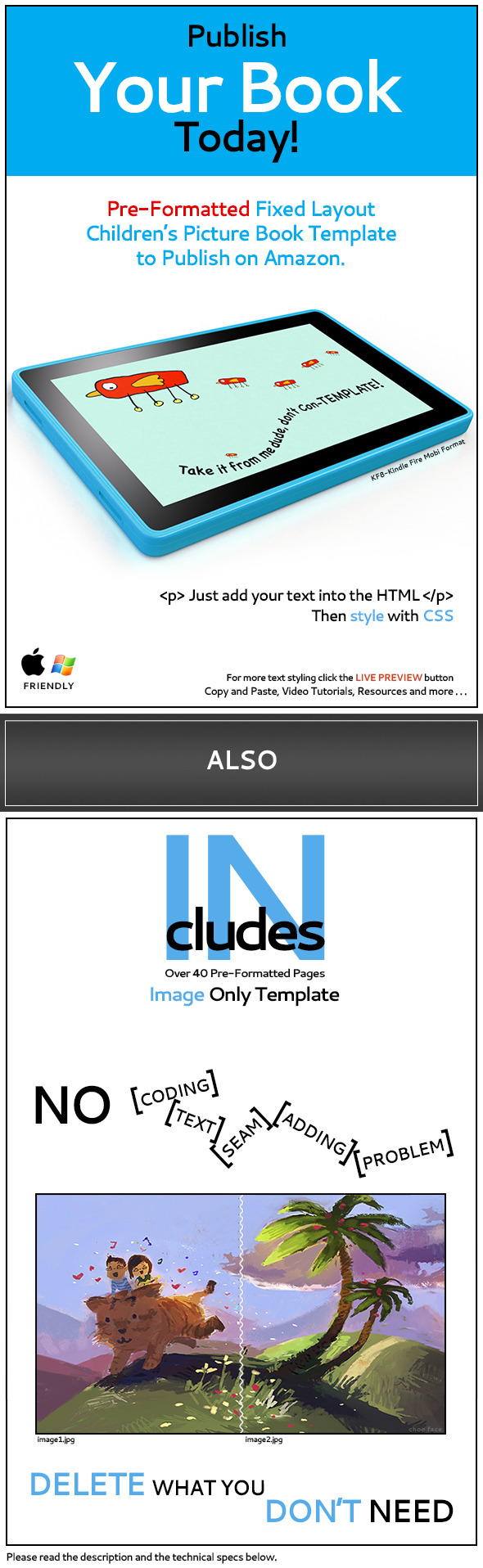
KF8-Fixed Layout Children's Picture Book Template
Description
If you like it, please take the time to give a rating from your download page.
KF8-Fixed Layout Children’s Picture Book Template
Buyer Review
“Thank you for making such an easy template for someone like me who has ZERO idea on html. You made my life so much easier. Now I can focus on creating good content books without concerning about technical limitation. Thank you, thank you and THANK YOU!!!” -bookididit
“Great template! Everything you need to make a great fixed-layout book is here. If you want save the cost of paying someone to do this, and learn something new at the same time, this is the perfect template for you.” -treesnow
“I have bought your product and have successfully uploaded my kindle children’s book “When I Get Big”. Thank you for this awesome product. I tried for over three months to get the fixed layout format right with no success until I came across this. You have given me back many hours of my time. So now I have more time to write and illustrate. Thanks again. Sean Johnson” -seanjohnson770
“Appreciate the layout and help. Never would have been able to figure this thing out on my own.” Thanks again!! -joesif
“Really Thank you very much for your help – I am so grateful for it and really did enjoy this learning experience – Once you explained it like that, it clicked and I could see how easy you have actually made it for the likes of me.” -Elizabeth
“I have mine working on iPad Mini.” -jamesbent1471
“I couldn’t have completed the task without your template as every method i tried was not working. I definitely recommend this template. I never thought it could be so difficult to convert my scanned images (already used for my print-on-demand book) to kindle specifications. After downloading this template i was able to easily convert my book for kindle.” -Kimball139
Send me a link to your book and I will post your book here –books made from this template



U-DO-It – Description
This book is pre-formatted with everything you need in order to make your very own children’s picture book and load it onto Amazon’s KDP, your illustrations are needed. Given the fact that you have already pre-planned your illustrations and did the writing, you can start selling your very own children’s picture book, today! It’s as easy as download, modify and upload. Come on people, say it with me. Download, modify and upload, yeah! Have you ever had an idea for a children’s book but never had the guts to get off the couch and do something about it. Now you can. If you grab your credit card right now, this is what you get.
An OPF document already ready to upload! As soon as you download this file you can immediately drag the OPF document and make a book! It’s that easy, folks. It comes with 14 pre-formatted, two page spread xhtml pages, one xhtml page for your book cover, one xhtml page for your inner cover or what the experts call “Titlepage” and there’s more. It also comes with 16 extra pre-formatted xhtml pages and 32 already made image placeholders. Huh…right! So that way you can make your book extra, extra long. Yeah! But it doesn’t stop there! It also comes with some Photoshop actions, some Photoshop scripts and a small code cheat sheet! If you act now, I’ll even throw in some how to videos but they don’t have any audio. Booo! But they have great corky music in them. Yeah!!
So to recap on the goods your about to get. This is a pre-formatted horizontal and verticalKF8 (Amazon) fixed layout children’s picture book template. It works for the Kindle Fire, Android and the Amazon Cloud. If you know anyone, anyone who is itching to make a children’s book, you owe it to yourself to let them know that now is the time and this is the place. So act now!
- Dec.29 – The “missing images error” has been Fixed on the KDP server!
Hello, It was a technical error from “our end” and our technical team has corrected it now for all the affected titles. You may go ahead and publish your next title. And, we recommend you to use “Mozilla Firefox” to use the KDP platform. If you face any issues, feel free to write to us. We will help you further. Thanks for using Amazon KDP.
- Dec.6 – “User AID65” has successfully implemented the changes on the U.K. Amazon server. You can go here to read his comments (comments section) and to see his book example.
- I just became aware of an image issue that at this moment, Nov.15, it seems that Amazon has changed it’s file structure. The book will open correctly in the Amazon previewer app, side-loading onto the Kindle Fire and their very own upload server but after a few months your book may display the missing images icon. If you have created a book prior to this date please re-download the template file, look for a folder called update and follow the .pdf instructions.
- Amazon server issues: The server is a living breathing entity. It is always changing and updating and because of that it should be expected that issues will occur.
- Available for These Devices: Sometimes it takes a few days for “all devices” or “some” to show. Be patient and wait. It can take “x” amount of time plus some days it shows certain devices and sometimes nothing. It is very quirky.
- Uploading onto the KDP: Note: If you are having issues try a different time of day and or with a different web browser.
- Side-loading: Side-loading is when you take the produced .mobi file from the Kindle Previewer app and load it onto the Kindle Fire. You will want to put the .mobi file into the “Books” folder.
- If you choose not to publish and just want to make a book for private use here’s how. Upload your cover, step#4. Choose your .mobi file to process. When the conversion is complete download the .mobi file from the optional download option. You now have a “book file”. Before the .mobi file is considered a document. If you do not choose to use the KDP upload services then the .mobi file may display a blank cover. The book will still be there but cover will be blank. They may have changed this but just keep that in mind for private uses.
- Kindle Fire testing: You can not expect quality results if you “do not test” on the Kindle Fire device or if you do not have one. What do you do if you don’t have one? Borrow!
- Testing through all channels: Kindle Fire device itself, Kindle Previewer 2.71, Kindle Reader, KDP upload online web previewer, as many web browsers- Chrome, FireFox, Safari etc.
- Amazon recommends the web browser Firefox.
- The Kindle Previewer 2.71 is not 100% visually accurate. Reason: The preview window is much bigger on your computer screen than the device itself. Example: Type may look big on your computer screen but will appear smaller on the device. Advice: This is a personal design decision but I would make the type a little bigger.
- Horizontal and Vertical KF8 Fixed Layout Children’s Picture Book for the Kindle Fire, Android, Amazon Cloud, etc.
- Choose between:Pre-Formatted UDOITBook_Horiz_Template or UDOITBook_Vert_Template.
- Amazon recommends that your text be coded in html and css for better results instead of embedding your text in Photoshop or image editor (for quality).
- Does the template come pre-coded with html and css for my text? Yes.
- Is this done in Word? No. It was made with a text editor, TextWrangler.
- Do I need to buy expensive software? No. You only need a text editor and the Kindle Preview app but it wouldn’t hurt to have a program that let’s you see the results while formatting your book.
- Copy and paste code and simply just change some info!
- When you first get the file, go to, UDOIT Documentation Folder and open the index.html in your web browser or you can just start watching the UDOIT Tut videos.
- Illustrations in the preview do not come with the template but it does have some basic images for visualization purposes.
- Two page spread image sizes, width 512px and height 600px, for a total of 1024×600px.
- You may need the font “Chalkboard”, comes with the Mac.
- Choose between:Pre-Formatted UDOITBook_Horiz_ImageOnly (landscape) or UDOITBook_Vert_ImageOnly (portrait)
- You only need to format your images.
- Change the book title in the html and opf document only.
- This is a delete what you don’t need style template.
- It is over 40 pages long and is pre-formatted.
- UDOIT Documentation only for the image only style template.
Updates
Amazon Server / Testing Questions
Technical Specs-KF8-Fixed Layout Children’s Picture Book Template
Image Only Technical Specs
Programs and Hardware used plus additional Licensing information
Apple and PC Friendly
Categories
Tags
External listing. code.market does not sell this product and does not process payment for it. Pricing, payment, delivery, licensing, refunds, and support are handled by the third-party merchant on its own website. We may earn an affiliate commission from a referral. Details.
Products of the Week.
Submit#1

upvote.club
Free Social Media Engagement that Helps Boost Your Content. Upvote Club supports 19 social networks with 100+ engagement actions in one dashboard. Add links to your posts and get free engagement from real users.
SaaS · 16,864 views · 96 clicksSaaS · Week 42 · 16,864 views · 96 clicks
#2

Seenshot App
Free, Fast, MacOS Screenshot app. Make Screenshot cmd+shift+2 and send it via link
Desktop App · 5,821 views · 109 clicksDesktop App · Week 42 · 5,821 views · 109 clicks
#3

Conversational Backlinks for Busy Founders
Place Backlink Relevant Conversation for your domain across Forums and Conversations
Website · 17,641 views · 197 clicksWebsite · Week 42 · 17,641 views · 197 clicks
#4

Substack Posting API
Onboard your Agent to Substack. Write Publish on Substack via API
SaaS · 36,627 views · 185 clicksSaaS · Week 42 · 36,627 views · 185 clicks
#5

codester.com
SocialDesk+: Omnichannel Social Commerce & Business Management Platform This is stronger than simply “Social Commerce and Messaging” because it tells buyers this is a complete business platform, not just a messaging script. Turn Social Conversations Into Sales SocialDesk+ is a complete omnichannel social commerce and business management platform built for businesses that sell and communicate with customers through social media. Instead of switching between WhatsApp, Facebook, Instagram and TikTok, businesses can manage customer conversations, comments, products, leads, follow-ups, automation, teams and business reports from one professional workspace. And because the full source code is included, developers, agencies and entrepreneurs can customize, rebrand and launch SocialDesk+ as their own business solution or SaaS platform. 🚀 Build Your Own Social Commerce Business SocialDesk+ gives you the foundation to launch: - Your own SaaS platform - A white-label social CRM - A social-commerce management system - A customer communication platform - A business messaging solution - A custom solution for clients - A multi-business subscription platform 💬 Connect Your Customers Supported social channels include: WhatsApp • Facebook • Instagram • TikTok Bring supported conversations into one centralized workspace and help businesses respond faster without constantly switching between platforms. 🛍️ More Than a Messaging Platform SocialDesk+ combines communication with the tools businesses need to manage customer opportunities: Inbox Manage customer conversations from connected channels. Comments Monitor and respond to social-media comments. Customers & Leads Organize customer information and potential buyers. Products & Catalog Manage products and give your team quick access to product information. Follow-Ups Make sure potential customers don't get forgotten. Automation Automate repetitive customer questions and responses. AI Assistant Provide AI-assisted communication when configured. Team Management Give managers and staff access to the business workspace. Reports & Analytics Track activity using business reports and analytics. The current product listing already includes these capabilities. 🔥 Why Buyers Will Want It Launch Faster Start with an already-built business platform instead of developing the entire system from zero. Customize Everything The full source code is included, allowing developers to change branding, features, workflows and integrations. Build a SaaS Create multiple business workspaces and offer SocialDesk+ as a subscription-based service. Sell to Businesses Offer it to retailers, restaurants, service businesses, online sellers, agencies and other businesses that communicate with customers through social media. Mobile + Web + Backend This isn't just a mobile UI template. It includes: - Flutter mobile application - Python / FastAPI backend - Web interface - Administration tools - Database infrastructure - API-based architecture - SQLite / PostgreSQL support - Android and iOS project structure 💼 One Platform. Multiple Business Opportunities. For SaaS Entrepreneurs Launch your own subscription platform and allow multiple businesses to operate inside separate workspaces. For Software Agencies Customize and rebrand the platform for clients instead of building an omnichannel business system from scratch. For Developers Use the complete source code as a foundation for your own social-commerce or customer-management product. For Businesses Deploy a dedicated version for your own customer-service and social-commerce operations. 🧩 What's Included Mobile - Flutter / Dart - Android - iOS project Backend - Python - FastAPI - SQLAlchemy - Alembic Database - SQLite - PostgreSQL Web - HTML5 - CSS3 - JavaScript Deployment - Docker - Docker Compose - Production configuration Business Platform - Multi-workspace architecture - Authentication - Teams - Customers - Products - Messaging - Comments - Automation - Reports - Subscriptions - Administration The current listing also documents third-party integrations such as Meta, TikTok, Stripe, Firebase, SMTP and optional OpenAI configuration. ⚡ What Makes SocialDesk+ Different? You're not buying a simple: ❌ Chat UI ❌ WhatsApp clone ❌ Flutter template ❌ Admin dashboard ❌ Basic CRM You're getting a complete business platform foundation that can be customized, branded and commercialized. Connect. Automate. Manage. Grow. SocialDesk+ Omnichannel Social Commerce & Business Management Platform One important change I'd make to the current listing The current page starts with: “A simple guide to managing your social conversations, customers, products and business activity.”
Other · 4,040 views · 32 clicksOther · Week 42 · 4,040 views · 32 clicks
#6

sandbook.app
Sandbook reads EPUB, PDF, web pages and scanned pages aloud with Kokoro TTS, an open neural voice model that runs on your iPhone, free and offline. Choose from 41 natural voices in English, Spanish, French, Italian, Brazilian Portuguese and Hindi and follow each word as it is spoken. Try the same voices in your browser first with the free Kokoro TTS online demo.
Other · 4,040 views · 13 clicksOther · Week 42 · 4,040 views · 13 clicks