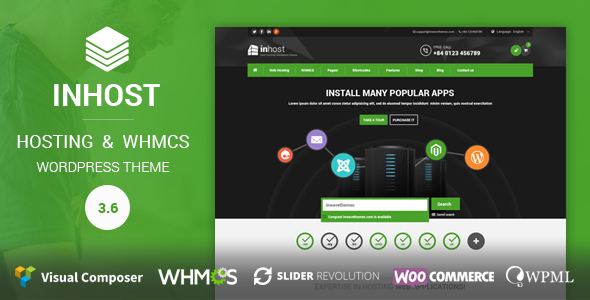
InHost | WHMCS Integration WordPress Theme
Description
InHost- Hosting and WHMCS Wordpress theme
InHost 4.0.0 is a new version with a big update. So please update on the staging version first. Do not update directly into your live site.
Inhost – a powerful corporate Wordpress theme provides you with immense application to any website you are going to create. Covered by sophisticated and clean design and developed with the highest applicability in mind, Inhost is suitable for all kinds of website whether it is about Hosting, Business, Corporate or design agency. It embraces everything needed for a modern website: 100% Responsive and Retina ready, 5 Homepage layouts including One-page option, WHMCS integration, Visual Composer page builder and tons of ready-to-use shortcodes…
Furthermore, our Wordpress hosting theme is made powerful by more than 40 blocks available for websites of hosting and business, such as Pricing table, Testimonials, Ads banner which are designed and integrated with gracefully visual effects allowing you to modify the layout flexibly and efficiently.
Front-end demo user: demoinhost@gmail.com
Demo pass: demo
Login url:


Free premium Wordpress plugins and PSD
- Free Visual Composer Plugin ($28 saved)
- Free Revolution Slider Plugin (($18 saved)
- Free Mega Main Menun ($14 saved)
- Free 40 Layered PSD files
Ready for Hosting website:
- Fully Responsive WHMCS Integration
- Fully compatible with WHMCS Client Area (WCAP)
- WHMCS Domain search with awesome animation
- Ads banners with professional animation ready to use (in widgets, slidebar, pages, posts…)
- Pricing table and plans compare shortcode
- Mailchimp subscriber form shortcode
- Top Header email, phone widgets
- ..
InHost shortcodes and block pre-designed:
- Call to action shortcode
- Server locations shortcode
- Video and images slider shortcode
- WHMCS Domain search with awesome animation
- Elegant professional pricing table shortcode
- Testimonial with owl-carousel slider shortcode
- Tab, Accordion
- Client logos
- Latest posts from Wordpressblog
- Special offer package shortcode
- Team member shortcode
- Skill bar shortcode
- Process bar shortcode
- Button shortcode
- Ads banners with professional animation
- Mailchimp Newsletter form shortcode
- ...and more
Layout Features
- Elegant Design with UX Optimization
- Unlimited Color Skins
- Megamenu with drag, drop
- Header sticky zoom
- Fully Responsive Design
- Retina Screen Ready
- Cross-Browser Compatible
- PSD Files Included
- Parallax Image, Video Background
Function Features
- Drag Drop layout with Visual Composer
- 2 Revolution Slider Sliders
- Unlimited Sidebars
- Custom Widgets
- Translation Ready
- 1000+ Web fonts Icons
- SEO Friendly
- Mailchimp Newsletter Support
- Premium Support & Free Updates
WHMCS Integration Pages
- Fully Responsive WHMCS Integration
- WHMCS Index Page
- WHMCS Client Area
- WHMCS Announcements Page
- WHMCS Knowledgebase Page
- WHMCS Contact Page
- WHMCS Ticket Page
- WHMCS Login Page
- WHMCS Logout Page
- WHMCS User Detail Page
- WHMCS Services Pages
- WHMCS Domain Pages
- WHMCS Billing Page
- WHMCS Support Pages
Updates and Change logs
- Version 4.0.1 – 20/07/2022 -
- Theme security update
- Fixed theme verify unknown issue
- Fixed php error notice
- Version 4.0.0 – 04/07/2022 -
- Update plugin Visual Composer to 6.9.0
- Update plugin Portfolio to 2.0.0
- Update plugin Visual Composer Addons to 2.0.0
- Update plugin Revolution Slider to 6.5.25
- Update theme to support WP 6.0 and WC 6.6.1
- Update theme to support WCAP for work stable and easy
- Update remove support WHMCS-Bridge
- Update change import server
- Fixed error notice on PHP 8
- Fixed import missing data
- New theme support WCAP for integrate WHMCS
- New add theme license manage
- Version 3.7.0 – 19/12/2017 -
- Update plugin Visual Composer to 5.4.5
- Update plugin Portfolio to 1.5.0
- Update plugin Visual Composer Addons to 1.5.0
- Update plugin Revolution Slider to 5.4.6.4
- Fixed theme issue for Woocommerce 3.2.6
- Fixed theme issue for whmcs 7.4 (use whmcs-bridge)
- Fixed other theme issue.
- Added theme support WHMPress Client Are (WCAP)
- Version 3.7.2 – 02/02/2018 -
- Updated whmcs theme to support WHMCS 7.4.2 (Big Update)
- Update plugin Visual Composer Addons to 1.5.1
- Some fixed for theme addons plugin
— Version 3.6.1 – 11/9/2017 ———
- Update plugin Visual Composer to 5.2.1
- Updated plugin Portfolio to 1.3.7
- Update theme for support plugin WHMCS Bridge and don't support plugin WHMPress
- Fixed: Quick access (login) to WHMCS use WHMCS Bridge plugin
- Fixed: watermark problem on PHP 7 (Plugin portfolio)
- Fixed: override plugin layout on child theme (Plugin portfolio)
- Fixed problem with new WHMCS version
Version 3.6.0 – 24/4/2017
- Update plugin Visual composer 5.1.1
- Update plugin portfolio v1.3.6
- Update plugin visual composer addons v1.4.8
- Update theme support Woocommerce 3.0.3
Version 3.5.8 – 14/12/2016
- Updated Visual Composer v5.0.1
- Updated Revolution Slider v5.3.1.5
- Update Mega Main Menu v2.1.3
Version 3.5.7 – 27/10/2016
- Supported: WHMCS v7.x
Version 3.5.6 – 04/10/2016
- Fixed: WHMCS Template issue
- Updated: Mobile menu
- Updated: Visual Composer 4.12.1
- Added: RTL Font for Arabic languages
Version 3.5.5 – 11/08/2016
- Upgraded: Woocommerce layout
- Fixed: megamenu bug
- Removed: Ajax color setting
Version 3.5.4 – 14/07/2016
- Upgraded: Compatible with WHMPress & WHMCS Client Area v2.9
Version 3.5.3 – 07/07/2016
- Upgraded: Revolution Slider 5.2.6, Woocommerce 2.6.2
- Upgraded: Compatible with WHMPress & WHMCS Client Area latest version
- Added: Google Map API
- Fixed: Quick access wplogin form
- Fixed: Portfolio bug
- Changed: 80% offset waypoint effect
Version 3.5.2 – 08/06/2016
- Added: Child theme layout overriding
- Added: Importing data system requirements
- Improved: Domain checking function
- Upgraded: WHMCS v6.3.1, Revolution Slider 5.2.5.3, Visual Composer 4.12
- Fixed: Backend shortcode popup height
- Fixed: Admin tab style issue
Version 3.5.0 – 25/04/2016
- Fixed: Login popup flashing
- Upgraded: Megamenu 2.1.2.1
- Upgraded: Visual Composer 4.11.2.1
- Upgraded: Revolution Slider 5.2.5
- Supported: WHMCS v6.3
- Added: Submenu default line
- Improved: Phone & email validation for contact form
Version 3.4.0 – 14/04/2016
- Updated: Revolution Slider 5.2.4.1
- Updated: Visual Composer 4.11.2
- Upgraded: Megamenu 2.1.2
- Updated: Wordpress 4.5
- Updated: WMPL Config
- Removed: jQuery fn.live
- Fixed: Domain checker issue with Client Area Standalone plugin
- Fixed: Misc bugs
Version 3.3.1 – 15/03/2016
- Fixed bug: mobile footer style, Header style v1+v2 with full width dropdown menu
- Fixed bug: Home search domain button
- Added: target="blank" into social links
- Upgraded: Visual Composer 4.11
- Upgraded: Revolution Slider v5.2.2
Version 3.3 – 10/03/2016
- Upgraded: Revolution Slider v5.2.1 (better performance & more mobile-friendly)
- Added: Home shortcuts menu for WHMCS template
Version 3.2 – 09/03/2016
- Upgraded: Visual Composer 4.10
- Upgraded: WHMCS Template latest version v6.2.2 (Important update)
- Improved: Loading speed of WHMCS
- Added: WHMCS Order Form Cloud Slider
- Improved: Documentation
Version 3.1 – 29/01/2016
- Upgraded: Visual Composer 4.9.2
- Upgraded: Woocommerce 2.5.2
- Fixed: WHMCS Template bug
- Removed: WHMPress & Client Area Addons plugins bundled in theme package
Version 3.0.1 – 28/12/2015
- Upgraded: Visual Composer 4.9.1
- Fixed: Error when activating the theme
Version 3.0 – 24/12/2015
- Fixed: Misc bugs
- Upgraded: Support WHMPress & Client Area Addon
- Upgraded: Sync login & cart
- Upgraded: WHMCS 6.2
- Upgraded: Visual Composer 4.9
Version 2.3 – 13/11/2015
- Fixed: WHMCS Order form error
- Fixed: Bootstrap conflict
- Upgraded: Standalone domain checker shortcode
- Upgraded: Woocommerce 2.4.10 & Visual Composer 4.8.1
- Added: Cache custom css to file
Version 2.2 – 09/10/2015
- Upgraded: Visual Composer 4.7.4
- Upgraded: Megamenu 2.1.1
- Upgraded: Woocommerce 2.4.7
- Updated: Quick access login form
- Fixed: Header background in blog page
Version 2.1 – 31/08/2015
Upgraded: Visual Composer 4.7
Upgraded: Megamenu 2.1.0
Fixed: RTL issue
Fixed: Logo upload image issue
Fixed: Invalid WHMCS link in Check Domains Shortcode
Version 2.0 – 25/08/2015
Fixed: Logo issue with https
Fixed: Retina issue
Fixed: Ajax domain search issue
Fixed: Misc styles & responsive errors
Fixed: RTL errors with WHMCS
Fixed: Frontend Visual Composer Editor not working properly (important update!!)
Added: more options for customization header & footer
Upgraded: Ajax demo data importing, you can select the data type to import (big change)
Upgraded: Woocommerce v2.4.5
Upgraded: Wordpress 4.3
Upgraded: WHMCS 6.0.2
Upgraded: Visual Composer 4.6.2
Version 1.2 – 12/08/2015
- Upgraded: Woocommerce v2.4.2
- Fixed bug: Mega Menu demo content importing bug
- Fixed issue: AdBlock browser addon doesn't allow to load adv-banner shortcodes and some background images
- Fixed issue: Conflict with yith-woocommerce-wishlist plugin
- Fixed WHMCS 6.x issue: Smarty template problem with css and js tags

Note: If you upgrade from version inhost 1.0+, please go to the revolution sliders then change class of buttons to "ibutton" (see the screenshot  )
Version 1.1 – 09/08/2015
 - Upgraded: WHMCS v6.x
 - 2015/08/07: Compatible with Alternative PHP Cache (APC)
 - 2015/08/07: Changed: Onepage footer description and copyright can be edited in theme options
Version 1.0.1 – 05/08/2015
 - Fixed: Page options saving issues
 - Upgraded: Login form popup
Version 1.0.0 – 04/08/2015
- Initial Release
Notice
If you want to use Client Area (Hosting & Domain Management Portal) You need to have a WHMCS license and a WHMCS bridge plugin ( or https://whmpress.com/)
To get support, please go to Support Desk
Categories
Tags
External listing. code.market does not sell this product and does not process payment for it. Pricing, payment, delivery, licensing, refunds, and support are handled by the third-party merchant on its own website. We may earn an affiliate commission from a referral. Details.
Products of the Week.
Submit#1

upvote.club
Free Social Media Engagement that Helps Boost Your Content. Upvote Club supports 19 social networks with 100+ engagement actions in one dashboard. Add links to your posts and get free engagement from real users.
SaaS · 16,618 views · 96 clicksSaaS · Week 42 · 16,618 views · 96 clicks
#2

Seenshot App
Free, Fast, MacOS Screenshot app. Make Screenshot cmd+shift+2 and send it via link
Desktop App · 5,600 views · 109 clicksDesktop App · Week 42 · 5,600 views · 109 clicks
#3

Conversational Backlinks for Busy Founders
Place Backlink Relevant Conversation for your domain across Forums and Conversations
Website · 17,421 views · 195 clicksWebsite · Week 42 · 17,421 views · 195 clicks
#4

Substack Posting API
Onboard your Agent to Substack. Write Publish on Substack via API
SaaS · 36,414 views · 184 clicksSaaS · Week 42 · 36,414 views · 184 clicks
#5

codester.com
SocialDesk+: Omnichannel Social Commerce & Business Management Platform This is stronger than simply “Social Commerce and Messaging” because it tells buyers this is a complete business platform, not just a messaging script. Turn Social Conversations Into Sales SocialDesk+ is a complete omnichannel social commerce and business management platform built for businesses that sell and communicate with customers through social media. Instead of switching between WhatsApp, Facebook, Instagram and TikTok, businesses can manage customer conversations, comments, products, leads, follow-ups, automation, teams and business reports from one professional workspace. And because the full source code is included, developers, agencies and entrepreneurs can customize, rebrand and launch SocialDesk+ as their own business solution or SaaS platform. 🚀 Build Your Own Social Commerce Business SocialDesk+ gives you the foundation to launch: - Your own SaaS platform - A white-label social CRM - A social-commerce management system - A customer communication platform - A business messaging solution - A custom solution for clients - A multi-business subscription platform 💬 Connect Your Customers Supported social channels include: WhatsApp • Facebook • Instagram • TikTok Bring supported conversations into one centralized workspace and help businesses respond faster without constantly switching between platforms. 🛍️ More Than a Messaging Platform SocialDesk+ combines communication with the tools businesses need to manage customer opportunities: Inbox Manage customer conversations from connected channels. Comments Monitor and respond to social-media comments. Customers & Leads Organize customer information and potential buyers. Products & Catalog Manage products and give your team quick access to product information. Follow-Ups Make sure potential customers don't get forgotten. Automation Automate repetitive customer questions and responses. AI Assistant Provide AI-assisted communication when configured. Team Management Give managers and staff access to the business workspace. Reports & Analytics Track activity using business reports and analytics. The current product listing already includes these capabilities. 🔥 Why Buyers Will Want It Launch Faster Start with an already-built business platform instead of developing the entire system from zero. Customize Everything The full source code is included, allowing developers to change branding, features, workflows and integrations. Build a SaaS Create multiple business workspaces and offer SocialDesk+ as a subscription-based service. Sell to Businesses Offer it to retailers, restaurants, service businesses, online sellers, agencies and other businesses that communicate with customers through social media. Mobile + Web + Backend This isn't just a mobile UI template. It includes: - Flutter mobile application - Python / FastAPI backend - Web interface - Administration tools - Database infrastructure - API-based architecture - SQLite / PostgreSQL support - Android and iOS project structure 💼 One Platform. Multiple Business Opportunities. For SaaS Entrepreneurs Launch your own subscription platform and allow multiple businesses to operate inside separate workspaces. For Software Agencies Customize and rebrand the platform for clients instead of building an omnichannel business system from scratch. For Developers Use the complete source code as a foundation for your own social-commerce or customer-management product. For Businesses Deploy a dedicated version for your own customer-service and social-commerce operations. 🧩 What's Included Mobile - Flutter / Dart - Android - iOS project Backend - Python - FastAPI - SQLAlchemy - Alembic Database - SQLite - PostgreSQL Web - HTML5 - CSS3 - JavaScript Deployment - Docker - Docker Compose - Production configuration Business Platform - Multi-workspace architecture - Authentication - Teams - Customers - Products - Messaging - Comments - Automation - Reports - Subscriptions - Administration The current listing also documents third-party integrations such as Meta, TikTok, Stripe, Firebase, SMTP and optional OpenAI configuration. ⚡ What Makes SocialDesk+ Different? You're not buying a simple: ❌ Chat UI ❌ WhatsApp clone ❌ Flutter template ❌ Admin dashboard ❌ Basic CRM You're getting a complete business platform foundation that can be customized, branded and commercialized. Connect. Automate. Manage. Grow. SocialDesk+ Omnichannel Social Commerce & Business Management Platform One important change I'd make to the current listing The current page starts with: “A simple guide to managing your social conversations, customers, products and business activity.”
Other · 3,828 views · 32 clicksOther · Week 42 · 3,828 views · 32 clicks
#6

sandbook.app
Sandbook reads EPUB, PDF, web pages and scanned pages aloud with Kokoro TTS, an open neural voice model that runs on your iPhone, free and offline. Choose from 41 natural voices in English, Spanish, French, Italian, Brazilian Portuguese and Hindi and follow each word as it is spoken. Try the same voices in your browser first with the free Kokoro TTS online demo.
Other · 3,827 views · 13 clicksOther · Week 42 · 3,827 views · 13 clicks