
Free Post Preview and Character Counter for LinkedIn, X, Threads, and Bluesky
Description
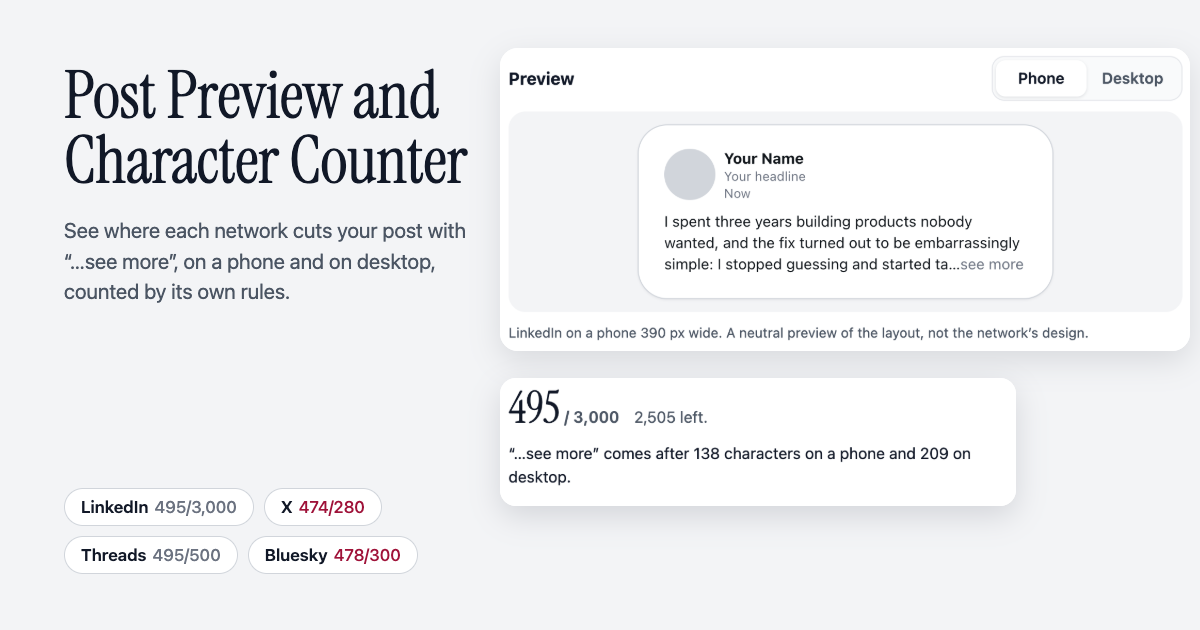
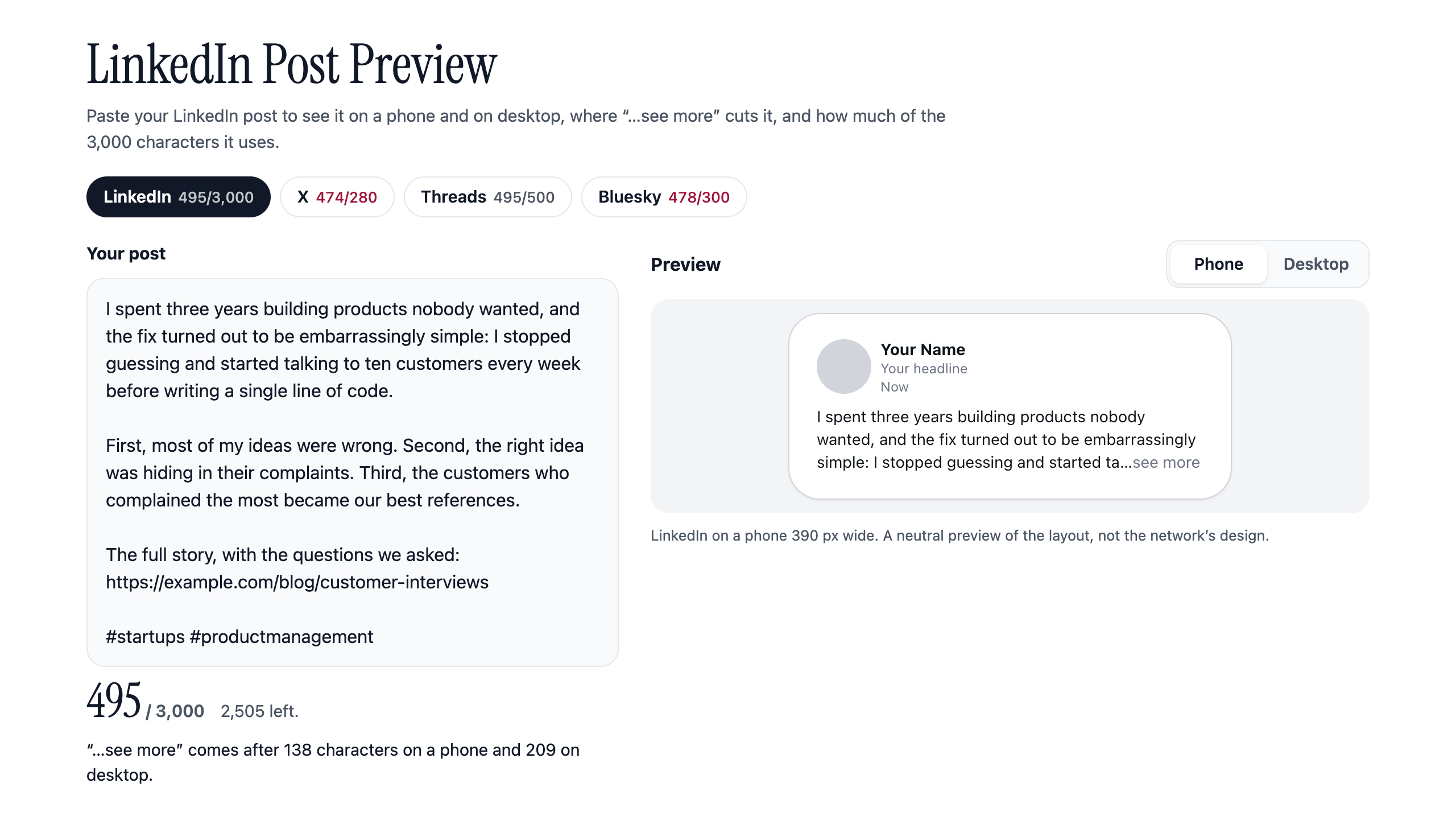
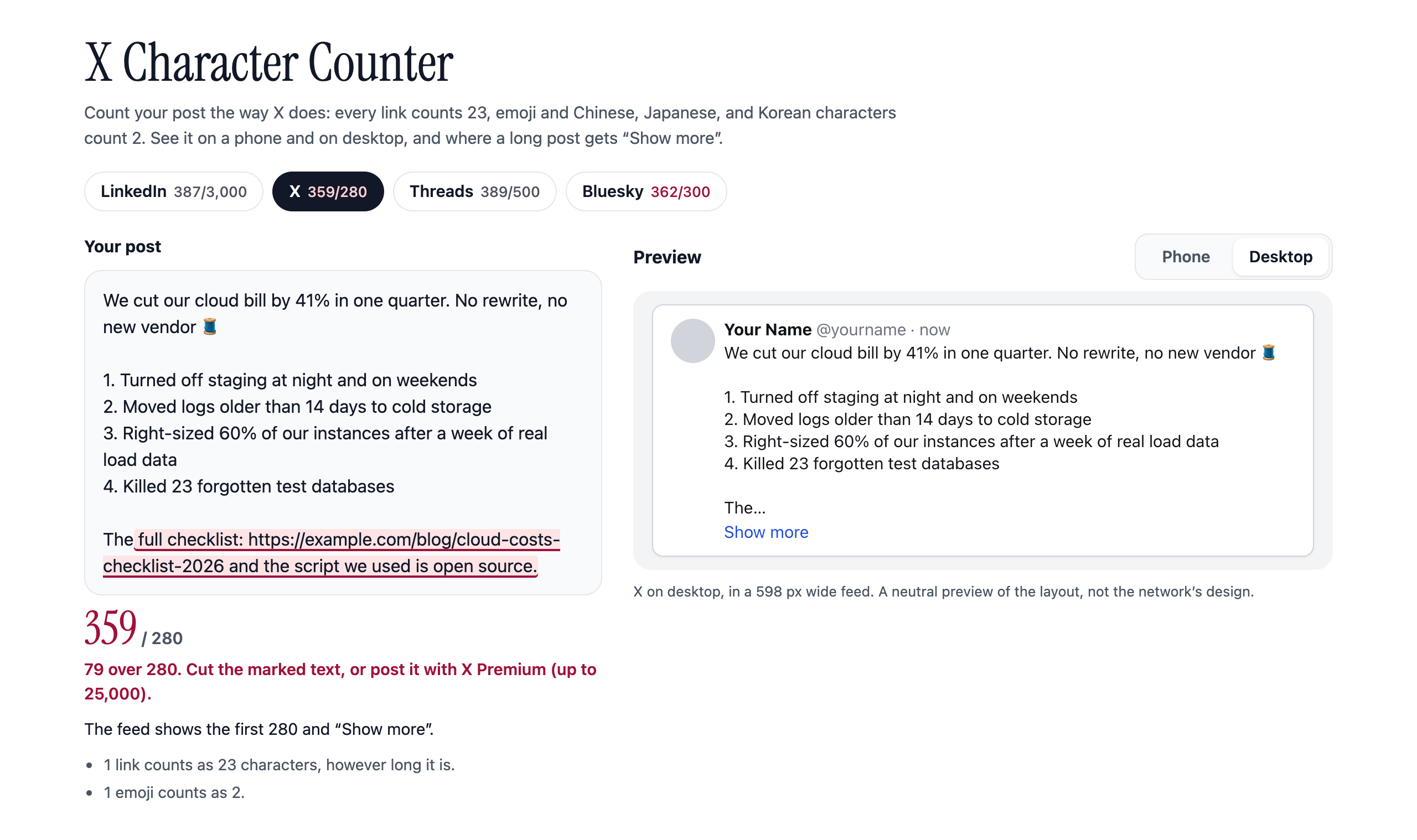
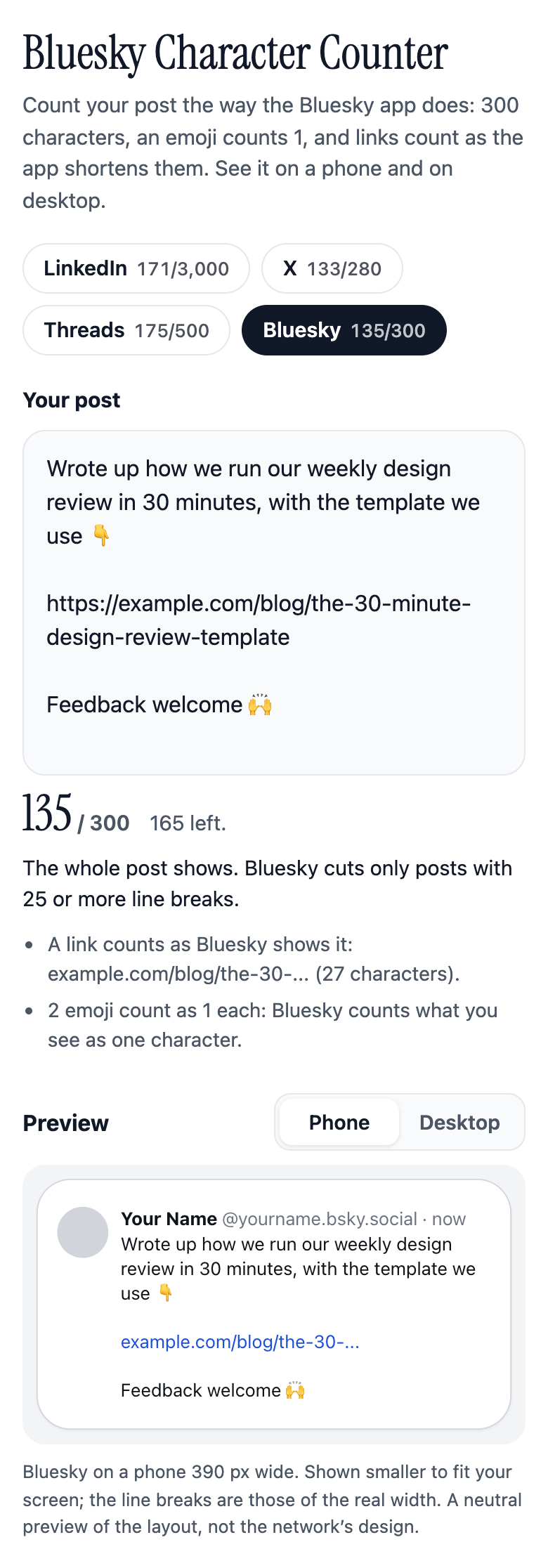
What it does: shows how a post will look on LinkedIn, X, Threads, or Bluesky before you publish it. Paste the text and see it on a phone and on desktop, with the cut exactly where the feed puts it: "...see more" after 3 lines on LinkedIn, "Show more" after 280 characters on a long X post, "Show more" after 25 lines on Bluesky. Below the text box, one line says how many characters a reader sees before the fold on a phone and on desktop. The counter counts the way each network counts: on X every link is 23 and every emoji or Chinese, Japanese, or Korean character is 2, on Threads an emoji counts as its UTF-8 bytes, on Bluesky links are shortened the way the app shortens them and an emoji is 1, LinkedIn allows 3,000. Whatever is over the limit is marked in the text.
Who it is for: people who write posts for a living or for their business: creators, founders, ghostwriters, social media managers, and anyone who cross-posts the same text to several networks. Each network has its own address (?network=linkedin, ?network=x), so a site owner can serve every "LinkedIn post preview" and "X character counter" search with one page.
What you get: use it free in the live preview above, or take the whole tool: a one-page site for any static host with no server, no database, and no API keys, the counting and fold logic in their own JavaScript modules with unit tests, every network's limit, fold, and sources in one settings file, and HTML documentation on hosting it, changing texts, colors, and rules, and embedding it in another page.
What you do: pick the network, paste the post, and switch between Phone and Desktop. To host it yourself, upload the post-preview folder to any static host.
Features
- Four networks on one page: LinkedIn, X, Threads, and Bluesky, each at its own address, with the heading and page title naming it.
- Phone and desktop previews in a neutral layout of each network's post (no logos), with line breaks, links, and hashtags as they appear.
- The fold where each network cuts the post: LinkedIn's "...see more" measured on the real line breaks at the real width, so a hook that starts with short lines folds earlier, X's "Show more" for posts over 280, Bluesky's 25-line "Show more".
- Counts by each network's published rules, each rule linked to its source: X's weights (links 23, emoji 2, CJK 2), Threads' emoji bytes, Bluesky's graphemes with its link shortening and 3,000-byte cap, LinkedIn's 3,000.
- Checked against the networks' own code: the X count matched twitter-text on 4,357 test posts, the Bluesky count matched the Bluesky app's rules on 2,928.
- A short note says what changed the count ("1 link counts as 23 characters"), and text over the limit is marked in the text box.
- One text for every network: each network link shows its count, so a cross-post is checked at once.
- Private: everything runs in the browser, the text is never sent or stored, no sign-up, no ads.
- Works on a phone and with the keyboard, and fits a frame on any page.
Screenshots
Categories
Tags
Products of the Week.
Submit🥇

STOP GUESSING WHAT TO POST
AI that learns your brand voice and builds a month of consistent, on-brand social content: carousels, posts and hooks that sound like you, not like everyone else's AI.
SaaS · 3,148 views · 28 clicksSaaS · Week 45 · 3,148 views · 28 clicks
🥈

Conversational Backlinks for Busy Founders
Place Backlink Relevant Conversation for your domain across Forums and Conversations
Website · 40,548 views · 217 clicksWebsite · Week 45 · 40,548 views · 217 clicks
🥉

upvote.club
Free Social Media Engagement that Helps Boost Your Content. Upvote Club supports 19 social networks with 100+ engagement actions in one dashboard. Add links to your posts and get free engagement from real users.
SaaS · 38,646 views · 111 clicksSaaS · Week 45 · 38,646 views · 111 clicks
#4

Substack Posting API
Onboard your Agent to Substack. Write Publish on Substack via API
SaaS · 57,688 views · 197 clicksSaaS · Week 45 · 57,688 views · 197 clicks
#5

Seenshot App
Free, Fast, MacOS Screenshot app. Make Screenshot cmd+shift+2 and send it via link
Desktop App · 27,116 views · 119 clicksDesktop App · Week 45 · 27,116 views · 119 clicks
#6

Hand-Placed Backlinks $9.99 per link. Flat rate.
Buy hand-placed forum, Q-A and directory backlinks. Flat $9.99 per link, no subscriptions — you only pay for approved listings.
Website · 3,038 views · 18 clicksWebsite · Week 45 · 3,038 views · 18 clicks
#7

Free Invoice Generator - PDF Invoices in Your Browser, No Sign-Up
A free invoice maker for freelancers and small businesses: fill in the invoice, check the live preview, and download a PDF that looks exactly like it. Any currency, tax per item, three templates, no sign-up, and nothing leaves your device.
1,732 views · 16 clicksWeek 45 · 1,732 views · 16 clicks
#8

Merge PDF Files Free - Combine PDFs in Your Browser, No Upload
A free PDF merger for office workers, students, and freelancers: combine PDFs and images into one file in the browser, reorder files and pages, pick page ranges, keep bookmarks, and open password-protected PDFs. Nothing is uploaded, no sign-up, no watermark.
1,619 views · 13 clicksWeek 45 · 1,619 views · 13 clicks