
FontGen - Free CSS @font-face Generator and WOFF2 Converter
Description
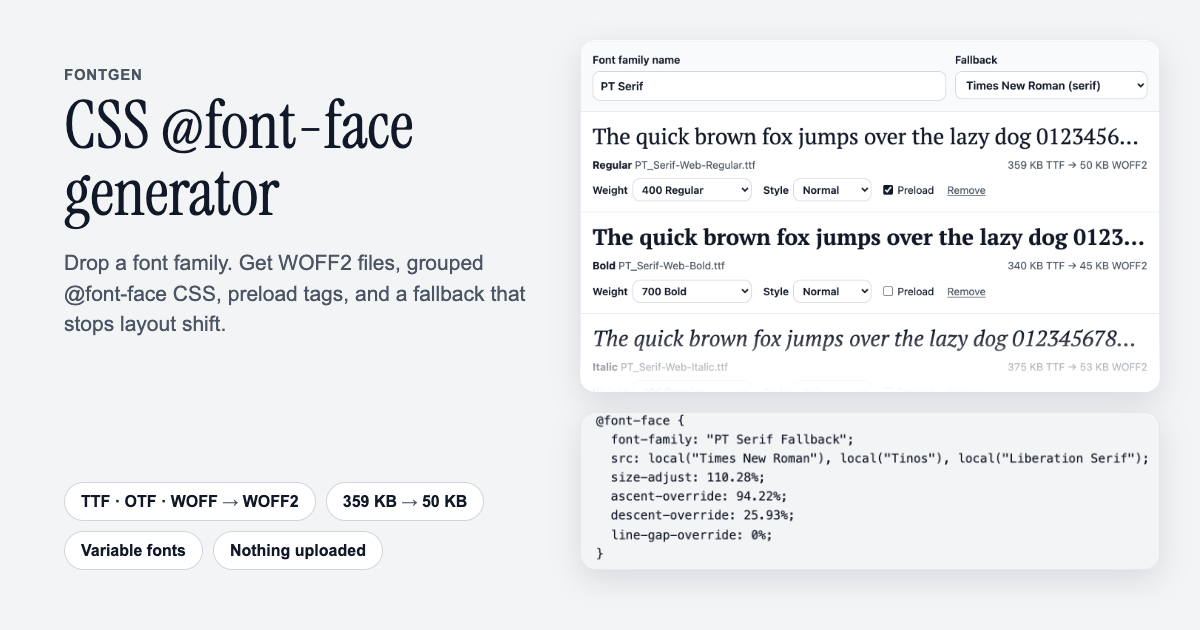
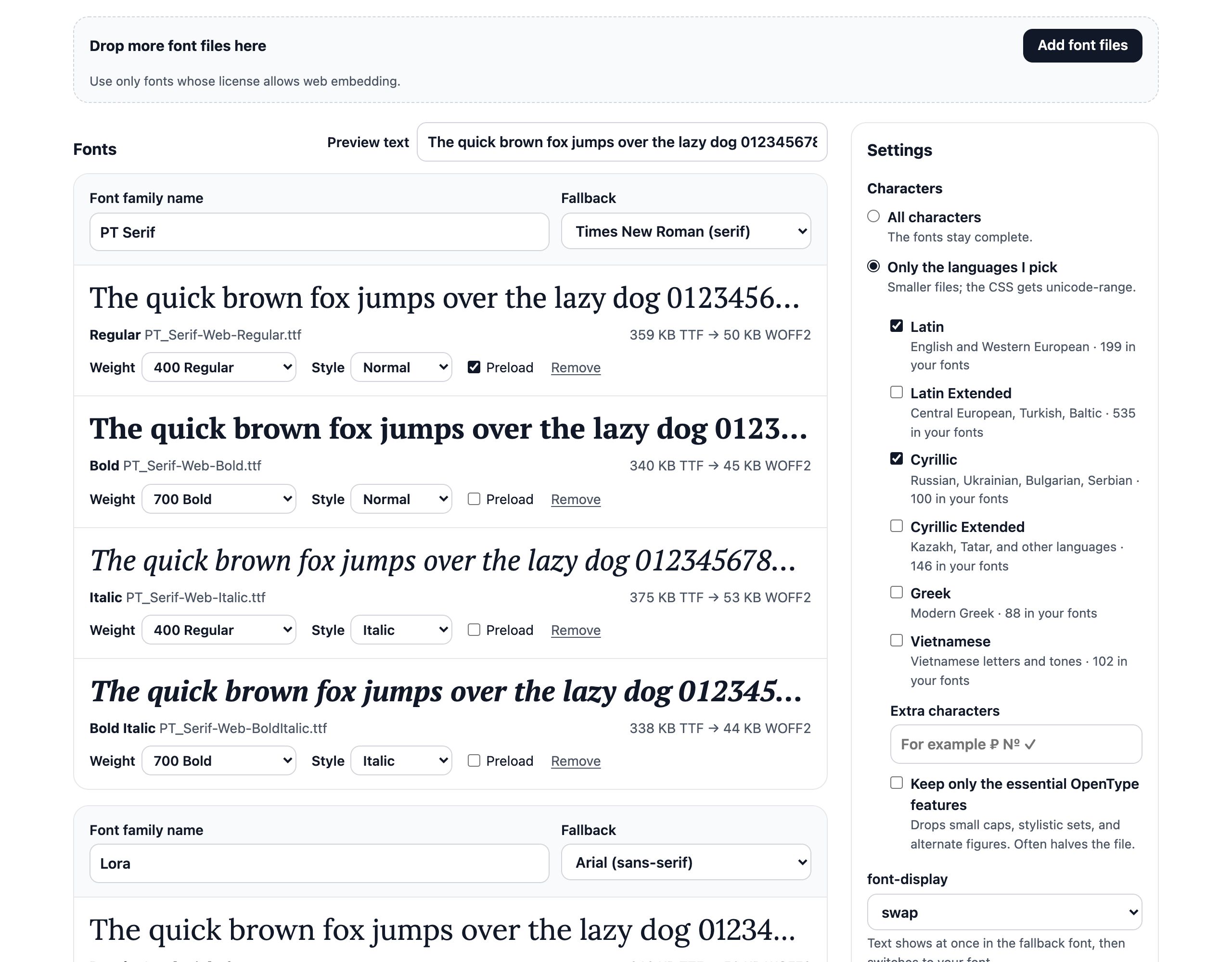
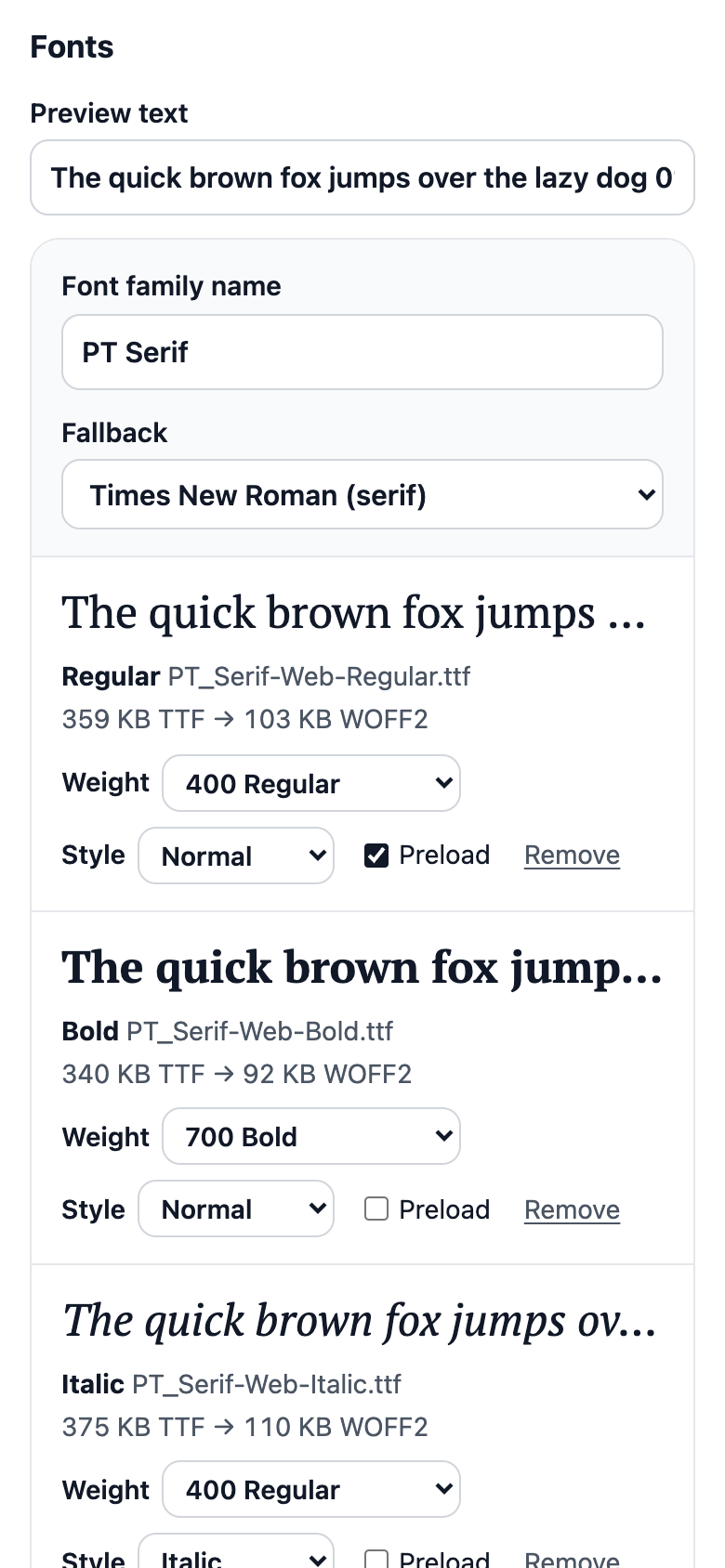
What it does: turns font files into everything a website needs to self-host them. Drop TTF, OTF, WOFF, WOFF2, or TTC files, a whole family at once. FontGen reads the family, weight, and style stored inside each font and groups the files into one font-family: Regular, Italic, Bold, and Bold Italic become four @font-face rules, and a variable font gets its real weight range (font-weight: 400 700). Every file becomes WOFF2, about a third of a TTF. Keep only the languages your site uses (Latin, Latin Extended, Cyrillic, Greek, Vietnamese, or your own characters) and a font often drops to a tenth of its size, with the matching unicode-range in the CSS. Each family also gets a fallback font sized to its metrics, so the text keeps its place while the web font loads: on a test page the fallback line was as wide as PT Serif and the paragraph as tall, where plain Times New Roman was 9% narrower.
Who it is for: web developers and designers who self-host fonts: a brand font bought for the web, an open-source family, or a Google font moved onto your own server. The fonts never leave the browser, so licensed fonts are safe to use here, and nothing caps their size: a 9.6 MB Japanese font converts while the page stays responsive.
What you get: use it free in the live preview above, or take the whole tool: a one-page site for any static host with no server, no database, and no API keys, the font logic in its own JavaScript modules (reading, grouping, subsetting, CSS, ZIP) that also run in Node.js, 44 unit tests on openly licensed fonts, and HTML documentation on hosting it, changing texts, colors, and defaults, adding character sets, and embedding it in another page.
What you do: drop the fonts, check the names and styles it found, pick the languages and font-display, and click Download ZIP. Upload the fonts folder to your site and paste the two lines of HTML into your pages.
Features
- Several files at once: TTF, OTF, WOFF, WOFF2, and font collections (each font listed), a file that is not a font gets a plain message, the rest goes on.
- Family, weight, and style read from inside the font and grouped into one font-family, the name, weight, style, and fallback are editable, and two files claiming the same weight and style are flagged.
- Variable fonts kept variable: their weight, width, and slant ranges go into the CSS.
- WOFF2 for every file, WOFF as an option for browsers older than 2016.
- Optional subsetting by language or by your own characters, with unicode-range, each language shows how many of its letters your fonts have. Kerning, ligatures, and every OpenType feature stay unless you choose to drop the optional ones.
- Optional hinting removal, which can halve a hinted TrueType file (PT Serif: 103 KB to 51 KB).
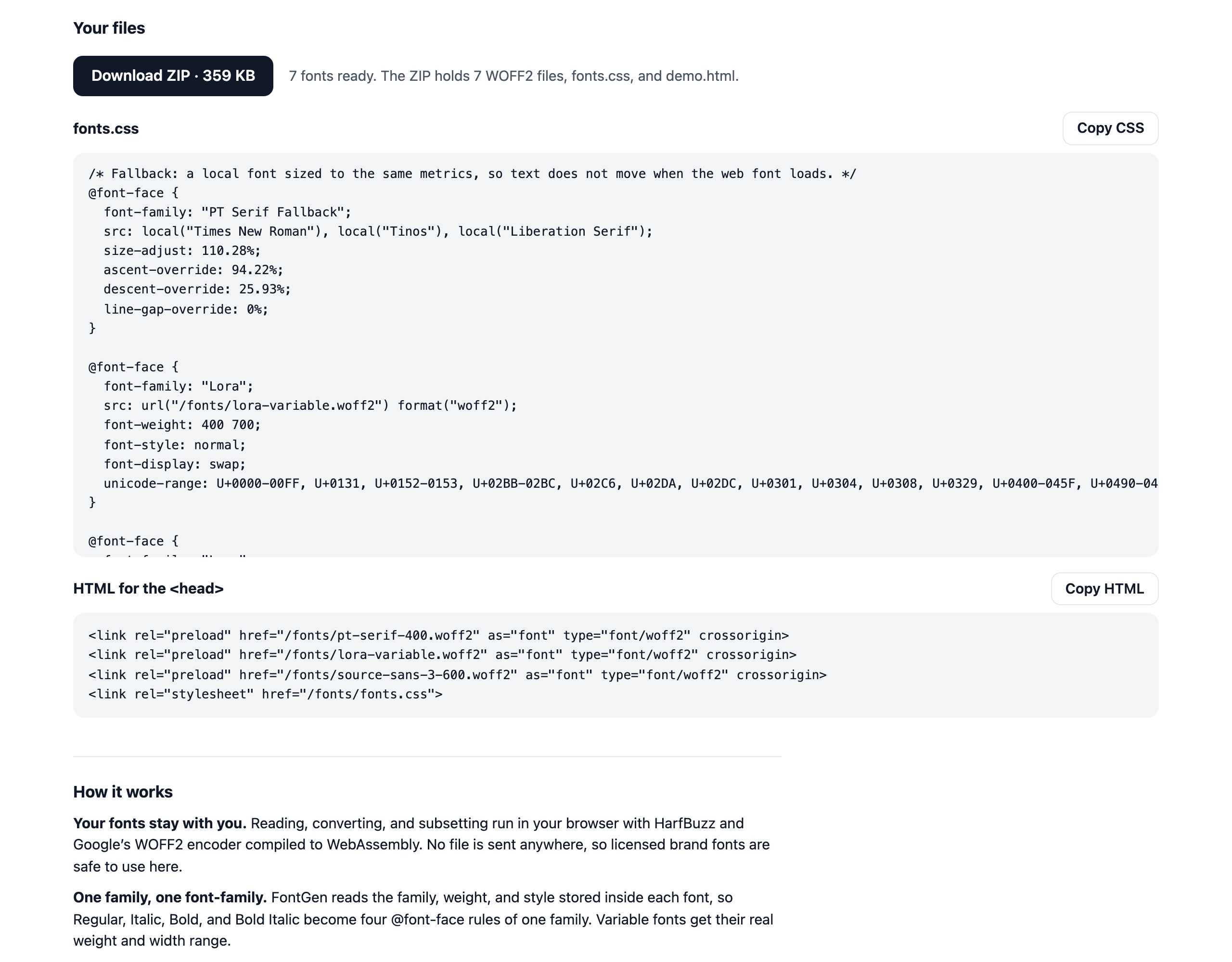
- Clean @font-face CSS with font-display (swap, optional, fallback, block, auto), a fallback font tuned to your font's metrics against layout shift, and a CSS variable with the whole font stack.
- Preload tags for the styles you mark, and the folder of your site set once for the CSS and the HTML.
- A live preview of every style drawn with the generated file itself, so you see what a subset keeps, with your own preview text and the size before and after.
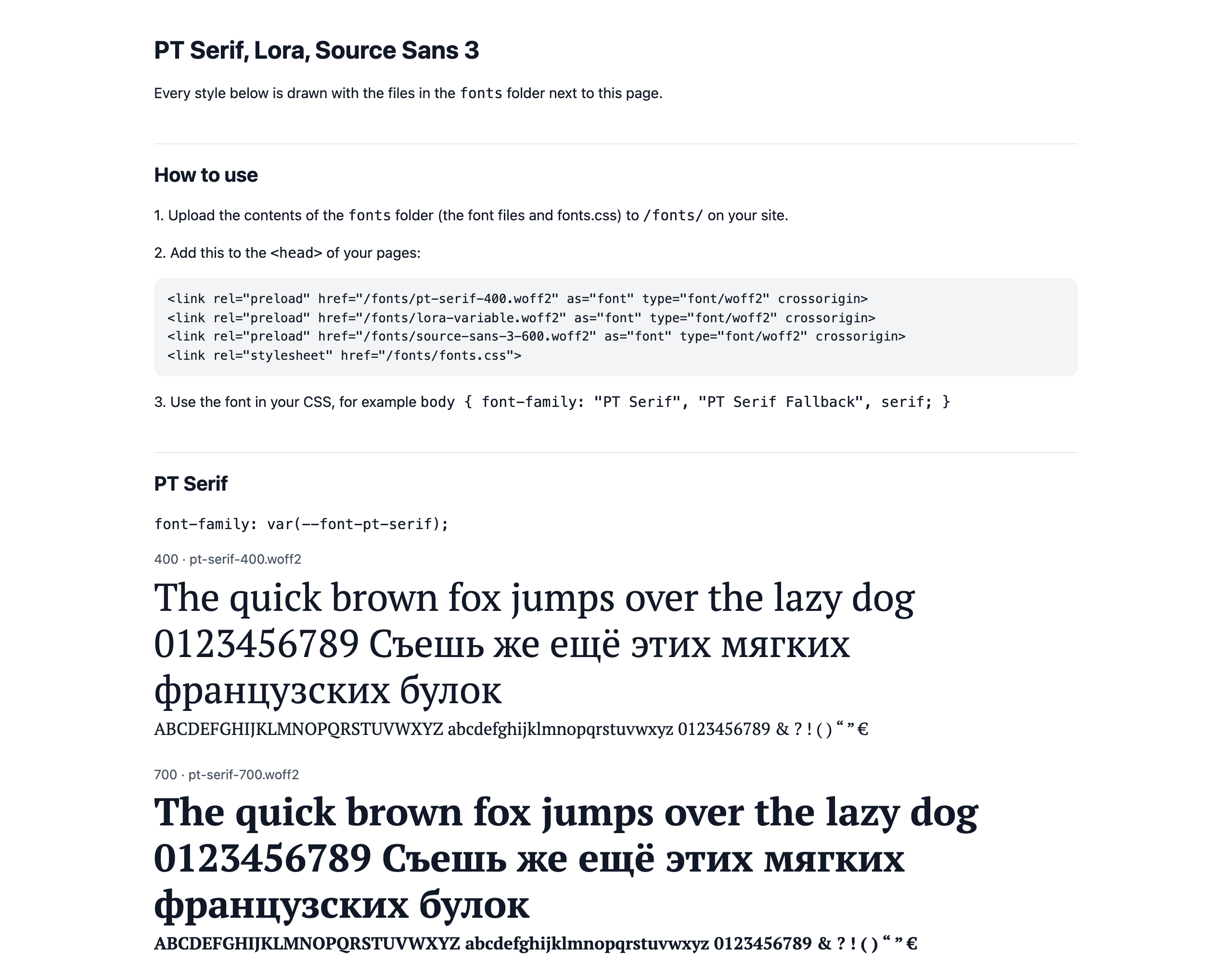
- One ZIP: the fonts and fonts.css in a
fontsfolder, and demo.html showing every style and how to use it, Copy buttons for the CSS and the HTML. - A short note on the row when a font says it may not be embedded, and one line reminding you to use only fonts whose license allows the web.
- Private and free: everything runs in your browser, nothing is uploaded or stored, no sign-up, no ads, works on a phone, with the keyboard, and keeps working offline once you start using it.
Screenshots
Categories
Tags
Products of the Week.
Submit🥇

STOP GUESSING WHAT TO POST
AI that learns your brand voice and builds a month of consistent, on-brand social content: carousels, posts and hooks that sound like you, not like everyone else's AI.
SaaS · 3,147 views · 28 clicksSaaS · Week 45 · 3,147 views · 28 clicks
🥈

Conversational Backlinks for Busy Founders
Place Backlink Relevant Conversation for your domain across Forums and Conversations
Website · 40,547 views · 217 clicksWebsite · Week 45 · 40,547 views · 217 clicks
🥉

upvote.club
Free Social Media Engagement that Helps Boost Your Content. Upvote Club supports 19 social networks with 100+ engagement actions in one dashboard. Add links to your posts and get free engagement from real users.
SaaS · 38,645 views · 111 clicksSaaS · Week 45 · 38,645 views · 111 clicks
#4

Substack Posting API
Onboard your Agent to Substack. Write Publish on Substack via API
SaaS · 57,687 views · 197 clicksSaaS · Week 45 · 57,687 views · 197 clicks
#5

Seenshot App
Free, Fast, MacOS Screenshot app. Make Screenshot cmd+shift+2 and send it via link
Desktop App · 27,115 views · 119 clicksDesktop App · Week 45 · 27,115 views · 119 clicks
#6

Hand-Placed Backlinks $9.99 per link. Flat rate.
Buy hand-placed forum, Q-A and directory backlinks. Flat $9.99 per link, no subscriptions — you only pay for approved listings.
Website · 3,037 views · 18 clicksWebsite · Week 45 · 3,037 views · 18 clicks
#7

Free Invoice Generator - PDF Invoices in Your Browser, No Sign-Up
A free invoice maker for freelancers and small businesses: fill in the invoice, check the live preview, and download a PDF that looks exactly like it. Any currency, tax per item, three templates, no sign-up, and nothing leaves your device.
1,731 views · 16 clicksWeek 45 · 1,731 views · 16 clicks
#8

Merge PDF Files Free - Combine PDFs in Your Browser, No Upload
A free PDF merger for office workers, students, and freelancers: combine PDFs and images into one file in the browser, reorder files and pages, pick page ranges, keep bookmarks, and open password-protected PDFs. Nothing is uploaded, no sign-up, no watermark.
1,618 views · 13 clicksWeek 45 · 1,618 views · 13 clicks