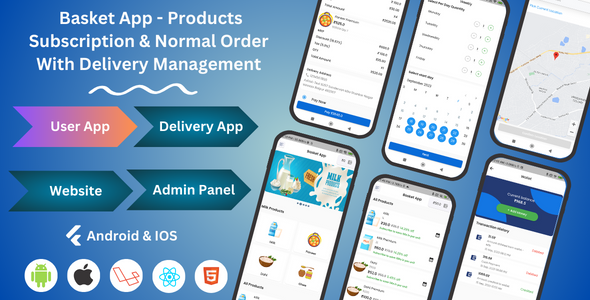
Dairy, Grocery, Milk & More Products | Subscription & Normal Order | Customer & Delivery Management
Description
Basket App is the perfect solution for businesses that do both subscriptions and regular orders. It helps you manage subscriptions, process orders, and understand how your business is doing. It makes your customers happy, and it helps your business grow. Try Basket App and make your business even better.

For a better demo experience, please create a demo user account from the user app and a delivery man credential from your demo admin panel to use the delivery man app.



How to Use and Understand the Full System Operation.
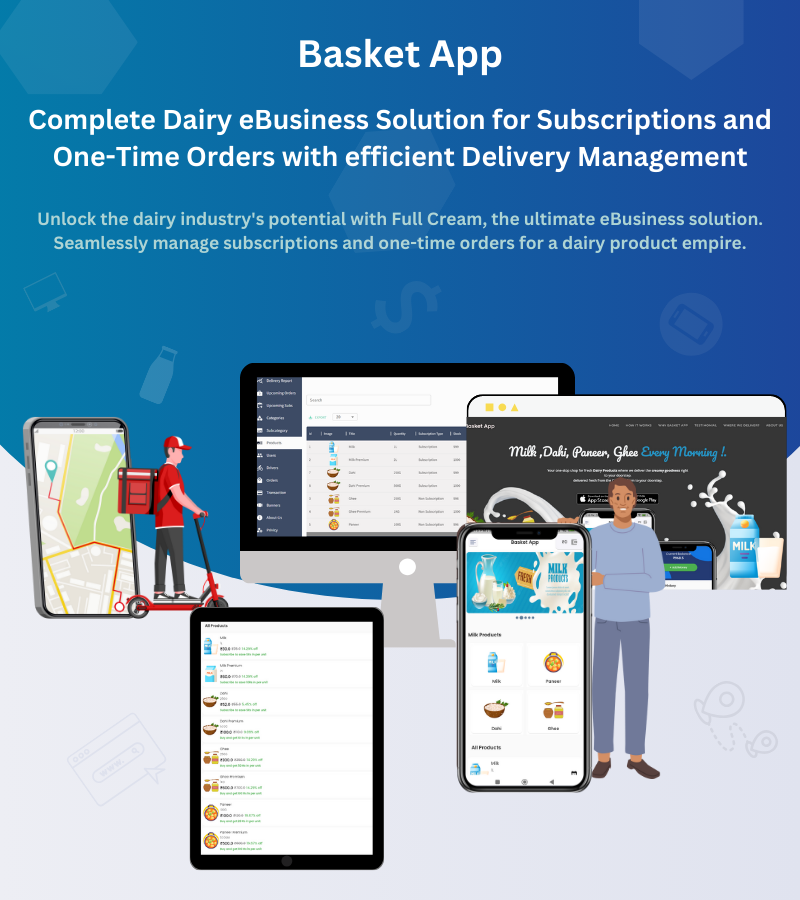
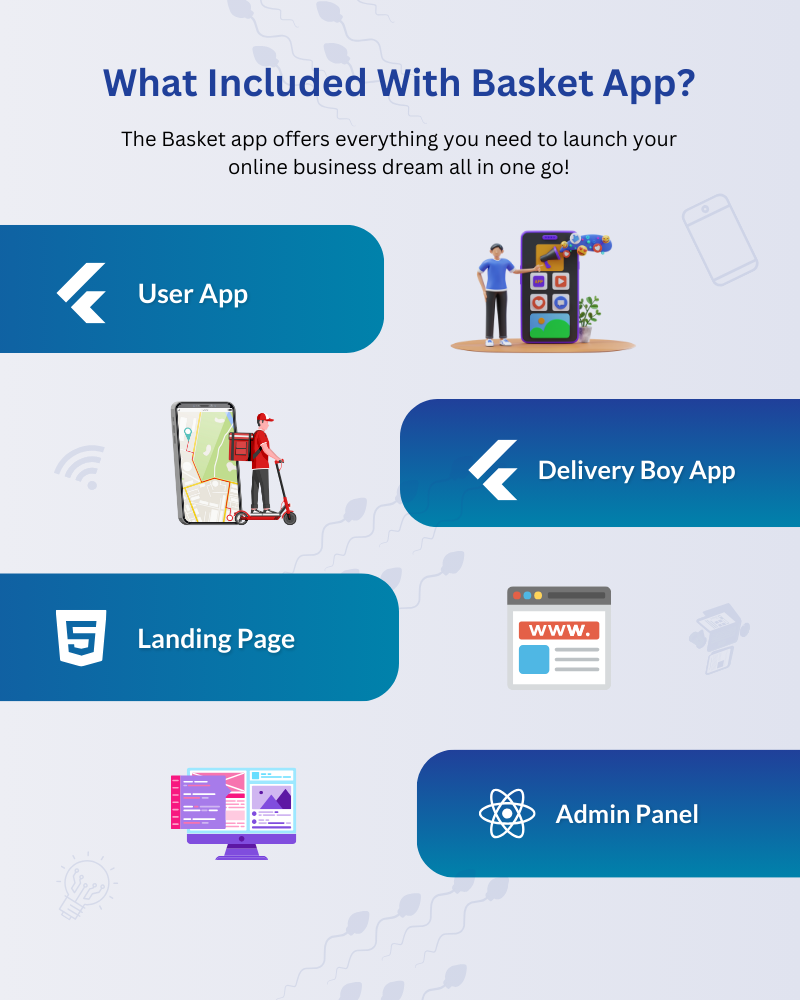
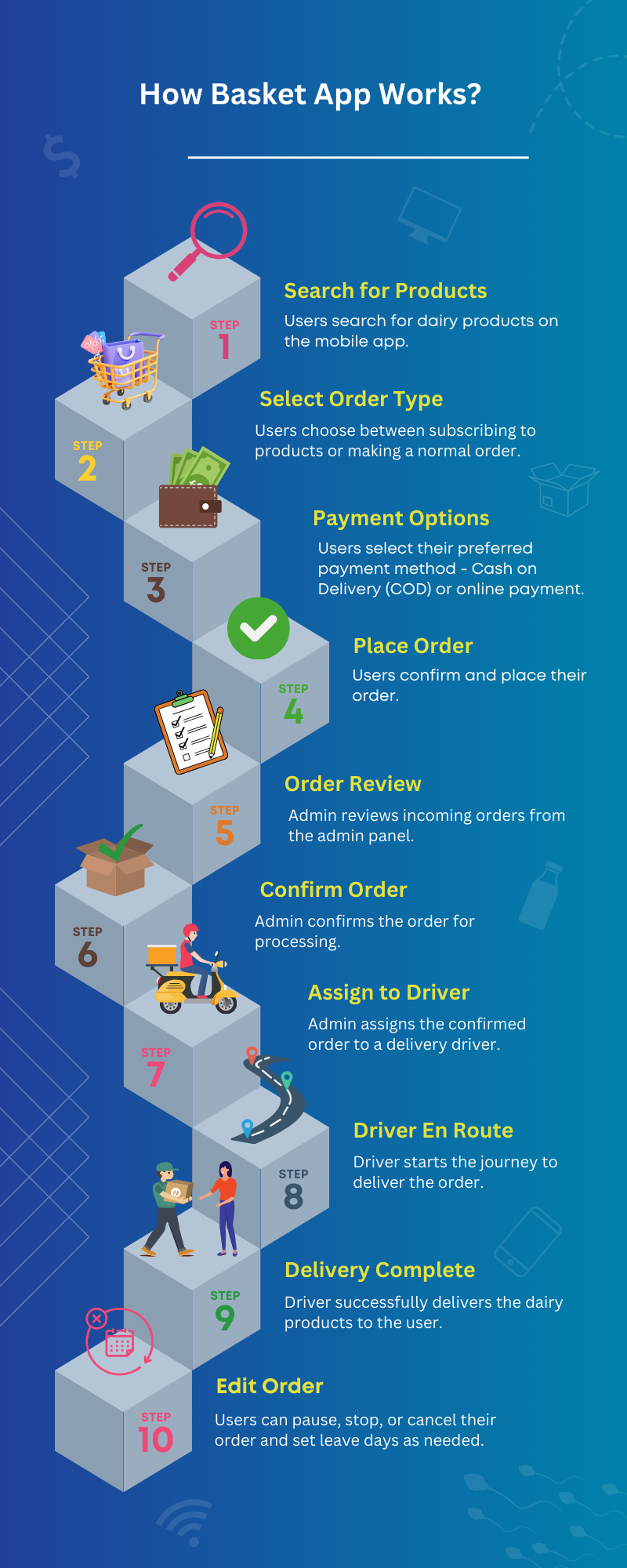
The Basket App is designed to provide a seamless experience for users, from product selection and subscription management to payment and delivery. Additionally, the admin panel serves as a central hub for managing various aspects of the system, including products, subscriptions, delivery boy, pin codes, transactions, etc.
In our streamlined system, we’ve organized every product into a carefully curated hierarchy of categories and subcategories, ensuring a user-friendly experience. Here’s a step-by-step guide on how to make the most of our platform:
- Start with Categories and Subcategories: Begin by adding your product categories, followed by their respective subcategories. This structured approach makes it easy to navigate and manage your product catalog.
- Product Entry: After setting up your categories and subcategories, it’s time to add your products. The product entry page offers a wealth of customization options to make your listings stand out:
- Product Details: Fill in essential information, including product titles, images, quantities, prices, and the manufacturer’s suggested retail price (MRP).
- Inventory Management: Keep track of stock levels effortlessly with our stock qty filed.
- Special Offers: Highlight any ongoing discounts or special offers to attract customers.
- Detailed Descriptions: Craft detailed product descriptions to inform and engage potential buyers.
- Disclaimers: Include any necessary disclaimers to ensure transparency and compliance.
- Category Customization: Assign products to specific categories and subcategories for better organization.
- Subscription Option: As an added bonus, we offer a subscription feature to enhance your product offerings. You have the flexibility to enable or disable this option for individual products. Here’s how it works:
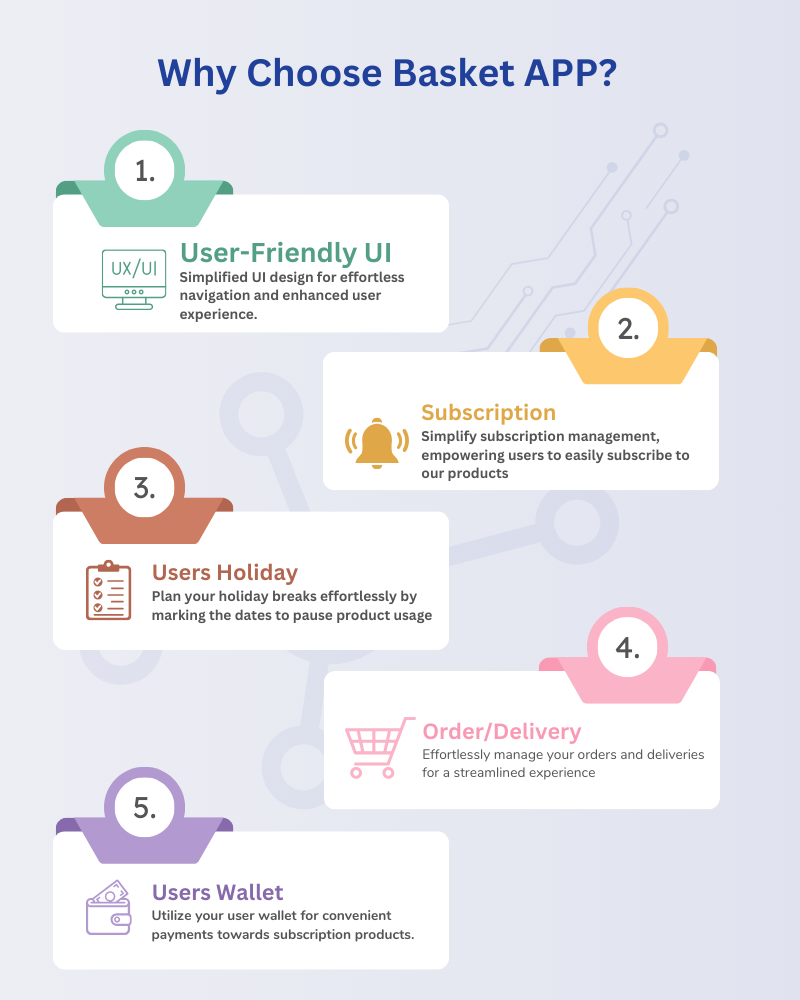
- Subscription-Based Products: Certain products can be marked as subscription-based. This allows customers to subscribe and receive regular shipments based on their preferences, whether it’s weekly, daily, alternative schedules, or one-time orders.
Order Type
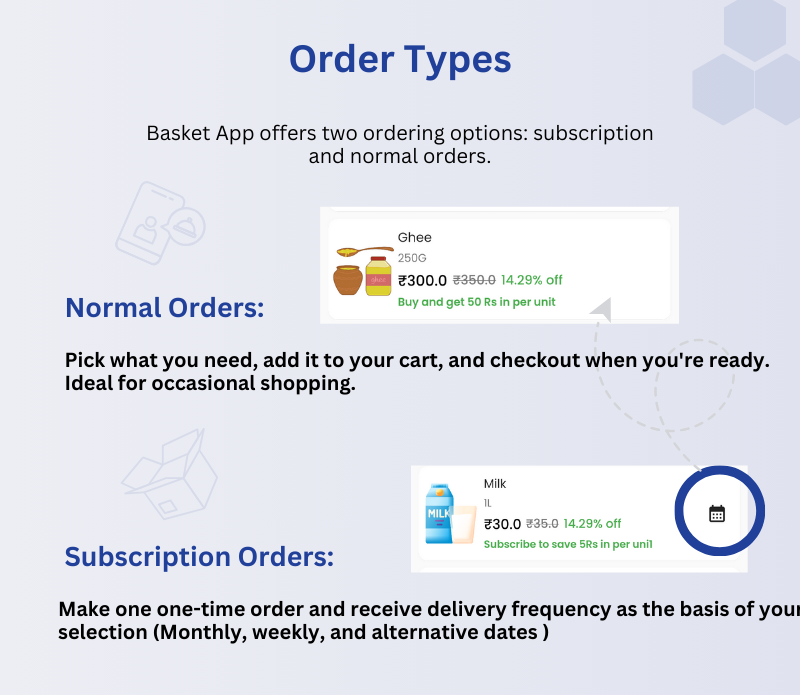
Our system offers two distinct order types: normal orders and subscription-based orders. The flexibility of our platform allows you to fully customize each product and designate them as either normal or subscription-based.
- Normal Orders: Normal orders provide users with the flexibility to add products to their cart, make payments, and receive deliveries as per their immediate needs. Users can choose products, place them in their cart, complete the payment process, and expect delivery based on your business’s standard delivery protocols. This option caters to users looking for one-time, on-demand ordering.
- Subscription Orders: Subscription orders, on the other hand, offer users the convenience of placing a single order but with recurring delivery options based on their preferences. Users can select their desired delivery frequency, such as monthly, weekly, or specific alternative dates. This subscription model is ideal for users seeking a hassle-free, regular supply of products tailored to their delivery schedule.
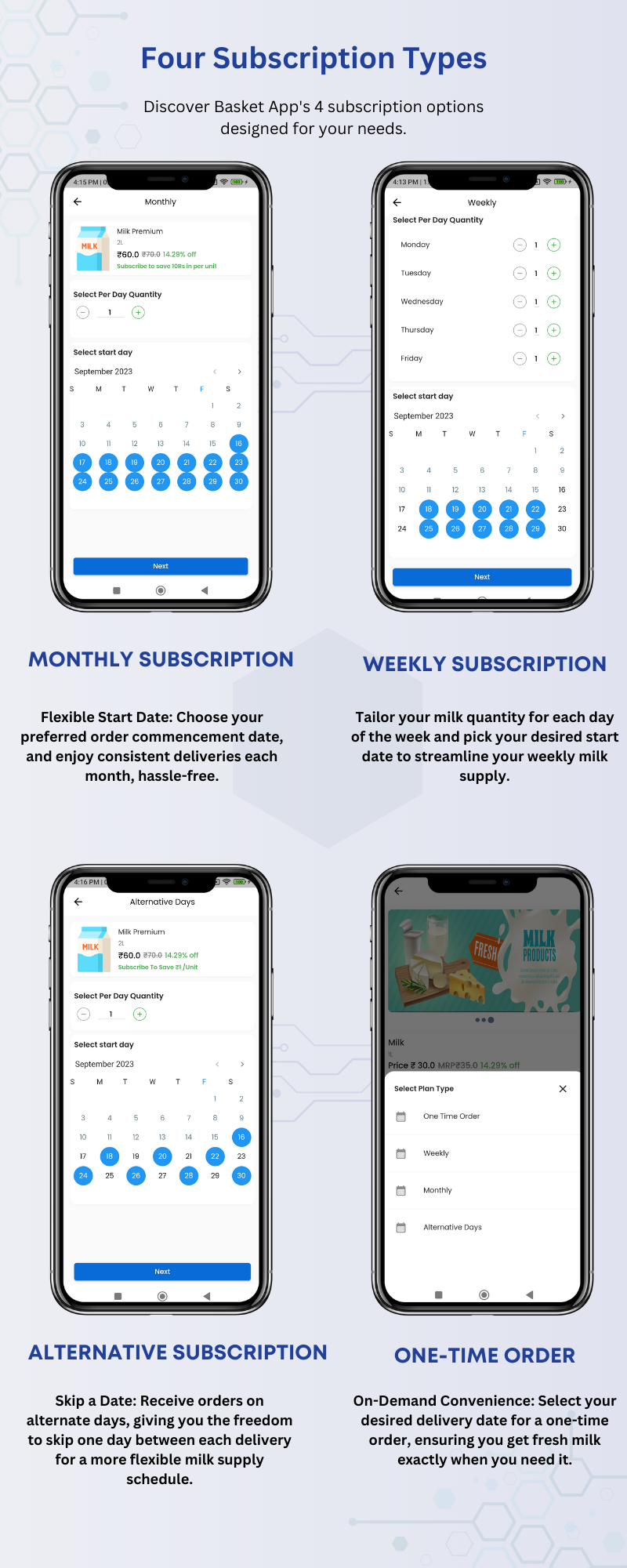
- Monthly Subscription: With monthly subscriptions, users have the flexibility to choose their preferred start date and specify the quantity of products they want to receive. Once these choices are made, our system takes care of the rest. Users can expect their chosen products to be delivered consistently every month, ensuring a steady supply that aligns with their preferences.
- Weekly Subscription: Weekly subscriptions cater to users who want even more control over their deliveries. Users can select a start date, set the quantity they need for each day, and determine how many days per week they want delivery. Our system then ensures that these deliveries occur consistently on a weekly basis, following the user’s specifications.
- Alternative Subscriptions: Alternative subscriptions offer a unique delivery pattern. Users can choose a start date and specify the quantity they require. In this case, our system arranges for frequent deliveries with a one-day gap between each delivery. This option is perfect for users who prefer a more varied schedule while still receiving their desired products regularly.
- One-Time Subscription: For users who prefer a one-time, on-demand approach, our one-time subscription option is available. Users can select a delivery date and specify the quantity of products they need for that specific date. Our system ensures that the delivery occurs as requested, providing a convenient and flexible solution for individual, non-recurring needs.
Basket App’s 4 subscription options designed for your needs.
Order Flow:
- Users begin by registering on the Basket App using their phone number for authentication
- Users can explore a wide range of products available in the app by searching through the product catalog.
- They can add desired items to their shopping cart or select a subscription plan, based on calendar
- They can choose to input the address manually or utilize Google Maps integration for precise location details.
- Now users can make the payment or select the COD and then complete the order.
- Once the order is done the admin can confirm the order and check the transaction. Now admin can assign the delivery boy based on order type (Subscription or Normal order).
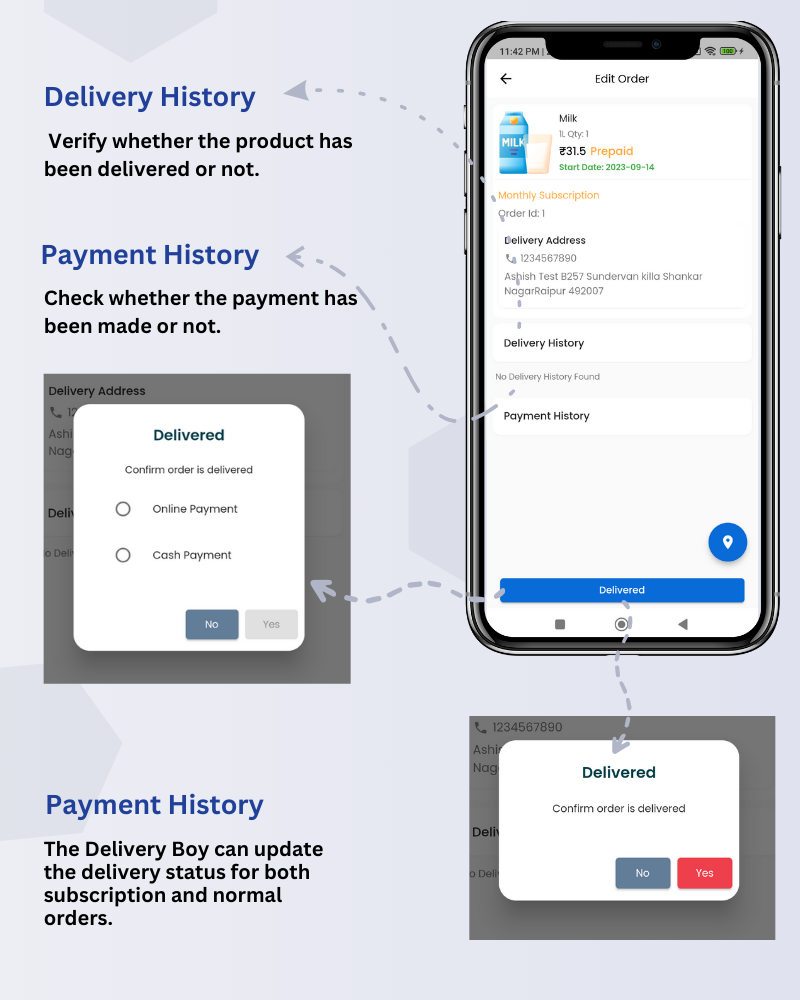
- The delivery boy can log in, check the order, and mark the order as delivered after completing the delivery.
Delivery Flow
- To handle deliveries, first, add a delivery driver from the Drivers Page. After adding them, you can assign deliveries.
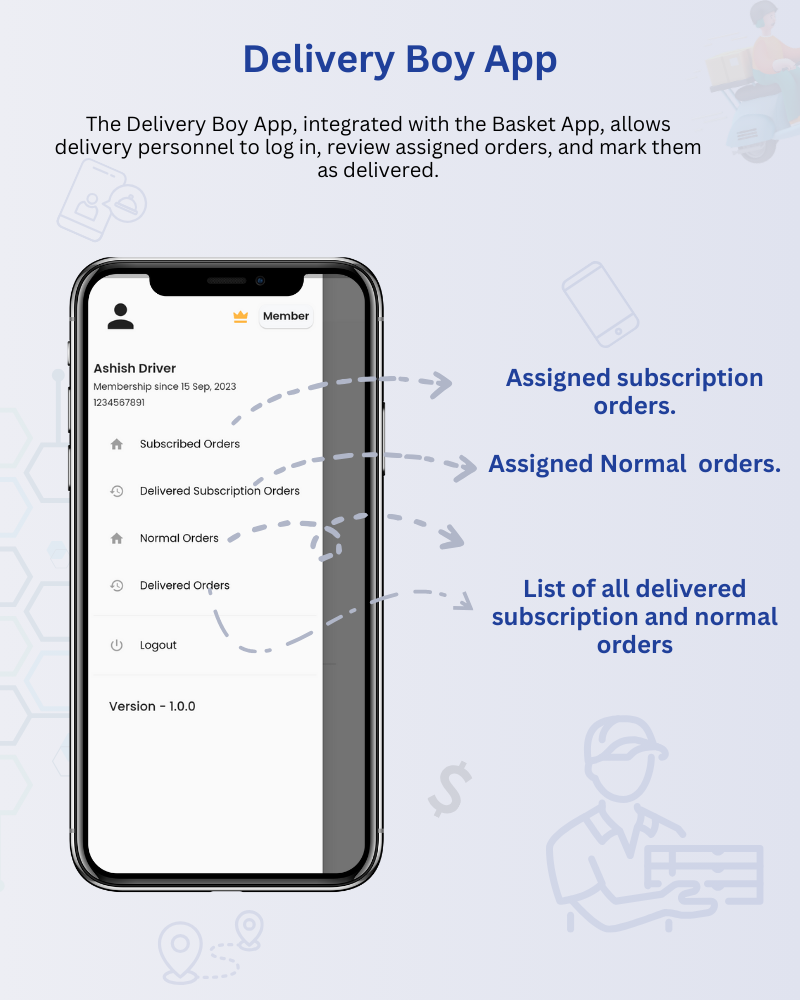
- Our Delivery Boy app allows drivers to log in with their phone number. From there, they can see all their assigned orders, including both subscription and regular deliveries, as well as delivered orders.
- The delivery boy app has the ability to mark products as ‘delivered’ and ‘paid’.
Payments Option
Our system offers two payment options: ‘Cash on Delivery’ (COD) and ‘Pay Now.’ Both payment options are available for normal orders, while for subscription orders, once delivered the amount will be auto-deducted from the user’s wallet.
Wallet
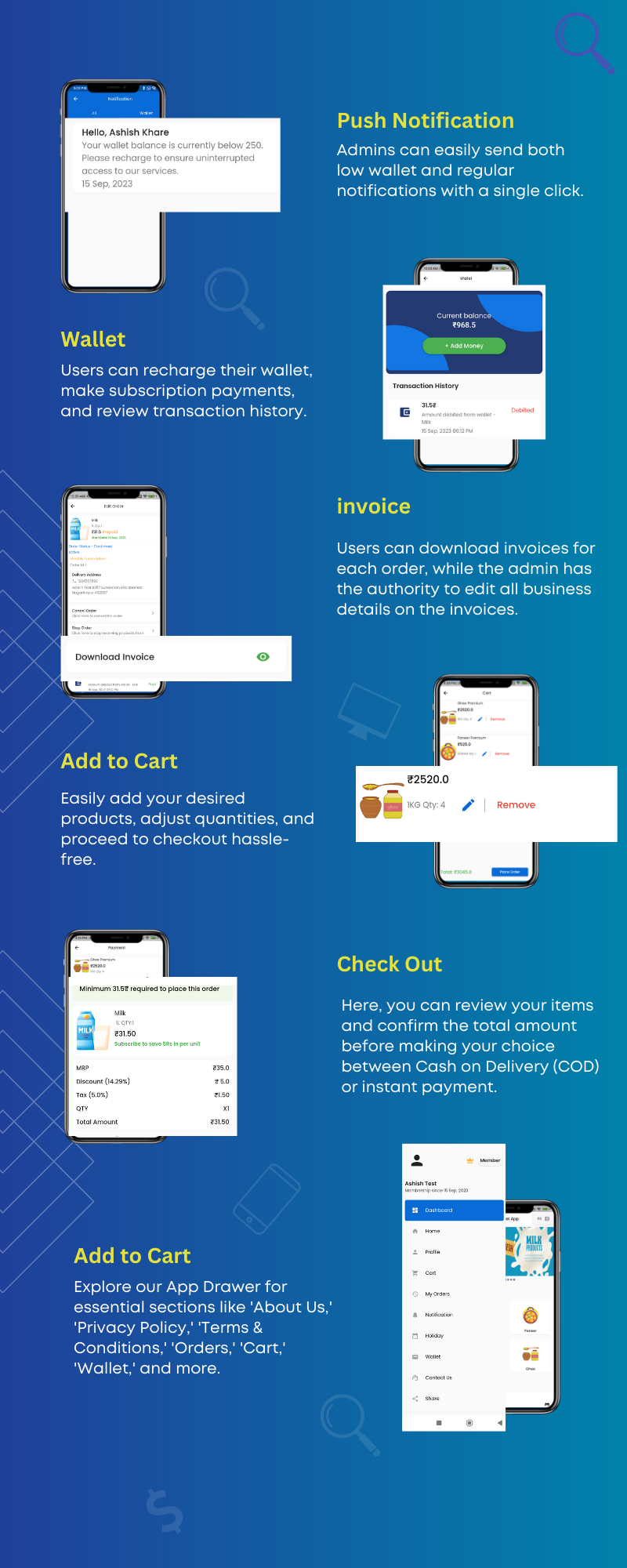
Our wallet feature offers a convenient way for both users and administrators to manage funds. Users can add money to their wallet, and this balance is primarily intended to cover subscription orders. When a delivery is successfully marked as completed by the delivery personnel or an admin, the corresponding amount is automatically deducted from the user’s wallet.
We have implemented an additional logic: If a user’s wallet balance is less than the total subscription order amount, no delivery will be processed. This means that the user will be temporarily removed from the upcoming order subscription page and the delivery boy app until they recharge their wallet.
We have also low wallet notification system where we have a condition if the user’s wallet amount is less than the given amount then the user will get the low wallet notification. Given amount will ask when you push notifications.
Note users cannot use a wallet to pay normal orders payents.
Transaction Flow
In our system, you can easily monitor all transaction details from the ‘Transactions’ page. Admins have the capability to review both credited and debited amounts. Additionally, administrators can credit or debit specific amounts to a user’s wallet, accompanied by a description for clarity and transparency. The system has two order types normal and subscription order both have a different transition flow.
- Normal Orders: If a user opts for ‘Pay Now,’ the transaction is automatically recorded in the system. However, when customers choose ‘COD’ and make a cash payment, the process involves first updating their wallet balance manually and then deducting the required amount from their account
- Subscription Orders: Transactions are updated when the delivery boy or admin marks products as delivered. Money is deducted from the user’s wallet when this action occurs.
More Features
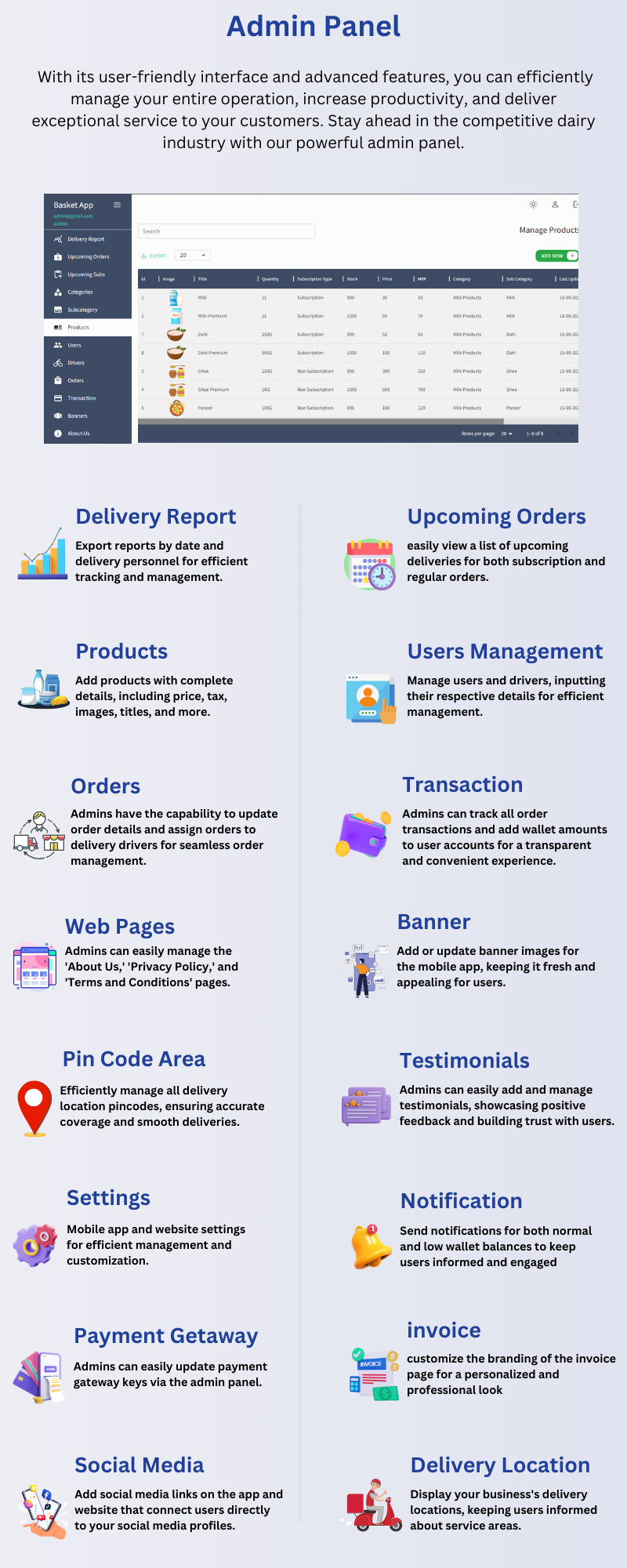
- Delivery Report: Export reports by date and delivery personnel for efficient tracking and management.
- Upcoming Orders: easily view a list of upcoming deliveries for both subscription and regular orders.
- Products: Add products with complete details, including price, tax, images, titles, and more.
- Users Management: Manage users and drivers, inputting their respective details for efficient management.
- Web Pages: Admins can easily manage the ‘About Us,’ ‘Privacy Policy,’ and ‘Terms and Conditions’ pages.
- Banner: Add or update banner images for the mobile app, keeping it fresh and appealing for users.
- Pin Code Area: Efficiently manage all delivery location pincodes, ensuring accurate coverage and smooth deliveries.
- Testimonials: Admins can easily add and manage testimonials, showcasing positive feedback and building trust with users.
- Settings: Mobile app and website settings for efficient management and customization.
- Notification: Send notifications for both normal and low wallet balances to keep users informed and engaged
- Payment Getaway: Admins can easily update payment gateway keys via the admin panel.
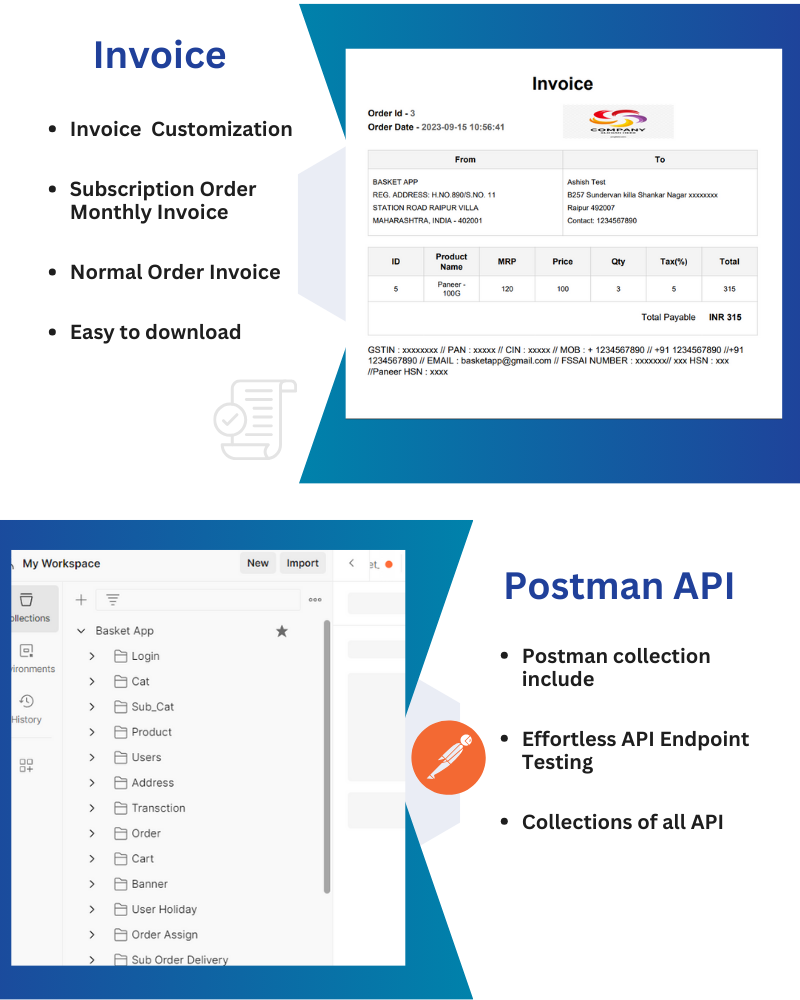
- Invoice: customize the branding of the invoice page for a personalized and professional look
- Social Media: Add social media links on the app and website that connect users directly to your social media profiles.
- Delivery Location: Display your business’s delivery locations, keeping users informed about service areas.
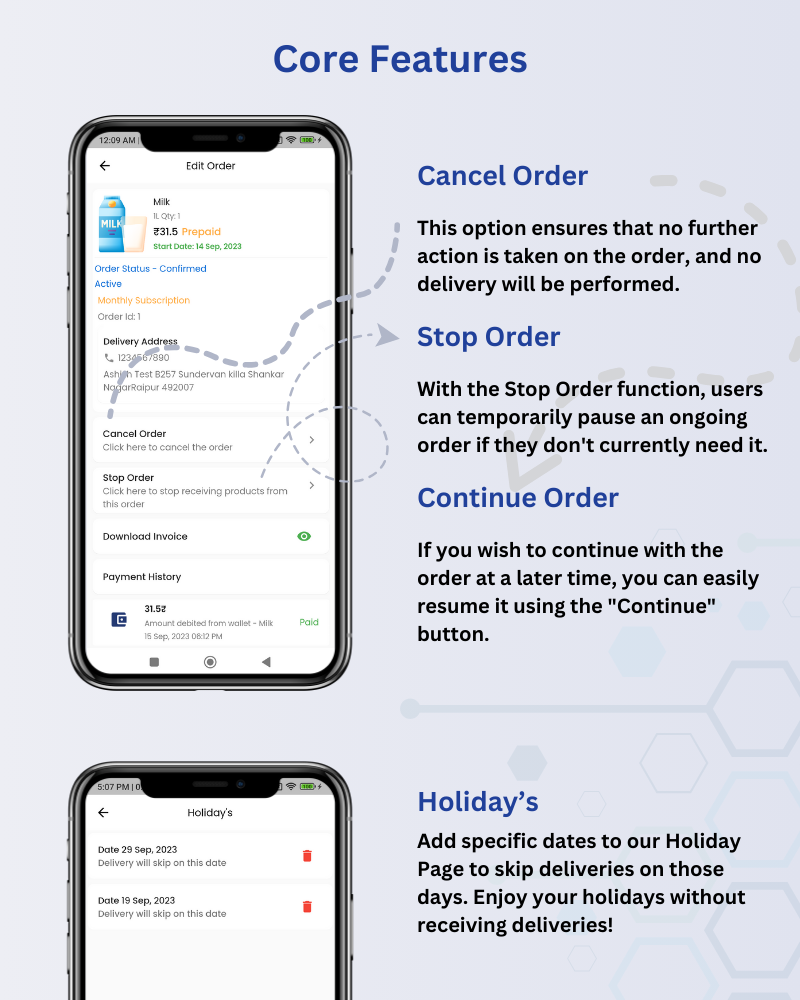
- Holiday’s: Add specific dates to our Holiday Page to skip deliveries on those days. Enjoy your holidays without receiving deliveries!
- Cancel Order: This option ensures that no further action is taken on the order, and no delivery will be performed.
- Stop Order: With the Stop Order function, users can temporarily pause an ongoing order if they don’t currently need it.
- Continue Order: If you wish to continue with the order at a later time, you can easily resume it using the “Continue” button.
Categories
Tags
External listing. code.market does not sell this product and does not process payment for it. Pricing, payment, delivery, licensing, refunds, and support are handled by the third-party merchant on its own website. We may earn an affiliate commission from a referral. Details.
Products of the Week.
Submit#1

upvote.club
Free Social Media Engagement that Helps Boost Your Content. Upvote Club supports 19 social networks with 100+ engagement actions in one dashboard. Add links to your posts and get free engagement from real users.
SaaS · 15,892 views · 96 clicksSaaS · Week 42 · 15,892 views · 96 clicks
#2

Seenshot App
Free, Fast, MacOS Screenshot app. Make Screenshot cmd+shift+2 and send it via link
Desktop App · 4,938 views · 109 clicksDesktop App · Week 42 · 4,938 views · 109 clicks
#3

Conversational Backlinks for Busy Founders
Place Backlink Relevant Conversation for your domain across Forums and Conversations
Website · 16,765 views · 195 clicksWebsite · Week 42 · 16,765 views · 195 clicks
#4

Substack Posting API
Onboard your Agent to Substack. Write Publish on Substack via API
SaaS · 35,760 views · 184 clicksSaaS · Week 42 · 35,760 views · 184 clicks
#5

codester.com
SocialDesk+: Omnichannel Social Commerce & Business Management Platform This is stronger than simply “Social Commerce and Messaging” because it tells buyers this is a complete business platform, not just a messaging script. Turn Social Conversations Into Sales SocialDesk+ is a complete omnichannel social commerce and business management platform built for businesses that sell and communicate with customers through social media. Instead of switching between WhatsApp, Facebook, Instagram and TikTok, businesses can manage customer conversations, comments, products, leads, follow-ups, automation, teams and business reports from one professional workspace. And because the full source code is included, developers, agencies and entrepreneurs can customize, rebrand and launch SocialDesk+ as their own business solution or SaaS platform. 🚀 Build Your Own Social Commerce Business SocialDesk+ gives you the foundation to launch: - Your own SaaS platform - A white-label social CRM - A social-commerce management system - A customer communication platform - A business messaging solution - A custom solution for clients - A multi-business subscription platform 💬 Connect Your Customers Supported social channels include: WhatsApp • Facebook • Instagram • TikTok Bring supported conversations into one centralized workspace and help businesses respond faster without constantly switching between platforms. 🛍️ More Than a Messaging Platform SocialDesk+ combines communication with the tools businesses need to manage customer opportunities: Inbox Manage customer conversations from connected channels. Comments Monitor and respond to social-media comments. Customers & Leads Organize customer information and potential buyers. Products & Catalog Manage products and give your team quick access to product information. Follow-Ups Make sure potential customers don't get forgotten. Automation Automate repetitive customer questions and responses. AI Assistant Provide AI-assisted communication when configured. Team Management Give managers and staff access to the business workspace. Reports & Analytics Track activity using business reports and analytics. The current product listing already includes these capabilities. 🔥 Why Buyers Will Want It Launch Faster Start with an already-built business platform instead of developing the entire system from zero. Customize Everything The full source code is included, allowing developers to change branding, features, workflows and integrations. Build a SaaS Create multiple business workspaces and offer SocialDesk+ as a subscription-based service. Sell to Businesses Offer it to retailers, restaurants, service businesses, online sellers, agencies and other businesses that communicate with customers through social media. Mobile + Web + Backend This isn't just a mobile UI template. It includes: - Flutter mobile application - Python / FastAPI backend - Web interface - Administration tools - Database infrastructure - API-based architecture - SQLite / PostgreSQL support - Android and iOS project structure 💼 One Platform. Multiple Business Opportunities. For SaaS Entrepreneurs Launch your own subscription platform and allow multiple businesses to operate inside separate workspaces. For Software Agencies Customize and rebrand the platform for clients instead of building an omnichannel business system from scratch. For Developers Use the complete source code as a foundation for your own social-commerce or customer-management product. For Businesses Deploy a dedicated version for your own customer-service and social-commerce operations. 🧩 What's Included Mobile - Flutter / Dart - Android - iOS project Backend - Python - FastAPI - SQLAlchemy - Alembic Database - SQLite - PostgreSQL Web - HTML5 - CSS3 - JavaScript Deployment - Docker - Docker Compose - Production configuration Business Platform - Multi-workspace architecture - Authentication - Teams - Customers - Products - Messaging - Comments - Automation - Reports - Subscriptions - Administration The current listing also documents third-party integrations such as Meta, TikTok, Stripe, Firebase, SMTP and optional OpenAI configuration. ⚡ What Makes SocialDesk+ Different? You're not buying a simple: ❌ Chat UI ❌ WhatsApp clone ❌ Flutter template ❌ Admin dashboard ❌ Basic CRM You're getting a complete business platform foundation that can be customized, branded and commercialized. Connect. Automate. Manage. Grow. SocialDesk+ Omnichannel Social Commerce & Business Management Platform One important change I'd make to the current listing The current page starts with: “A simple guide to managing your social conversations, customers, products and business activity.”
Other · 3,172 views · 30 clicksOther · Week 42 · 3,172 views · 30 clicks
#6

sandbook.app
Sandbook reads EPUB, PDF, web pages and scanned pages aloud with Kokoro TTS, an open neural voice model that runs on your iPhone, free and offline. Choose from 41 natural voices in English, Spanish, French, Italian, Brazilian Portuguese and Hindi and follow each word as it is spoken. Try the same voices in your browser first with the free Kokoro TTS online demo.
Other · 3,176 views · 13 clicksOther · Week 42 · 3,176 views · 13 clicks