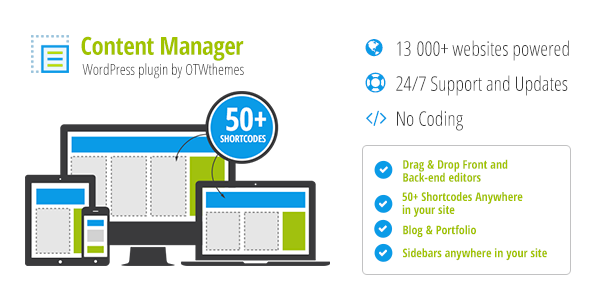
Content Manager for WordPress
Description






Content Manager for WordPress
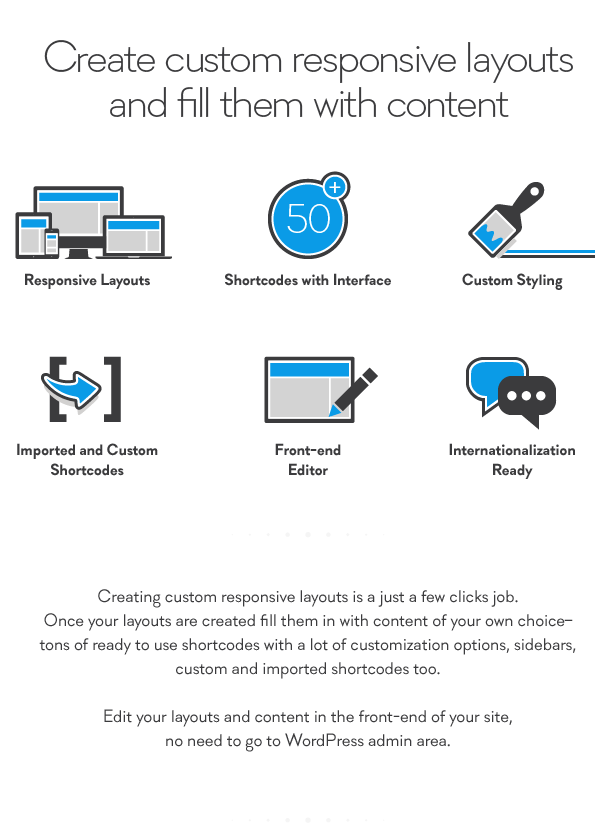
Create custom responsive layouts and fill them with content
Creating custom responsive layouts is a just a few clicks job. Once your layouts are created fill them in with content of your own chose – tons of ready to use shortcodes with a lot of customization options, sidebars, custom and imported shortcodes too. Edit your layouts and content in the front-end of your site, no need to go to WordPress admin area.
No coding, all done in a very intuitive interface!
How It Works
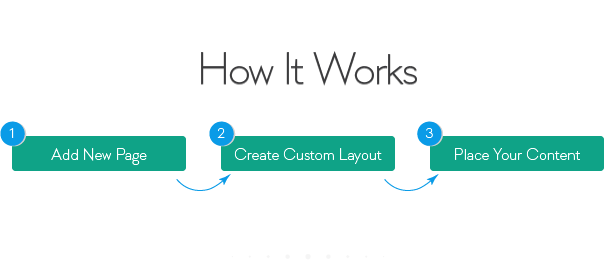
- Create a new page
- Go to OTW Grid Manger metabox and create a layout
- Place your content in the layout
Create Responsive Layouts
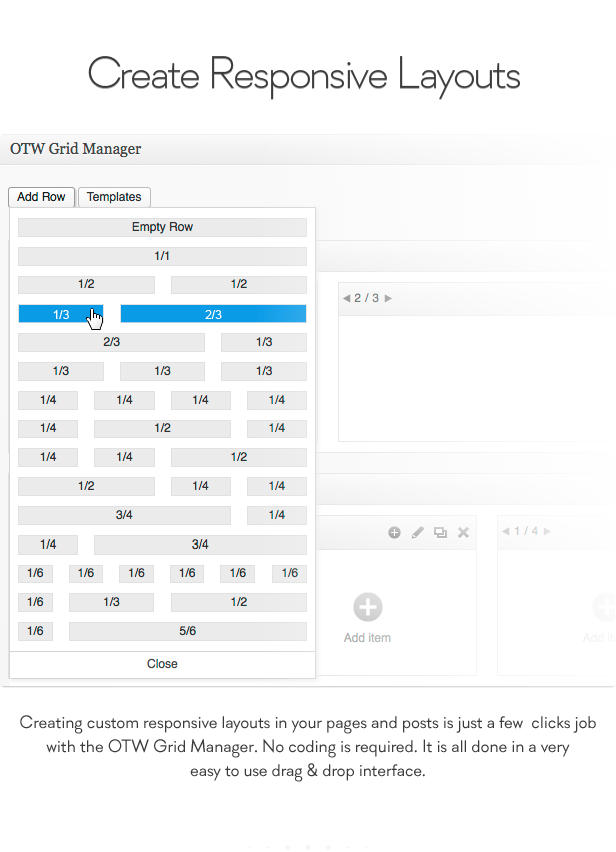
Creating custom responsive layouts in your pages and posts is just a few clicks job with the OTW Grid Manager. No coding is required. It is all done in a very easy to use drag & drop interface.
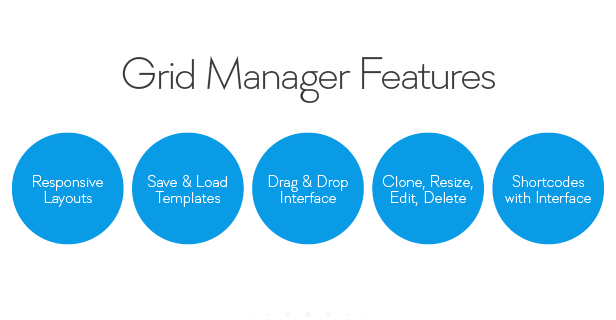
Some of the features of OTW Grid Manager:- Responsive layouts
- Save/Load templates
- Drag & drop interface – re-arrange rows, columns, shortcodes
- Clone, resize, edit, delete
- Tons of shortcodes with interface
Edit Your Layouts in the Fron-end of Your Site
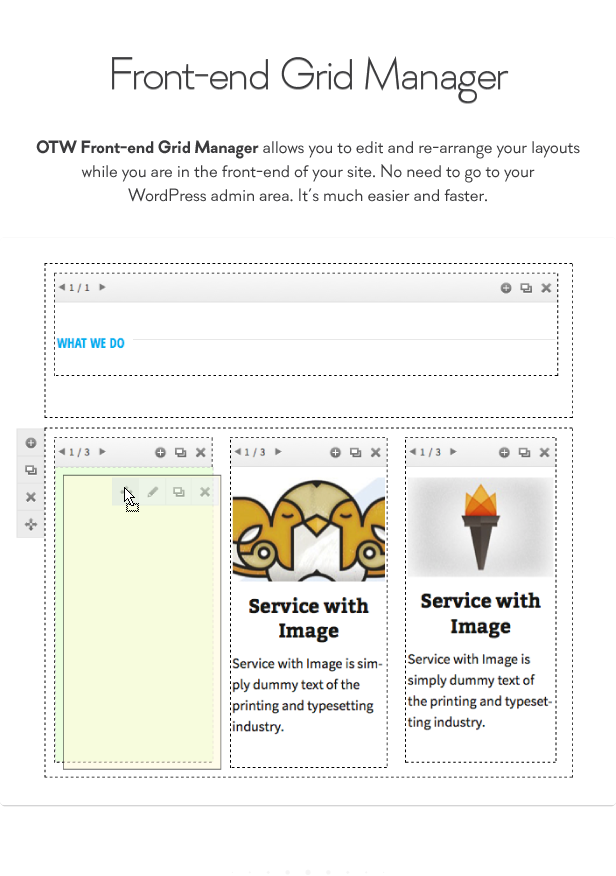
The OTW Front-end Grid Manager allows you to edit and re-arrange your layouts while you are in the front-end of your site. No need to go to your WorPress admin area. It’s much easier and faster.
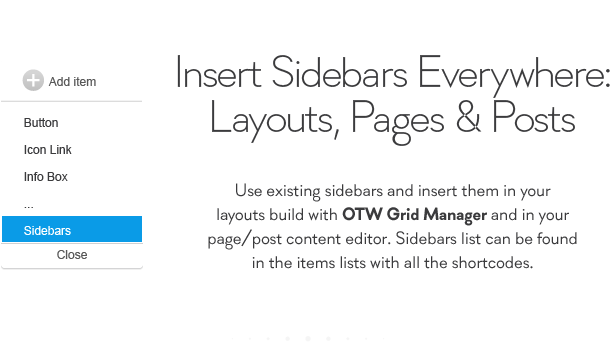
Insert Sidebars in Your Layouts and Pages/Posts
Use existing sidebar and insert them in your layouts build with OTW Grid Manager. Sidebars list can be found in the items lists with all the shortcodes.
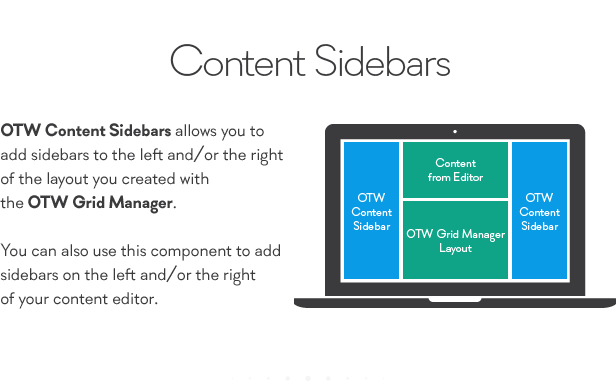
Another option is the OTW Content Sidebars that will allow you to add sidebars on the left and/or right the layouts you just created. You can also use this component to add sidebars on the left and/or right of your content editor.
Shortcodes with Interface
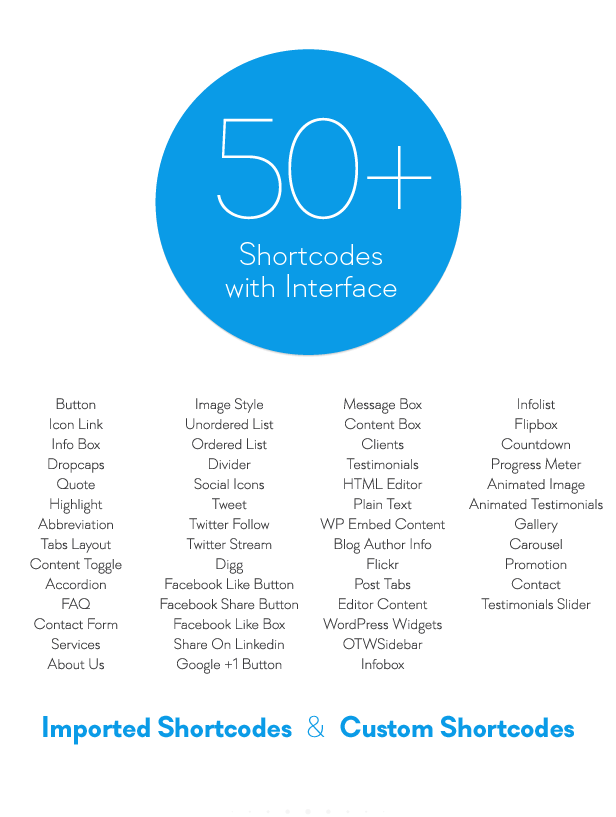
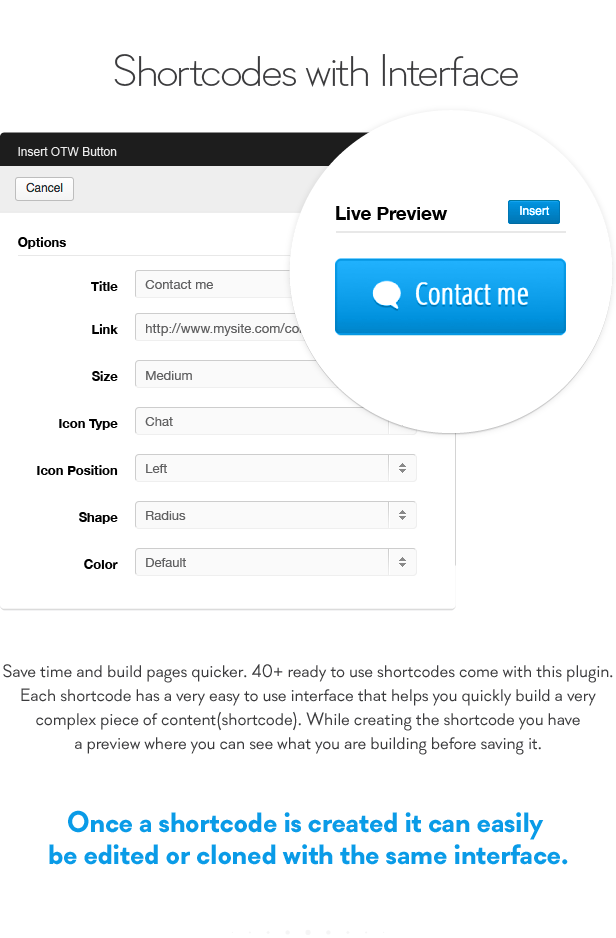
Save time and build pages quicker. 50+ ready to use shortcodes come with this plugin. Each shortcode has a very easy to use interface that helps you quickly build a very complex piece of content(shortcode). While creating the shortcode you have a preview where you can see what you are building before saving it. Once a shortcode is created it can easily be edited or cloned.
Blog Shortcode
The plugin has a very powerful shortcode that lets you add post lists pages to your site. The shortcode has 6 ready templates with lots of settings for selecting posts and managing your lists.
- Blog 1 Column
- Blog 2 Column
- Blog 3 Column
- Blog 4 Column
- Widget style
- Blog Archive
Portfolio Shortcode
The plugin also has a portfolio shortcode. You can easily upload portfolio items in a separate portfolio post type. Then you can build portfolio lists. The shortcode has 6 ready templates with lots of settings for selecting posts and managing your lists.
- Portfolio 1 Column
- Portfolio 2 Column
- Portfolio 3 Column
- Portfolio 4 Column
- Widget style
- Portfolio Archive
List of Shortcodes
- Button
- Icon Link
- Info Box
- Dropcaps
- Quote
- Highlight
- Abbreviation
- Tabs Layout
- Content toggle
- Accordion
- FAQ
- Contact Form
- Services
- About us
- Image style
- Unordered list
- Ordered list
- Divider
- Social Icons
- Tweet
- Twitter Follow
- Twitter Stream
- Digg
- Facebook Like button
- Facebook share button
- Facebook Like box
- Share on Linkedin
- Google +1 Button
- Message box
- Content box
- Clients
- Testimonials
- HTML Editor
- Plain Text
- WP Embed Content
- Blog Author Info
- Flickr
- Post Tabs
- Editor content
- WordPress Widgets
- OTW Sidebar
- Imported Shortcodes
- Custom Shortcodes
- Icon Box Animated
- Info List Animated
- Flip Box Animated
- Count Down Animated
- Progress Bar Animated
- Gallery
- Clients Slider
- Testimonial Animated
- Testimonials Slider
- Promotion
- Contact us Page
- Animated Image with text
Insert Shortcodes Anywhere
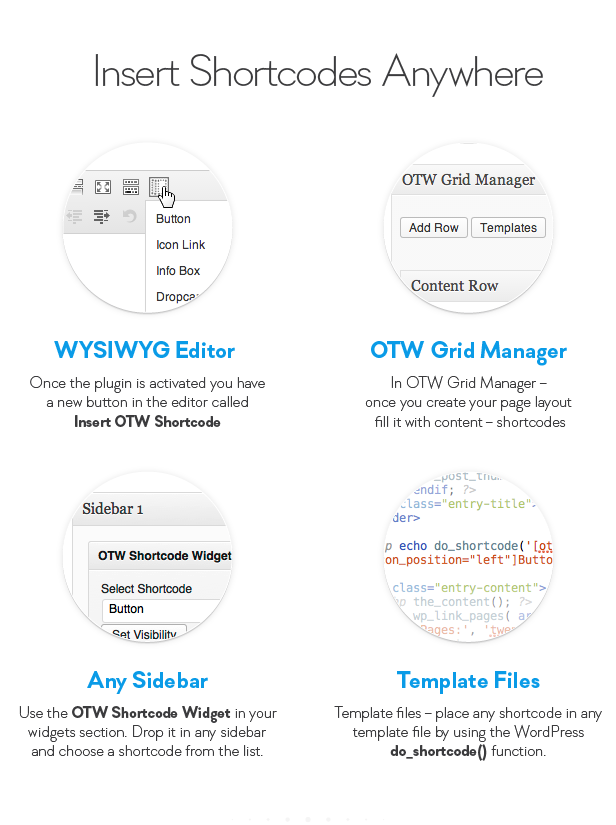
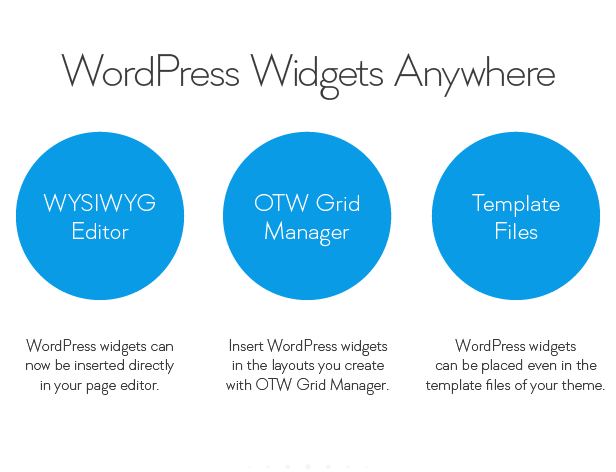
Shortcodes can be easily built and inserted anywhere in your site:- In the WYSIWYG content editor of your pages/posts – once the plugin is activated you have a new button in the editor called “Insert OTW Shortcode”
- In OTW Grid Manager – once you create your page layout fill it with content – shortcodes
- In any sidebar – use the “OTW Shortcode Widget” in your widgets section. Drop it in any sidebar and choose a shortcode from the list.
- Template files – place any shortcode in any template file by using the WordPress do_shortcode function.
Create Custom Shortcodes
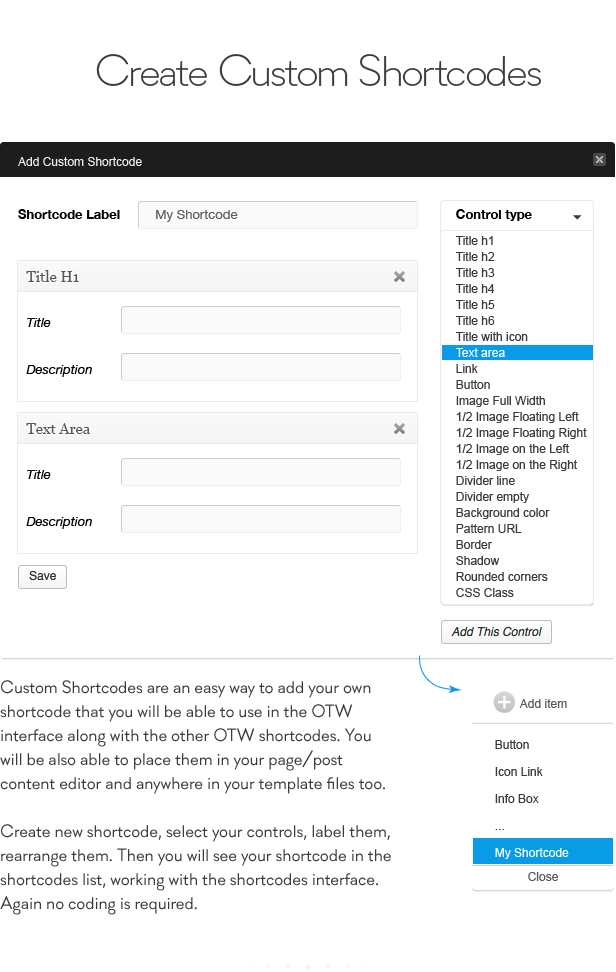
Custom Shortcodes are an easy way to add your own shortcode that you will be able to use in the OTW interface along with the other OTW shortcodes. You will be also able to place them in your page/post content editor and anywhere in your template files too.
Create new shortcode, select your controls, label them, rearrange them. Then you will see your shortcode in the shortcodes list, working with the shortcodes interface. Again no coding is required.
Import Shortcodes from Other Plugins and Your Theme
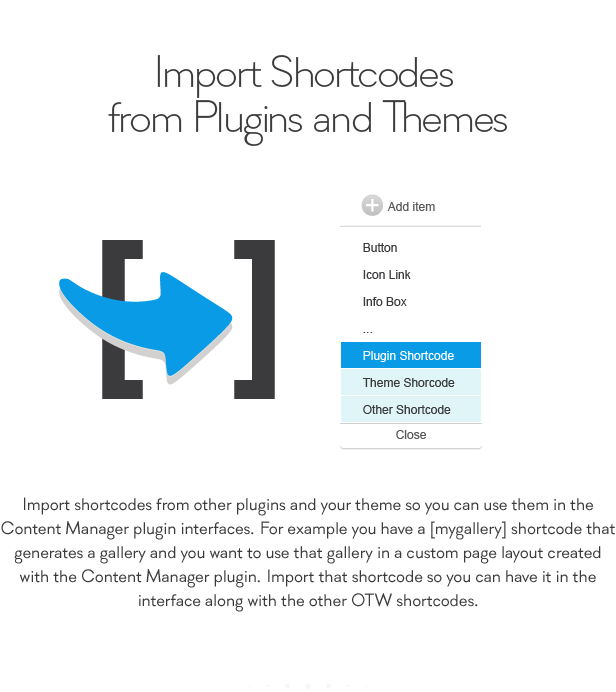
Import shortcodes from other plugins and your theme so you can use them in the Content Manager plugin interfaces. For example you have a shortcode that generates a gallery and you want to use that gallery in a custom page layout created with the Content Manager plugin. Import that shortcode so you can have it in the interface along with the other OTW shortcodes.
Unlimited Styling
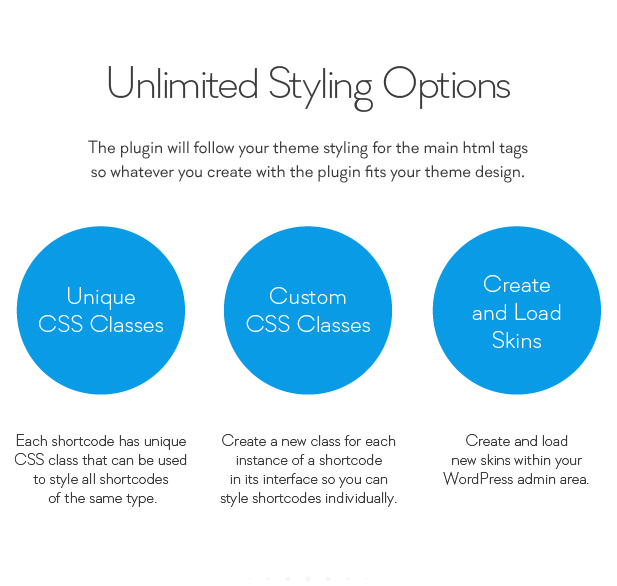
The plugin will follow your theme styling for the main html tags so whatever you create with the plugin fits your theme design.
If you need to further style here are your options:- Each shortcode has it’s unique CSS class that can be used to style all shortcodes of the same type.
- Create a new class for each instance of a shortcode in its interface so you can style shortcodes individually.
- Create and load new skins within your WordPress admin area.
Translation/Localization
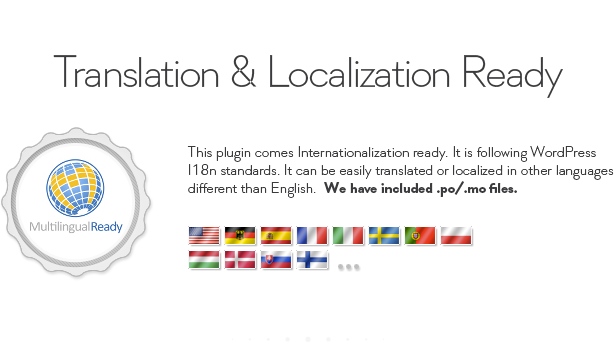
This plugin comes Localization/Internationalization ready. It is following WordPress I18n standards. It can be easily translated or localized in other languages different than English. We have included .po/.mo files.
Interface and Performance optimizations
- Fits well into the core WordPress design
- Optimized performance for large WP installations
- Ajax based operations so you don’t have to wait on pages to refresh
- Live preview
- Added: Localization support for countdown shortcode
- Added: updated pot file
- Fixed: dynamic shortcode fields
- Fixed: JS strict mode
- Added: support of old version of imagesLoaded lib
- Updated: Set default version of sanitized requests
- Updated: core functions
- Fixed: Check for registered block editors
- Fixed: Grid templates managment
- Updated: react component in shortcodes
- Updated: block styling
- Updated: reuire tickbox
- Updated: latest facotry
- Fixed: animated image fix
- Fixed: timce shortcode close effects
- Added: check for need of block editor
- Added: otw shortcode to work with block editors
- Added: Row settings – stretch row, row paddings, row backgrounds
- Updated: OTW framework
- Fixed: handle skin loading with wp filesystem
- Fixed: conflict with grafityforms
- Fixed: framework update
- Fixed: php8 fixes
- Updated: allow html in some content
- Updated: remove old files
- Updated: Libraries updated to the latest version: flexislider, colorpicker, datetime picker, select2, footable, animate shadow, countdown, quicksand, nivo-lightbox, owl carousel, waypoints
- Updated: Translations file
- Updated: CSS optimizations
- Updated: post and get sanitizing
- Fixed: jQuery deprications
- Fixed: check for empty corrupted content
- Updated: apply patch for multisite
- Updated: OTW api plugin update and verify
- Fixed: if no link specified don’t create a tag
- Updated: https for linkedin
- Updated: Updated: new version of select2
- Updated: latest version of otw factory
- Fixed: error mode modification
- Updated: menu ordering
- Updated: Security checks
- Updated: Migrate to select2 v4
- Added: allow html in custom text areas
- Added: activate html for image custom shortcodes
- Added: Tabs links
- Updated: OTW core componets update
- Updated: WordPress 4.7.x support
- Fixed: translation for ‘by’ label
- Updated: OTW core componets update
- Updated: call to google fonts via https
- Updated: WPML full compatibility verified by the WPML team
- Updated: allow html in custom shortcode text areas
- Fixed: fix not initied variables
- Fixed: flipbox fixes
- Added: Blog Manager plugin support
- Added: classes to custom shortcodes
- Added: Portfolio Manager Pro support
- Updated: js shortcodes settings optimization
- Updated: allow more memory when not enough
- Fixed: Icon Box shortcode – empty vars validation and default values initialization
- Fixed: Escape unsafe function
- Added: Custom Menu widget
- Update: Initialize variables
- Updated: add formatters
- Updated: checkbox group align on short texts
- Updated: unify sortable tables
- Added: Portfolio lists shortcode
- Fixed: Blog shortcode post archive temple in chrome
- Fixed: unify progress bar function
- Fixed: gallery shortcode first load optimization
- Updated: Blog lists shortcode – hover based on image size
- Added: Blog lists shortcode
- Fixed: minor fixes
- Added: Full compatibility with Blog Manager plugin
- Fixed: restore buttons definition
- Fixed: some file permissions
- Added: Full compatibility with Popping Sidebars and Widgets plugin
- Added: New shortcode – Icon Box Animated
- Added: New shortcode – Info List Animated
- Added: New shortcode – Flip Box Animated
- Added: New shortcode – Count Down Animated
- Added: New shortcode – Progress Bar Animated
- Added: New shortcode – Gallery
- Added: New shortcode – Clients Slider
- Added: New shortcode – Testimonial Animated
- Added: New shortcode – Testimonials Slider
- Added: New shortcode – Promotion
- Added: New shortcode – Contact us Page
- Added: New shortcode – Animated Image with text
- Added: Shortcodes button in custom post types editor
- Added: New shortcode – Scroll to Top
- Added: New shortcode – Price Boxes
- Added: New shortcode – Price Tables
- Added: New shortcode – Sortable Tables
- Fixed: wp link wrap zindex added
- Added: Nesting shortcodes in other shortcodes
- Fixed: init html editor once per instance
- Fixed: color picker
- Updates: HTML editor as widget
- Fixed: Popup buttons css
- Fixed: Encoding imrovements in some shotcodes text areas
- Fixed: HTML editor shortcode – support for the new WordPress 3.9 editor
- Updates: Insert shortcode editor button minor updates
- Added: Copy shortcode from OTW Grid Manger, Copy column with all content, Copy row with all content – then you can paste it in Page editor, template file, or elsewhere
- Added: Spanish translation – .po .mo files – by Maria Ramos from Webhostinghub.com
- Updated: Allowed HTML for – info box, dropcaps, quote, tabs, content toggle, accordion, faq, services, about us, image style, message box, content box, testimonials, plain text, blog author info
- Updated: WordPress 3.9 support
- Initial release
Updates
If you have any suggestions on how to improve this item please let us know! We will seriously consider any suggestion and add it to item’s update list
Ratings
If you like this item please consider rating it as a way of supporting consistent improvements. Note: If you are rating below 5 stars, please contact us. We’ll try to do our best to assist or fix all your points of criticisms.
Changelog
Version 2.27 (17.09.2022)Categories
Tags
External listing. code.market does not sell this product and does not process payment for it. Pricing, payment, delivery, licensing, refunds, and support are handled by the third-party merchant on its own website. We may earn an affiliate commission from a referral. Details.
Products of the Week.
Submit#1

upvote.club
Free Social Media Engagement that Helps Boost Your Content. Upvote Club supports 19 social networks with 100+ engagement actions in one dashboard. Add links to your posts and get free engagement from real users.
SaaS · 15,488 views · 96 clicksSaaS · Week 42 · 15,488 views · 96 clicks
#2

Seenshot App
Free, Fast, MacOS Screenshot app. Make Screenshot cmd+shift+2 and send it via link
Desktop App · 4,562 views · 109 clicksDesktop App · Week 42 · 4,562 views · 109 clicks
#3

Conversational Backlinks for Busy Founders
Place Backlink Relevant Conversation for your domain across Forums and Conversations
Website · 16,393 views · 195 clicksWebsite · Week 42 · 16,393 views · 195 clicks
#4

Substack Posting API
Onboard your Agent to Substack. Write Publish on Substack via API
SaaS · 35,389 views · 184 clicksSaaS · Week 42 · 35,389 views · 184 clicks
#5

codester.com
SocialDesk+: Omnichannel Social Commerce & Business Management Platform This is stronger than simply “Social Commerce and Messaging” because it tells buyers this is a complete business platform, not just a messaging script. Turn Social Conversations Into Sales SocialDesk+ is a complete omnichannel social commerce and business management platform built for businesses that sell and communicate with customers through social media. Instead of switching between WhatsApp, Facebook, Instagram and TikTok, businesses can manage customer conversations, comments, products, leads, follow-ups, automation, teams and business reports from one professional workspace. And because the full source code is included, developers, agencies and entrepreneurs can customize, rebrand and launch SocialDesk+ as their own business solution or SaaS platform. 🚀 Build Your Own Social Commerce Business SocialDesk+ gives you the foundation to launch: - Your own SaaS platform - A white-label social CRM - A social-commerce management system - A customer communication platform - A business messaging solution - A custom solution for clients - A multi-business subscription platform 💬 Connect Your Customers Supported social channels include: WhatsApp • Facebook • Instagram • TikTok Bring supported conversations into one centralized workspace and help businesses respond faster without constantly switching between platforms. 🛍️ More Than a Messaging Platform SocialDesk+ combines communication with the tools businesses need to manage customer opportunities: Inbox Manage customer conversations from connected channels. Comments Monitor and respond to social-media comments. Customers & Leads Organize customer information and potential buyers. Products & Catalog Manage products and give your team quick access to product information. Follow-Ups Make sure potential customers don't get forgotten. Automation Automate repetitive customer questions and responses. AI Assistant Provide AI-assisted communication when configured. Team Management Give managers and staff access to the business workspace. Reports & Analytics Track activity using business reports and analytics. The current product listing already includes these capabilities. 🔥 Why Buyers Will Want It Launch Faster Start with an already-built business platform instead of developing the entire system from zero. Customize Everything The full source code is included, allowing developers to change branding, features, workflows and integrations. Build a SaaS Create multiple business workspaces and offer SocialDesk+ as a subscription-based service. Sell to Businesses Offer it to retailers, restaurants, service businesses, online sellers, agencies and other businesses that communicate with customers through social media. Mobile + Web + Backend This isn't just a mobile UI template. It includes: - Flutter mobile application - Python / FastAPI backend - Web interface - Administration tools - Database infrastructure - API-based architecture - SQLite / PostgreSQL support - Android and iOS project structure 💼 One Platform. Multiple Business Opportunities. For SaaS Entrepreneurs Launch your own subscription platform and allow multiple businesses to operate inside separate workspaces. For Software Agencies Customize and rebrand the platform for clients instead of building an omnichannel business system from scratch. For Developers Use the complete source code as a foundation for your own social-commerce or customer-management product. For Businesses Deploy a dedicated version for your own customer-service and social-commerce operations. 🧩 What's Included Mobile - Flutter / Dart - Android - iOS project Backend - Python - FastAPI - SQLAlchemy - Alembic Database - SQLite - PostgreSQL Web - HTML5 - CSS3 - JavaScript Deployment - Docker - Docker Compose - Production configuration Business Platform - Multi-workspace architecture - Authentication - Teams - Customers - Products - Messaging - Comments - Automation - Reports - Subscriptions - Administration The current listing also documents third-party integrations such as Meta, TikTok, Stripe, Firebase, SMTP and optional OpenAI configuration. ⚡ What Makes SocialDesk+ Different? You're not buying a simple: ❌ Chat UI ❌ WhatsApp clone ❌ Flutter template ❌ Admin dashboard ❌ Basic CRM You're getting a complete business platform foundation that can be customized, branded and commercialized. Connect. Automate. Manage. Grow. SocialDesk+ Omnichannel Social Commerce & Business Management Platform One important change I'd make to the current listing The current page starts with: “A simple guide to managing your social conversations, customers, products and business activity.”
Other · 2,800 views · 30 clicksOther · Week 42 · 2,800 views · 30 clicks
#6

sandbook.app
Sandbook reads EPUB, PDF, web pages and scanned pages aloud with Kokoro TTS, an open neural voice model that runs on your iPhone, free and offline. Choose from 41 natural voices in English, Spanish, French, Italian, Brazilian Portuguese and Hindi and follow each word as it is spoken. Try the same voices in your browser first with the free Kokoro TTS online demo.
Other · 2,807 views · 13 clicksOther · Week 42 · 2,807 views · 13 clicks