
City Guide Ionic 5 - Full Application with Firebase backend
Description
What’s new in version r2: Ionic 5.x version of the app available. Ionic 1.x, Ionic 4.x and Ionic 5.x versions are all included in the download file.
What’s new in version r1: Ionic 4.x version of the app available. Ionic 1.x and Ionic 4.x versions are both included in the download file.
What’s new in version 1.4: Fix marker and destination in map app on Android
City Guide Ionic is a complete attraction/business listing solution for a specific city that consists of a mobile application with a powerful content backend with data updates.
Users can easily browse through businesses and stores using various filters such as category, name, rating or distance.
Store and Business owners can display and promote their products, services, news, catalogs, contact information and more.
Best practices, proven techniques and experienced software architecture are packed with a well-crafted design.
This distribution includes 3 versions of the City Guide app. The first version is based on Ionic 1.x, the second one on Ionic 4.x and the third on Ionic 5.x.
 What is it
City Guide is a travel assistant for a specific city, aiming to guide its users through attractions and businesses providing reviews and showing their products/services. It requires minimal setup enabling even non-developers to make use of it.
In a nutshell
The ultimate tool to build a mobile app which lists attractions/businesses with their products and services. Minimal setup effort, no code required.
 Why choose City Guide Ionic:
- No code knowledge or tech development required
- Clean and user-friendly interface
- Highly customizable structure, with modular architecture
- Comes with carefully curated color themes
- Easy installation, detailed quick start guide
- Easily maintainable data, via the Firebase Graphical User Interface
- Free updates: New features added constantly
- A single codebase compatible both with Android and iOS
- Quick and efficient Support
Feature request
Help us improve this app in a way that absolutely makes sense. Suggest the next feature you would like to see implemented. We are taking suggestions very seriously.Demo
Ionic 5.x
- Android APK
- Web preview
Ionic 4.x
- Android APK
- Web preview
Features:
Plenty of Color combinations – Themes
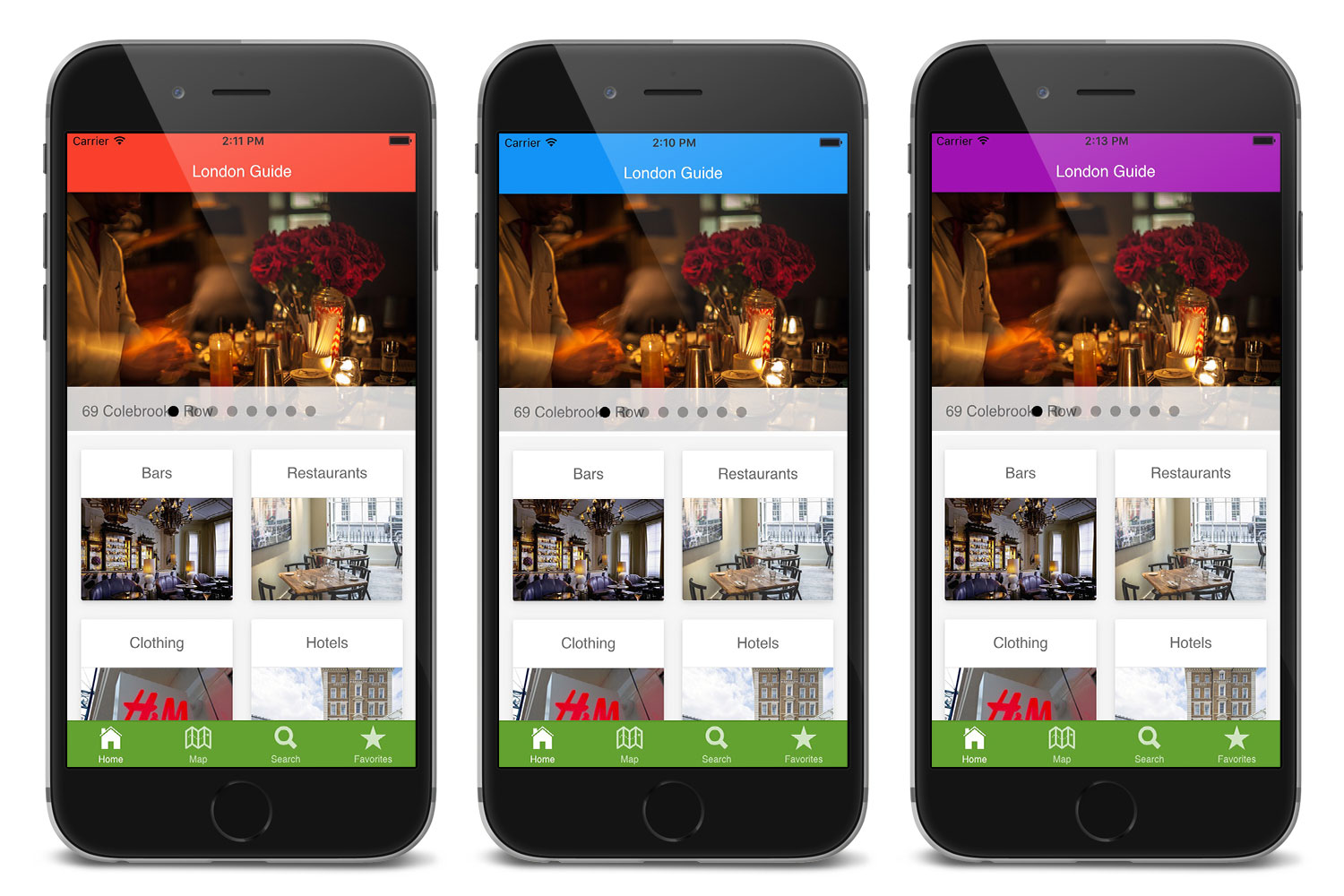 Tens of carefully selected, awesome color schemes to choose from: Square default, Square dark, Awesome, Ocean, Material indigo, Material blue, Material red, Material pink, Material purple, Material dark purple. Just pick the one that suits your brand and activate it with a single modification of the related file.
Attraction/Business Finder
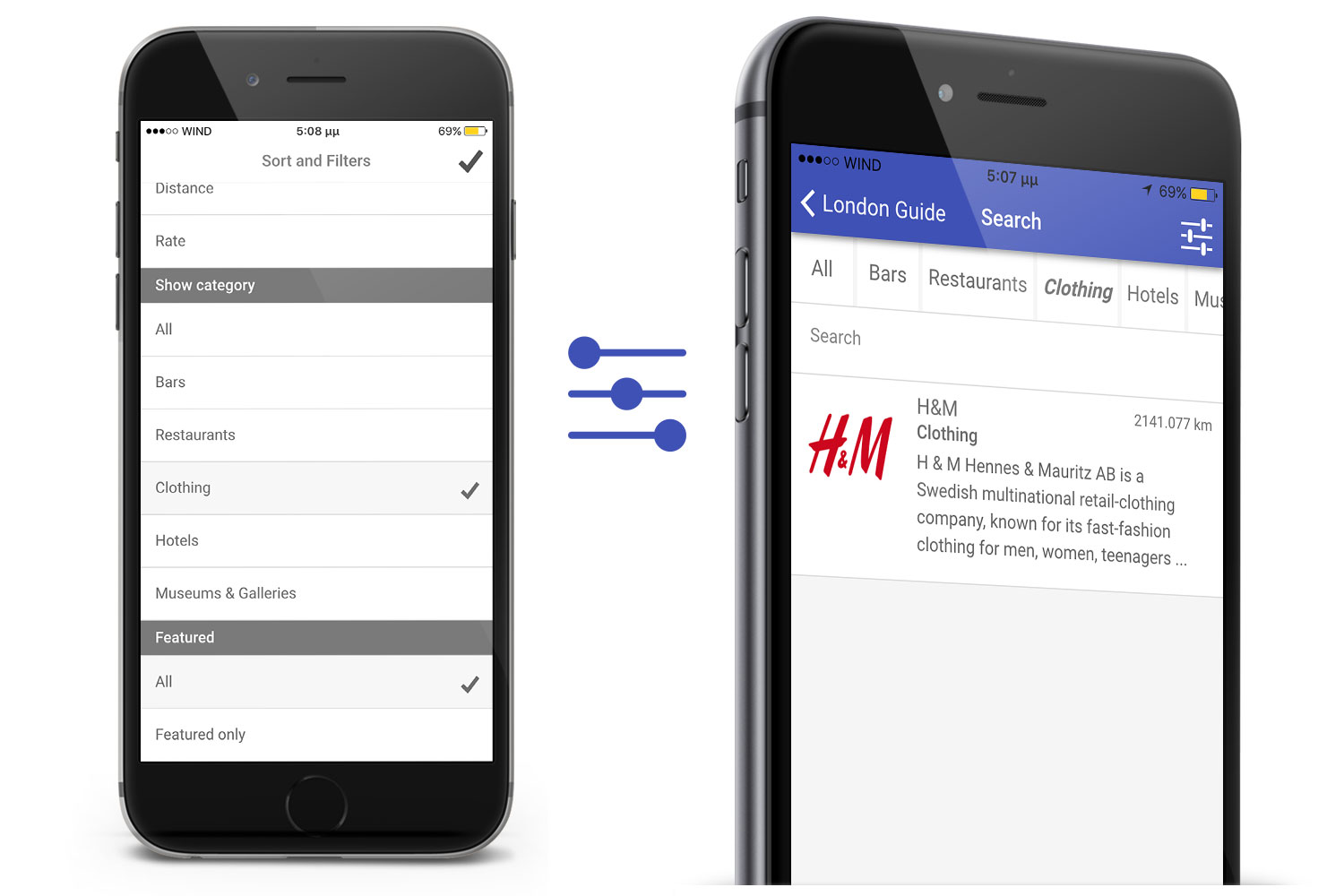 Intuitive finder with several search filters such as category, name, rating or distance (measured from your location).
Users can use one or all the available filters at once to find exactly what suits them best.
Integration with Firebase for Backend management
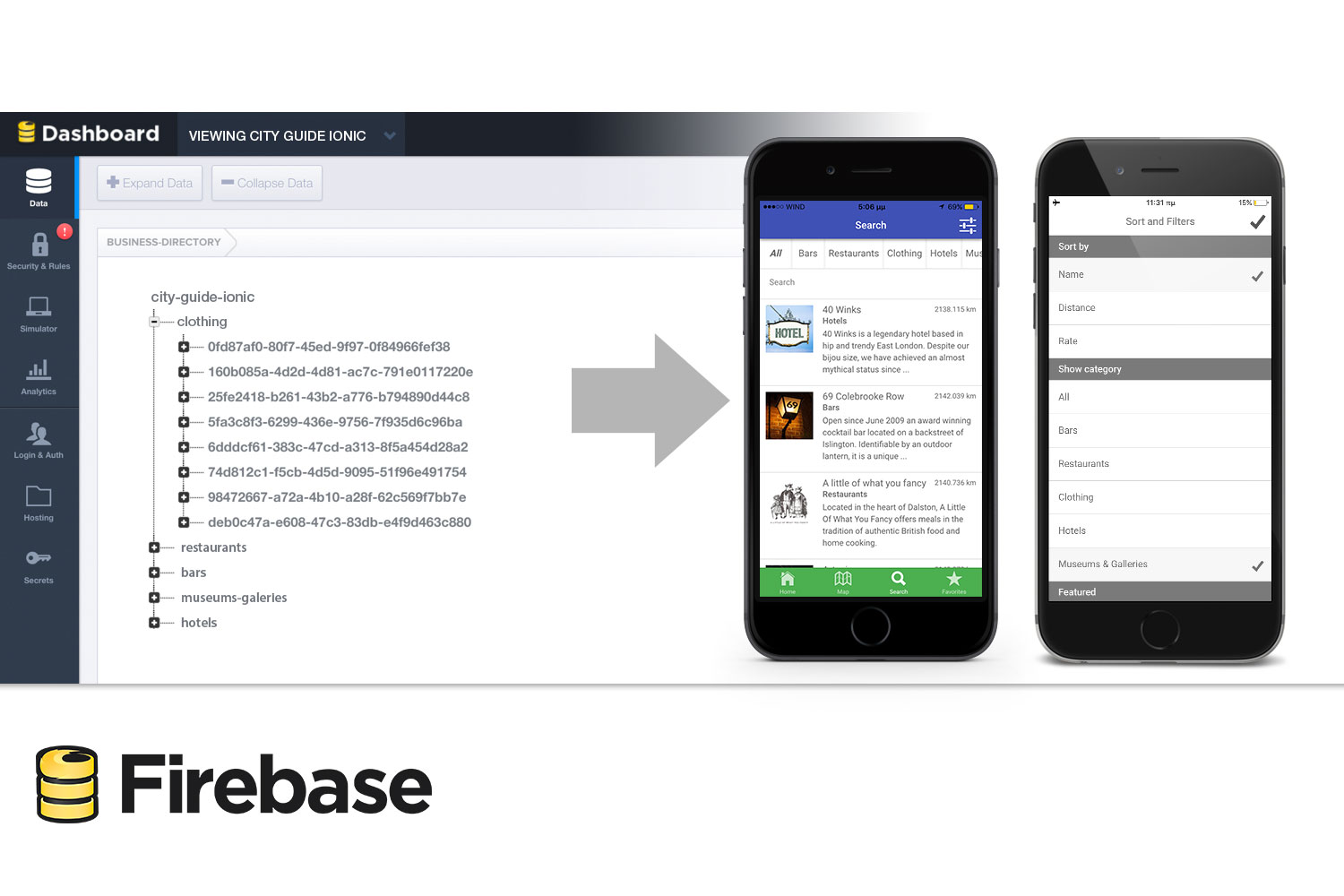 The City Guide Ionic app comes with a powerful, flexible solution for backend management, by integrating with Firebase. Firebase is a powerful platform for your mobile or web application, through which you can power your app’s backend, including data storage, user authentication, static hosting, and more.
The City Guide app reads data from a Firebase database and makes it readily available to all of the app users. As soon as your Firebase project URL is set, the app treats the content dynamically. The integration with Firebase offers easy data synchronization and data maintenance.
Review-Rate
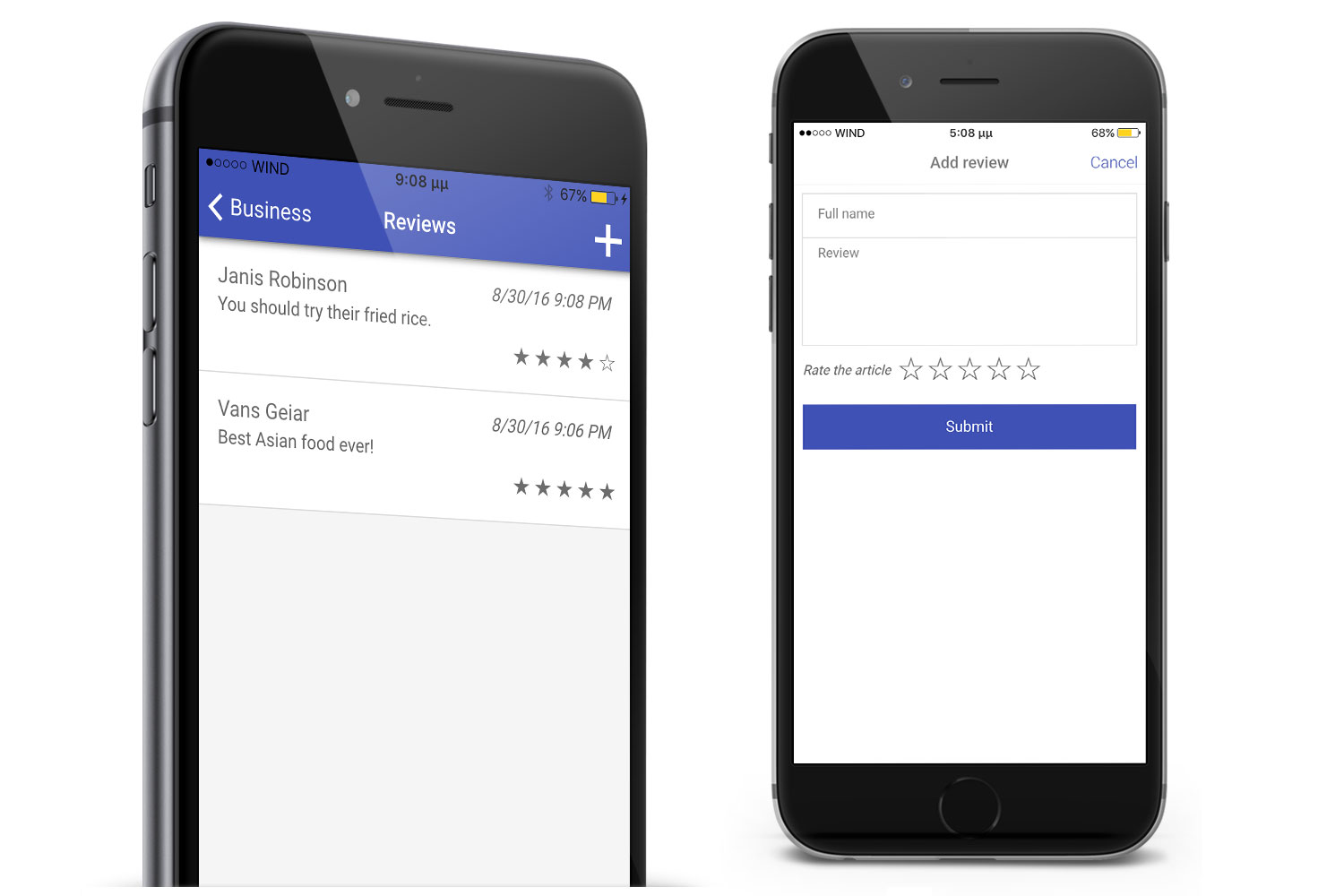 Users can read reviews and ratings about the businesses/stores to help them make informed decisions. Also, they can submit their own review-rating and make it visible to the other users of the app.
Favorites Screen
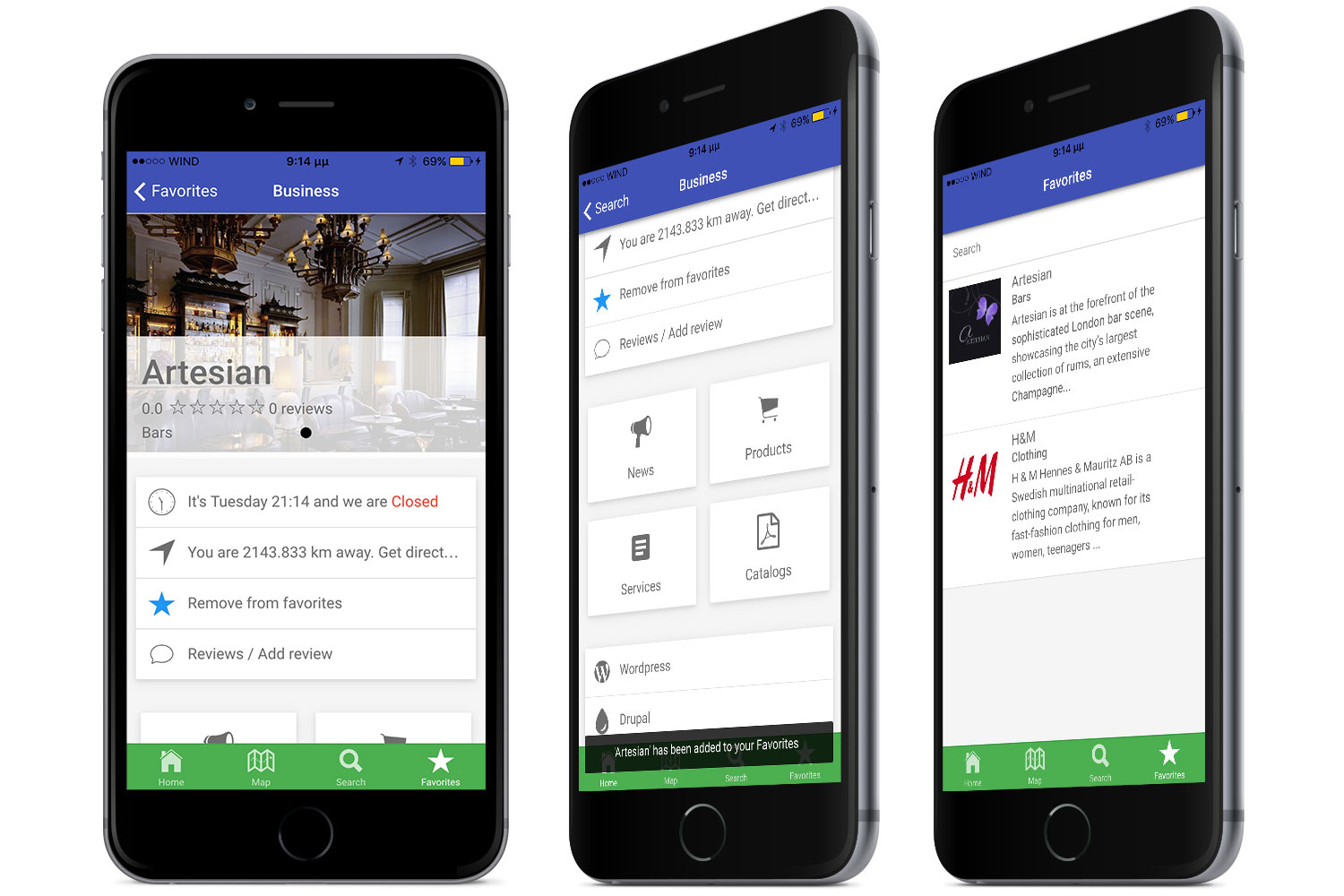 Users can add businesses or stores to their favorites and gather them in a single place for quick access.
Map Screen
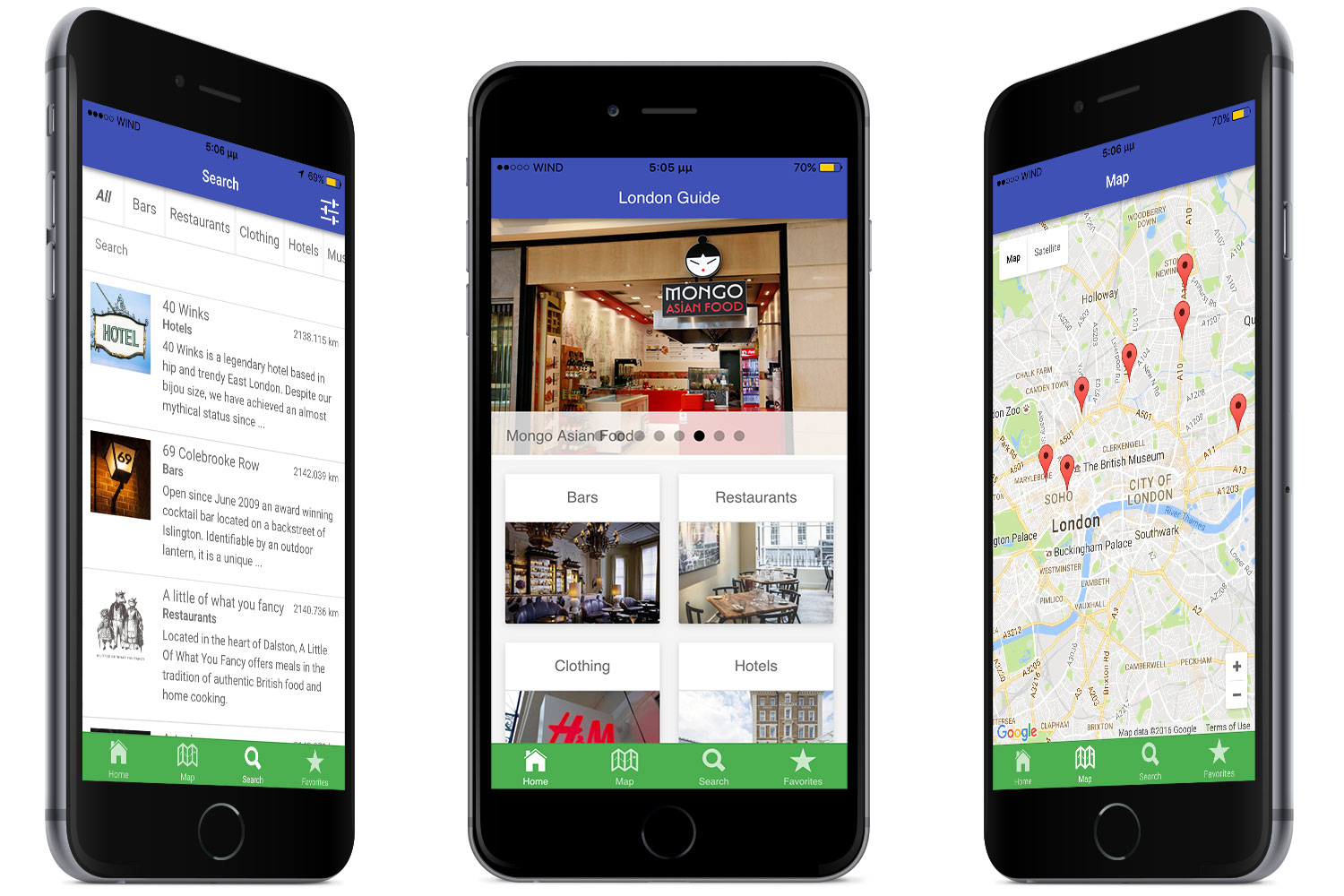 Map screen displays all attractions and businesses of a specific city as map pins. Users can easily access a store profile just by tapping a pin.
Comprehensive Business Presentation
City Guide Ionic effectively displays all the necessary information for each listed attraction/business using relevant screens while engaging the user with one tap actions.
In detail:
1. News Screen
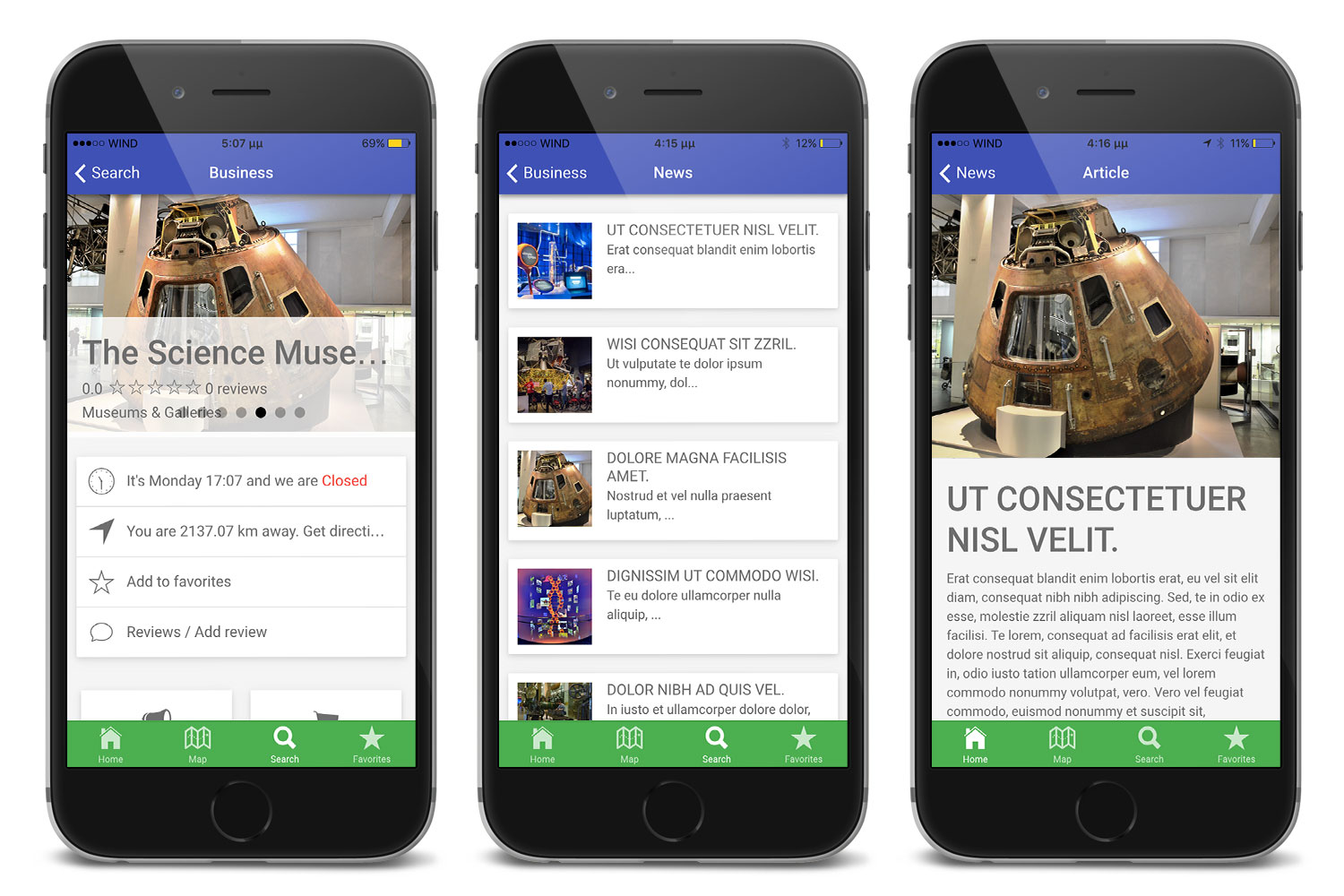 The news screen displays business news and announcements organized in lists with a title, a thumbnail and short introduction. Data can be fetched by using a local/remote JSON structure or Firebase. Everything you need for that is already built and no additional code is required.
2. Products Screen
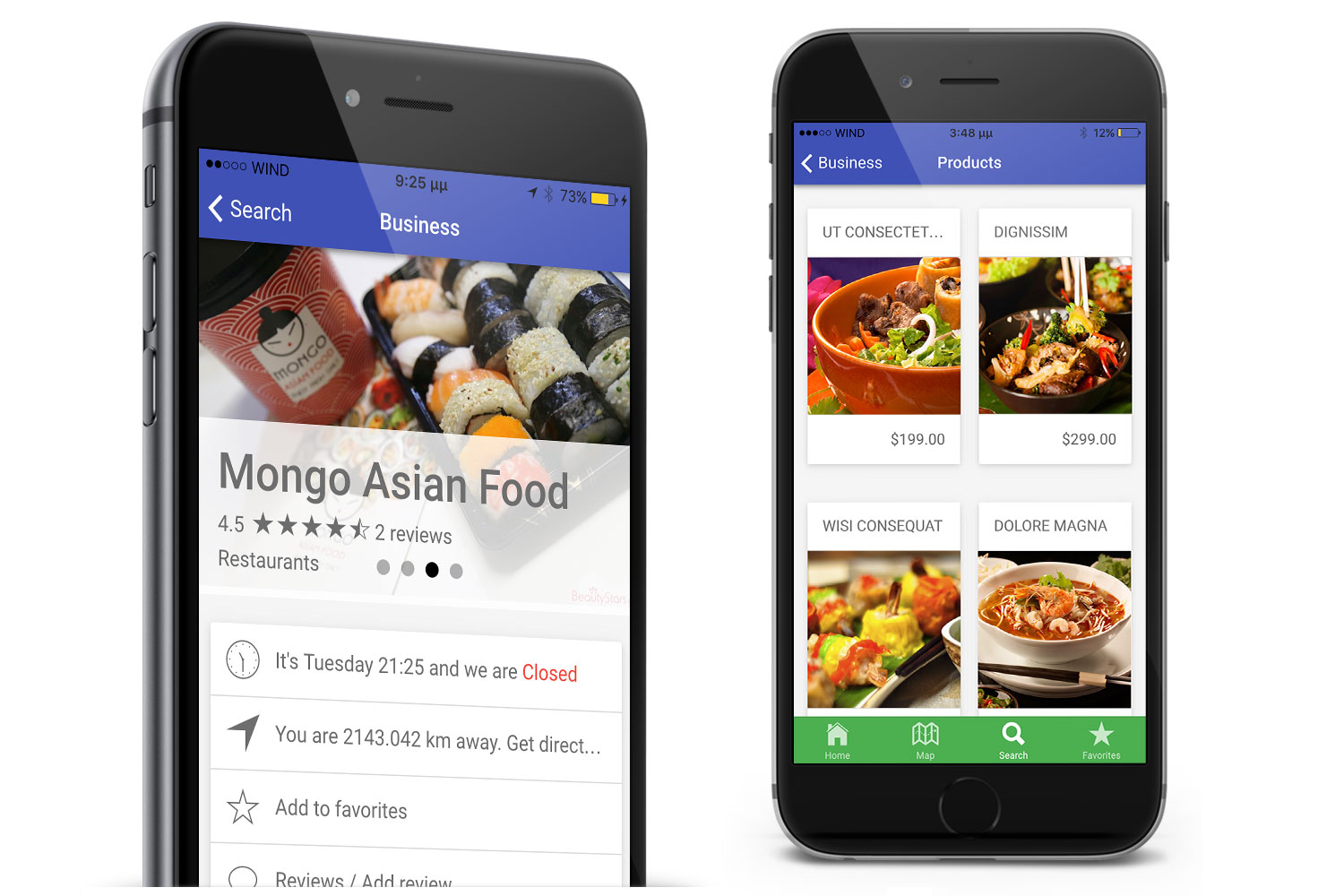 The products screen displays products organized in lists of cards with a title, a thumbnail and price. A detailed screen provides additional information-description for each product including a slideshow of images and a “Buy now” link. The link points to the actual web site where the user could find more information about a particular product and proceed with the purchase.
3. Services Screen
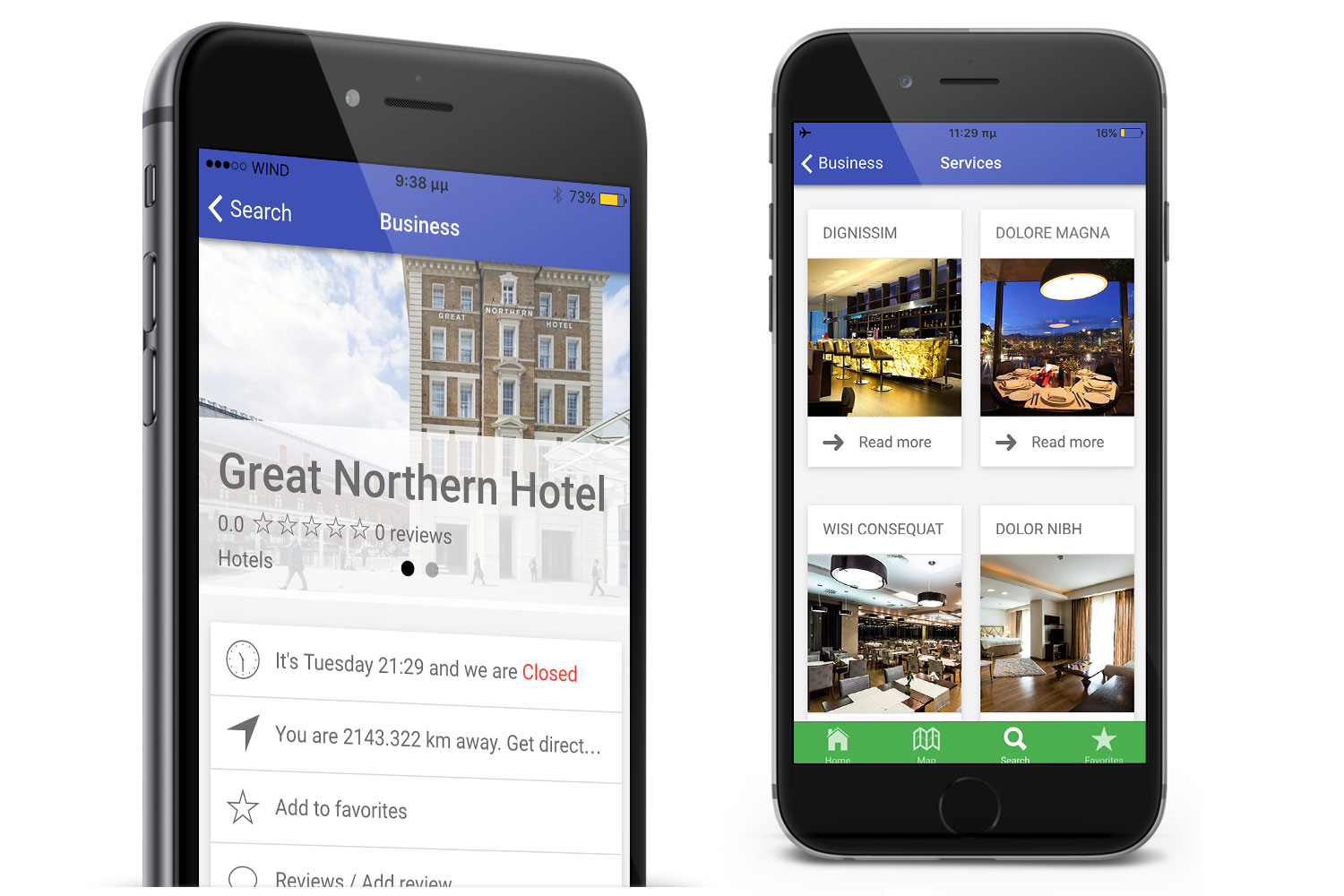 The services screen displays services in lists of cards with a title and thumbnail. A detailed screen provides additional information for each service including a slideshow of images and a “Read more” link. The link points to the actual web site where the user could find more information about the particular service.
4. Catalogs Screen
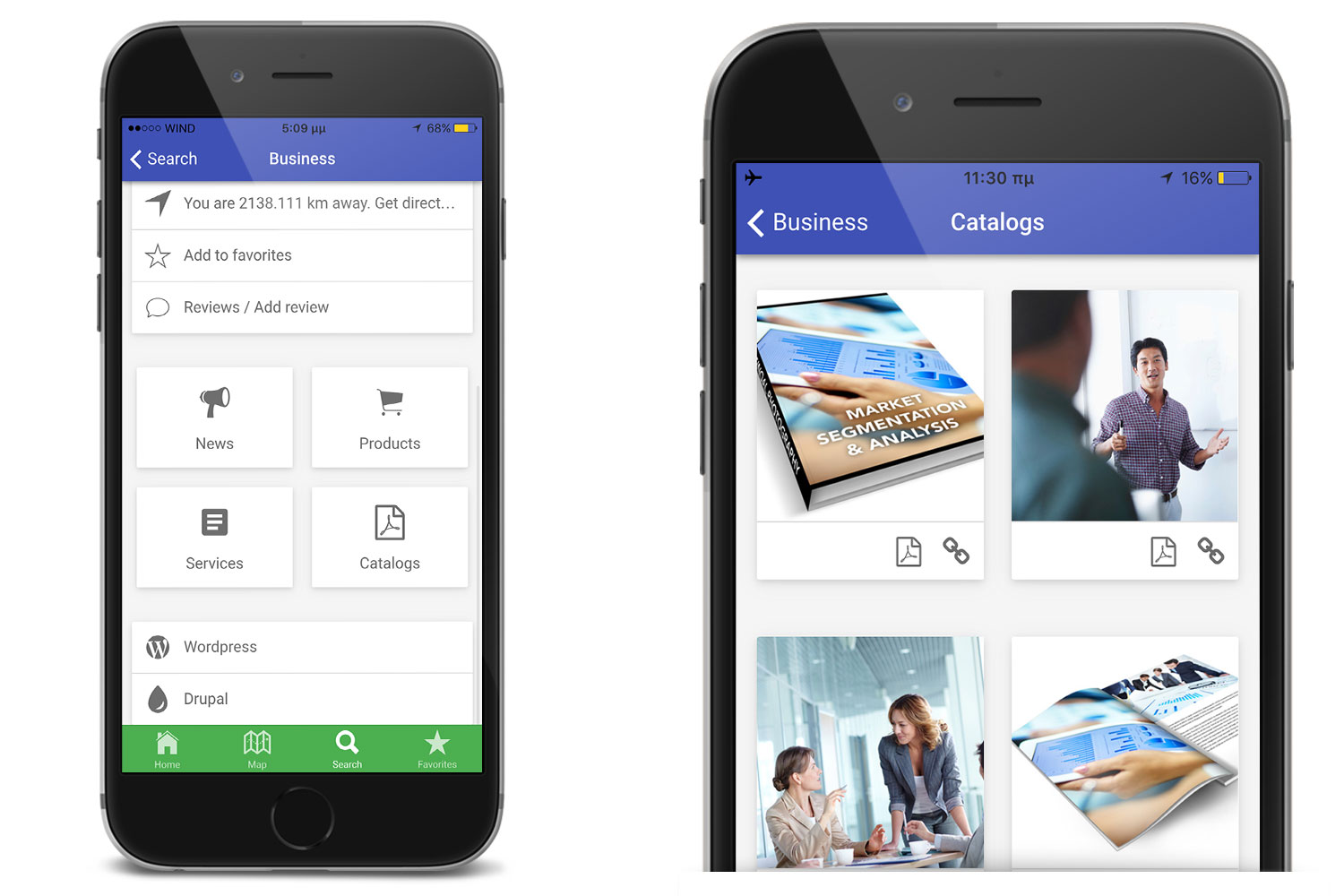 Displays a list of cards with catalogs where users can access documents with informative or product-based content. A detailed screen provides additional information-description for each catalog including a slideshow of images, a “View online” and/or a ”Download PDF” button. You can view a catalog either by downloading a pdf file or by clicking the link to redirect to a website.
7. Wordpress and Drupal
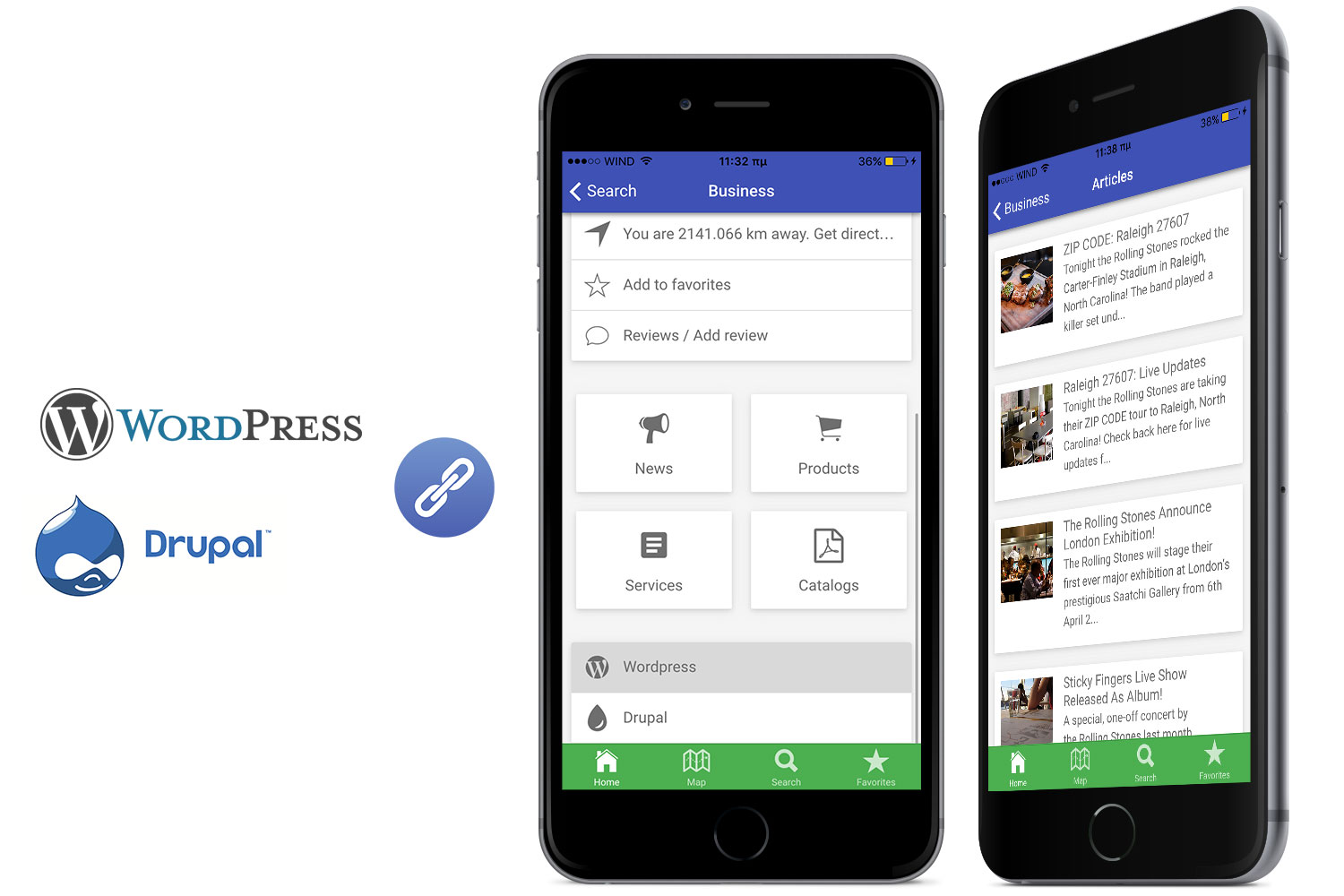 You can integrate your Wordpress and/or Drupal site with the mobile application and be able to see its posts organized in lists with a title, a thumbnail and short introduction of each one. You can also share the post with your social media account, like Facebook, Twitter, e-mail or any other social network site/application of your choice. Everything you need for that is already built and no additional code is required.
5. Contact screen
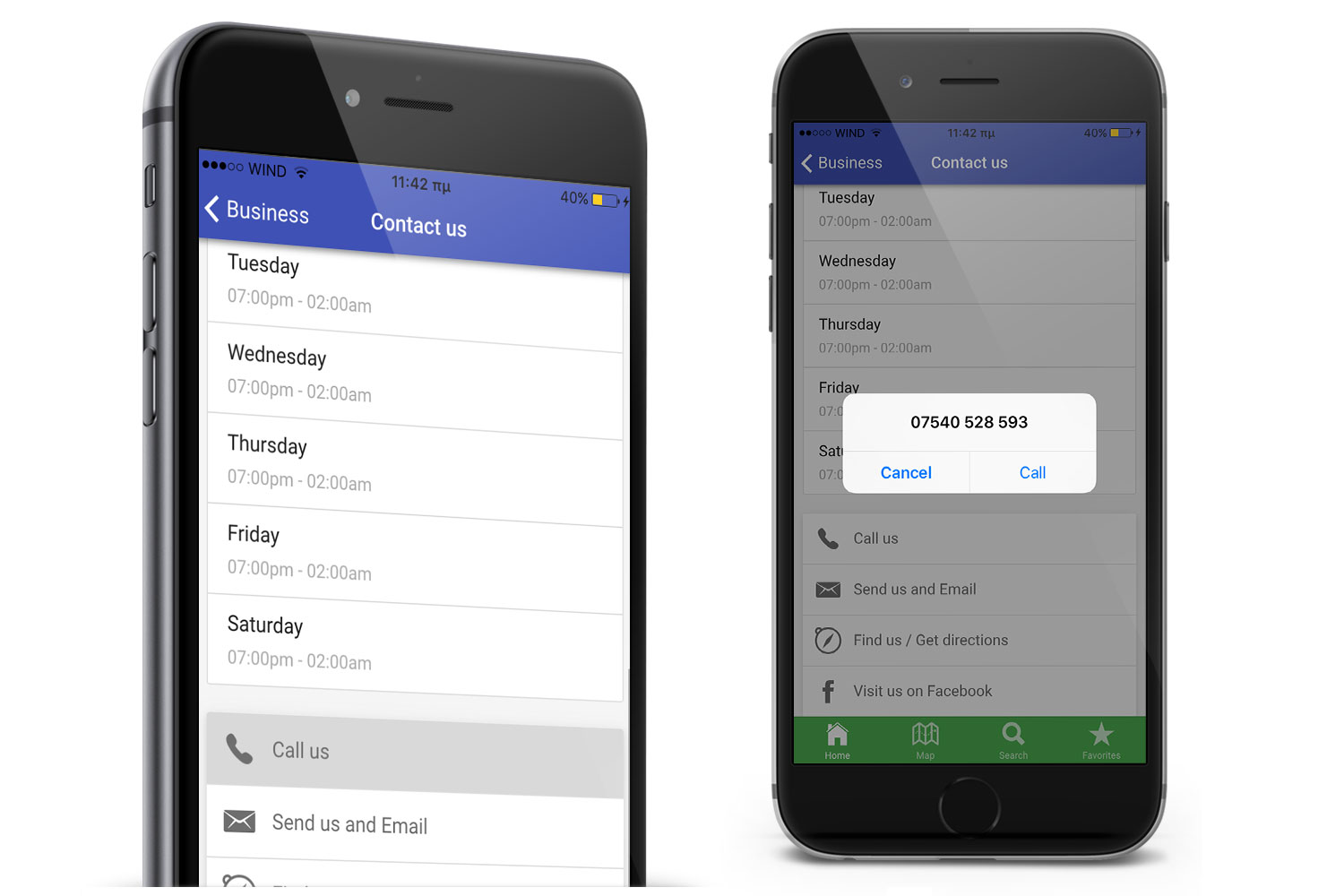 This screen displays business or store information. It also enables users to interact with app making one tap phone call, send an email, get directions or connect with social networks.
6. One tap actions:
- Call us: It will make the device to start a call to the phone number you have defined
- Send us an Email: Mailer will open with your business’s email already set so as the user won’t need to type it
- Map / Get directions: The map application which is already installed on the device will be launched to show your exact location on the map and the user will be able to get directions to reach your business. (Note: You can set more than one locations in the configuration file)
- Visit us on Facebook: Users will be able to see business’s social profile with just one click.
7. Opening hours
Let users know if a business is open at the particular time they open the application. The app gets the current time from the device, takes into account the time zone of the business and the device and displays a friendly message to the users. A list of the opening hours is also displayed in the “Contact Us” screen.Data Sources
Firebase data storage
The app’s data is stored in Firebase as JSON object and any data changes are synchronized in real time with the app. You can use the Firebase UI to either import data that you have already prepared or create/manage your data in a tree structure. In the documentation, a full example of a Firebase project is demonstrated showing the required data fields and structure.Data storage in JSON files
There is also the option to configure City Guide app to fetch data either from a local location or a remote one (e.g. Amazon S3) where data are stored in JSON files. Basically, a single JSON file is the one responsible for all the business related information. The source URL is set as a single variable in the application’s configuration file and no additional interference with the code is required.The News, Products, Services and Catalogs listing windows for each business are fetching data from online sources by using JSON structures too. Images, texts and whole entries can be updated by adjusting the remote sources without the need to rebuild and redistribute the application. All the content of the application can be updated just by adjusting the remote sources.
Easy Configuration / Modular Architecture
City Guide Ionic’s modular architecture is going to eliminate any unnecessary complexity for its configuration or modification/addition of its features. Its code is clean and well-organised into modules.Ionic design
City Guide Ionic is based on the UI elements that the Ionic Framework provides. Ionic Framework comes with a detailed and impressive CSS framework for layout styling. Furthermore, it handles header elements in a very similar way to existing libraries you may have used. Headers are available in many different default color options. Adding a footer element is as easy as adding a header. Moreover, Ionic comes with its own icon library built in which contains almost everything you should need. Use Ionic’s UI components and they will give you a fully customised and functional UI.AppSeed
This is a product of AppSeed. Find out more by visiting our website .
Change log
Ionic 5.x
5.0 - May 14, 2020
- Initial Release
Ionic 4.x
4.0 - Feb 5, 2020
- Initial Release
Ionic 1.x
1.4 - March 7, 2017
- Fix marker and destination in map app on Android

1.3 - February 22, 2017
- Fetch business name, address, images and description from JSON data/Firebase on "Contacts us" screen

1.2 - October 6, 2016
- Released sample firebase data fixed

1.1 - August 26, 2016
- Category images are fetched from local/remote sources or Firebase.

1.0 - August 12, 2016
- Initial release
Categories
Tags
External listing. code.market does not sell this product and does not process payment for it. Pricing, payment, delivery, licensing, refunds, and support are handled by the third-party merchant on its own website. We may earn an affiliate commission from a referral. Details.
Products of the Week.
Submit#1

upvote.club
Free Social Media Engagement that Helps Boost Your Content. Upvote Club supports 19 social networks with 100+ engagement actions in one dashboard. Add links to your posts and get free engagement from real users.
SaaS · 17,083 views · 96 clicksSaaS · Week 42 · 17,083 views · 96 clicks
#2

Seenshot App
Free, Fast, MacOS Screenshot app. Make Screenshot cmd+shift+2 and send it via link
Desktop App · 6,027 views · 109 clicksDesktop App · Week 42 · 6,027 views · 109 clicks
#3

Conversational Backlinks for Busy Founders
Place Backlink Relevant Conversation for your domain across Forums and Conversations
Website · 17,844 views · 197 clicksWebsite · Week 42 · 17,844 views · 197 clicks
#4

Substack Posting API
Onboard your Agent to Substack. Write Publish on Substack via API
SaaS · 36,831 views · 185 clicksSaaS · Week 42 · 36,831 views · 185 clicks
#5

codester.com
SocialDesk+: Omnichannel Social Commerce & Business Management Platform This is stronger than simply “Social Commerce and Messaging” because it tells buyers this is a complete business platform, not just a messaging script. Turn Social Conversations Into Sales SocialDesk+ is a complete omnichannel social commerce and business management platform built for businesses that sell and communicate with customers through social media. Instead of switching between WhatsApp, Facebook, Instagram and TikTok, businesses can manage customer conversations, comments, products, leads, follow-ups, automation, teams and business reports from one professional workspace. And because the full source code is included, developers, agencies and entrepreneurs can customize, rebrand and launch SocialDesk+ as their own business solution or SaaS platform. 🚀 Build Your Own Social Commerce Business SocialDesk+ gives you the foundation to launch: - Your own SaaS platform - A white-label social CRM - A social-commerce management system - A customer communication platform - A business messaging solution - A custom solution for clients - A multi-business subscription platform 💬 Connect Your Customers Supported social channels include: WhatsApp • Facebook • Instagram • TikTok Bring supported conversations into one centralized workspace and help businesses respond faster without constantly switching between platforms. 🛍️ More Than a Messaging Platform SocialDesk+ combines communication with the tools businesses need to manage customer opportunities: Inbox Manage customer conversations from connected channels. Comments Monitor and respond to social-media comments. Customers & Leads Organize customer information and potential buyers. Products & Catalog Manage products and give your team quick access to product information. Follow-Ups Make sure potential customers don't get forgotten. Automation Automate repetitive customer questions and responses. AI Assistant Provide AI-assisted communication when configured. Team Management Give managers and staff access to the business workspace. Reports & Analytics Track activity using business reports and analytics. The current product listing already includes these capabilities. 🔥 Why Buyers Will Want It Launch Faster Start with an already-built business platform instead of developing the entire system from zero. Customize Everything The full source code is included, allowing developers to change branding, features, workflows and integrations. Build a SaaS Create multiple business workspaces and offer SocialDesk+ as a subscription-based service. Sell to Businesses Offer it to retailers, restaurants, service businesses, online sellers, agencies and other businesses that communicate with customers through social media. Mobile + Web + Backend This isn't just a mobile UI template. It includes: - Flutter mobile application - Python / FastAPI backend - Web interface - Administration tools - Database infrastructure - API-based architecture - SQLite / PostgreSQL support - Android and iOS project structure 💼 One Platform. Multiple Business Opportunities. For SaaS Entrepreneurs Launch your own subscription platform and allow multiple businesses to operate inside separate workspaces. For Software Agencies Customize and rebrand the platform for clients instead of building an omnichannel business system from scratch. For Developers Use the complete source code as a foundation for your own social-commerce or customer-management product. For Businesses Deploy a dedicated version for your own customer-service and social-commerce operations. 🧩 What's Included Mobile - Flutter / Dart - Android - iOS project Backend - Python - FastAPI - SQLAlchemy - Alembic Database - SQLite - PostgreSQL Web - HTML5 - CSS3 - JavaScript Deployment - Docker - Docker Compose - Production configuration Business Platform - Multi-workspace architecture - Authentication - Teams - Customers - Products - Messaging - Comments - Automation - Reports - Subscriptions - Administration The current listing also documents third-party integrations such as Meta, TikTok, Stripe, Firebase, SMTP and optional OpenAI configuration. ⚡ What Makes SocialDesk+ Different? You're not buying a simple: ❌ Chat UI ❌ WhatsApp clone ❌ Flutter template ❌ Admin dashboard ❌ Basic CRM You're getting a complete business platform foundation that can be customized, branded and commercialized. Connect. Automate. Manage. Grow. SocialDesk+ Omnichannel Social Commerce & Business Management Platform One important change I'd make to the current listing The current page starts with: “A simple guide to managing your social conversations, customers, products and business activity.”
Other · 4,244 views · 32 clicksOther · Week 42 · 4,244 views · 32 clicks
#6

sandbook.app
Sandbook reads EPUB, PDF, web pages and scanned pages aloud with Kokoro TTS, an open neural voice model that runs on your iPhone, free and offline. Choose from 41 natural voices in English, Spanish, French, Italian, Brazilian Portuguese and Hindi and follow each word as it is spoken. Try the same voices in your browser first with the free Kokoro TTS online demo.
Other · 4,239 views · 13 clicksOther · Week 42 · 4,239 views · 13 clicks