Bookingo - Course Booking System for WordPress
Description
Simplify your course booking with Bookingo, from sports activity bookings through selling courses online to school enrollment management. Bookingo WordPress plugin is the ultimate course registration software for driving schools, language schools, and sports centers, wherever there is a repeating pattern of classes. Easy bookings for parents, fully booked classes for you.
Designed for: course and training oriented business owners, for trainers, teachers and tutors. For any website selling courses or registering for courses. Consider the plugin for class enrollment system for schools e.g. for sports activities like football school, dance school, karate school, chess club. It will also work well when organizing online classes.
 Latest Version: 16 August 2022 – v1.6. Check the changelog
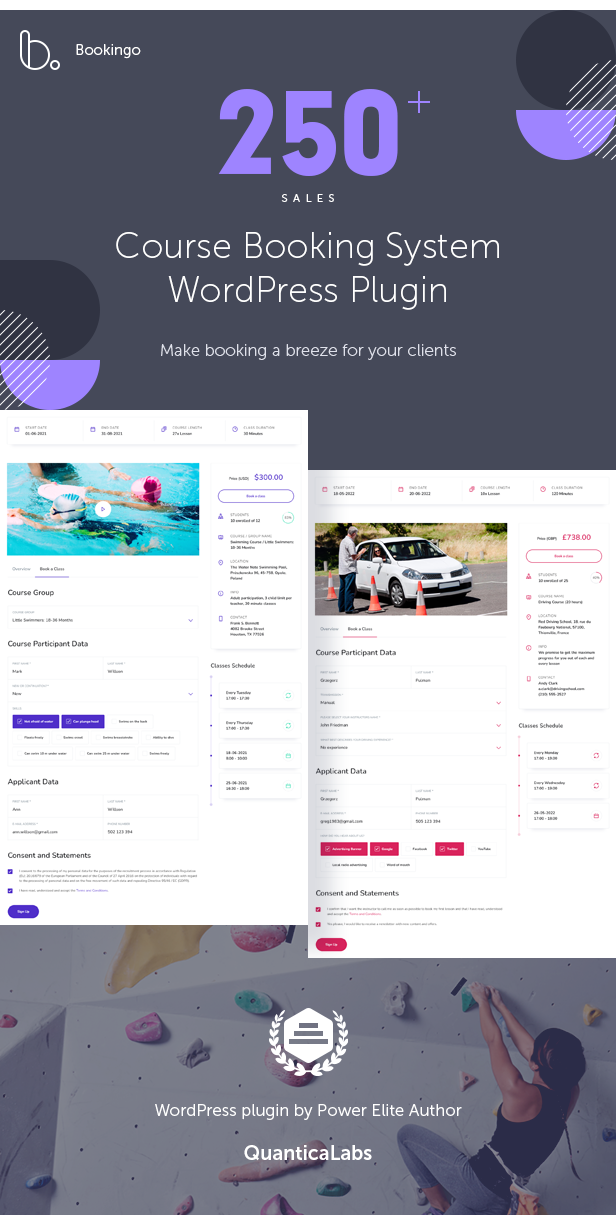
Bookingo Pre-made Demos




Responsive Layout
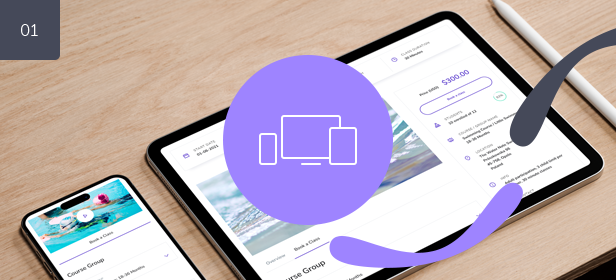
Bookingo – Course Booking is fully responsive which means each and every plugin element adapts perfectly for any screen size. The plugin works great on all mobile devices and tablets.
Unlimited Possibilities
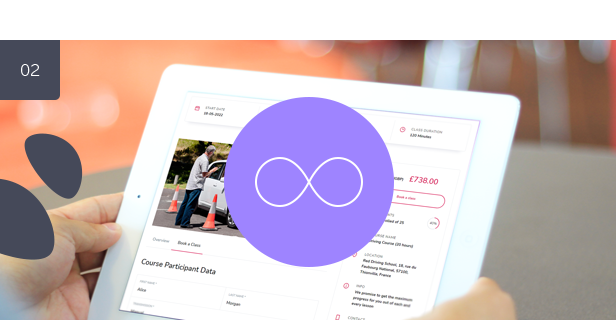
Bookingo does not impose any limitations on you. The plugin enables you to create an unlimited number of courses and an unlimited number of course groups within those courses. This allows you to, for example, create multiple bookings for different industries within a single website.
For each course group, you can specify the start and end date (and time), number of lessons, class duration, student limit, and schedule based on recurring events or individual lesson dates. You can also specify the location, trainer’s contact details, and additional information (such as the requirement of a swimming cap). For a given course, you can create a description with a featured image or promotional video using the WordPress post editor.

WooCommerce
If you use WooCommerce on your website, we’ve got you covered. Login, registration, order processing, and payment gateway support are all provided by WooCommerce. Please note that the Bookingo plugin is also fully functional without WooCommerce installed.

WPBakery Page Builder Integration / Color Picker
Bookingo is integrated with popular WPBakery Page Builder for WordPress, but it is also fully functional without WPBakery Page Builder installed.
With built-in color picker you can define your own colors to match booking form to your website.
Multiple Payment Methods
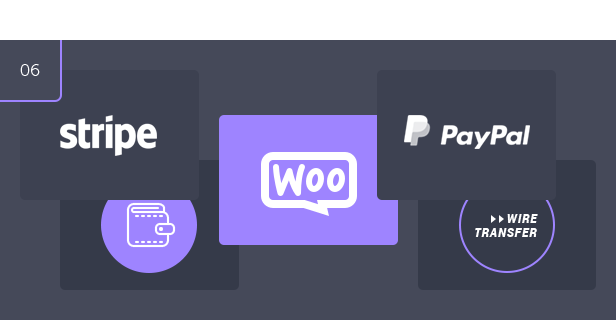
The plugin offers several payment options including cash, Stripe, and PayPal. If you have WooCommerce installed on your website, you can also utilize the payment methods supported by WooCommerce.
Custom Form Builder
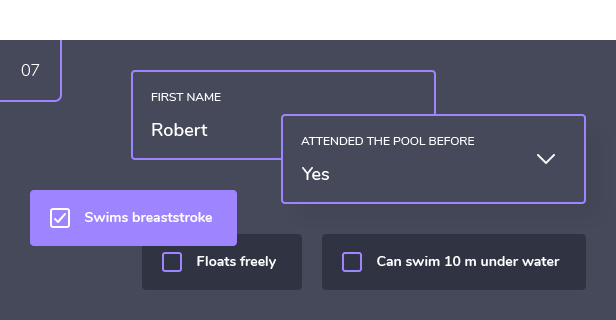
The big advantage of this plugin is the ability to define your own form fields, so regardless of the industry or course, you can create your own form using a simple editor. You can also create your own field sections, such as Course Participant Data or Applicant Data. There can be any number of such sections or form fields.

All World Currencies Supported / Exchange Rate Manager
The plugin supports all world currencies and it has a built-in rate manager for easy conversion between different currency pairs.
Pricing Rules
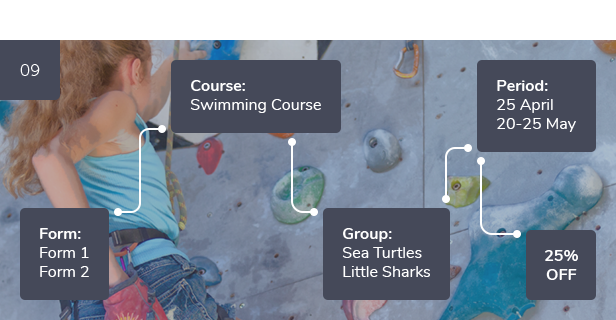
You can define your own pricing rules depending on the booking form, course, course group, registration dates, and more. For example, you can create a discount for people who sign up for a language course this weekend.
Notifications
The plugin is integrated with the Nexmo and Twilio API for SMS notifications, enhancing the customer experience. By adding Telegram and email notifications, your clients will always be kept informed.
Discount Coupons / Custom Agreements
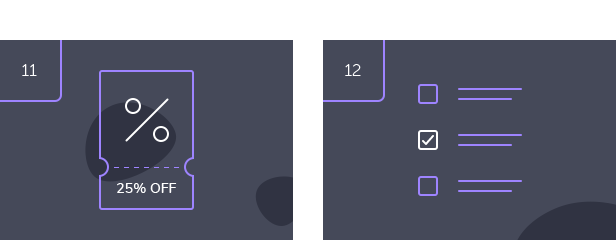
The plugin has a feature that allows you to generate discount coupons with either a fixed or percentage discount, and to set options such as usage limit and coupon activation dates. You can use a built-in tool to quickly generate a specified number of coupons, eliminating the need for manual creation.
The plugin also includes the ability to create multiple agreement fields that the client must accept before submitting the form. These fields can be made optional or required based on settings in the admin panel. This feature is particularly important in regards to compliance with General Data Protection Regulation (GDPR).
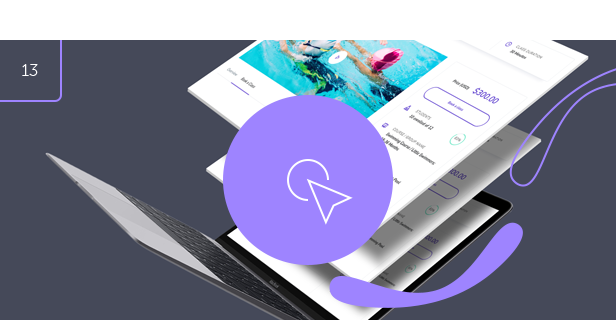
One Click Demo Install
Import demo data to start with by using plugin settings menu.

Key Features of Bookingo – Course Booking System for WordPress
- 100% responsive and mobile compatible.
- High resolution and pixel perfect.
- Unlimited number of booking forms.
- Unlimited number of courses.
- Unlimited number of course groups.
- WooCommerce integration (the plugin is also fully functional without WooCommerce installed).
- WPBakery Page Builder integration (the plugin is also fully functional without WPBakery Page Builder installed).
- Integrated with PayPal, Stripe and WooCommerce payment gateways.
- Support for cash payment method.
- Notifications by e-mail, SMS (Nexmo, Twilio), Telegram.
- Support all world currencies.
- Extensive pricing rules.
- Discount coupons.
- Custom form fields builder.
- Custom agreements.
- Color picker.
- Demo content available with one click importer.
- Fully translatable with .Po/ .Mo files.
- Valid HTML5 code.
- Crossbrowser compatible.
- Documentation included.
Admin Features of Bookingo – Course Booking System for WordPress
Bookings Module
Displays a list of all submitted orders (bookings) in the system.
- Browse, edit, or delete submitted bookings.
- Set statuses for bookings: Pending (new), Processing (accepted), Cancelled (rejected), Completed (confirmed), On Hold, Refunded, Failed.
- View booking details, including ID number, course name, course group, net price, gross price, and tax.
- View details about course participants and applicants.
- View additional information provided in custom form fields.
- View a list of agreements and consents given by the participant.
- View the payment method and a list of registered transactions for a given payment.
Booking Forms Module
With this module, you can create unlimited booking forms and define different settings for each form. There are many options available:
- Browse, add, edit, or delete booking forms.
- View the ID number of a booking form.
- Generate and copy a simple shortcode to place the form on any page.
- Select the courses supported by a given form.
- Choose the default booking status for new reservations: Pending (new), Processing (accepted), Cancelled (rejected), Completed (confirmed), On Hold, Refunded, Failed.
- Select supported currencies.
- Enable or disable coupons for a given form.
- Turn the form preloader on or off.
- Define the default form tab: ‘Overview’ or ‘Book a Class’.
- Show or hide the course start/end time.
- Use the color picker to style the form according to your preferences.
Courses Module
With this module, you can create an unlimited number of courses and define different settings for each course. There are many options available:
- Browse, add, edit, or delete courses.
- Set the course name and add a course description.
- Assign groups to the course.
- Optionally, set the course registration start date and time.
- Optionally, set the course registration end date and time.
- Choose whether to collect data about applicants.
- Select available payment methods: cash, PayPal, or Stripe.
- Configure notifications for email, Twilio, Vonage, and Telegram.
- Define custom form fields for the course, including the field type, label, mandatory status, possible values, error messages, and grouping fields within groups.
- Define a list of agreements that the course participant must accept before making a booking.
- Set a promotional course image or video.
- Customize the ‘Thank You’ page and the ‘Back to Home’ button.
Course Groups Module
With this module, you can create an unlimited number of course groups, which can later be assigned to courses.
- Browse, add, edit, or delete course groups.
- Set the name of the course group.
- Set the start and end dates and times of the course.
- Select the location of the course.
- Set the number of lessons (classes).
- Set the length of each lesson in minutes.
- Set the price and tax value (if applicable).
- Define whether to show the net or gross price.
- Set the maximum number of students for the class.
- Define whether to show the current number of enrolled students for the course.
- Enter a brief description of the course group.
- Enter brief contact/teacher information.
- Create a course schedule, either based on days of the week or specific dates.
Pricing Rules Module
You can create custom pricing rules based on the selected booking form, course, course group, and registration dates. For instance, you can set a unique price for a course during a specific date range. There is no limit to the number of pricing rules that can be defined.
- Browse, add, edit, or delete pricing rules.
- Choose a booking form.
- Choose a course.
- Choose a course group.
- Choose registration dates.
- Determine the type of price change: a fixed price, an increase or decrease by a specific value, or an increase or decrease by a percentage.
Locations Module
With this module, you can create any number of course locations.
- Browse, add, edit, or delete locations.
- Add location name and location address details.
Payments Module
With this module, you can create available payments methods.
- Browse, add, edit, or delete payments methods.
Coupons Module
The module enables you to create discount coupons.
- Browse, add, edit, or delete discount coupons.
- See the coupon ID number.
- Define a unique coupon code.
- Set a usage limit.
- Check the current usage count of the coupon.
- Set the coupon to be active within a specific time frame.
- Choose a percentage or fixed discount amount.
Tax Rates Module
The module enables you to create various tax rates.
- Browse, add, edit, or delete tax rates.
- See the tax rate ID number.
- Define the tax rate value.
- Set the tax rate as the default for the system.
E-mail Accounts Module
The module lists email addresses used in the system.
- Browse, add, edit or delete email addresses.
- See the email address ID number.
- Name the email address.
- Specify the email.
- Optionally set SMTP authentication options.
- Turn SSL on/off.
- Enable or disable debugging.
- Use a tool to verify that emails are sent correctly.
Bookingo Includes Plugin Settings
- Configure General Options, such as the company logo, currency, and date/time format.
- Choose the default address format (EU or US).
- Set the default sender email account.
- Enter the Fixer.IO API key.
- Import demo content with one click.
- Set the default booking status after a successful payment: No change, Pending, Processing, Cancelled, Completed, On hold, Refunded, Failed.
- Synchronize statuses with WooCommerce: No synchronization, One-way from WooCommerce to plugin, One-way from plugin to WooCommerce.
- Use the coupon generator to generate a specified number of discount coupons with options such as number of coupons, usage limit, percentage discount, fixed discount, and active dates.
- Use the exchange rate manager to import exchange rates for selected currencies relative to the base currency.
- Access the log manager.
This Item is Supported
Support is conducted through our Support Forum. We’re in GMT +1 and we aim to answer all questions within 24 hours in weekdays. In some cases the waiting time can be extended to 48 hours. Support requests sent during weekends or public holidays will be processed on next Monday or the next business day.
We Are Trusted by 100,000+ Customers
We are a team of passionate people with 15+ years of experience and 10+ years of our presence on Envato Market. We specialize in WordPress, design, and development. Please follow us to stay up to date as we continue to craft our works.



Categories
Tags
External listing. code.market does not sell this product and does not process payment for it. Pricing, payment, delivery, licensing, refunds, and support are handled by the third-party merchant on its own website. We may earn an affiliate commission from a referral. Details.
Products of the Week.
Submit#1

upvote.club
Free Social Media Engagement that Helps Boost Your Content. Upvote Club supports 19 social networks with 100+ engagement actions in one dashboard. Add links to your posts and get free engagement from real users.
SaaS · 16,239 views · 96 clicksSaaS · Week 42 · 16,239 views · 96 clicks
#2

Seenshot App
Free, Fast, MacOS Screenshot app. Make Screenshot cmd+shift+2 and send it via link
Desktop App · 5,254 views · 109 clicksDesktop App · Week 42 · 5,254 views · 109 clicks
#3

Conversational Backlinks for Busy Founders
Place Backlink Relevant Conversation for your domain across Forums and Conversations
Website · 17,082 views · 195 clicksWebsite · Week 42 · 17,082 views · 195 clicks
#4

Substack Posting API
Onboard your Agent to Substack. Write Publish on Substack via API
SaaS · 36,072 views · 184 clicksSaaS · Week 42 · 36,072 views · 184 clicks
#5

codester.com
SocialDesk+: Omnichannel Social Commerce & Business Management Platform This is stronger than simply “Social Commerce and Messaging” because it tells buyers this is a complete business platform, not just a messaging script. Turn Social Conversations Into Sales SocialDesk+ is a complete omnichannel social commerce and business management platform built for businesses that sell and communicate with customers through social media. Instead of switching between WhatsApp, Facebook, Instagram and TikTok, businesses can manage customer conversations, comments, products, leads, follow-ups, automation, teams and business reports from one professional workspace. And because the full source code is included, developers, agencies and entrepreneurs can customize, rebrand and launch SocialDesk+ as their own business solution or SaaS platform. 🚀 Build Your Own Social Commerce Business SocialDesk+ gives you the foundation to launch: - Your own SaaS platform - A white-label social CRM - A social-commerce management system - A customer communication platform - A business messaging solution - A custom solution for clients - A multi-business subscription platform 💬 Connect Your Customers Supported social channels include: WhatsApp • Facebook • Instagram • TikTok Bring supported conversations into one centralized workspace and help businesses respond faster without constantly switching between platforms. 🛍️ More Than a Messaging Platform SocialDesk+ combines communication with the tools businesses need to manage customer opportunities: Inbox Manage customer conversations from connected channels. Comments Monitor and respond to social-media comments. Customers & Leads Organize customer information and potential buyers. Products & Catalog Manage products and give your team quick access to product information. Follow-Ups Make sure potential customers don't get forgotten. Automation Automate repetitive customer questions and responses. AI Assistant Provide AI-assisted communication when configured. Team Management Give managers and staff access to the business workspace. Reports & Analytics Track activity using business reports and analytics. The current product listing already includes these capabilities. 🔥 Why Buyers Will Want It Launch Faster Start with an already-built business platform instead of developing the entire system from zero. Customize Everything The full source code is included, allowing developers to change branding, features, workflows and integrations. Build a SaaS Create multiple business workspaces and offer SocialDesk+ as a subscription-based service. Sell to Businesses Offer it to retailers, restaurants, service businesses, online sellers, agencies and other businesses that communicate with customers through social media. Mobile + Web + Backend This isn't just a mobile UI template. It includes: - Flutter mobile application - Python / FastAPI backend - Web interface - Administration tools - Database infrastructure - API-based architecture - SQLite / PostgreSQL support - Android and iOS project structure 💼 One Platform. Multiple Business Opportunities. For SaaS Entrepreneurs Launch your own subscription platform and allow multiple businesses to operate inside separate workspaces. For Software Agencies Customize and rebrand the platform for clients instead of building an omnichannel business system from scratch. For Developers Use the complete source code as a foundation for your own social-commerce or customer-management product. For Businesses Deploy a dedicated version for your own customer-service and social-commerce operations. 🧩 What's Included Mobile - Flutter / Dart - Android - iOS project Backend - Python - FastAPI - SQLAlchemy - Alembic Database - SQLite - PostgreSQL Web - HTML5 - CSS3 - JavaScript Deployment - Docker - Docker Compose - Production configuration Business Platform - Multi-workspace architecture - Authentication - Teams - Customers - Products - Messaging - Comments - Automation - Reports - Subscriptions - Administration The current listing also documents third-party integrations such as Meta, TikTok, Stripe, Firebase, SMTP and optional OpenAI configuration. ⚡ What Makes SocialDesk+ Different? You're not buying a simple: ❌ Chat UI ❌ WhatsApp clone ❌ Flutter template ❌ Admin dashboard ❌ Basic CRM You're getting a complete business platform foundation that can be customized, branded and commercialized. Connect. Automate. Manage. Grow. SocialDesk+ Omnichannel Social Commerce & Business Management Platform One important change I'd make to the current listing The current page starts with: “A simple guide to managing your social conversations, customers, products and business activity.”
Other · 3,484 views · 30 clicksOther · Week 42 · 3,484 views · 30 clicks
#6

sandbook.app
Sandbook reads EPUB, PDF, web pages and scanned pages aloud with Kokoro TTS, an open neural voice model that runs on your iPhone, free and offline. Choose from 41 natural voices in English, Spanish, French, Italian, Brazilian Portuguese and Hindi and follow each word as it is spoken. Try the same voices in your browser first with the free Kokoro TTS online demo.
Other · 3,489 views · 13 clicksOther · Week 42 · 3,489 views · 13 clicks