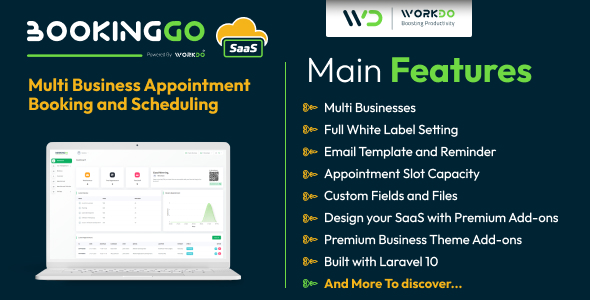
BookingGo SaaS - Multi Business Appointment Booking and Scheduling
Description
Overview
BookingGo SaaS revolutionizes business management by offering a comprehensive solution to handle every aspect of your operation. From seamlessly managing business hours, appointments, and break hours to overseeing users, customers, appointment calendars, and system settings, BookingGo SaaS provides an intuitive and efficient platform. With customizable features and automated processes, businesses can enhance time efficiency, improve customer experiences, and maintain superior organization. BookingGo SaaS adapts to diverse industries, offering scalability and flexibility to meet unique business needs. Elevate your business operations, simplify complex tasks, and unlock success with BookingGo’s user-friendly interface and powerful features.



Demo
URL : Demo Link Login as Super Admin : superadmin@example.com / 1234 Login as Company : company@example.com / 1234

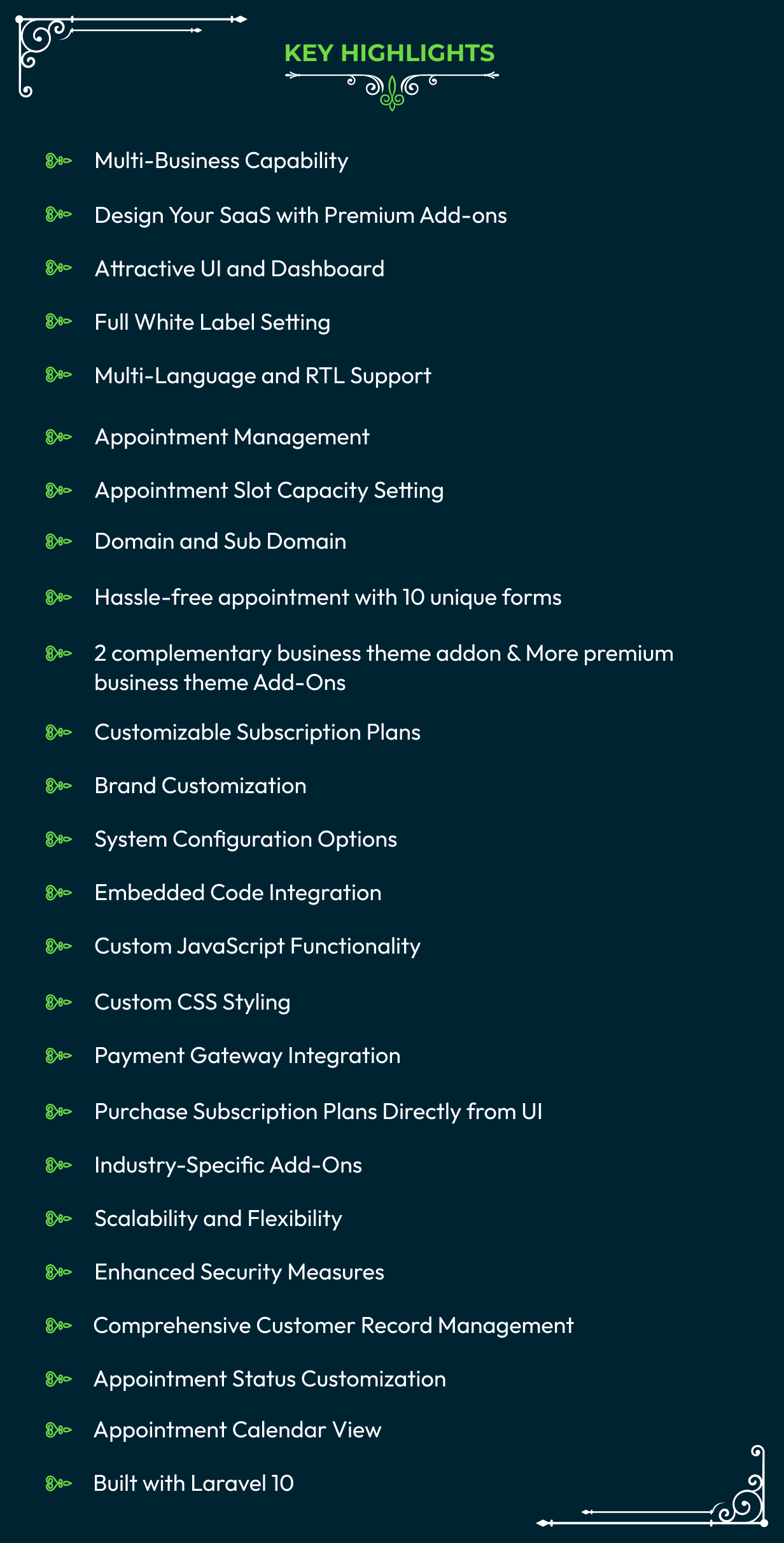
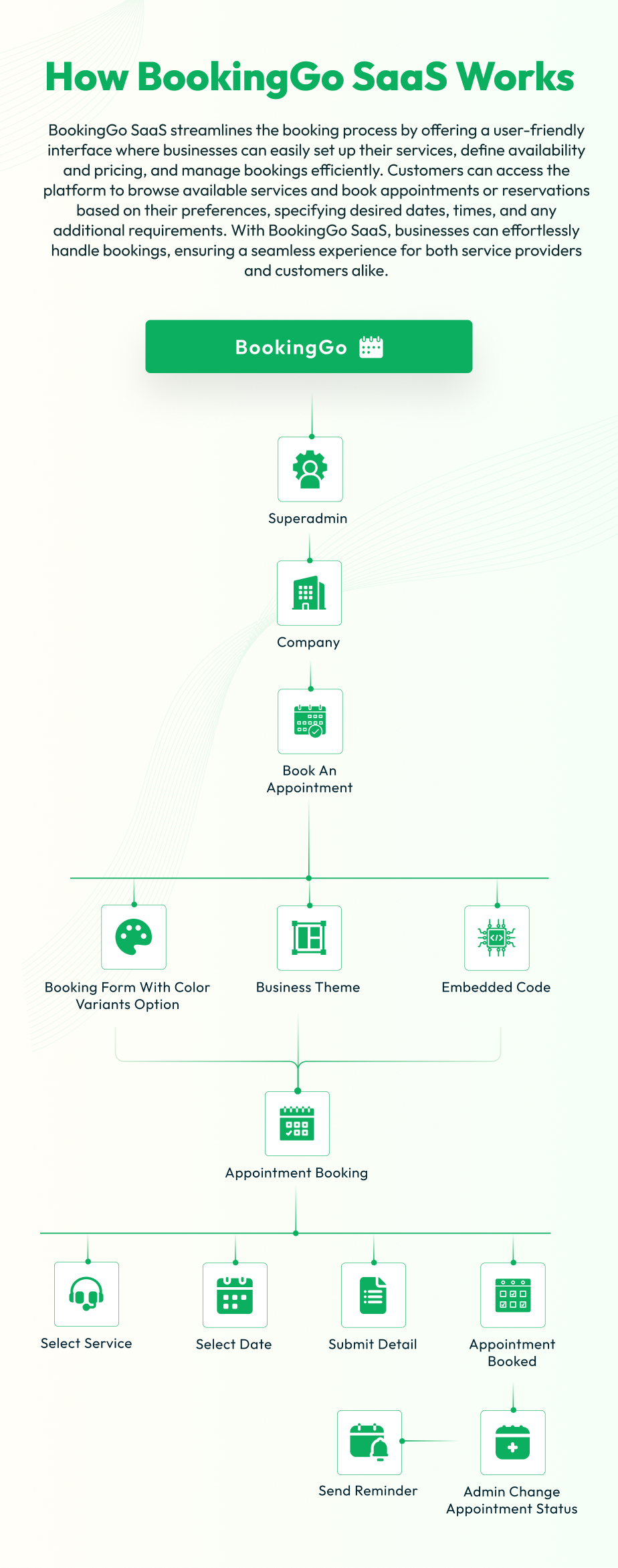
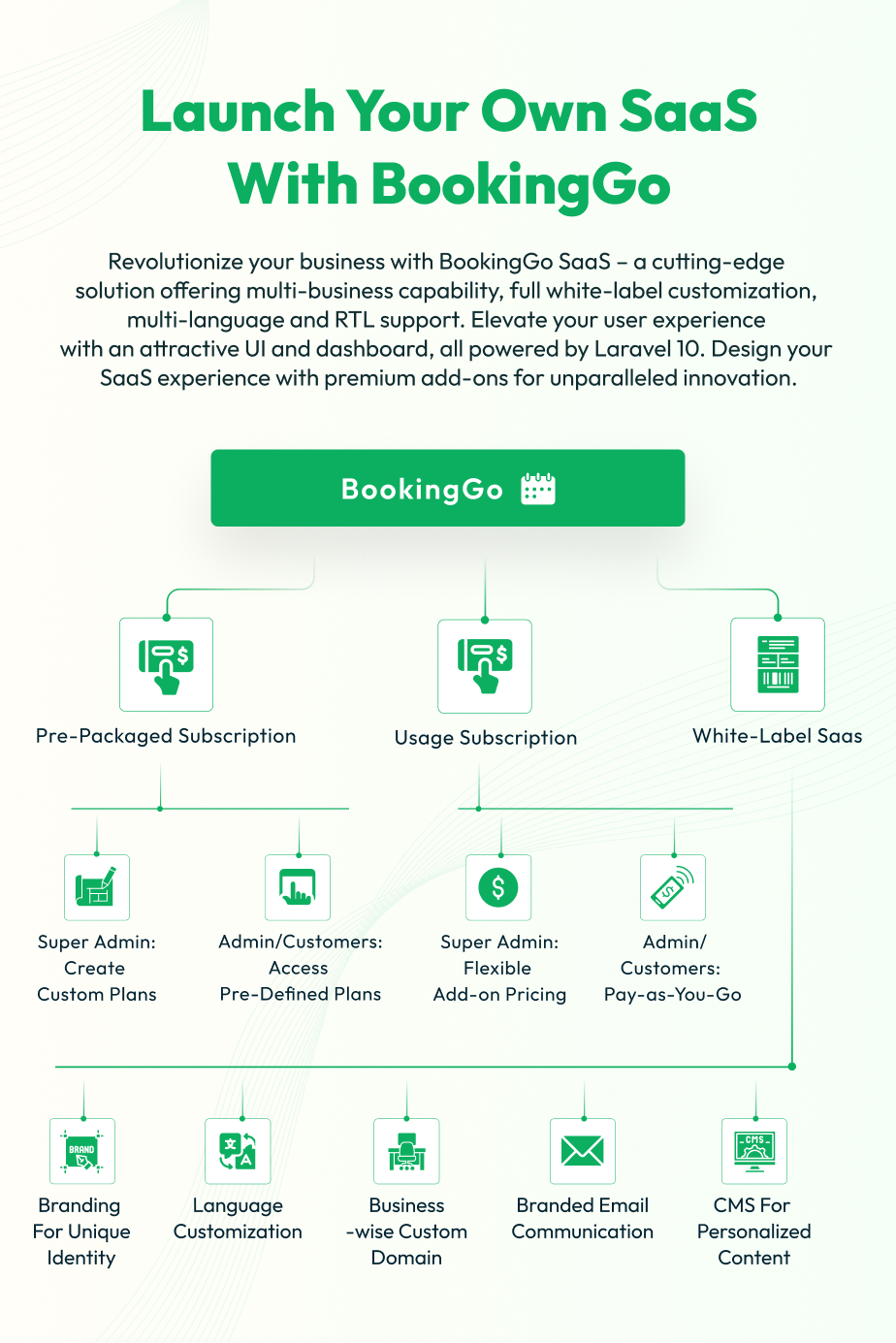

BookingGo Product by WorkDo is a comprehensive platform designed to streamline subscription management, facilitate seamless user interactions, and empower administrative control. With a robust framework comprising two distinct logins – Super Admin and Admin – BookingGo offers an array of functionalities tailored to meet the diverse needs of business
Super Admin Dashboard:
Upon logging in, the Super Admin is greeted with an intuitive dashboard presenting key metrics and insights:
Overview:Access to vital statistics such as total users, paid users, total orders, order amounts, total plans, and popular plans provides a quick snapshot of platform activity.
Graphical Representation:A graphical representation depicting recent orders every year facilitates trend analysis and strategic decision-making.
Admin Interface Overview
The Admin side of BookingGo Product by WorkDo offers a robust set of tools and functionalities to streamline business management tasks. At its core, the Admin interface provides administrators with a centralized hub for accessing critical data and overseeing key aspects of business operations.
Subscribers Management:
The Subscribers page empowers Super Admins with granular control over user subscriptions:
Subscriber List: View a comprehensive list of subscribers, along with their log history, enabling efficient user management.
Subscription Settings: Swiftly create, modify, enable, or disable subscription plans to cater to evolving business needs with ease.
Coupon Management: Seamlessly add, edit, or delete coupons to enhance user engagement and incentivize subscriptions.
Order Details: Gain insights into order details including order ID, date, plan name, price, payment type, status, applied coupon, invoice, and refund status for effective order tracking and management.
Bank Transfer Requests: Efficiently handle transfer requests, ensuring seamless financial transactions.
Settings Configuration:
The Settings page equips Super Admins with comprehensive configuration options:
Brand Settings: Customize brand elements to maintain brand consistency and reinforce brand identity.
System Settings: Fine-tune system configurations to align with organizational requirements and optimize platform performance.
Cookie Settings: Configure cookie preferences to ensure compliance with data privacy regulations and enhance user experience.
Storage Settings: Optimize storage configurations to manage data efficiently and ensure scalability.
SEO Settings: Enhance platform visibility and search engine rankings through strategic SEO configuration.
Cache Settings: Optimize caching mechanisms to improve platform performance and user experience.
Customization: Leverage custom JavaScript and CSS options to tailor the platform to unique business requirements.
Email Settings: Configure email preferences to personalize communication and enhance user engagement.
Recaptcha Settings: Implement Recaptcha for enhanced security and protection against spam and fraudulent activities.
Bank Transfer Settings: Configure bank transfer preferences to facilitate seamless financial transactions and reconciliation.
BookingGo Product of WorkDo seamlessly integrates powerful features with intuitive user interfaces, empowering Super Admins to efficiently manage subscriptions, optimize platform settings, and drive business growth.
Dashboard Insights
The Dashboard serves as the starting point for administrators, presenting a concise summary of essential metrics. Here, administrators can quickly glance at vital statistics such as the total number of businesses, appointments, and staff members. This overview facilitates informed decision-making and strategic planning by providing a snapshot of the business’s performance.
Latest Services and Appointment Trends
In addition to statistical data, the Dashboard also features sections for showcasing the latest services the business offers and graphical representations of recent appointment trends. Administrators can easily stay updated on newly added services and monitor appointment trends over time, enabling them to adapt their strategies and resources accordingly.
User and Business Management
The Admin interface includes dedicated pages for managing users and businesses. In the User Management section, administrators can create user accounts, assign roles, and configure permissions to ensure smooth access control and security. Meanwhile, the Business Management page offers a comprehensive overview of all registered businesses, allowing administrators to monitor and manage business entities efficiently.
Form Layouts
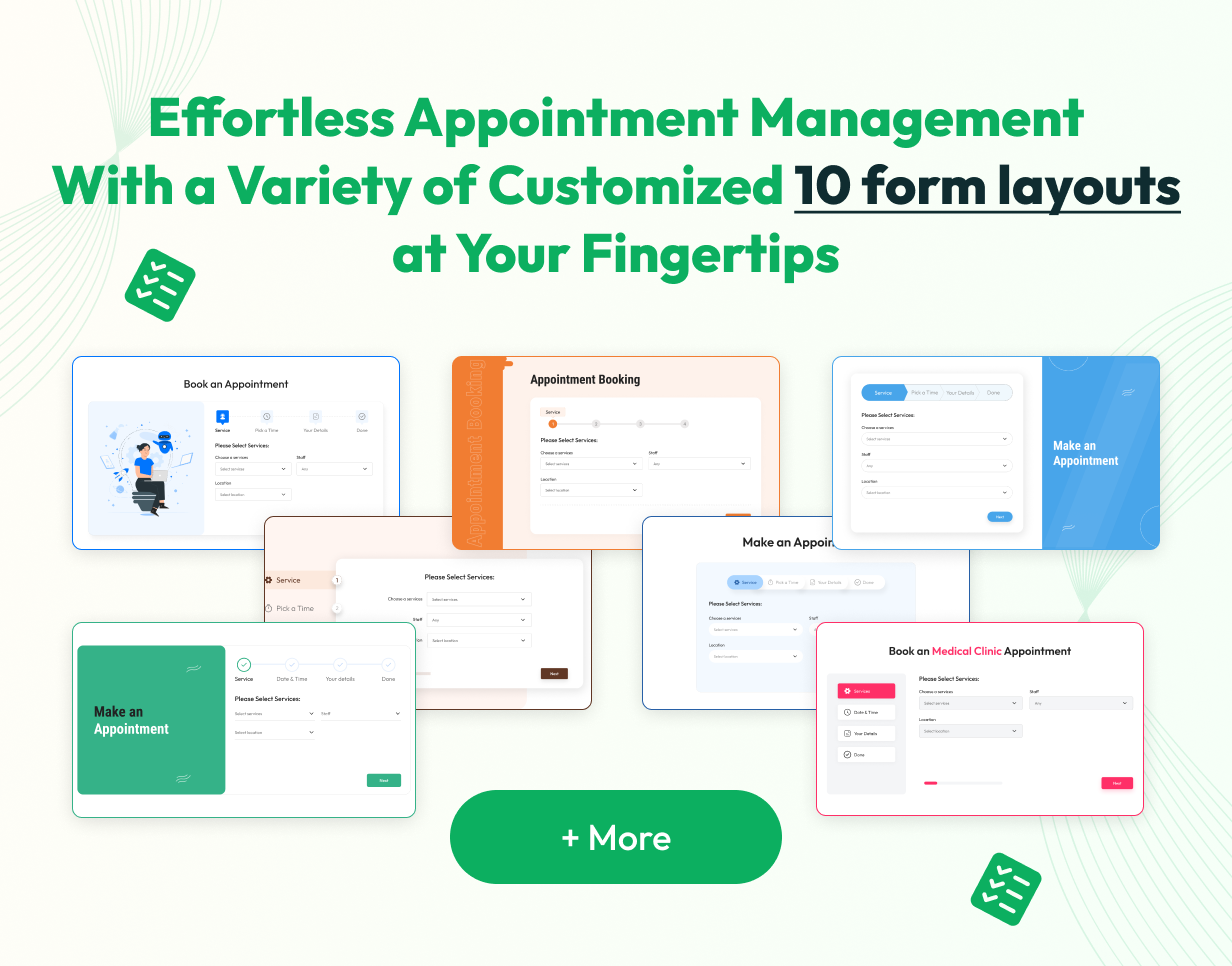
The Form Layouts functionality in the BookingGo SaaS Product offers users the flexibility to effortlessly create business forms tailored to their specific needs. With a selection of 10 pre-designed form layouts available, users can choose the one that best aligns with their niche, streamlining the process of establishing a new business venture.
Accessing this feature is convenient, as it is prominently located within the dashboard page of BookingGo SaaS. Users simply need to click on the “Create new business” button at the top of the dashboard to initiate the process. Additionally, users have the option to further customize or create their own business form layouts directly within the business module of BookingGo SaaS, providing additional flexibility and control over the form creation process.
Add-Ons For Business Theme
Photography Studio Business Theme
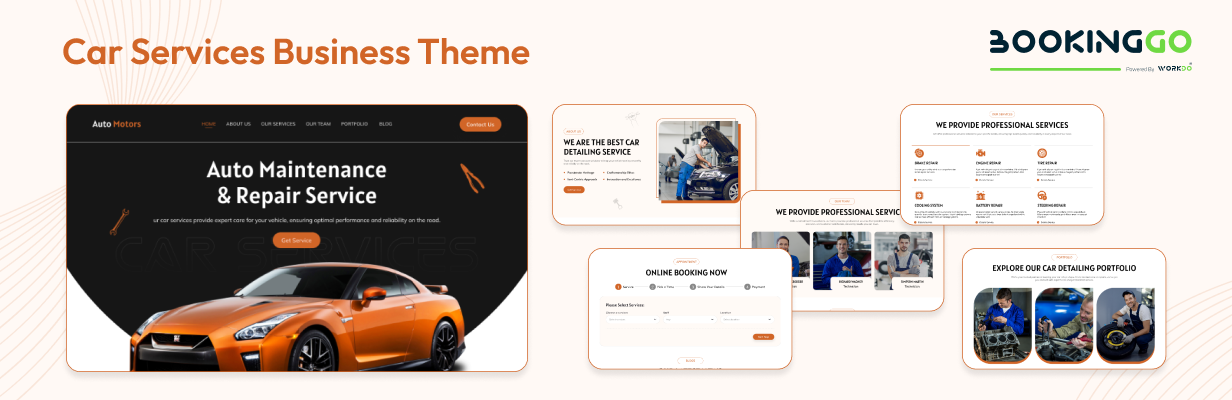
Car Services Business Theme
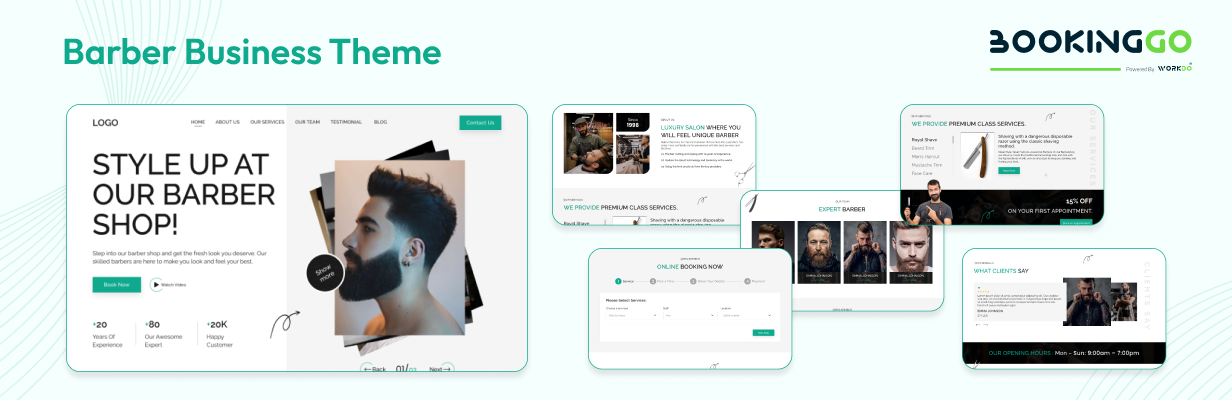
Barber Business Theme
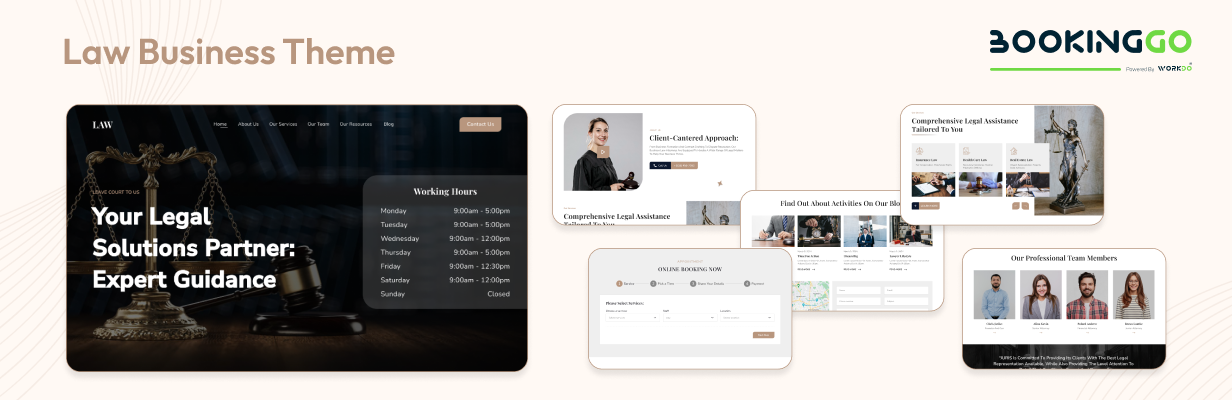
Law Business Theme
Spa Wellness Business Theme

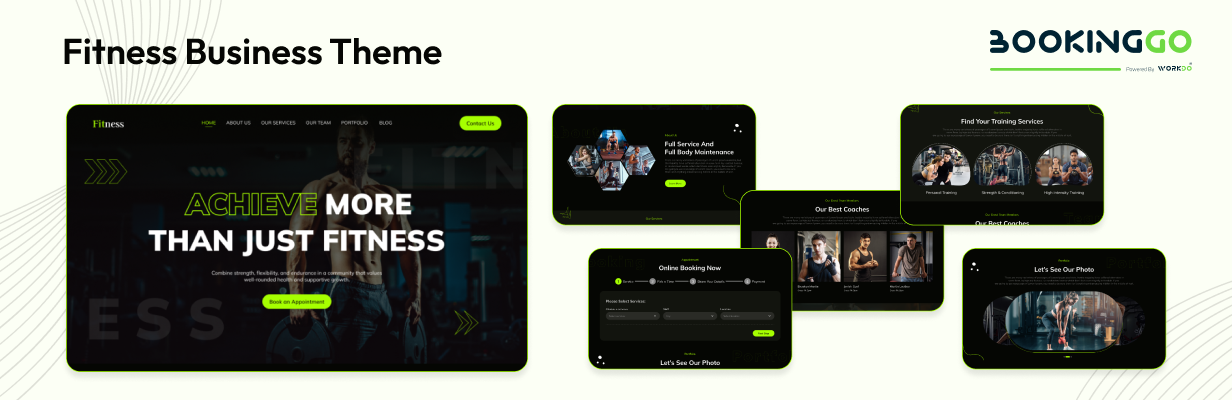
Fitness Business Theme
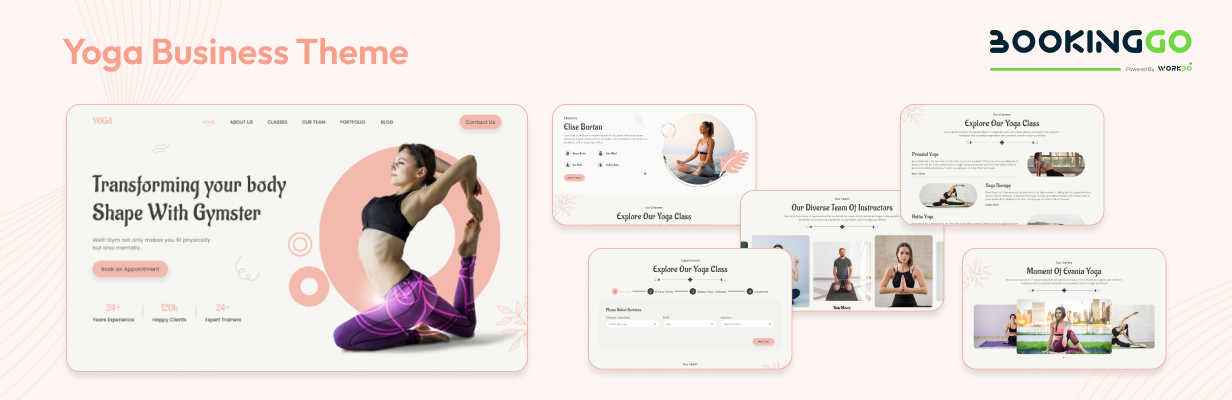
Yoga Business Theme
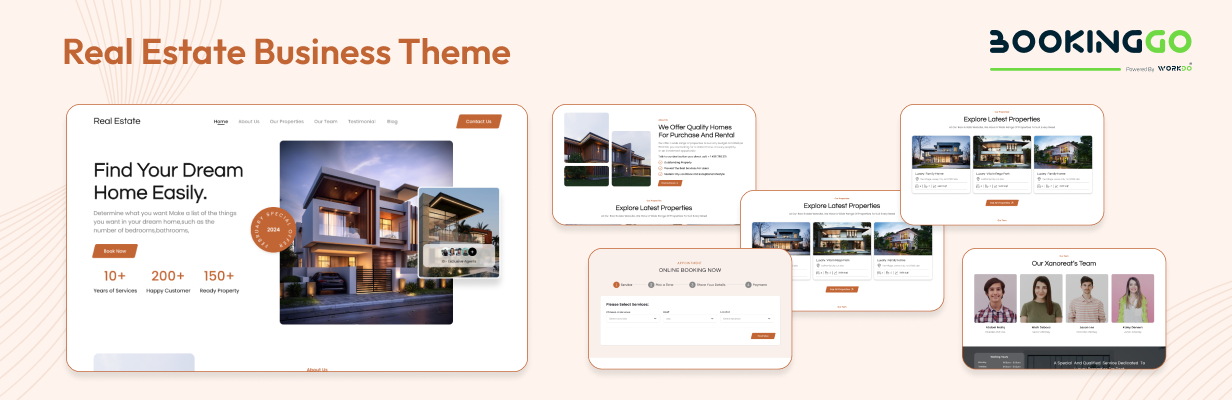
Real Estate Business Theme
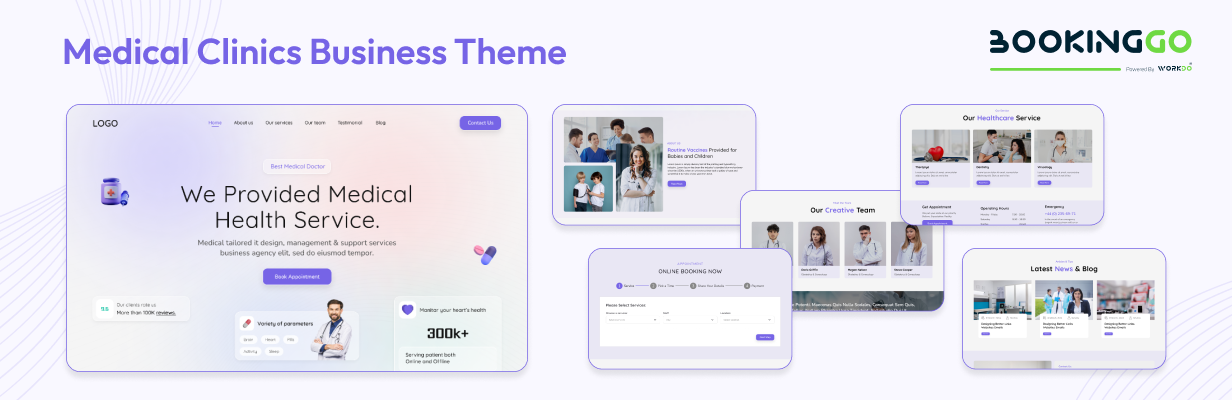
Medical Clinics Business Theme
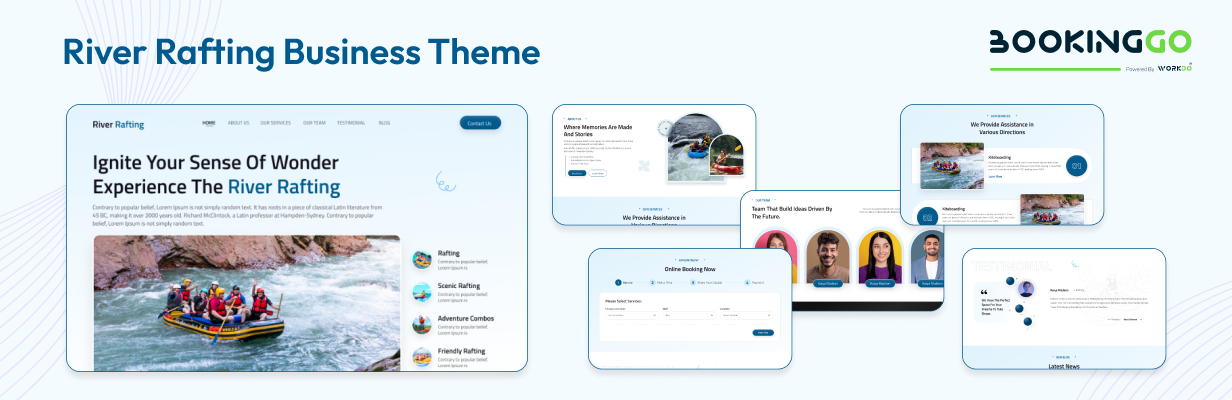
River Rafting Business Theme
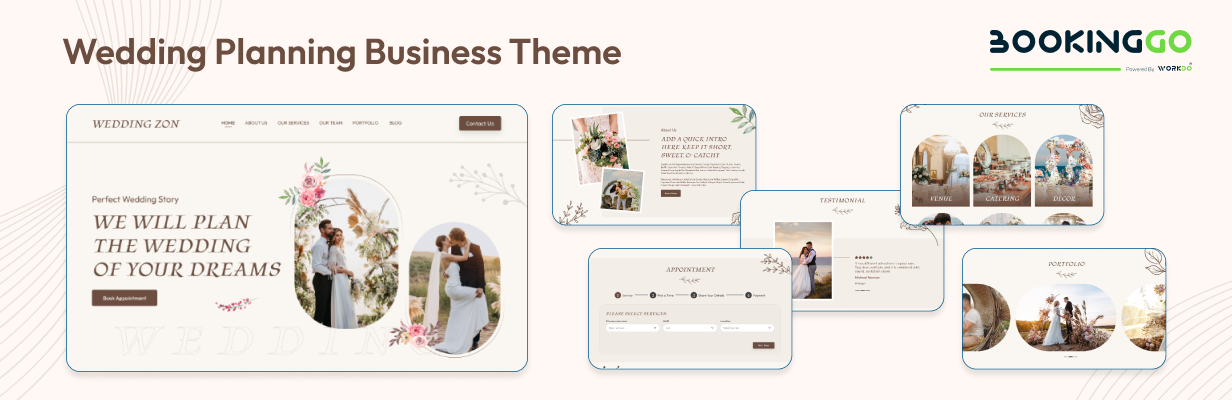
Wedding Planning Business Theme
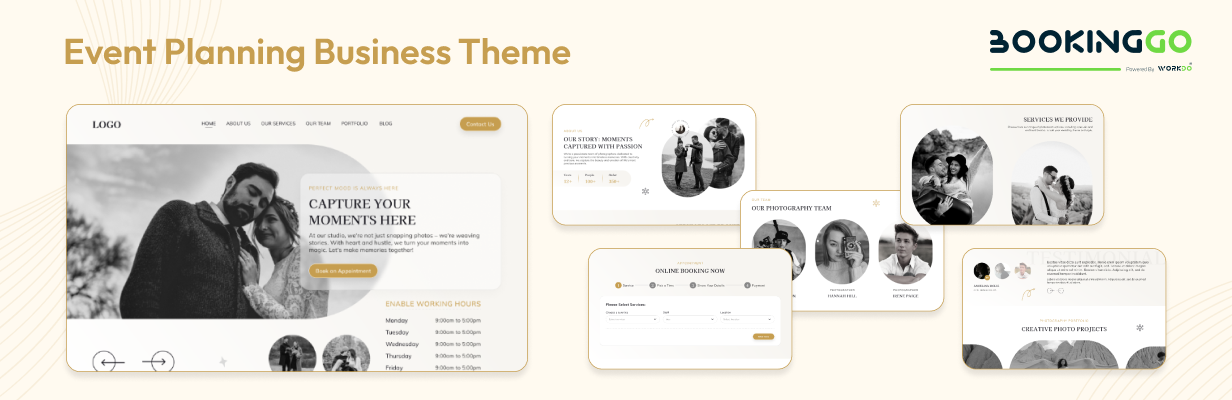
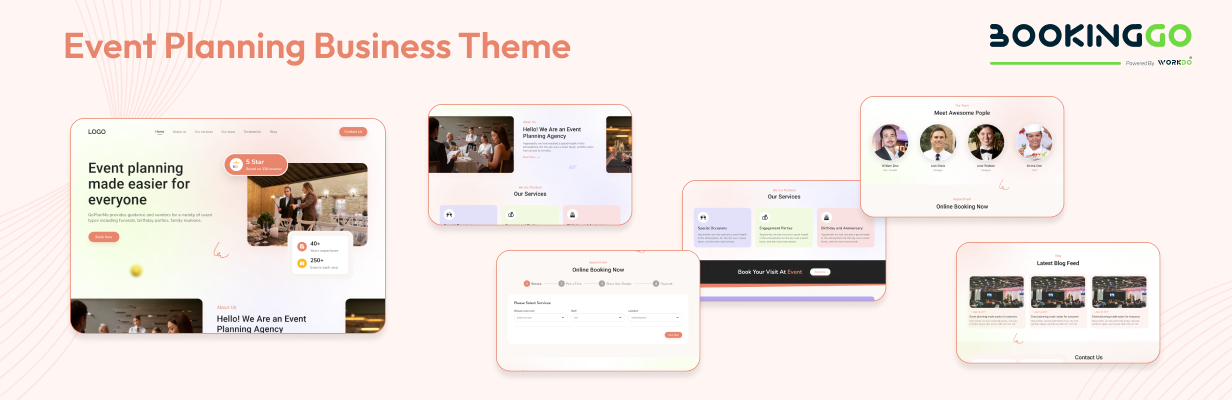
Event Planning Business Theme
Customer Records Management
Efficient customer management is facilitated through dedicated tools within the Admin interface. Administrators can add new customers, edit existing records, or remove outdated information, ensuring a comprehensive and up-to-date database of client details. This streamlined process enhances customer service and relationship management, contributing to overall customer satisfaction.
Custom Status Configuration
The Admin interface allows administrators to define custom statuses for appointments, providing flexibility to align with unique business workflows and requirements. By customizing appointment statuses, administrators can tailor the booking process to suit specific needs, enhancing clarity and efficiency in appointment management.
Optimizing Appointment Scheduling: Capacity Setting in BookingGo SaaS
BookingGo SaaS introduces a groundbreaking feature – Appointment Slot Capacity Setting – designed to revolutionize appointment scheduling for businesses. This innovative setting allows administrators to define the maximum number of appointments that can be scheduled within specific time slots. For example, between 4:15 PM and 6:00 PM, administrators can set a capacity of four appointments, ensuring efficient resource utilization and maintaining optimal service levels. With BookingGo SaaS, businesses can customize appointment slots to match their operational capacity, enhancing productivity and delivering exceptional customer service. Simplify appointment management, optimize scheduling, and elevate your business with BookingGo’s intuitive platform and advanced features.
Detailed Appointment Insights
The Appointment Calendar provides a visual representation of scheduled appointments, organized by date. This visual overview simplifies appointment scheduling and resource planning, allowing administrators to optimize business operations and ensure a seamless customer experience.
Certainly, let’s delve into each of the specified settings for BookingGo SaaS:
Brand Settings
- Customize brand elements such as logos, colors, and themes to maintain brand consistency and reinforce brand identity across the platform.
System Settings
- Fine-tune system configurations to align with organizational requirements and optimize platform performance. This includes settings related to platform behavior, user permissions, and system preferences.
Embedded Code
- Configure settings for embedding custom code snippets into the platform, allowing for seamless integration with external applications, analytics tools, or third-party services.
Custom JS
- Access and modify custom JavaScript code to implement specific functionalities or enhance user experience within the platform. This allows for advanced customization and extension of platform capabilities.
Custom CSS
- Customize the appearance and styling of the platform using custom CSS code. This enables users to tailor the platform’s visual presentation to match their branding or design preferences.
Email Settings
- Manage email settings to configure email communication preferences, templates, and SMTP configurations. This includes settings for email notifications, transactional emails, and email campaigns.
Bank Transfer
- Configure settings for bank transfer functionalities, including bank account information, transaction preferences, and reconciliation options. This enables users to facilitate secure and efficient financial transactions within the platform.
Stripe
- Integrate with Stripe for secure payment processing and financial transactions. Configure settings related to Stripe API keys, payment methods, and transaction preferences to enable seamless online payments within the platform.
Paypal
- Integrate with PayPal for secure online payment processing and transactions. Configure settings related to PayPal API credentials, payment methods, and transaction preferences to enable smooth payment processing within the platform.
Custom Settings
- First is the store link, where you can add and edit your store’s link, store custom JS, and Store Custom CSS and save the changes.
- The second button is for the domain, where you can add and edit the custom domain, store custom JS, store custom CSS, and save the changes.
- The third button is for the subdomain, where you can add and edit the subdomain, store custom JS, store custom CSS, and save the changes.
Purchase Subscription Plans
Users can conveniently purchase subscription plans directly from the platform’s user interface. They can browse through the available plans, select the one that best suits their needs, and proceed with the payment process. Integration with payment gateways such as Stripe or PayPal ensures seamless and secure transactions.
These settings provide users with the flexibility to customize and optimize various aspects of the BookingGo SaaS platform, ranging from branding and appearance to payment processing and financial transactions. By fine-tuning these settings, users can tailor the platform to meet their specific requirements and preferences, ultimately enhancing user experience and maximizing efficiency.
In summary, the Admin interface of BookingGo Product offers a comprehensive platform for administrators to oversee and manage various aspects of business operations effectively. From monitoring critical metrics to streamlining user and appointment management, the Admin interface empowers administrators to drive business growth and success.
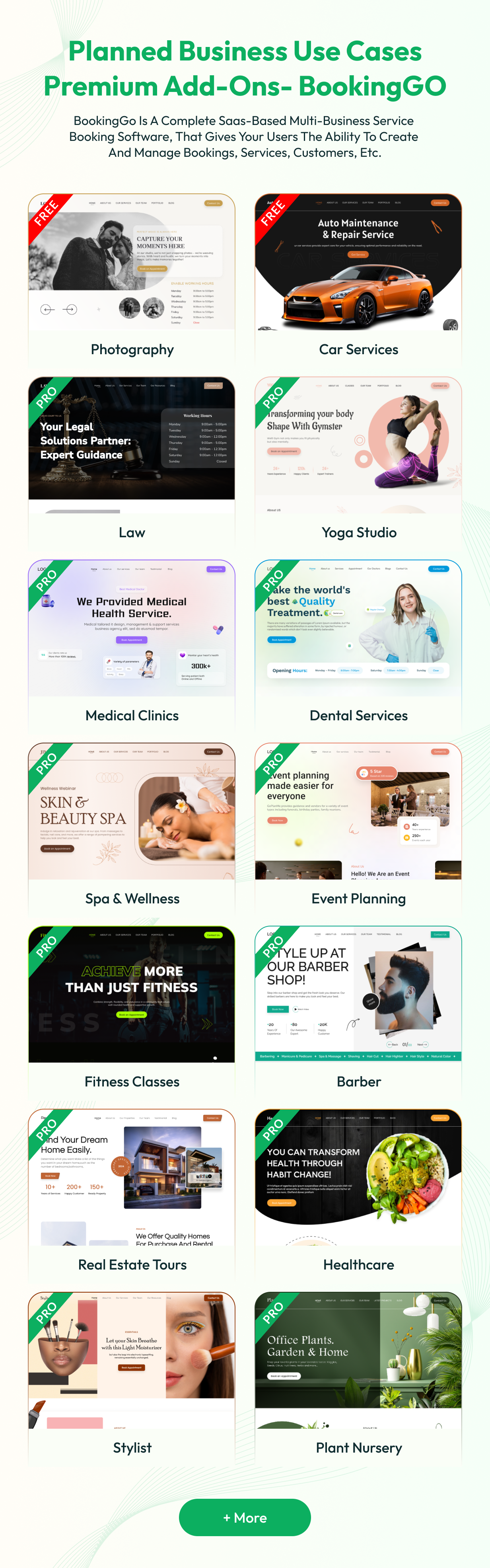
Planned Business Use Cases Add-Ons
- Photography Studio
- Law
- Car Services
- Yoga
- Medical Clinics
- Barber
- Dental Services
- Spa & Wellness
- Event Planning
- Real Estate Tours
- Fitness Classes
- River Rafting
- Wedding Planning
- Pet Grooming
- Language Tutoring
- Legal Consultations
- Technology Repair Services
- Home Renovation Services
- Online Coaching
- Tailoring Services
- Catering Services
- Plant Nursery
- Suspension Bridge
- HealthCare
- Remote Learning
- Tasting Tours
- Coaching
- Trainer
- Museum
- Consultant
- Contractor
- Stylist
- Walking Tours
- Grand Canyon
- Golf Course
- Home Inspection Services
- Driving Range
- Golf
- Home Cleaning Services
BookingGo SaaS redefines business management by offering a comprehensive solution that caters to every aspect of operations. With its intuitive platform and customizable features, businesses can effortlessly manage appointments, users, and settings, while enhancing efficiency and customer experiences. Whether it’s configuring brand settings, managing subscriptions, or integrating payment gateways, BookingGo SaaS provides the tools needed for success. With a diverse range of industry-specific add-ons and scalable capabilities, BookingGo SaaS empowers businesses to thrive in today’s dynamic market landscape. Elevate your business operations, simplify complex tasks, and unlock success with BookingGo’s user-friendly interface and powerful features.
Changelog
Here you can see the timeline of updates that came out and what we did to bring new to the version. Check Changelog
Support
Please send support request here for any issues, questions or suggestions. To save time and get quick feedback, please don’t ask for support in the comments section.
Categories
Tags
External listing. code.market does not sell this product and does not process payment for it. Pricing, payment, delivery, licensing, refunds, and support are handled by the third-party merchant on its own website. We may earn an affiliate commission from a referral. Details.
Products of the Week.
Submit#1

upvote.club
Free Social Media Engagement that Helps Boost Your Content. Upvote Club supports 19 social networks with 100+ engagement actions in one dashboard. Add links to your posts and get free engagement from real users.
SaaS · 15,895 views · 96 clicksSaaS · Week 42 · 15,895 views · 96 clicks
#2

Seenshot App
Free, Fast, MacOS Screenshot app. Make Screenshot cmd+shift+2 and send it via link
Desktop App · 4,940 views · 109 clicksDesktop App · Week 42 · 4,940 views · 109 clicks
#3

Conversational Backlinks for Busy Founders
Place Backlink Relevant Conversation for your domain across Forums and Conversations
Website · 16,767 views · 195 clicksWebsite · Week 42 · 16,767 views · 195 clicks
#4

Substack Posting API
Onboard your Agent to Substack. Write Publish on Substack via API
SaaS · 35,762 views · 184 clicksSaaS · Week 42 · 35,762 views · 184 clicks
#5

codester.com
SocialDesk+: Omnichannel Social Commerce & Business Management Platform This is stronger than simply “Social Commerce and Messaging” because it tells buyers this is a complete business platform, not just a messaging script. Turn Social Conversations Into Sales SocialDesk+ is a complete omnichannel social commerce and business management platform built for businesses that sell and communicate with customers through social media. Instead of switching between WhatsApp, Facebook, Instagram and TikTok, businesses can manage customer conversations, comments, products, leads, follow-ups, automation, teams and business reports from one professional workspace. And because the full source code is included, developers, agencies and entrepreneurs can customize, rebrand and launch SocialDesk+ as their own business solution or SaaS platform. 🚀 Build Your Own Social Commerce Business SocialDesk+ gives you the foundation to launch: - Your own SaaS platform - A white-label social CRM - A social-commerce management system - A customer communication platform - A business messaging solution - A custom solution for clients - A multi-business subscription platform 💬 Connect Your Customers Supported social channels include: WhatsApp • Facebook • Instagram • TikTok Bring supported conversations into one centralized workspace and help businesses respond faster without constantly switching between platforms. 🛍️ More Than a Messaging Platform SocialDesk+ combines communication with the tools businesses need to manage customer opportunities: Inbox Manage customer conversations from connected channels. Comments Monitor and respond to social-media comments. Customers & Leads Organize customer information and potential buyers. Products & Catalog Manage products and give your team quick access to product information. Follow-Ups Make sure potential customers don't get forgotten. Automation Automate repetitive customer questions and responses. AI Assistant Provide AI-assisted communication when configured. Team Management Give managers and staff access to the business workspace. Reports & Analytics Track activity using business reports and analytics. The current product listing already includes these capabilities. 🔥 Why Buyers Will Want It Launch Faster Start with an already-built business platform instead of developing the entire system from zero. Customize Everything The full source code is included, allowing developers to change branding, features, workflows and integrations. Build a SaaS Create multiple business workspaces and offer SocialDesk+ as a subscription-based service. Sell to Businesses Offer it to retailers, restaurants, service businesses, online sellers, agencies and other businesses that communicate with customers through social media. Mobile + Web + Backend This isn't just a mobile UI template. It includes: - Flutter mobile application - Python / FastAPI backend - Web interface - Administration tools - Database infrastructure - API-based architecture - SQLite / PostgreSQL support - Android and iOS project structure 💼 One Platform. Multiple Business Opportunities. For SaaS Entrepreneurs Launch your own subscription platform and allow multiple businesses to operate inside separate workspaces. For Software Agencies Customize and rebrand the platform for clients instead of building an omnichannel business system from scratch. For Developers Use the complete source code as a foundation for your own social-commerce or customer-management product. For Businesses Deploy a dedicated version for your own customer-service and social-commerce operations. 🧩 What's Included Mobile - Flutter / Dart - Android - iOS project Backend - Python - FastAPI - SQLAlchemy - Alembic Database - SQLite - PostgreSQL Web - HTML5 - CSS3 - JavaScript Deployment - Docker - Docker Compose - Production configuration Business Platform - Multi-workspace architecture - Authentication - Teams - Customers - Products - Messaging - Comments - Automation - Reports - Subscriptions - Administration The current listing also documents third-party integrations such as Meta, TikTok, Stripe, Firebase, SMTP and optional OpenAI configuration. ⚡ What Makes SocialDesk+ Different? You're not buying a simple: ❌ Chat UI ❌ WhatsApp clone ❌ Flutter template ❌ Admin dashboard ❌ Basic CRM You're getting a complete business platform foundation that can be customized, branded and commercialized. Connect. Automate. Manage. Grow. SocialDesk+ Omnichannel Social Commerce & Business Management Platform One important change I'd make to the current listing The current page starts with: “A simple guide to managing your social conversations, customers, products and business activity.”
Other · 3,174 views · 30 clicksOther · Week 42 · 3,174 views · 30 clicks
#6

sandbook.app
Sandbook reads EPUB, PDF, web pages and scanned pages aloud with Kokoro TTS, an open neural voice model that runs on your iPhone, free and offline. Choose from 41 natural voices in English, Spanish, French, Italian, Brazilian Portuguese and Hindi and follow each word as it is spoken. Try the same voices in your browser first with the free Kokoro TTS online demo.
Other · 3,178 views · 13 clicksOther · Week 42 · 3,178 views · 13 clicks