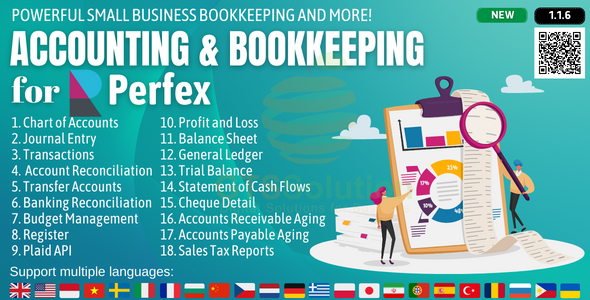
Accounting and Bookkeeping module for Perfex CRM
Description
Note: This is a module for Perfex CRM. Not a standalone script.
Brief description
Accounting is the process of recording and tracking financial statements to see the financial health of an entity. This is done by inputting, sorting, measuring, and then communicating transactions in various formats. Accounting consists of bookkeeping and analysis. Bookkeeping, or financial accounting, consists of recording transactions, which can include purchases, sales, and receipts of an individual or an organization. Once the bookkeeper records and organizes all of the transactions, the next step of accounting is to analyze these transactions into helpful reports which will show the state of one’s finances. These reports can include profit/loss statements, cash flow reports, and can track sales tax to keep a close eye on what is owed come tax time. With small business accounting done right, small business owner will be able to have a clear understanding of the state of your finances so you can make better decisions based on what you have available.
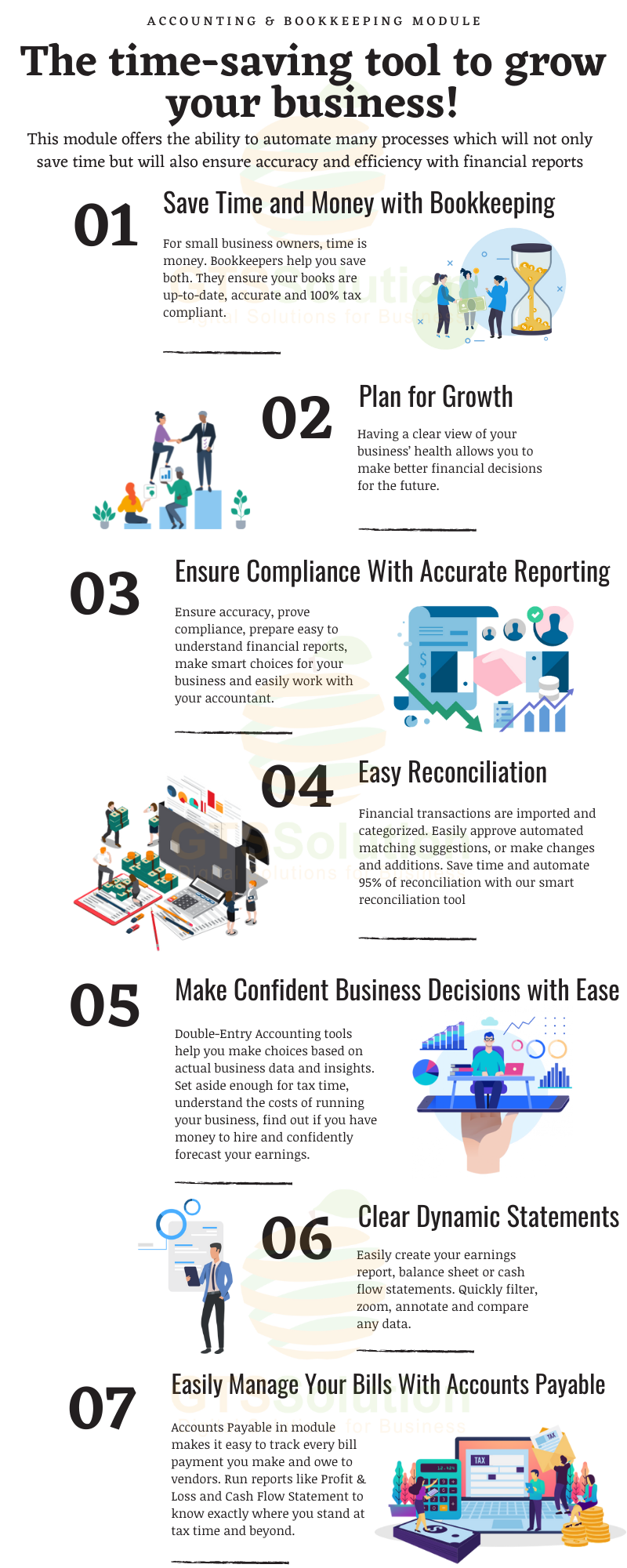

The benefits of a Accounting & Bookkeeping module
Using this module helps in relieving the burden of manual data entry, prevents common human errors, helps businesses and accountants when tax time comes around and allows the user to look at in-depth reports of how their business’ finances are faring. Perhaps the biggest advantage of this module is all of the time it will save. With this module, all of their financial reports will be consolidated into one online system, making it easier to keep track of their records. An accounting module for businesses offers the ability to automate many processes which will not only save time but will also ensure accuracy and efficiency with one’s financial reports.
Module Features
- Dashboard: Profit & Loss Chart, Income Chart, Expense Chart, Cashflow Chart and Bank Accounts Overview
- Banking:
- Banking Register
- Posted Bank Transaction
- Reconcile Bank Account
- Import Bank Transacions
- Transactions:
- Mapping Bank Statements to Accounting
- Mapping Invoices to Accounting
- Mapping Payments to Accounting
- Mapping Expenses to Accounting
- Mapping Purchase to Accounting (need to integrate with Purchase Management module)
- Mapping Inventory to Accounting (need to integrate with Inventory Management module)
- Mapping Payroll to Accounting (need to integrate with HR Payroll module)
- Item Mapping Setup
- Expense Category Mapping Setup
- Tax Mapping Setup
- Purchasing Mapping Setup
- Inventory Mapping Setup
- Banking Rules: to automatically categorize transactions
- Journal Entry: to record transactions in the general ledger
- Transfer: to transfers of amounts between accounts
- Chart of Accounts: is a list of the account numbers and names relevant to your company. Typically, a chart of accounts will have four categories (Asset accounts, Liability accounts, Income accounts and Expense accounts).
- Reconcile: is the process of matching transactions entered into module against your bank or credit card statements
- Budgets Management: supports preparing budgets, which help you monitor, track, and compare expected income and expenses with actual income and expenses. When you prepare a budget, you typically prepare it for a fiscal year, and you can opt to supply budget amounts or use historical amounts
- Business Overview Reports:
- Balance Sheet Comparison: what you own (assets), what you owe (liabilities), and what you invested (equity) compared to last year.
- Balance Sheet Detail: a detailed view of what you own (assets), what you owe (liabilities), and what you invested (equity).
- Balance Sheet Summary: a summary of what you own (assets), what you owe (liabilities), and what you invested (equity).
- Balance Sheet: what you own (assets), what you owe (liabilities), and what you invested (equity).
- Custom Summary Report: a report you build from scratch. With more options to customise.
- Profit and Loss as % of total income: your expenses as a percentage of your total income.
- Profit and Loss Comparison: your income, expenses, and net income (profit or loss) compared to last year.
- Profit and Loss Detail: profit and Loss Detail
- Profit and Loss year-to-date comparison: your income, expenses, and net income (profit or loss) compared to this year so far.
- Profit and Loss: your income, expenses, and net income (profit or loss). Also called an income statement.
- Statement of Cash Flows: cash flowing in and out from sales and expenses (operating activities), investments, and financing.
- Statement of Changes in Equity: statement of changes in equity.
- Bookkeeping Reports:
- Account list: the name, type, and balance for each account in your chart of accounts.
- Balance Sheet Comparison: what you own (assets), what you owe (liabilities), and what you invested (equity) compared to last year.
- Balance Sheet: what you own (assets), what you owe (liabilities), and what you invested (equity).
- General Ledger: the beginning balance, transactions, and total for each account in your chart of accounts.
- Journal: the debits and credits for each transaction, listed by date.
- Profit and Loss Comparison: your income, expenses, and net income (profit or loss) compared to last year.
- Profit and Loss: your income, expenses, and net income (profit or loss). Also called an income statement.
- Account history: account history
- Recent Transactions: Transactions you created or edited in the last 4 days.
- Statement of Cash Flows: cash flowing in and out from sales and expenses (operating activities), investments, and financing.
- Transaction Detail by Account: transactions and total for each account in your chart of accounts.
- Transaction List by Date: A list of all your transactions, ordered by date.
- Trial Balance: this report summarises the debit and credit balances of each account on your chart of accounts during a period of time.
- Sales Tax Reports:
- Tax Detail Report: This report lists the transactions that are included in each box on the tax return. The report is based on accrual accounting unless you changed your tax reporting preference to cash basis.
- Tax Liability Report: How much sales tax you’ve collected and how much you owe to tax agencies.
- Tax Summary Report: This report shows you the summary information for each box of the tax return. The report is based on accrual accounting unless you changed your tax reporting preference to cash basis.
- Sales and Customers Reports:
- Deposit Detail: your deposits, with the date, customer or supplier, and amount.
- Income by Customer Summary: your income minus your expenses (net income) for each customer.
- Expenses and Suppliers Reports:
- Cheque Detail: The checks you’ve written, with the date, payee, and amount.
- Budgets Reports:
- Budget overview: this report summarises your budgeted account balances.
- Profit and Loss Budget vs Actual: this report shows how well you are meeting your budget. For each type of account, the report compares your budgeted amounts to your actual amounts.
- Profit and loss budget performance: this report compares actual amounts to budgeted amounts for the month, the fiscal year to date, and the annual budget.
- Accounts Aging Reports:
- Accounts Receivable Aging Summary: unpaid balances for each customer, grouped by days past due.
- Accounts Receivable Aging Detail: unpaid invoices, grouped by days past due.
- Accounts Payable Aging Summary: the total amount of your unpaid bills, grouped by days past due.
- Accounts Payable Aging Detail: your unpaid bills, grouped by days past due.
- Banking Reports:
- Bank Reconciliation Summary
- Bank Reconciliation Detail
- Settings:
- General
- Account Detail Types Management
- Plaid API Setup
Demo
Set-up
Included documentation will help you upload and activate the module inside Perfex CRM, if you are not aware on how to do it.
Support
Our support team is always around to help. Feel free to raise a support ticket. Guys from support department will get back to you as soon as possible with a reply, guiding you through any issues.
Changelog
Version 1.0.0 / 2021-04-08
Initial version
Version 1.0.1 / 2021-04-17
    Multi-currency support.
    Add the feature to filter data by fiscal year.
    Add expense category mapping feature.
    Add a feature to set up automatic mapping for invoices, payments, expenses and taxes.
    Add sales tax reports: tax detail report, tax liability report and tax summary report.
    Add bulk delete/activate/deactivate the feature for a chart of accounts.
Version 1.0.3 / 2021-05-17
    Add accrual accounting method.
    Add feature to enable/disable default mappings for transaction types.
    Add parent accounting account feature.
    Add tree chart of accounts feature.
    Add feature to create your own account detailed type
    Upgrade accounting reports
Version 1.0.5 / 2021-05-22
    Fix minor bugs.
    Add feature to set priority expense mapping by category or by payment mode.
    Update mapping transactions for payment, invoice, and expense.
    Update reports.
Version 1.0.8 / 2021-08-25
    Integration with modules: Purchase Management, Inventory Management, and HR Payroll.
    Add budgets management.
    Add budget overview.
    Add profit and loss budget vs actual.
    Add profit and loss budget performance.
    Add accounts receivable aging summary.
    Add accounts receivable aging detail.
    Add accounts payable aging summary.
    Add accounts payable aging detail.
Version 1.1.2 / 2022-04-21
    Fix minor bugs.
    Remove mapping when deleting: purchase order, purchase invoice, payslip, stock export, stock import, loss adjustment.
    Update reports: accounts receivable aging detail, accounts receivable aging summary.
    Update opening balance can be negative.
    Upgrade automatic double-entry rules for Purchase Management and Inventory Management modules.
    Support RTL.
    Add double entry for credit note, discount.
    Add budget import function.
    Add account import function.
    Add Plaid API settings to connect with banks.
    Add bank register feature.
    Add posted bank transactions feature.
    Add reconcile bank accounts feature.
    Add bank reconciliation summary report.
    Add bank reconciliation detail.
Version 1.1.3 / 2022-05-21
    Fix minor bugs.
    Update reports related to budget, business overview.
Version 1.1.4 / 2022-05-25
Fix minor bugs.
Version 1.1.5 / 2022-06-07
Update hooks of payment feature for Perfex CRM version 2.9.4
Version 1.1.6 / 2022-06-21
     Update import budget feature (year, quarter, month) from excel file.
     Update budget management features and budget reports by fiscal year.
Categories
Tags
External listing. code.market does not sell this product and does not process payment for it. Pricing, payment, delivery, licensing, refunds, and support are handled by the third-party merchant on its own website. We may earn an affiliate commission from a referral. Details.
Products of the Week.
Submit#1

upvote.club
Free Social Media Engagement that Helps Boost Your Content. Upvote Club supports 19 social networks with 100+ engagement actions in one dashboard. Add links to your posts and get free engagement from real users.
SaaS · 16,262 views · 96 clicksSaaS · Week 42 · 16,262 views · 96 clicks
#2

Seenshot App
Free, Fast, MacOS Screenshot app. Make Screenshot cmd+shift+2 and send it via link
Desktop App · 5,276 views · 109 clicksDesktop App · Week 42 · 5,276 views · 109 clicks
#3

Conversational Backlinks for Busy Founders
Place Backlink Relevant Conversation for your domain across Forums and Conversations
Website · 17,103 views · 195 clicksWebsite · Week 42 · 17,103 views · 195 clicks
#4

Substack Posting API
Onboard your Agent to Substack. Write Publish on Substack via API
SaaS · 36,094 views · 184 clicksSaaS · Week 42 · 36,094 views · 184 clicks
#5

codester.com
SocialDesk+: Omnichannel Social Commerce & Business Management Platform This is stronger than simply “Social Commerce and Messaging” because it tells buyers this is a complete business platform, not just a messaging script. Turn Social Conversations Into Sales SocialDesk+ is a complete omnichannel social commerce and business management platform built for businesses that sell and communicate with customers through social media. Instead of switching between WhatsApp, Facebook, Instagram and TikTok, businesses can manage customer conversations, comments, products, leads, follow-ups, automation, teams and business reports from one professional workspace. And because the full source code is included, developers, agencies and entrepreneurs can customize, rebrand and launch SocialDesk+ as their own business solution or SaaS platform. 🚀 Build Your Own Social Commerce Business SocialDesk+ gives you the foundation to launch: - Your own SaaS platform - A white-label social CRM - A social-commerce management system - A customer communication platform - A business messaging solution - A custom solution for clients - A multi-business subscription platform 💬 Connect Your Customers Supported social channels include: WhatsApp • Facebook • Instagram • TikTok Bring supported conversations into one centralized workspace and help businesses respond faster without constantly switching between platforms. 🛍️ More Than a Messaging Platform SocialDesk+ combines communication with the tools businesses need to manage customer opportunities: Inbox Manage customer conversations from connected channels. Comments Monitor and respond to social-media comments. Customers & Leads Organize customer information and potential buyers. Products & Catalog Manage products and give your team quick access to product information. Follow-Ups Make sure potential customers don't get forgotten. Automation Automate repetitive customer questions and responses. AI Assistant Provide AI-assisted communication when configured. Team Management Give managers and staff access to the business workspace. Reports & Analytics Track activity using business reports and analytics. The current product listing already includes these capabilities. 🔥 Why Buyers Will Want It Launch Faster Start with an already-built business platform instead of developing the entire system from zero. Customize Everything The full source code is included, allowing developers to change branding, features, workflows and integrations. Build a SaaS Create multiple business workspaces and offer SocialDesk+ as a subscription-based service. Sell to Businesses Offer it to retailers, restaurants, service businesses, online sellers, agencies and other businesses that communicate with customers through social media. Mobile + Web + Backend This isn't just a mobile UI template. It includes: - Flutter mobile application - Python / FastAPI backend - Web interface - Administration tools - Database infrastructure - API-based architecture - SQLite / PostgreSQL support - Android and iOS project structure 💼 One Platform. Multiple Business Opportunities. For SaaS Entrepreneurs Launch your own subscription platform and allow multiple businesses to operate inside separate workspaces. For Software Agencies Customize and rebrand the platform for clients instead of building an omnichannel business system from scratch. For Developers Use the complete source code as a foundation for your own social-commerce or customer-management product. For Businesses Deploy a dedicated version for your own customer-service and social-commerce operations. 🧩 What's Included Mobile - Flutter / Dart - Android - iOS project Backend - Python - FastAPI - SQLAlchemy - Alembic Database - SQLite - PostgreSQL Web - HTML5 - CSS3 - JavaScript Deployment - Docker - Docker Compose - Production configuration Business Platform - Multi-workspace architecture - Authentication - Teams - Customers - Products - Messaging - Comments - Automation - Reports - Subscriptions - Administration The current listing also documents third-party integrations such as Meta, TikTok, Stripe, Firebase, SMTP and optional OpenAI configuration. ⚡ What Makes SocialDesk+ Different? You're not buying a simple: ❌ Chat UI ❌ WhatsApp clone ❌ Flutter template ❌ Admin dashboard ❌ Basic CRM You're getting a complete business platform foundation that can be customized, branded and commercialized. Connect. Automate. Manage. Grow. SocialDesk+ Omnichannel Social Commerce & Business Management Platform One important change I'd make to the current listing The current page starts with: “A simple guide to managing your social conversations, customers, products and business activity.”
Other · 3,506 views · 31 clicksOther · Week 42 · 3,506 views · 31 clicks
#6

sandbook.app
Sandbook reads EPUB, PDF, web pages and scanned pages aloud with Kokoro TTS, an open neural voice model that runs on your iPhone, free and offline. Choose from 41 natural voices in English, Spanish, French, Italian, Brazilian Portuguese and Hindi and follow each word as it is spoken. Try the same voices in your browser first with the free Kokoro TTS online demo.
Other · 3,511 views · 13 clicksOther · Week 42 · 3,511 views · 13 clicks