The Largest Curatorial Library
With Mosaic

isoMosaic Photo Wall Layout Generator

isoMosaic Photo Wall Layout Generator

isomorph.js is an 7kb minified zero dependency layout system, inspired by Automatic Magazine Layout, that has no dependencies. It allows a layout system to fill a container completely with a defined number of images, in a magazine layout type arrangement, as adopted by the likes of Facebook for a collection of photos. Whilst number of images and width can be determined by the user, height is set by the code. It also handles lazy loading of images. Requires only this script, a few lines of HTML on a webpage and a collection of images. This particular plugin is small, fast and versatile. 7kb is the minified size, 2kb gzipped.

Izzy - An Unconventional Blog Theme

Izzy - An Unconventional Blog Theme

Izzy – A premium easy-to-use WordPress theme developed specifically for personal, streamlined blog websites; coded with site performance in mind. Theme is bit unconventional, brings modern and fresh feeling for your WordPress blog. Theme comes with two main layouts (masonry or classic-like) and with fully responsive design. You will receive a detailed documentation along with additional features like featured main slider, landing section, unlimited color schemes, Google webfonts, custom widgets etc. Functions are based on solid back-end Redux framework.

Ultimate Grid Responsive Gallery

Ultimate Grid Responsive Gallery

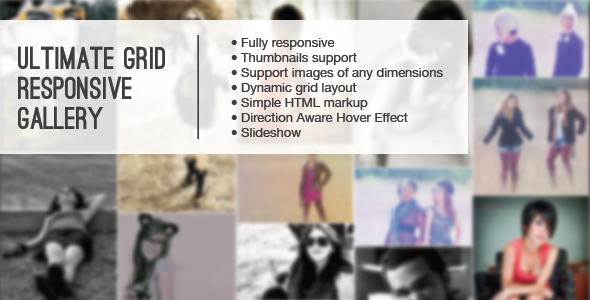
This is a HTML | CSS | JQuery Grid with a Lightbox, you can specify thumbnails for the grid and when you click on it to open the lightbox it will load the normal image, you can specify the text for the captions and for the lightbox. Also you don’t have to load all the images at once (for performance purposes) so you can specify the number of images to load when it first load and the number of images to load when you click the “load more images” button.

Auto Grid Responsive Gallery - Wordpress

Auto Grid Responsive Gallery - Wordpress

This is a Wordpress plugin that scans a folder in your Wordpress installation and its subfolders containing images. The subfolders will be the categories that will appear at the top, and the plugin will make a grid responsive gallery with the images. You only need to Drag and Drop images into a folder. And add the gallery in your posts or pages with a shortcode You only need to take care of organizing your images in folders and if you want adding thumbnails.