#1

Online Tickets Management System - eTransport
#1
Online Tickets Management System - eTransport
#2

Android Coupon Code App (Coupon, Offer, Promocode, Recharge, Ticket)
Deals & Coupon Codes Offers is the app for online shopping lovers, Do you shop frequently from worlds leading online shopping websites ? than you will be aware of daily coupon codes and offers, So we have bring a clean coded app to give you online deals and offers code very easily. This app is free and unique app in which you can browse unlimited coupons and product discount codes which are updated everyday. The app is fully optimized to explore best deals and coupons category wise, so users can easily bring best deals from leading online merchants such as amazone, Flipkart, Jabong, Myntra, Snapdeal, Zivame, Zovi, Lenskart, Dominos, Paytm, FabFurnish, ClearTrip, FoodPanda and other top brands. There is detail documentation given for buyers to create their own app from the code very easily.
#3
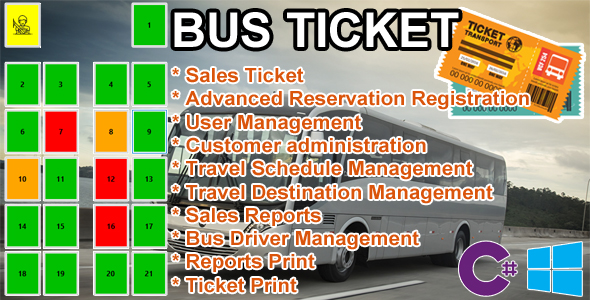
Bus Ticket - MySQL C# Advanced Seat Reservation Management
- Visual Studio 2010 – Microsoft Visual Studio Installer Projects to generate .exe – Windows 7, 8, 8.1, 10 User Name / Password (default) – user Name: admin – password: admin
#4
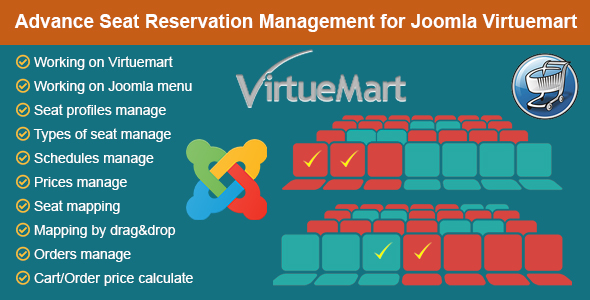
Advance Seat Reservation Management for Joomla Virtuemart
The excellent extensions allows managing the seat reservation system with Joomla Virtuemart. It working on Virtuemart product, cart, order and Joomla menu. Frontend Demo (right click and open in new tab): here It is suitable for most types of business such as cinema, train, airplane, event, theater, movie theater, bus ticket, beach chair… Admin can create seating profiles, like room 1, room 2 … for cinemas, theater, movie theater, conferences, events. Vehicle 1, vehicle 2… for trains, aircraft. Each profiles, admin can upload image or pick color for room background, enter size of room, when window is smaller, the width and height will be adjust to responsive. Admin can manage types of seat, includes name of type (for example VIP, Standard etc), color or icon of type. Admin can manage schedules, add specifically schedules or setting daily schedules. Admin can manage prices, includes name of price (for example Adult, Children etc) and type price. Admin can manage seats, includes label of seat, type of seat, width and height, then can setting map by drag and drop the seats. Virtuemart Admin can create Virtuemart customfield, then add customfield for products, when customer go on product detail page, they can see the seating map, they can choose schedule, option and seats. Then add product to cart, price will be calculate in cart, the booked seats will be show in cart, order detail and email. Joomla Menu Admin can allow customer do booking seats without cart, payment etc though Joomla menu, by create menu item, choose menu type is Seat Reservation component. When customer go on the menu, they can choose schedule, option and seats, then fill in form and submit form, the booked seats will be show in email and Seat Profiles manager. Very easy and flexible to install and configure, you will have an excellent reservation management system. Quick and simple, the plugin will really useful for your website. If you have any questions do not hesitate to contact me. If you want to use Wordpress WooCommerce, we have a version here.
#5
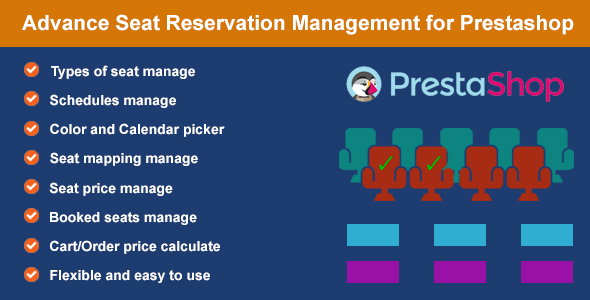
Advance Seat Reservation Management for Prestashop
The excellent module allows managing the seat reservation system with Prestashop. It is suitable for most types of business such as cinema, train, airplane, event, theater, movie theater, bus ticket, beach chair… Admin can create seating profiles, like room 1, room 2… for cinemas, theater, movie theater, conferences, events. Vehicle 1, vehicle 2… for trains, aircraft, bus. Each profile, admin can create the types of seat like VIP, Standard, Free… Available, Booked and especially a seat type with name “hallway” to create hallway on seat mapping. Then admin can create schedules with calendar picker, admin can choose to sell tickets on schedule or all day. Finally, create row and column labels, seat map will appear, admin can set the seat type for each seat. At the product edit page admin choose the seat profile for the product, here the admin can also set the price for each types of seat. In addition, the admin can see these booked seat, can be restore them if want the customers rebooking. At the frontend product page, customers can choose the schedules and seats that they want then add product to shopping cart, the price of the seating units is also calculated here. When the customer complete the order, the booked seats will be displayed when the admin view the order detail in Backend, the booked seats also display in the product edit page. Very easy and flexible to install and configure, you will have an excellent reservation management system. Quick and simple, the module will really useful for your website. If you have any questions do not hesitate to contact me.
#6
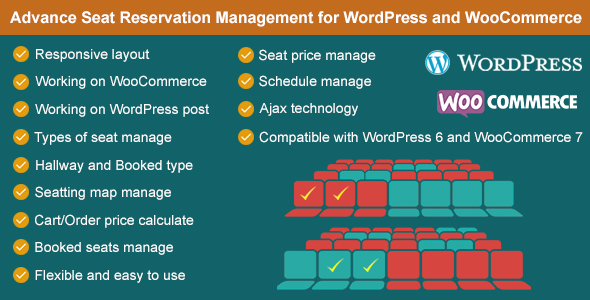
Advance Seat Reservation Management for WooCommerce
The excellent plugin allows managing the seat reservation system with WordPress WooCommerce. It working on WooCommerce product, cart, order and WordPress post. It is suitable for most types of business such as cinema, train, airplane, event, theater, movie theater, bus ticket, sunbed, beach chair…