The Largest Curatorial Library
With Adobe Muse

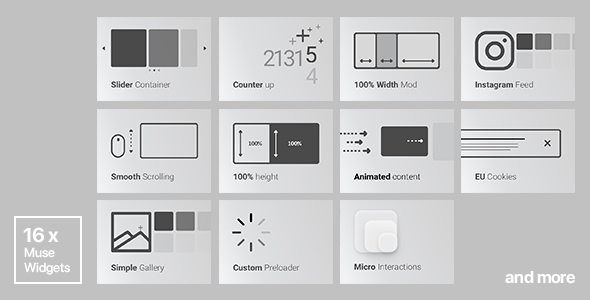
16x Adobe Muse Widgets by Rosea Themes

16x Adobe Muse Widgets by Rosea Themes

1. Animated Content (27 effects) 2. Simple Gallery (with multiple photos upload functionality) 3. Slider ContainerUPDATED 4. Instagram Feed 5. Countdown Widget 6. Counter up 7. Full Width Mod (e.g: you can create full width portfolio) 8. 100% Height Mod and percentage height of the browser. 9. EU Cookie Consent Widget 10. Custom Preloader 11. Sticky Navigation 12. Micro Interactions 13. Custom Hide/Show Sidebar 14. 4 Image Hover Effects 15.Auto Anchor Navigation 16.Video Background WidgetNEW

Fluid Parallax Slideshow for Adobe Muse

Fluid Parallax Slideshow for Adobe Muse

Fluid Parallax Slideshow is a widget for Adobe Muse CC. Parallax is a displacement or difference in the apparent position of an object viewed along two different lines of sight, and is measured by the angle or semi-angle of inclination between those two lines.1 The term is derived from Ancient Greek παράλλαξις (parallaxis), meaning “alternation”. Due to foreshortening, nearby objects show a larger parallax than farther objects when observed from different positions, so parallax can be used to determine distances. Parallax scrolling, also known as “Asymmetrical scrolling”, is a technique in computer graphics and web design, where background images move by the camera slower than foreground images, creating an illusion of depth in a 2D scene and adding to the immersion.

Preloader_muse

Preloader_muse

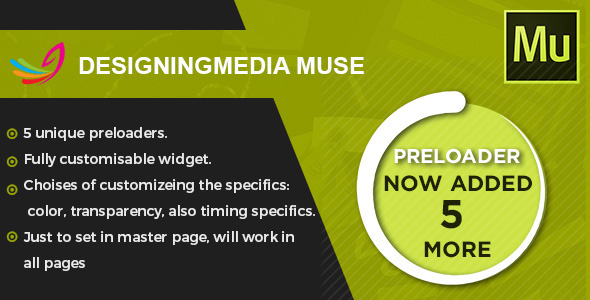
Designingmedia presents muse widget which helps you in a way that you may select any one out of five preloader and apply them in adobe muse site. widget can be easily used it is fully responsive just including the widget into the master page and your action will be performed as you wanted and if you want it on a specific page so place the widget on to that page. It is supported to adobe muse 2017+ and all the upcoming versions. No coding skills required to customize, easy drag-and-drop and to set your required loader style.

Scroll To Top - Muse Widget

Scroll To Top - Muse Widget

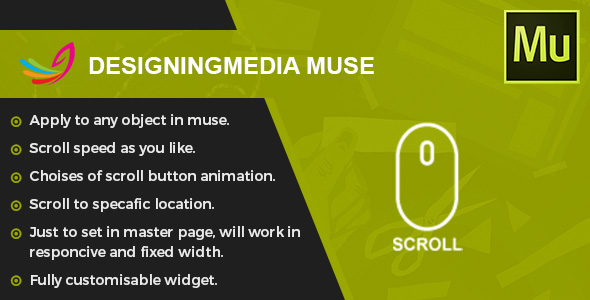
Designingmedia muse presents Unique Widget for Adobe Muse – Scroll To Top Button for responsive as well as fixed pages website. our Widget will work with adobe muse version starting from 2015.2.x to latest. As you know, the problem of the responsive layout of the website in Muse is the lack of scrolling up. Now it’s no longer a problem. This widget allows you to perform scrolling in each breakpoint point. There is no need to anchor The widget is very easy to use, has few settings and most importantly – do not need to create a anchor or even to adjust it on all pages and at every breakpoint fixed or fluid page what ever it may be. Just place the widget on to the page and configure according to the instructions.addition in the widget is the shifting to a speacfic place in the page. Another IMPORTANT thing is that you can set any object to be clickable back to top just set the grapic style and your good to go.

Scroll Top Button

Scroll Top Button

Hello, dear friends! Here is a Unique Widget for Adobe Muse – Scroll Top Button (for responsive website)+Bonus 20 png arrows Present a unique widget – scroll button for Adobe Muse. This Widget like is configured and operates in the responsive version starting in 2015.2.x As you know, the problem of the responsive layout of the website in Muse is the lack of scrolling up. Now it’s no longer a problem. This widget allows you to perform scrolling in each stopping point. There is no need to anchor The widget is very easy to use, has many settings and most importantly – do not need to create the anchor. Just place the widget on a page and configure according to the instructions. Thank you!